

2025 Mileage Tracker with Baden-Württemberg School Holidays Template
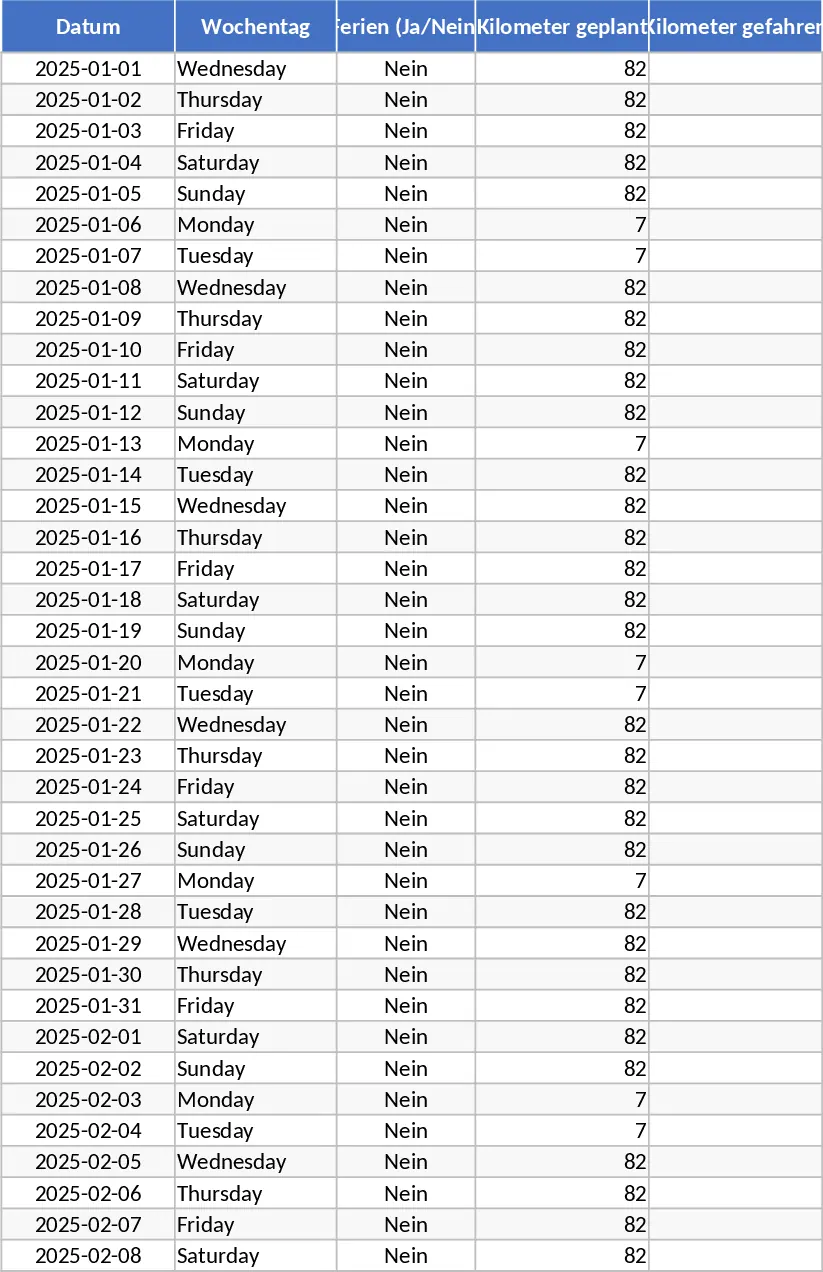
This specialized 2025 Mileage Tracking Template is designed specifically for users in Baden-Württemberg who need a precise and automated way to log their daily travel. Managing a commute that fluctuates between different distances—such as a short 7km trip on Mondays and specific Tuesdays versus a longer 82km journey on other days—can be a logistical headache when done manually. This template removes the guesswork by integrating the official 2025 school holiday calendar for Baden-Württemberg directly into its logic, ensuring that your records reflect regional variations automatically.
The core of the template is a structured annual log where every day from January 1st to December 31st, 2025, is pre-populated. It uses intelligent formulas to distinguish between regular workdays and school holidays. During standard weeks, the template automatically assigns 7km to every Monday and every second Tuesday, while defaulting to 82km for all other weekdays. However, recognizing that routines often change during school breaks, the template is programmed to switch all weekdays to 82km during the designated Baden-Württemberg holiday periods. This ensures your records are accurate without you having to look up holiday dates every time you update your log. The sheet includes columns for the date, the day of the week, a holiday indicator, and the calculated mileage, providing a clear audit trail for any professional requirement.
This tool is particularly beneficial for professionals, educators, or administrative staff who have a fixed but complex weekly schedule and need to provide documentation for tax deductions or employer reimbursements. By automating the distance calculation based on the specific regional calendar, it eliminates the common error of forgetting when a holiday period starts or ends. The summary section provides an instant, real-time total of your accumulated mileage, making it easy to see your progress throughout the year or prepare end-of-month reports. The template is built to be flexible, allowing for manual overrides if your actual travel differs from the standard routine on any given day.
How to use:
- Open the template and navigate to the 2025 Log sheet where the dates are already listed sequentially from January to December.
- Check the pre-filled Distance column; the formulas have already applied the 7km or 82km logic based on the day of the week and the Baden-Württemberg holiday status.
- If you had an exceptional trip, a day off, or a different route, simply overwrite the pre-filled value in that specific cell to reflect your actual mileage for that day.
- Scroll to the bottom of the table or check the summary header to find the Total Mileage cell, which automatically sums up all entries for your final report.
By using this template, you can expect to significantly reduce the time spent on administrative paperwork and manual calculations. It transforms a daily chore into a simple verification process, ensuring your mileage records are consistent, professional, and compliant with your specific regional requirements while minimizing the risk of calculation errors.
Similar Templates Recommendation
Secondary School Results and Ranking Template
Track up to 200 secondary students' marks, auto‑calculate grades, averages, divisions and rankings in a clear, formatted sheet.

Couple Budget and Cash Flow Tracker Template
Track monthly income, expenses, and cash flow for a working couple, visualize budgets and savings goals in one spreadsheet.

Date Range and Internal Log Template
Create an Excel file with two columns for dates and internal notes, with colored rows for different date ranges.
