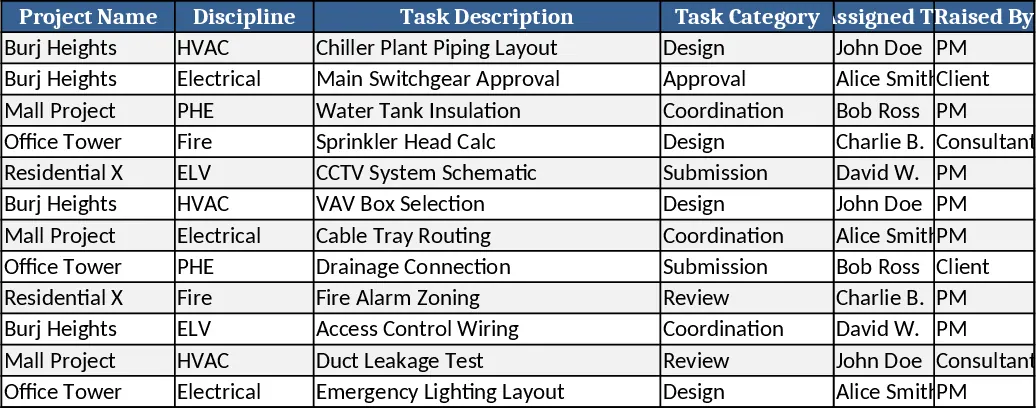
Modern Task Management Tracker Template
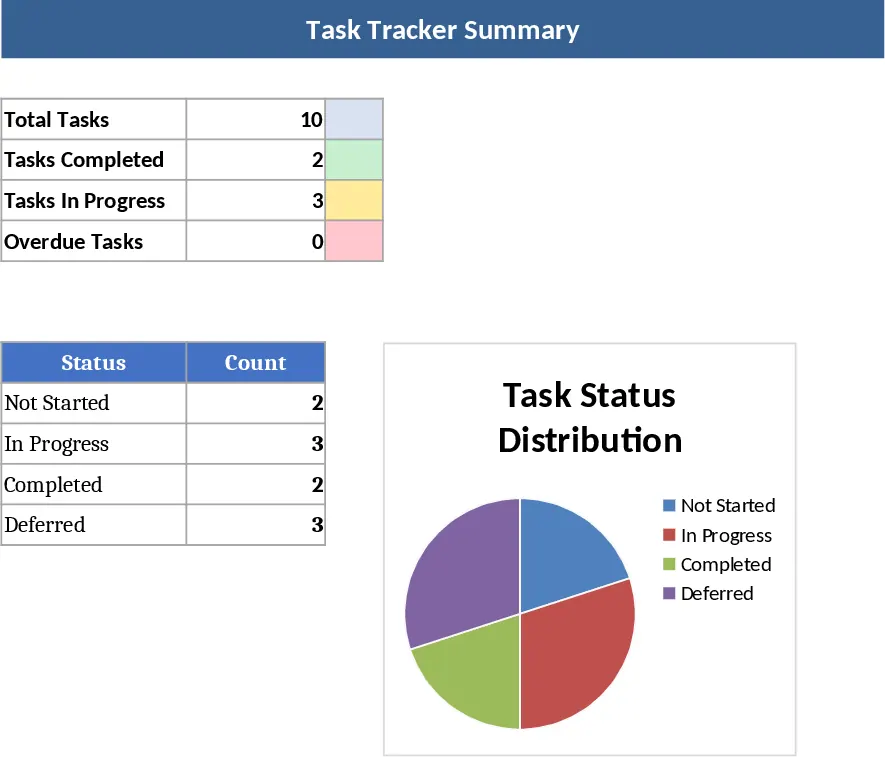
This Excel Task Tracker is a sophisticated yet user-friendly tool designed for individuals and teams who appreciate the clean, aesthetic functionality of modern productivity platforms like Luna. It serves as a centralized hub for all your project-related activities, ensuring that nothing falls through the cracks. The template is structured with a primary task log where you can input task names, assignees, and detailed descriptions. It features intuitive dropdown menus for status tracking—ranging from Not Started to Completed—and priority levels to help you focus on what matters most. Beyond the data entry, the template includes a visual summary section that automatically calculates progress percentages and highlights upcoming deadlines, giving you a high-level overview of your project's health at a single glance. The layout is intentionally minimalist to reduce cognitive load, allowing you to focus on the work itself rather than the tool.
Managing multiple moving parts in a project often leads to information silos and missed milestones. This template solves those challenges by providing a structured environment where every task has a clear owner and a defined timeline. It is particularly useful for project managers, small business owners, and freelancers who need a professional way to organize their workflow without the complexity of expensive SaaS subscriptions. Whether you are launching a new marketing campaign, managing a product development cycle, or simply organizing your weekly to-do list, this tracker brings clarity to your daily operations. By consolidating your tasks into one accessible file, you reduce the time spent searching through emails or chat logs for updates, allowing you to spend more time on actual execution. The benefit of using an Excel-based solution is the complete control you have over your data, with no recurring fees and the ability to work offline whenever necessary.
The template is designed to be flexible enough for various industries, from creative agencies to technical teams. It helps you track not just the what and when, but also the who, making it an excellent tool for team accountability. The inclusion of automated color-coding ensures that overdue tasks are immediately visible, prompting timely action. This visual feedback loop is essential for maintaining momentum and ensuring that project timelines remain on track. Furthermore, the template includes a dedicated section for notes and attachments links, ensuring that all relevant context for a task is stored right where the work is being tracked. This eliminates the need to jump between different apps to find a specific brief or a feedback document.
How to use: To get started, navigate to the configuration area to customize your task categories, team member names, and priority labels to match your specific project needs. Once your setup is complete, begin populating the main task list by entering your current projects and individual action items, ensuring you assign a start date and a target deadline for each. As your work day progresses, simply update the status column using the provided dropdowns; the template will automatically adjust the visual progress bars and summary charts. Regularly review the dashboard view to identify any tasks that are approaching their deadlines or have become stalled, allowing you to reallocate resources or adjust priorities as needed. You can also filter the list by assignee or priority to generate quick reports for team meetings.
Expected benefits: By using this template, you can expect to significantly reduce the time spent on manual status reporting and improve your team's overall alignment and deadline compliance.
Similar Templates Recommendation
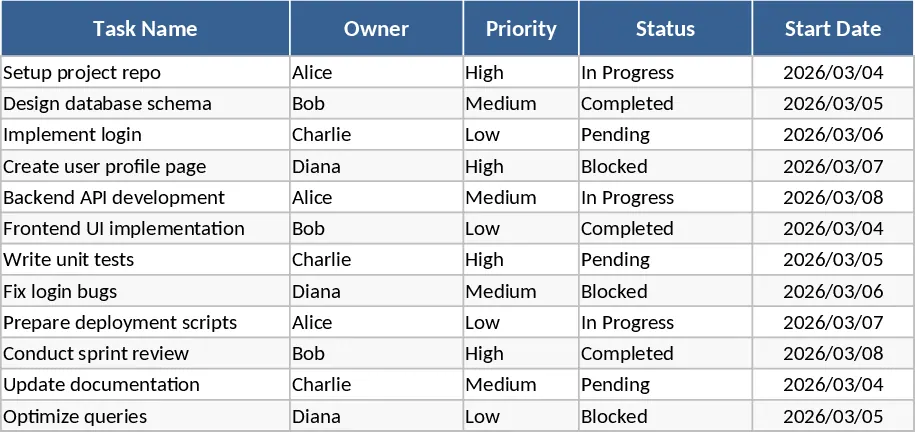
2-Week Software Sprint Task Tracker Template
Track agile development tasks, assign owners, and monitor sprint progress with automated deadline countdowns for efficient two-week software cycles.
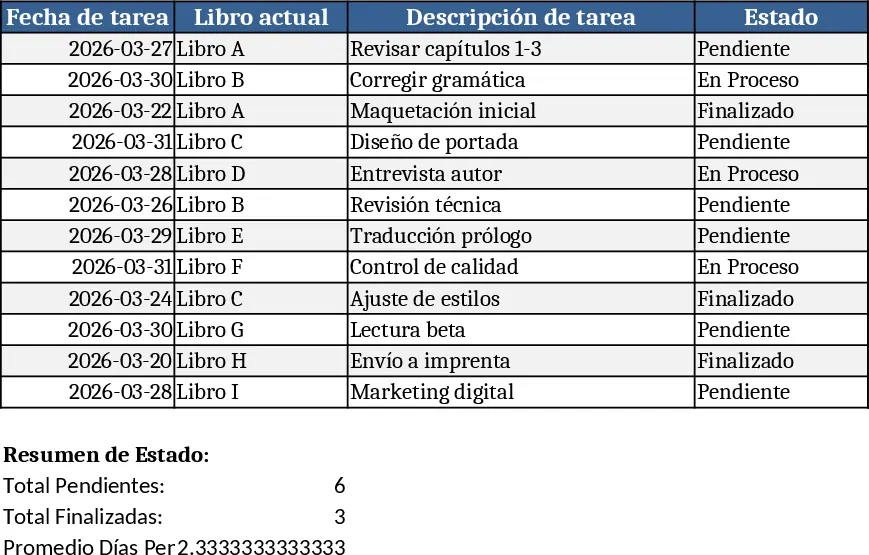
Daily Task Tracker with Pending Days Update Template
Track daily tasks in Excel with automatic pending‑day counters and instant updates when you add a new sheet.
MEP Consultancy Workflow & Task Management Dashboard Template
A comprehensive Excel system to create, assign, track, and manage MEP consultancy tasks with dashboards, alerts, and automation.