

Random Name Scrolling Picker Template
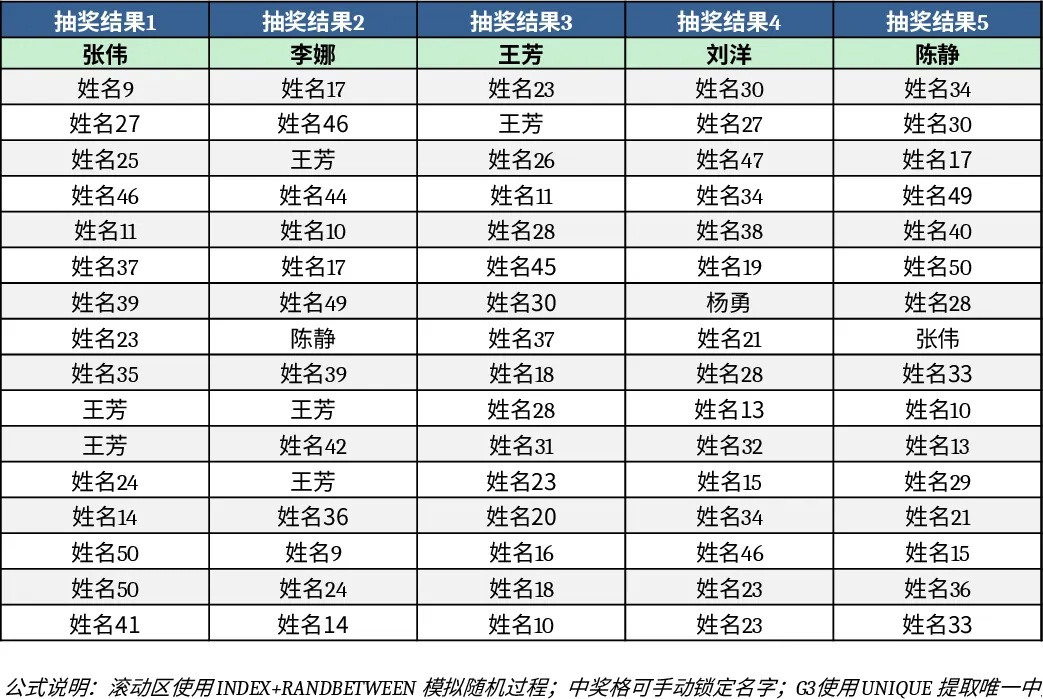
This template provides a simple, self‑contained Excel workbook that turns any list of names into a rolling roster and then extracts six distinct entries with a single click. The file contains three sheets: "Data" where you paste or type the full participant list, "Settings" where you can adjust the number of winners and enable optional weighting, and "Results" that displays the six randomly chosen names, a timestamp, and a quick summary chart. All calculations are driven by built‑in formulas and a tiny VBA macro, so no external add‑ins are required.
The workbook solves the common hassle of manually shuffling names, copying and pasting, or risking duplicate picks when you need a fair, quick draw for team‑building games, award nominations, training slots, or any ad‑hoc selection process. By automating the randomisation, you eliminate bias, save the minutes you’d spend on paper draws, and gain a clear audit trail that can be shared with stakeholders.
Ideal for HR professionals, office managers, event coordinators, or team leaders who regularly need to pick a small group from a larger pool. Whether you’re selecting six volunteers for a pilot project, choosing lucky winners for a raffle, or assigning staff to a short‑term task, this template delivers a transparent and repeatable method that anyone with basic Excel skills can run.
The template tracks the original list, the random order generated each time, and the final six selections. It also records the date and time of each draw, allowing you to keep a history for compliance or reporting purposes. The optional weighting feature lets you give certain names a higher chance of being selected, useful for seniority‑based or performance‑based draws.
How to use
- Open the workbook and go to the "Data" sheet. Paste your full list of names in column A, one per row.
- Switch to the "Settings" sheet and set the "Number of Winners" to 6 (or any other count you need). If you want weighted chances, enter a numeric weight next to each name in column B.
- Return to the "Results" sheet and click the "Run Draw" button. The macro will shuffle the list, apply any weights, and display the six chosen names along with a timestamp.
- Review the results, copy them to your communication channel, or export the sheet as PDF for records.
Expected benefits include a noticeable reduction in manual effort, fewer errors from duplicate selections, and a professional‑looking output that can be archived for future reference. This template turns a tedious random‑selection task into a quick, reliable process that anyone can repeat as often as needed.
Similar Templates Recommendation
Secondary School Results and Ranking Template
Track up to 200 secondary students' marks, auto‑calculate grades, averages, divisions and rankings in a clear, formatted sheet.

Couple Budget and Cash Flow Tracker Template
Track monthly income, expenses, and cash flow for a working couple, visualize budgets and savings goals in one spreadsheet.

Date Range and Internal Log Template
Create an Excel file with two columns for dates and internal notes, with colored rows for different date ranges.
