

Business Management Document Conversion Template
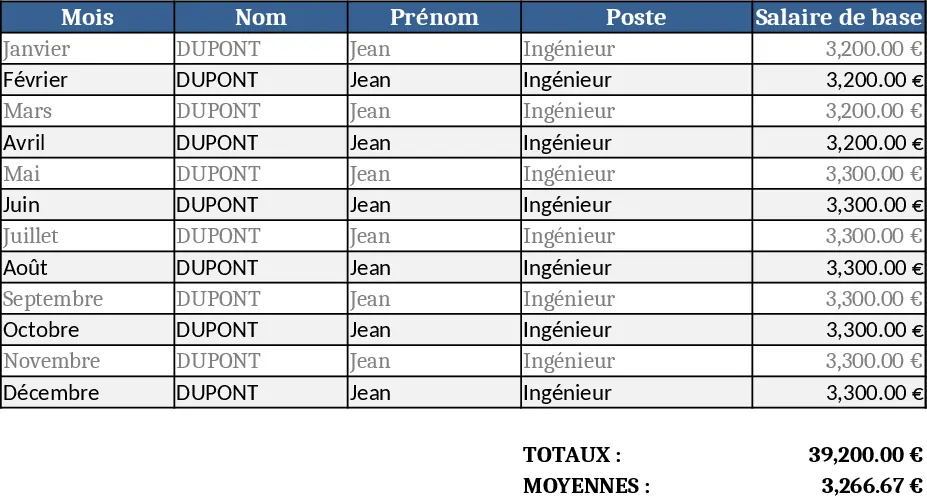
This template is a ready‑to‑use conversion workbook that lets you take any well‑structured business‑management Excel file and export it to the format you need – PDF for printable reports, CSV for data imports, or Google Sheets for online collaboration. The workbook is split into three simple sheets: Input Data, where you paste or link your original tables; Settings, where you pick the target format, set page‑size options for PDF, and define any column‑mapping rules; and Export Log, which records each conversion run, the file name generated and any warnings.
It solves the common headache of manually re‑creating reports in multiple tools. Instead of opening Excel, copying data, re‑formatting in a word processor, and then saving as PDF, you click a button and the template does it for you. This saves time, reduces transcription errors, and ensures that every stakeholder receives a consistent, up‑to‑date version of the same data.
The tool is ideal for business owners, finance analysts, operations managers, and anyone who regularly shares performance dashboards, budgeting sheets, or inventory lists with partners who prefer different file types. Whether you need a printable PDF for a board meeting, a CSV to feed into a BI system, or a live Google Sheet for remote teams, the template handles the heavy lifting.
How to use
- Open the workbook and go to the Input Data sheet. Paste your existing Excel tables or use the "Get Data" button to link an external file.
- Switch to the Settings sheet, select the desired output format from the dropdown, adjust any optional settings (page orientation, column delimiters, sheet names), and optionally map columns if the target format requires different headings.
- Click the Convert button on the Settings sheet. The template runs a macro that creates the chosen file in the same folder and logs the operation in Export Log.
- Open the generated file to verify layout and share it with your audience.
Expected benefits include a noticeable reduction in manual formatting effort and a smoother workflow when distributing reports across different platforms, letting you focus on analysis rather than file fiddling.
Similar Templates Recommendation
Secondary School Results and Ranking Template
Track up to 200 secondary students' marks, auto‑calculate grades, averages, divisions and rankings in a clear, formatted sheet.

Couple Budget and Cash Flow Tracker Template
Track monthly income, expenses, and cash flow for a working couple, visualize budgets and savings goals in one spreadsheet.

Date Range and Internal Log Template
Create an Excel file with two columns for dates and internal notes, with colored rows for different date ranges.
