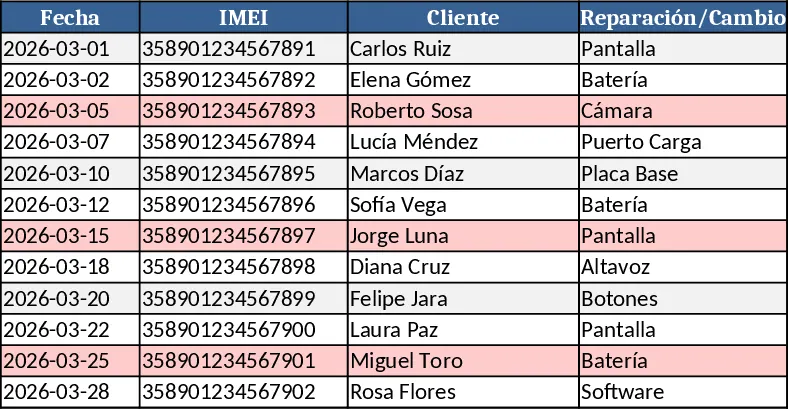
iPhone Multi‑Sheet Service Price List Template
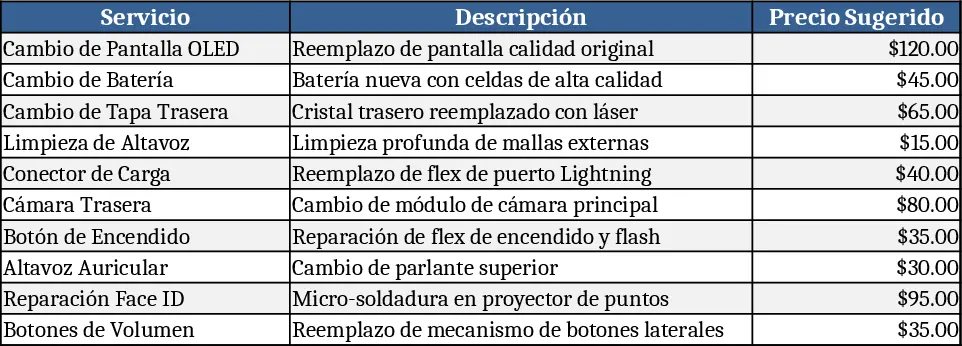
This Excel template gives you a clean, colour‑coded price list for every iPhone model from the iPhone X up to the latest series. Each model has its own worksheet, and the tabs share the same background colour for easy navigation. Within each sheet, rows alternate between two shades, making the service items stand out. The core columns are Service, Description, Unit Price, and SKU, and a drop‑down list lets you select the service type (e.g., screen repair, battery swap, back‑cover replacement). A summary sheet pulls the most recent prices from all model sheets, so you can see a quick overview or generate a full catalog with a single click.
The template solves the common headache of maintaining a consistent, up‑to‑date price list across many iPhone generations and service options. Instead of recreating tables for each model, you simply fill in the prices once and let the workbook handle the formatting and aggregation. This reduces manual errors, ensures every sales rep or technician sees the same information, and speeds up quote creation for customers looking for repairs or accessories.
It is ideal for retail sales teams, authorized service providers, and independent repair shops that need to present a professional price list to customers. Whether you’re quoting a battery replacement for an iPhone 13 Pro or a back‑cover change for an iPhone X, the template lets you locate the exact price in seconds. The colour‑coded tabs also help new staff quickly learn where to find each model’s pricing without digging through a single massive sheet.
How to use
- Open the workbook and go to the sheet named after the iPhone model you need; the tab colour matches the series for visual cue.
- Enter or update the unit prices in the "Unit Price" column for each service listed; the drop‑down in the "Service" column ensures consistent naming.
- Switch to the "Summary" sheet to see all prices compiled; you can filter by model or service to create a quick quote.
- Export the summary or any individual sheet as PDF for a printable price list to share with customers.
Expected benefits: streamlined pricing updates, consistent visual layout, and faster quote generation, freeing up time for more customer‑focused activities.
Similar Templates Recommendation
iPhone Series Service Price List Template
An Excel price‑list template that places each iPhone model on its own colored tab, uses alternating row shades, and includes common repair services.
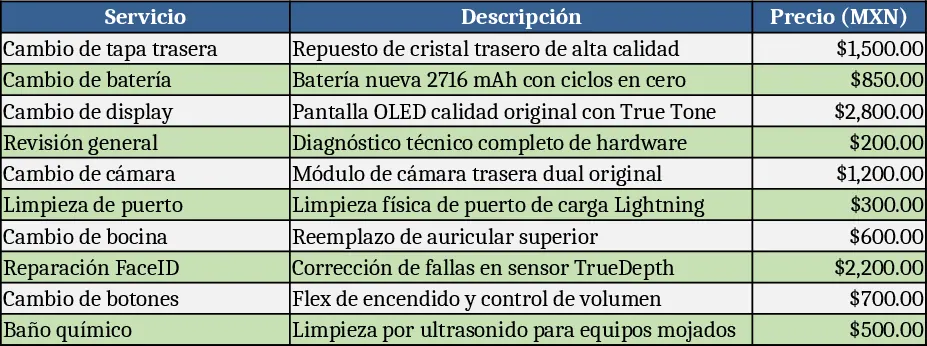
iPhone Repair Price List by Model Template
A ready‑to‑use Excel price‑list template that separates each iPhone series onto its own color‑coded sheet, tracking parts, repair costs and retail prices.