Bicycle Modular Design Planner Template
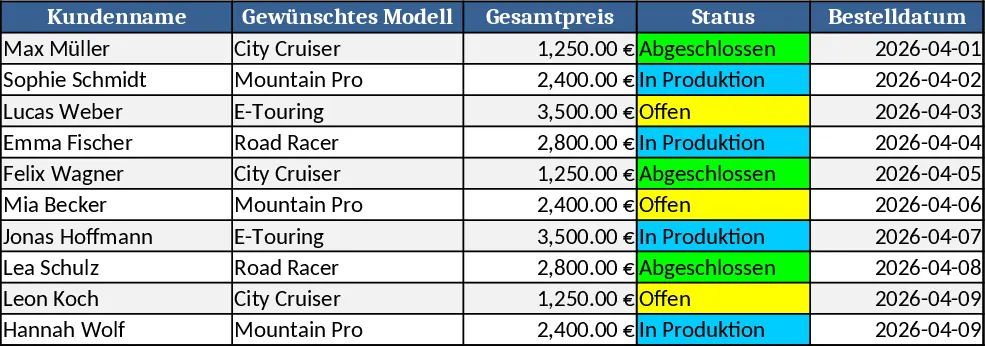
This Excel template lets you build a flexible bike configurator that works like a Lego set for bicycles. The workbook is split into four sheets: Components, Pricing, Configurator, and Summary. In the Components sheet you list every part – frames, forks, wheels, handlebars, seats, accessories – with columns for SKU, description, category and stock. The Pricing sheet links each SKU to its cost and suggested retail price. The Configurator sheet contains dropdown menus (data‑validation lists) for each bike section, so you can pick a frame, wheel set, drivetrain, and any optional add‑ons. Behind the scenes, XLOOKUP and SUMPRODUCT pull the selected SKUs, calculate the total cost, apply any bundle discounts, and display a real‑time price breakdown. The Summary sheet pulls the final configuration into a printable quote layout, showing a picture placeholder, part list, individual prices and the grand total.
The template solves the common headache of manually assembling bike quotes from scattered spreadsheets or paper catalogs. By centralising all parts and prices, it eliminates copy‑paste errors, ensures every quote uses the latest pricing, and speeds up the sales conversation. Sales reps can instantly show customers how different frame sizes, wheel types, or accessories affect the final price, making the buying experience more transparent and interactive. It also helps inventory managers see which components are being selected most often, supporting smarter stock decisions.
Ideal for bike shop owners, custom bike builders, and sales teams that need to generate accurate, on‑the‑fly quotations for bespoke bicycles. Whether you’re selling single‑speed city bikes, mountain rigs, or e‑bike conversions, the configurator adapts to any product line by simply adding new rows to the Components and Pricing sheets.
How to use
- Populate the Components sheet with every part you offer, filling in SKU, description, category and current stock.
- Enter the corresponding cost and retail price for each SKU in the Pricing sheet.
- In the Configurator sheet, select your desired options from the dropdowns; the template will automatically pull the correct prices and calculate the total.
- Review the formatted quote on the Summary sheet, then print or export it to PDF for the customer.
Expected benefits: faster quote generation, fewer manual errors, and a clearer view of component usage, all without needing specialized software.
Similar Templates Recommendation
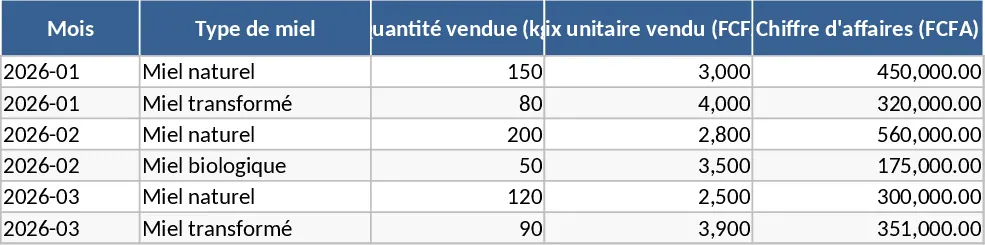
Ivorian Honey Sales Accounting Template
A ready‑to‑use Excel workbook to plan, price, and track honey sales in Côte d’Ivoire and the sub‑region, with cost, volume and profit summaries.
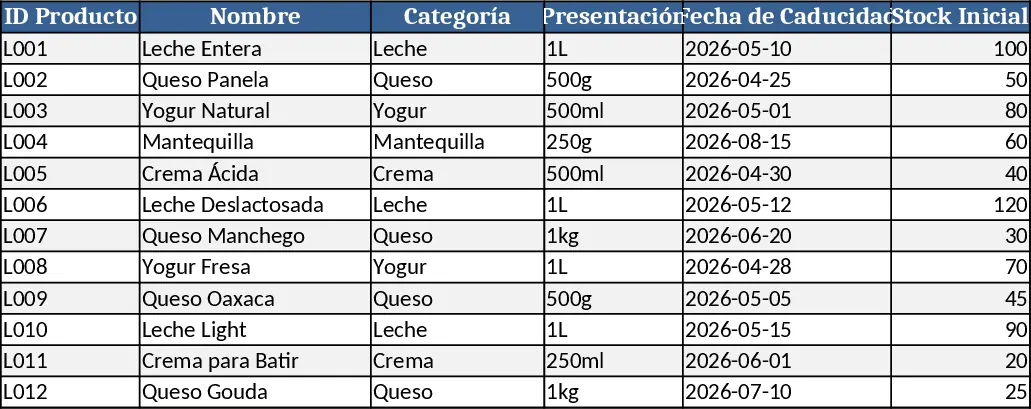
Dairy Product Inventory Management Template
Track dairy product stock, monitor purchases, sales, and expiration dates in a single Excel workbook.