Dairy Product Inventory Management Template
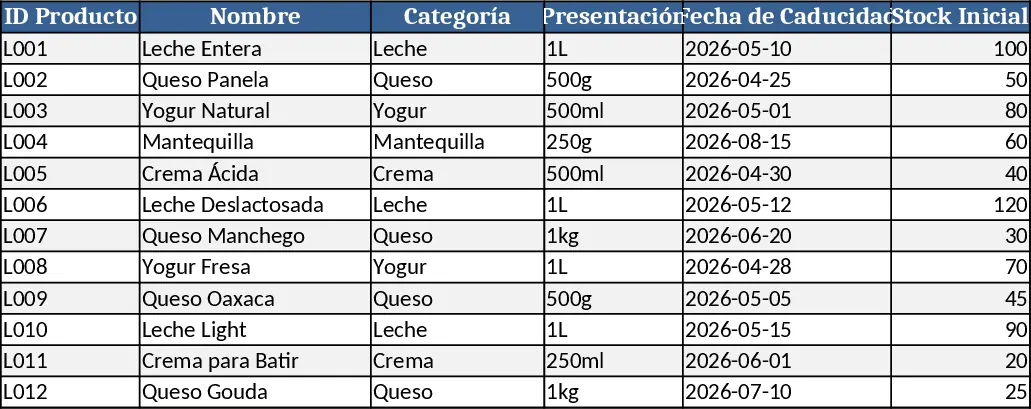
This Excel inventory system is built for dairy producers and distributors who need a clear, low‑cost way to keep tabs on every product they handle. The workbook is divided into four main sheets: Product List, Purchases, Sales, and Dashboard.
- Product List holds the master catalogue – SKU, product name, unit of measure, shelf‑life (days), and a dropdown for product category (milk, cheese, yogurt, etc.).
- Purchases records each inbound batch with columns for date, supplier, SKU (selected from the Product List dropdown), quantity received, unit cost, and calculated expiration date (purchase date + shelf‑life).
- Sales logs every outbound transaction, capturing date, customer, SKU (dropdown), quantity sold, unit price, and total revenue. The sheet automatically updates remaining stock by pulling data from Purchases and subtracting sales.
- Dashboard aggregates the data into easy‑to‑read tables and charts: current stock per SKU, total value of inventory, upcoming expirations (next 30 days), monthly purchase vs. sales trends, and a quick “reorder alert” that flags items below a user‑defined safety stock level.
The template solves the common headache of manual stock counts and scattered spreadsheets. By centralising all movements, it eliminates duplicate entry, reduces the risk of selling expired dairy, and gives managers a real‑time view of inventory health. The built‑in formulas calculate turnover rates and highlight products that sit too long on the shelf, helping businesses optimise ordering cycles and minimise waste.
Who benefits? Dairy plant supervisors, warehouse managers, small‑scale distributors, and anyone responsible for ensuring that fresh products are available without over‑stocking. It’s especially useful in seasonal peaks when demand spikes and product freshness is critical. The system works offline, requires no additional software, and can be customized with company‑specific SKUs or additional cost columns.
How to use
- Open the workbook and fill the Product List with every dairy item you sell, selecting the appropriate category and entering the standard shelf‑life for each product.
- Whenever you receive a new batch, go to the Purchases sheet, choose the SKU from the dropdown, and enter the delivery date, supplier, quantity, and unit cost. The expiration date will auto‑populate.
- Record each sale in the Sales sheet, again using the SKU dropdown, and the sheet will automatically deduct the quantity from current stock and update revenue totals.
- Switch to the Dashboard to see up‑to‑date stock levels, upcoming expirations, and visual trends; adjust the safety‑stock threshold if needed to trigger reorder alerts.
Expected benefits include faster stock reconciliation, fewer expired‑product losses, and clearer insight into purchasing patterns, all without the need for expensive ERP software. This template turns everyday Excel work into a reliable inventory control hub for any dairy business.
Similar Templates Recommendation
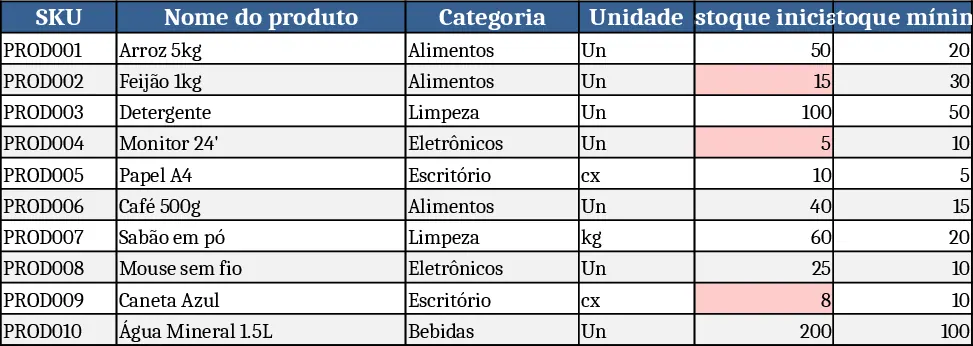
Basic Inventory Tracker Template
Track stock levels, monitor reorder points, and generate inventory reports with a simple, multi‑sheet Excel template.
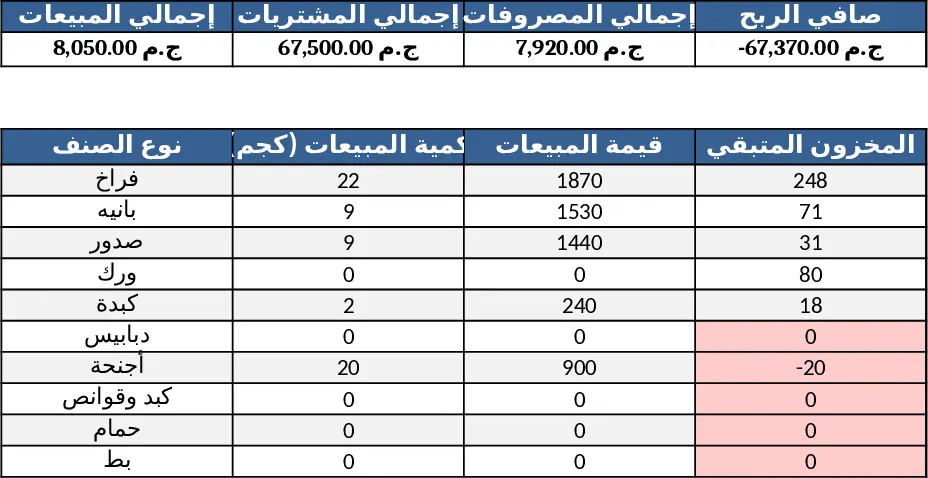
قالب إدارة محل دواجن شامل Template
Arabic Excel template that tracks poultry shop purchases, sales, inventory, expenses, cash & credit, with auto‑calculations and a visual dashboard.
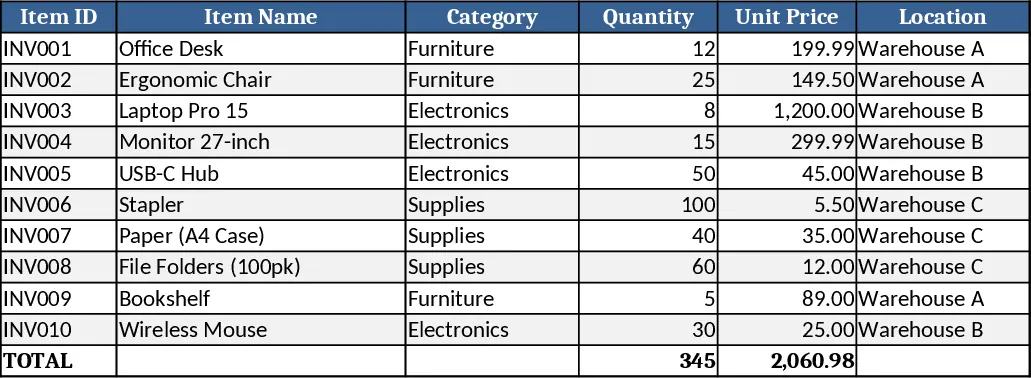
Inventory Management Tracker with Category Breakdown Template
Track product stock levels, movements, and reorder alerts in a three‑sheet Excel template with master data, transaction log, and summary.