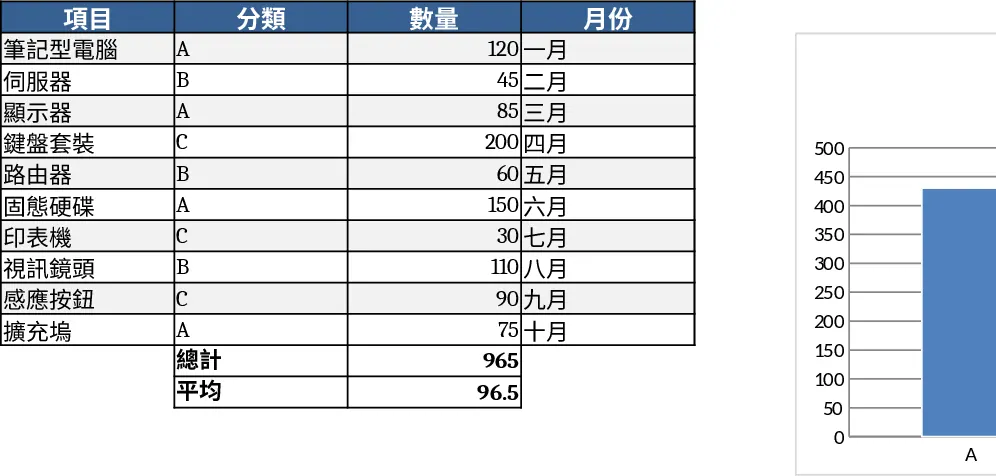
Simple Bar Chart Template
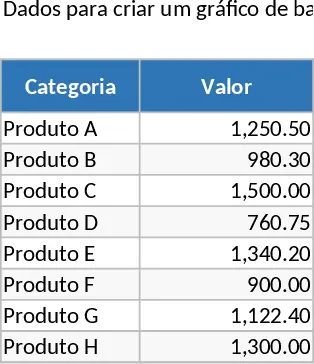
The Basic Bar Chart template is an essential tool for anyone looking to turn static numbers into a compelling visual story. At its core, the template features a structured data input section where users can list categories—such as product names, time periods, or department titles—alongside their specific metrics. This data is instantly linked to a dynamic bar chart that adjusts its scale and bars automatically. This automation removes the frustration of manual chart adjustments, ensuring that your data is always represented proportionally and accurately. It is designed to be lightweight yet powerful, providing a clean aesthetic that fits into any professional report or presentation without requiring advanced Excel skills.
This template is highly effective for solving the problem of data fatigue. In a world of endless spreadsheets, a well-constructed bar chart allows stakeholders to grasp key takeaways in seconds. It is perfect for monthly performance reviews, project status updates, or academic research presentations. By using a standardized layout, you ensure consistency across your reports, making it easier for your audience to follow your logic and compare different datasets over time. It helps you identify outliers, recognize peak performance periods, and pinpoint areas that require more attention through clear visual hierarchy.
Business owners, project leads, and data analysts will find this template particularly beneficial in their daily workflows. Instead of spending significant time tweaking chart settings and formatting axes, you can simply paste your data and have a presentation-ready visual in under a minute. It helps track everything from inventory levels and regional sales performance to employee productivity metrics. The simplicity of the design ensures that the focus remains on the data itself, rather than distracting decorative elements, making it a reliable choice for high-stakes meetings where clarity is paramount.
How to use:
- Open the template and navigate to the data entry table to replace the placeholder text with your own categories and numerical values.
- Use the chart design tab to change the color scheme or bar style if you need to align the visual with a specific corporate identity or brand guidelines.
- Update the chart title and axis labels by clicking on the text boxes to provide context, ensuring your audience understands the units and timeframe.
- Once your data is finalized, simply copy the chart to your clipboard for use in PowerPoint slides, Word documents, or internal email communications.
Expected benefits: This template significantly reduces the time spent on manual data visualization tasks while improving the readability and professional quality of your business reports.
Similar Templates Recommendation
Blue Bar Chart Template
Visualize your data trends and comparisons using a professional blue-themed bar chart designed for clear reporting and analysis.
Business Dashboard Template
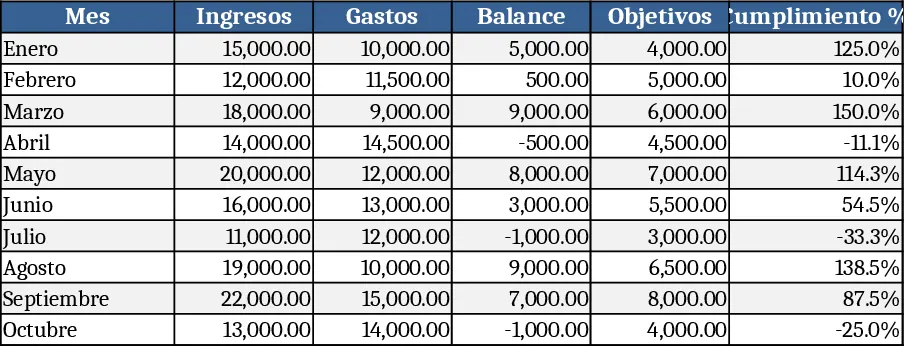
A customizable analytics dashboard template that lets you consolidate key metrics, visualize trends, and monitor performance at a glance.
Bar Chart Dashboard Template
Create customizable bar charts in Excel to visualize your data and compare metrics at a glance.