

Community Payment Tracking Template
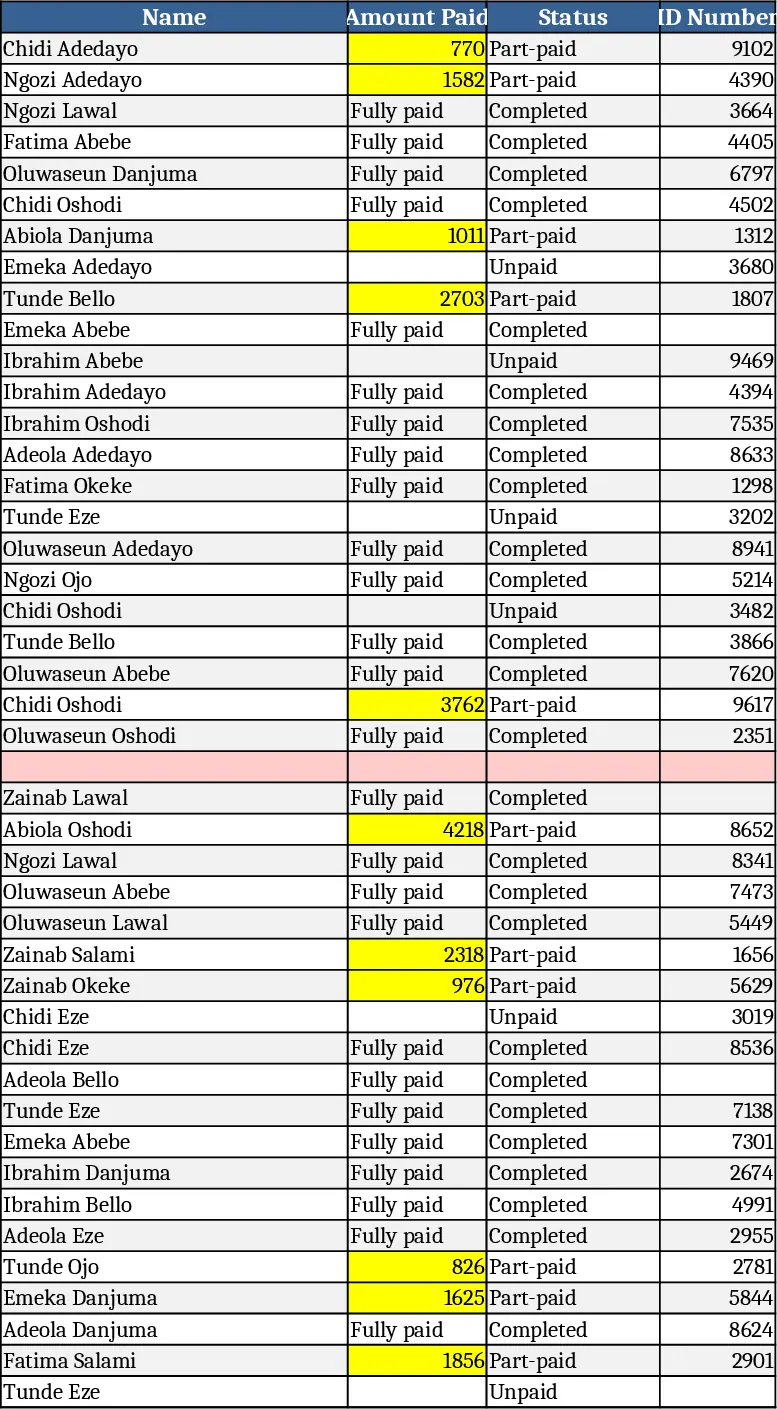
This template is built for anyone who needs to keep a clear record of who has paid, how much, and what is still outstanding. The main sheet, Payers, lists each contributor in rows with columns for Name, Amount Paid, Receipt #, and a Status dropdown (Fully paid, Pending, Partial). A second sheet, Summary, pulls the data together to show total contributions, total amount pending, a count of fully paid versus pending payers, and a simple chart that visualizes the collection progress. All calculations are automatic, so as you update the Payers sheet the summary refreshes instantly.
The template solves the common headache of manually reconciling payment lists, especially for churches, schools, clubs, or event organizers that collect fees from many individuals. By having every payment entry in one place and a live summary, you eliminate duplicate counting, reduce the risk of missing a contribution, and get a quick snapshot of cash flow health. It also helps you generate polite reminder lists for those who haven’t completed their payments.
Anyone who manages a budget – treasurers, finance assistants, community leaders, or small‑business owners – will find this template useful. It works best when you need to track regular contributions, one‑off fees, or donation drives, and when you want to produce a clean report for board meetings or audit checks.
How to use
- Open the Payers sheet and enter each person’s name, the amount they have paid, and the receipt number you issued.
- Choose the appropriate status from the dropdown in the Status column; the default is “Pending”.
- Switch to the Summary sheet to see totals, pending amounts, and a visual progress bar update automatically.
- Export the summary as PDF or print it for meetings, or filter the Payers sheet to create a reminder list for anyone still marked as pending.
Expected benefits: you’ll spend far less time tallying numbers, avoid manual errors, and get an at‑glance view of collection progress that helps you plan next steps with confidence.
Similar Templates Recommendation
Secondary School Results and Ranking Template
Track up to 200 secondary students' marks, auto‑calculate grades, averages, divisions and rankings in a clear, formatted sheet.

Couple Budget and Cash Flow Tracker Template
Track monthly income, expenses, and cash flow for a working couple, visualize budgets and savings goals in one spreadsheet.

Date Range and Internal Log Template
Create an Excel file with two columns for dates and internal notes, with colored rows for different date ranges.
