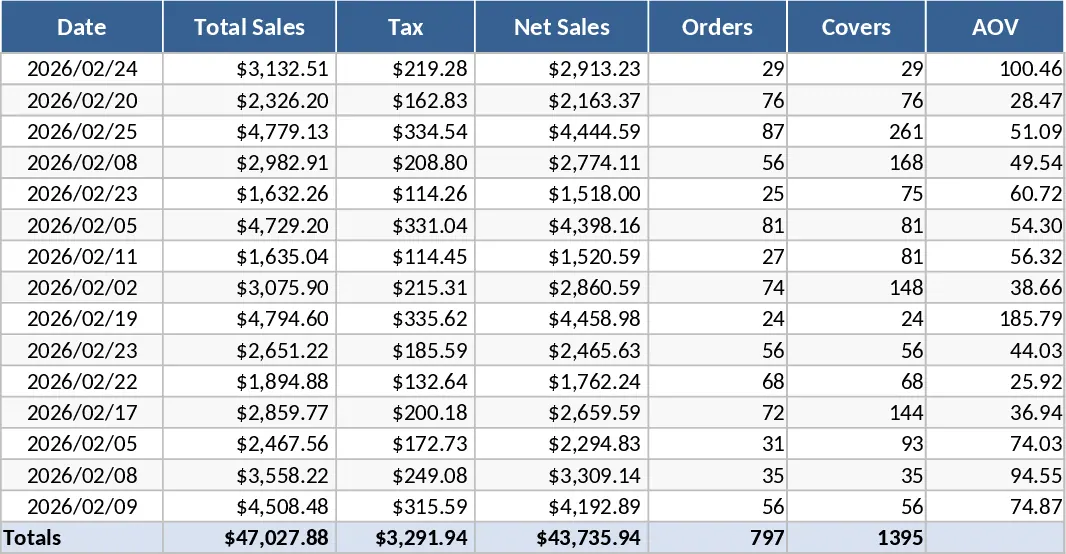
Sales Table by Brand Template
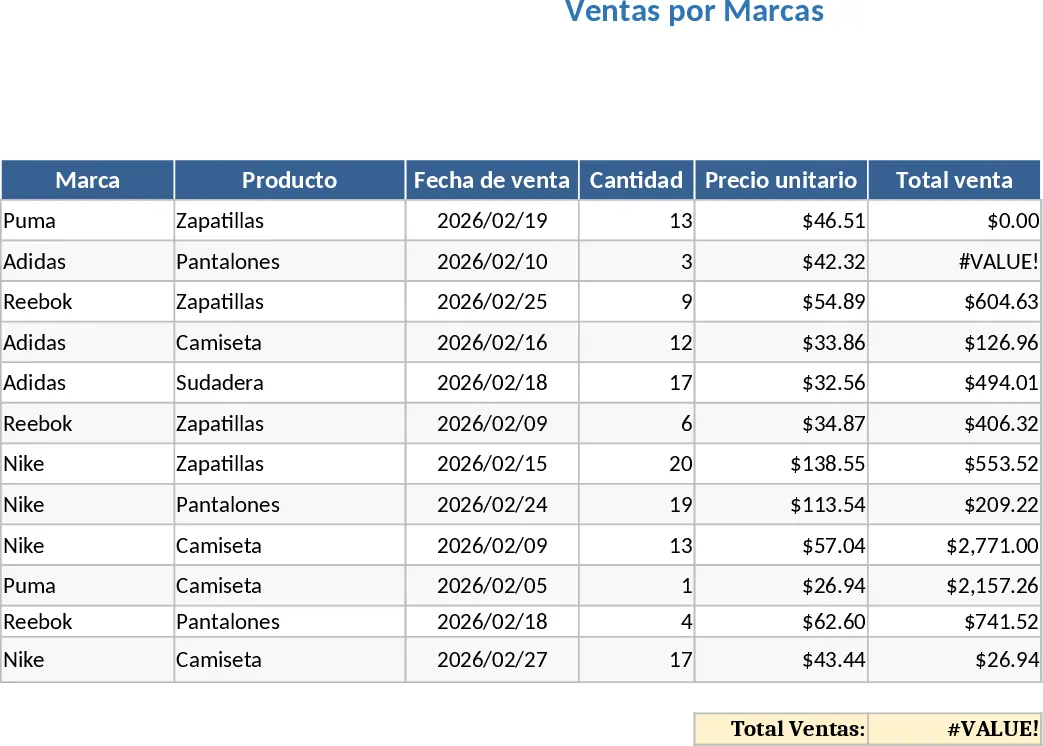
Managing a diverse portfolio of brands requires a clear and organized view of how each individual brand contributes to your overall business health. This Sales Table by Brand template is designed to provide a structured and intuitive environment where you can log every transaction with precision. The template is organized into clear sections, including a primary data entry sheet where you can record brand names, specific product lines, unit prices, and quantities sold. It often includes dropdown menus for brand selection to ensure data consistency and prevent typing errors that could skew your final reports. With built-in formulas, the template automatically calculates total revenue and profit margins, giving you an immediate snapshot of your financial standing without the need for complex manual calculations.
This tool is particularly useful for solving the common problem of fragmented sales data. In many retail or distribution environments, sales information is often scattered across different platforms or handwritten logs. This template centralizes everything, allowing you to see which brands are driving your growth and which ones are underperforming. It is an essential asset for retail store managers, e-commerce entrepreneurs, and wholesale distributors who need to make quick, informed decisions about their inventory. By having all your brand-specific sales data in one place, you can easily spot seasonal trends, identify your most loyal customer segments, and adjust your procurement strategy to focus on high-margin items.
The template helps you track key performance indicators such as total units sold per brand, average transaction value, and month-over-month growth rates. This level of detail is crucial for preparing for stakeholder meetings or simply for your own internal review. It removes the guesswork from your business operations, replacing gut feelings with hard data. Whether you are managing five brands or fifty, the scalability of this Excel structure ensures that your reporting remains clean and professional as your business expands. It also serves as a historical record, allowing you to compare current year performance against previous years to identify long-term growth patterns.
Beyond just tracking numbers, this template assists in strategic planning. If you notice a specific brand is consistently selling out, you can use the data to justify larger bulk orders or negotiate better terms with suppliers. Conversely, if a brand is stagnating, the data provides the evidence needed to run a clearance sale or discontinue the line. This proactive approach to brand management is what separates successful retailers from those who struggle to keep up with market shifts.
How to use:
- Begin by customizing the brand list in the settings or reference sheet to match your current inventory and product categories.
- Enter your daily sales transactions into the main table, selecting the appropriate brand from the dropdown and inputting the quantity and price.
- Review the summary dashboard or pivot tables to see an automatically updated breakdown of sales by brand and time period.
- Use the filtered views to drill down into specific brand performance for deeper analysis and export these views for your weekly reports.
Expected benefits: You will likely save hours each week on manual data consolidation and report generation, while gaining a much clearer understanding of your brand-level profitability and inventory turnover.
Similar Templates Recommendation
Sales Tracker Template
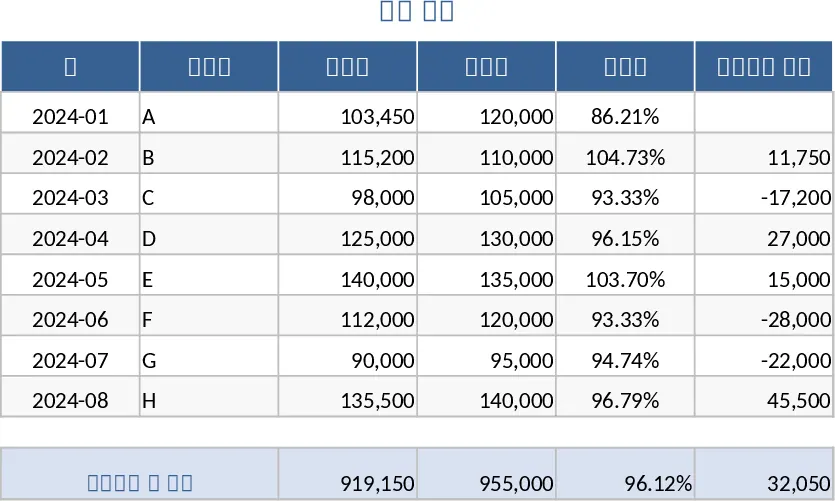
Track daily sales performance, analyze revenue trends by product or region, and gain actionable insights through visual dashboards and summaries.
Sales Management and Tracking Dashboard Template
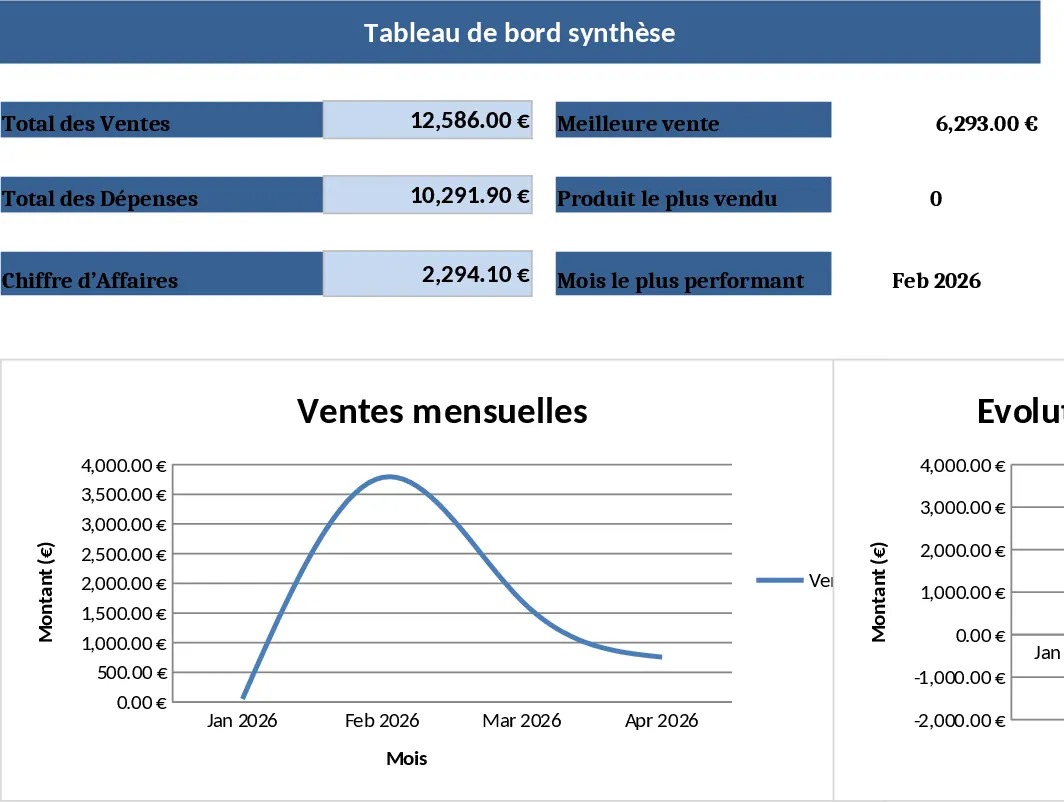
Streamline your sales process by tracking orders, monitoring performance through visual dashboards, and analyzing revenue trends in one place.
Daily Sales and Performance Tracker Template
Monitor daily revenue, tax, and key performance indicators like AOV and APC to gain actionable insights into your business growth.