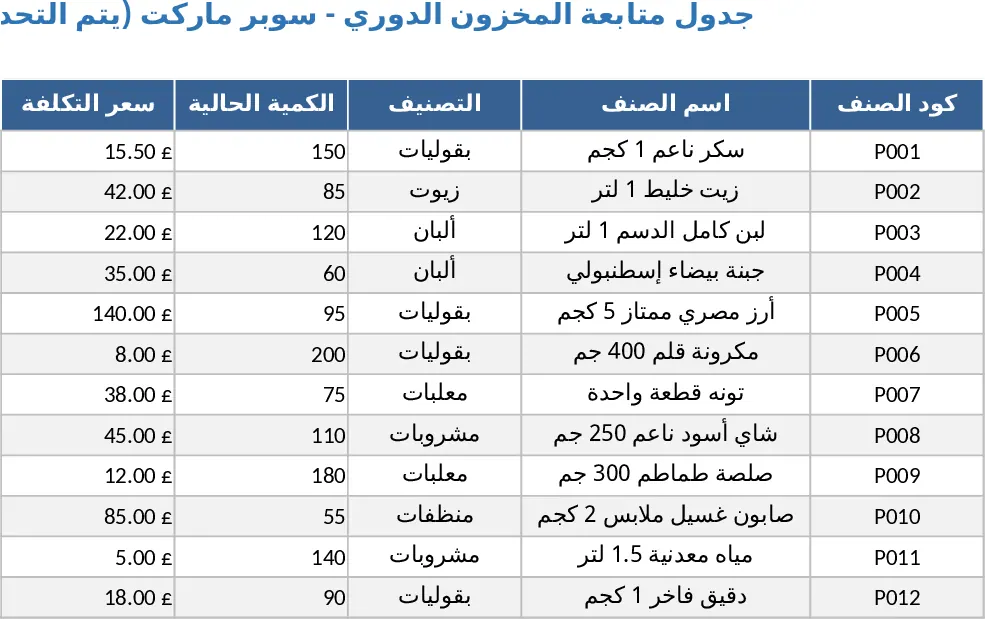
POS Sales Inventory and Accounts Receivable Template
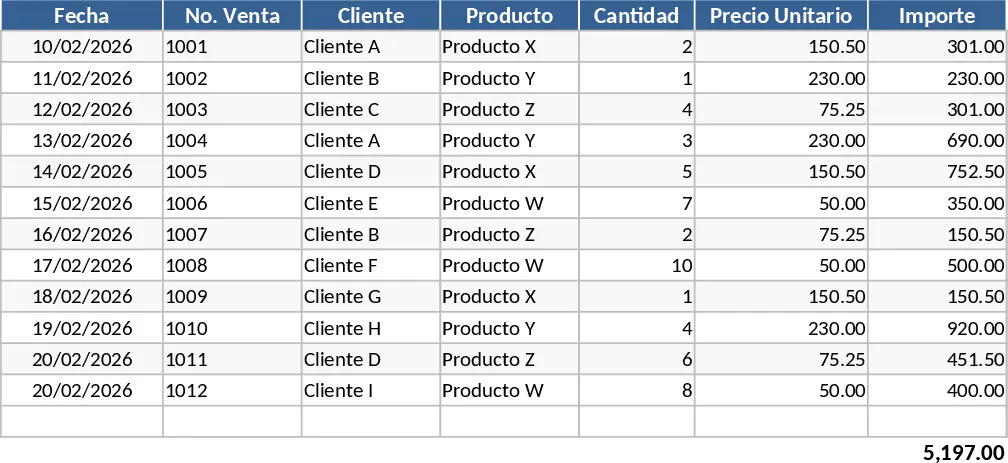
This comprehensive Point of Sale (POS) template is designed to be the central hub for your retail or small business operations. It seamlessly integrates sales tracking with inventory management and accounts receivable, ensuring you have a 360-degree view of your business health at all times. The template is structured with several interconnected sheets: a Product Master list for your inventory database, a Sales Entry log for daily transactions, and a dedicated Accounts Receivable section for tracking customer credit. By centralizing these functions, you eliminate the need for multiple disconnected files, reducing data entry errors and providing a single source of truth for your business performance.
For small business owners and retail managers, keeping track of what is on the shelf versus what has been sold can be a daily challenge. This tool solves that problem by linking your sales directly to your inventory levels. Every time a transaction is recorded in the sales log, your stock counts update automatically in the background. This real-time synchronization helps you avoid the embarrassment of overselling items and allows for more precise ordering from suppliers. Beyond just tracking quantities, the template helps you understand your margins by calculating the difference between unit costs and selling prices, giving you a clear picture of your actual profit per item.
The accounts receivable module is a standout feature for businesses that offer credit terms to their customers. Instead of relying on memory or paper notes, you can log every credit sale and track payments as they come in. This section provides a clear aging report of who owes you money and for how long, which is vital for maintaining a healthy cash flow. Whether you run a boutique, a small grocery store, or a specialized workshop, having this financial oversight ensures that your hard-earned revenue actually makes it into your bank account.
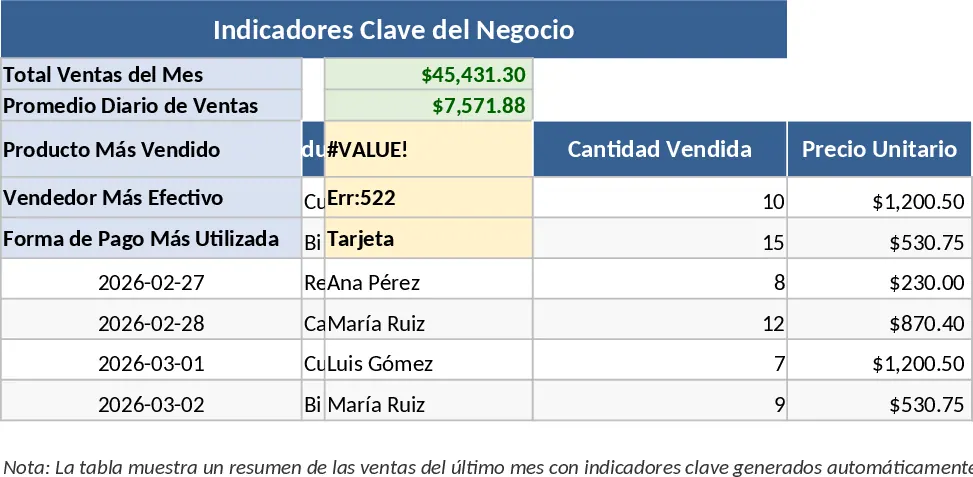
The template also includes a summary dashboard that transforms raw data into actionable insights. You can quickly see your top-performing products, daily sales trends, and total outstanding receivables through clean, easy-to-read tables and charts. This level of detail is usually reserved for expensive software, but this Excel-based solution offers the same professional control without the high subscription costs or steep learning curve. It is the perfect bridge for a growing business looking to professionalize its operations.
How to use this template:
- Set up your catalog in the Product Master sheet by entering SKU numbers, product names, categories, unit costs, and initial stock levels.
- Use the Sales Entry sheet to record daily transactions; simply select the product from the dropdown menu, enter the quantity, and mark the payment status as Paid or Credit.
- Monitor the Inventory Dashboard to see which items are running low and check the Accounts Receivable sheet weekly to manage customer balances and record incoming payments.
- Review the monthly summary to analyze your total revenue, profit margins, and sales growth to make informed decisions for the next month.
Expected benefits: You can expect to save hours each week on manual reconciliation and gain much tighter control over your stock levels and cash flow.
Similar Templates Recommendation
Stationery Store Business Management and Control Template
Efficiently manage your stationery store inventory, track daily sales transactions, and monitor supplier orders in one centralized dashboard.
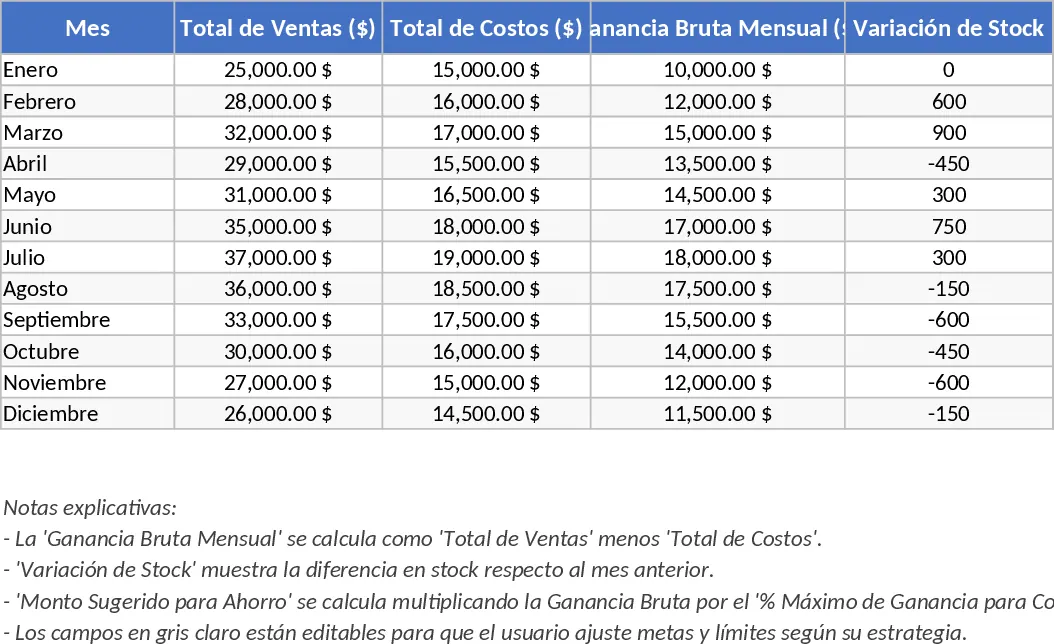
Annual Ice Cream Sales and Inventory Management Template
Track daily ice cream sales, manage inventory levels across 12 months, and calculate monthly profits and savings goals in one workbook.
Supermarket Sales & Inventory Profit Tracker Template
Track daily supermarket sales, monitor inventory levels, and calculate profit margins in a single Excel dashboard.