Let's be real—adding numbers in Excel shouldn't feel like solving a Rubik's cube. Whether you're calculating quarterly sales, expense reports, or inventory counts, knowing how to quickly sum selected cells is a game-changer for productivity. Here's your no-fluff guide to mastering Excel sums, plus how RowSpeak's AI can handle all this math for you automatically.
The Quick and Dirty Way to Sum Cells
For small datasets, you can literally just type =A1+A2+A3. But let's be honest—that's like texting with T9 in 2024. It works, but why torture yourself?
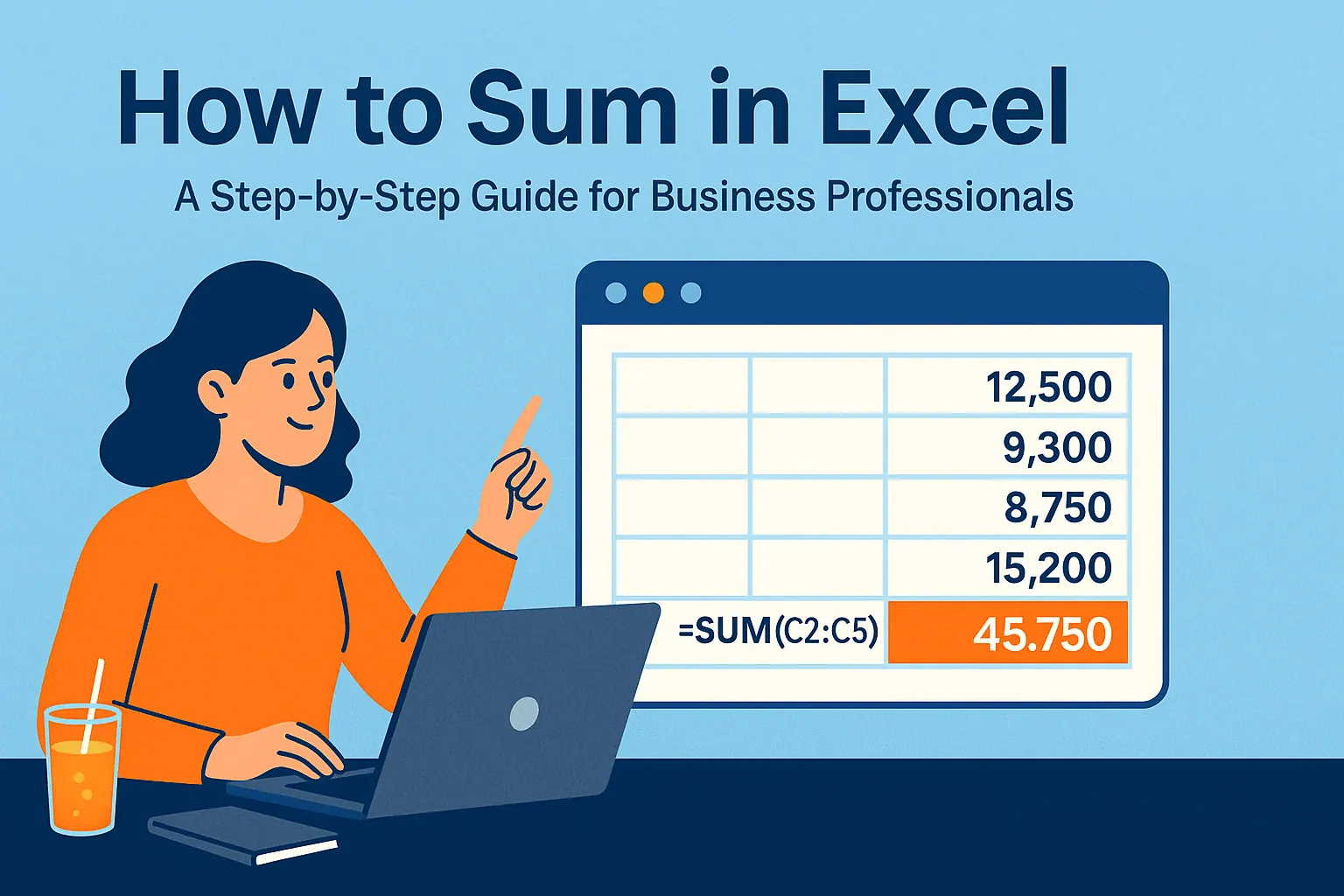
Better method: Use the SUM function. Just type =SUM ( and then select your cells with your mouse or arrow keys. Close the parentheses and boom—instant total. This works for:
- Continuous ranges (=SUM(A1:A10))
- Random cells (=SUM(A1,B3,C5))
- Multiple ranges (=SUM(A1:A5,C1:C5))
Pro tip: RowSpeak's AI can suggest the right SUM formulas for your data automatically—no memorizing syntax needed.
AutoSum: Your New Best Friend
Here's the fastest way to sum a column or row:
- Click an empty cell below your numbers
- Press Alt + = (Windows) or Command + Shift + T (Mac)
- Hit Enter
Excel automatically detects the range and inserts the SUM formula. If it guesses wrong (happens to the best of us), just drag to adjust the selection.
Summing Non-Adjacent Cells Like a Wizard
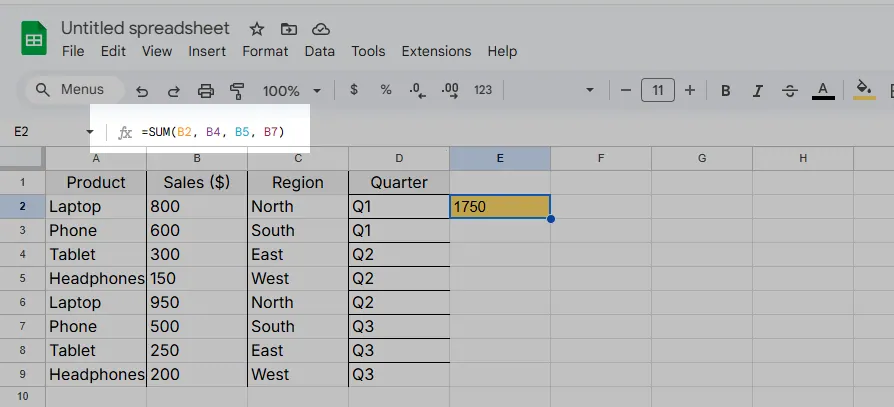
Need to add scattered cells? No problem:
- Click where you want the total
- Type =SUM(
- Hold Ctrl (Windows) or Command (Mac) while clicking each cell
- Close with ) and press Enter
RowSpeak takes this further—just highlight cells with your mouse and ask "What's the total?" in natural language. The AI writes the perfect formula instantly.
Next-Level Summing with SUMIF/SUMIFS
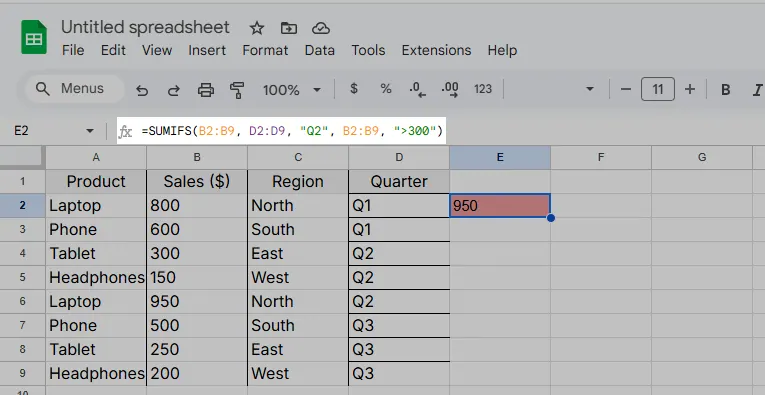
When you need conditional sums (like "only sales over $500"), these functions are lifesavers:
SUMIF for one condition: =SUMIF(range, criteria, sum_range) Example: =SUMIF(B2:B10,">500",C2:C10)
SUMIFS for multiple conditions: =SUMIFS(sum_range, criteria_range1, criteria1,...) Example: =SUMIFS(B2:B9, D2:D9, "Q2", B2:B9, ">300")
Fun fact: RowSpeak can generate these complex formulas automatically by analyzing your data patterns—no more guessing at syntax.
Common Sum Problems (And How to Fix Them)
- #VALUE! error: Means you're trying to sum text. Use =SUM(VALUE(A1:A10)) to convert
- Missing cells: Double-check your range selection
- Wrong totals: Make sure no filters are hiding data (use SUBTOTAL instead of SUM for filtered lists)
RowSpeak's error detection highlights these issues before they become problems, suggesting fixes with one click.
Why Stop at Manual Sums When AI Can Do It For You?
While these Excel tricks work, they still require manual effort. RowSpeak revolutionizes data work by:
- Auto-detecting when you need sums and suggesting formulas
- Creating dynamic totals that update as data changes
- Generating summary tables with totals in seconds
- Explaining calculations in plain English
Instead of wrestling with formulas, you get accurate totals instantly—freeing you to focus on insights rather than data entry.
Your Action Plan
- For quick sums: Use Alt + =
- For scattered cells: Ctrl+click with SUM
- For conditional sums: Use SUMIF/SUMIFS
- For zero-effort sums: Try RowSpeak's AI
Ready to work smarter? RowSpeak turns hours of manual summing into seconds of automated analysis. Your future self (and your boss) will thank you.