Say Goodbye to Complex Formulas: Effortless Data Analysis with RowSpeak’s AI Conversation Feature

If you’re an Excel user, you know the struggle of dealing with complex formulas. Whether it’s SUM, VLOOKUP, or PivotTables, mastering these functions can take a lot of time and effort. And when your data changes, you might need to tweak those formulas all over again. This makes data analysis a tedious process.

RowSpeak’s AI Conversation Feature: Making Data Analysis as Easy as Chatting

RowSpeak’s AI conversation feature is revolutionizing the way we analyze data. With natural language processing, RowSpeak understands your commands and delivers results instantly—no complex formulas or manual work required. Whether you’re new to data analysis or a seasoned pro, RowSpeak makes it easy to get the insights you need.
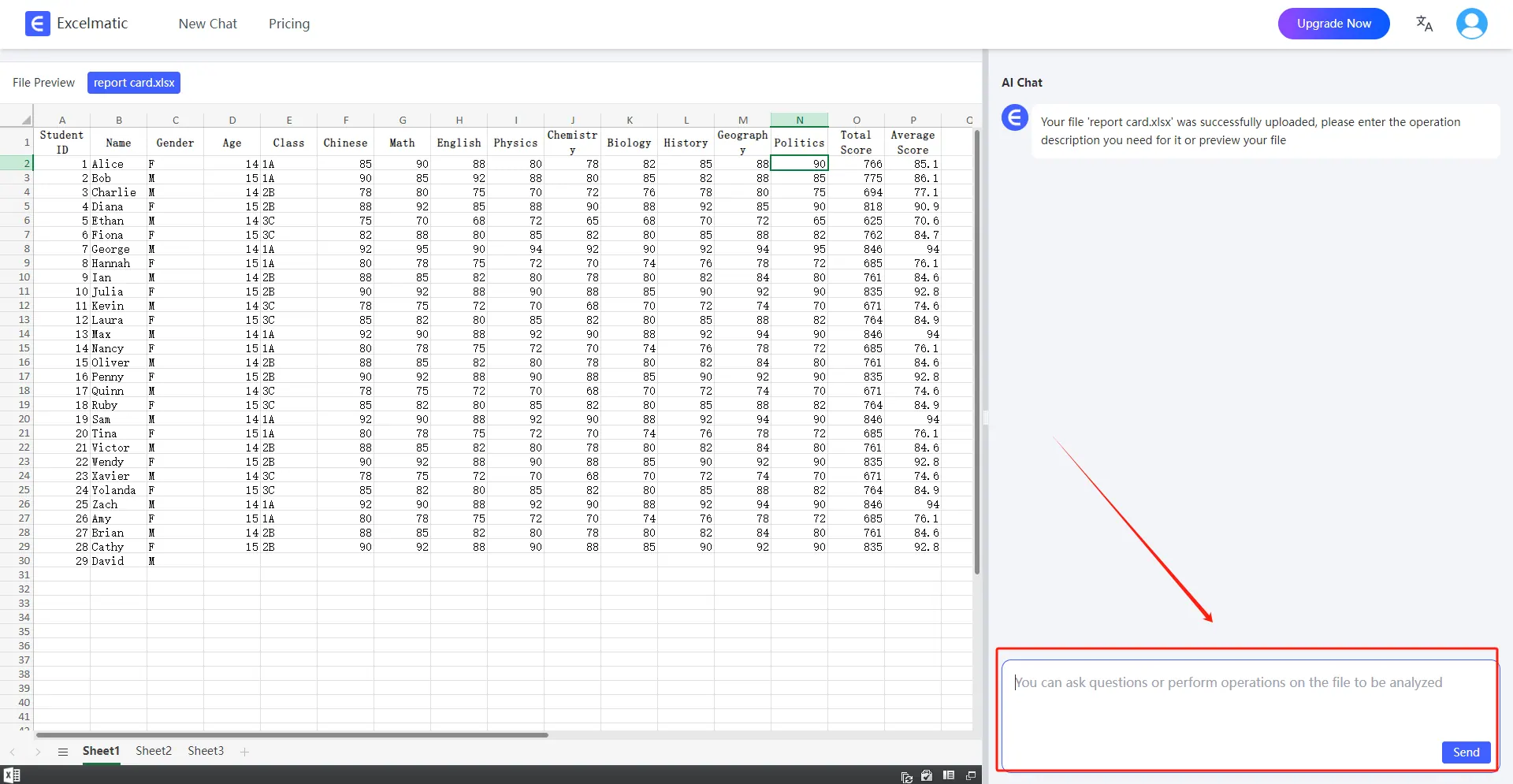
ask question

Practical Examples: Solving Real Problems with RowSpeak

Let’s dive into some practical examples to see how RowSpeak’s AI conversation feature can simplify your data analysis:

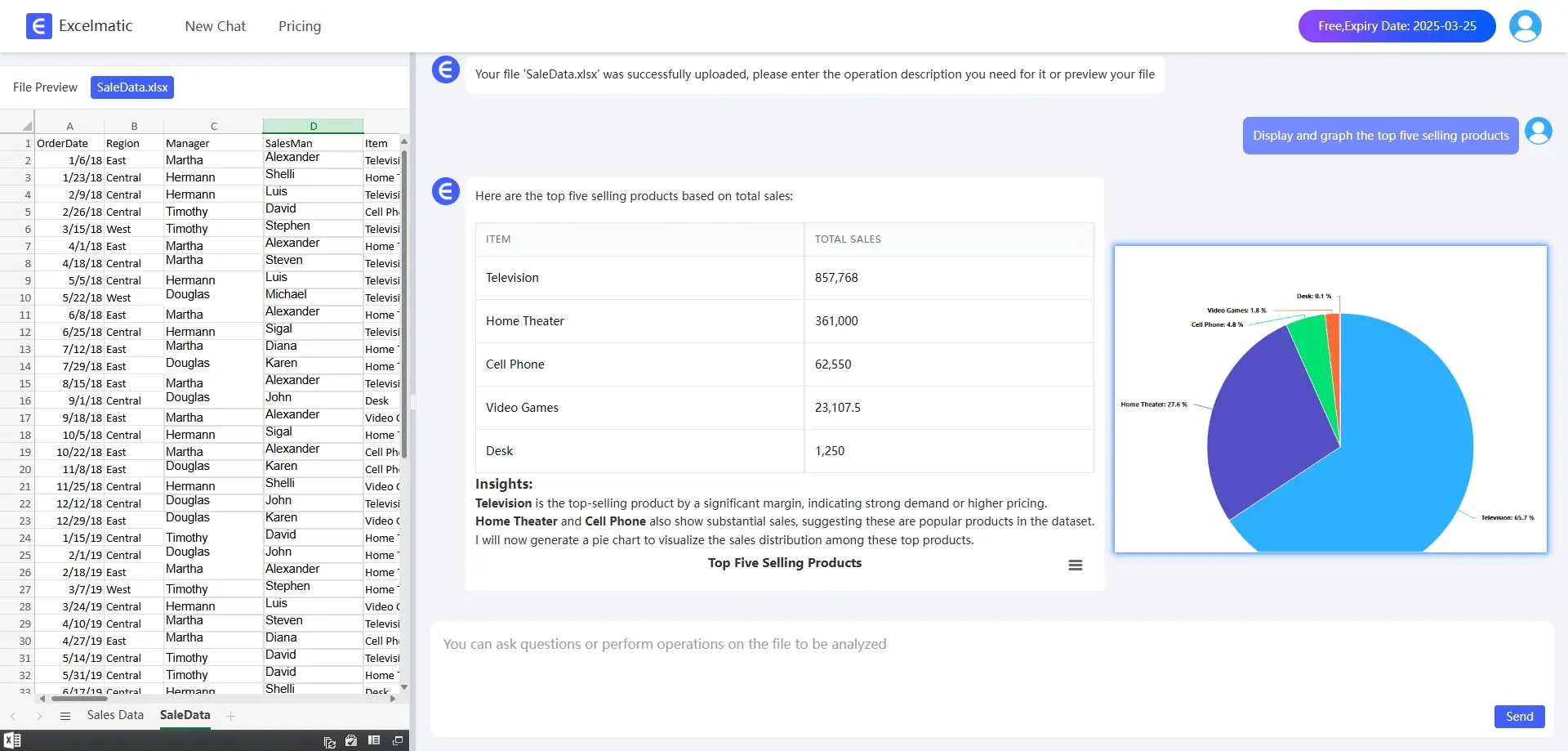
  1. Problem: Display and graph the top 5 selling products

    Action: Type Show me the top 5 products by sales in the RowSpeak conversation box.

    Result: RowSpeak immediately generates a table showing the top five selling products and their sales.
    chart

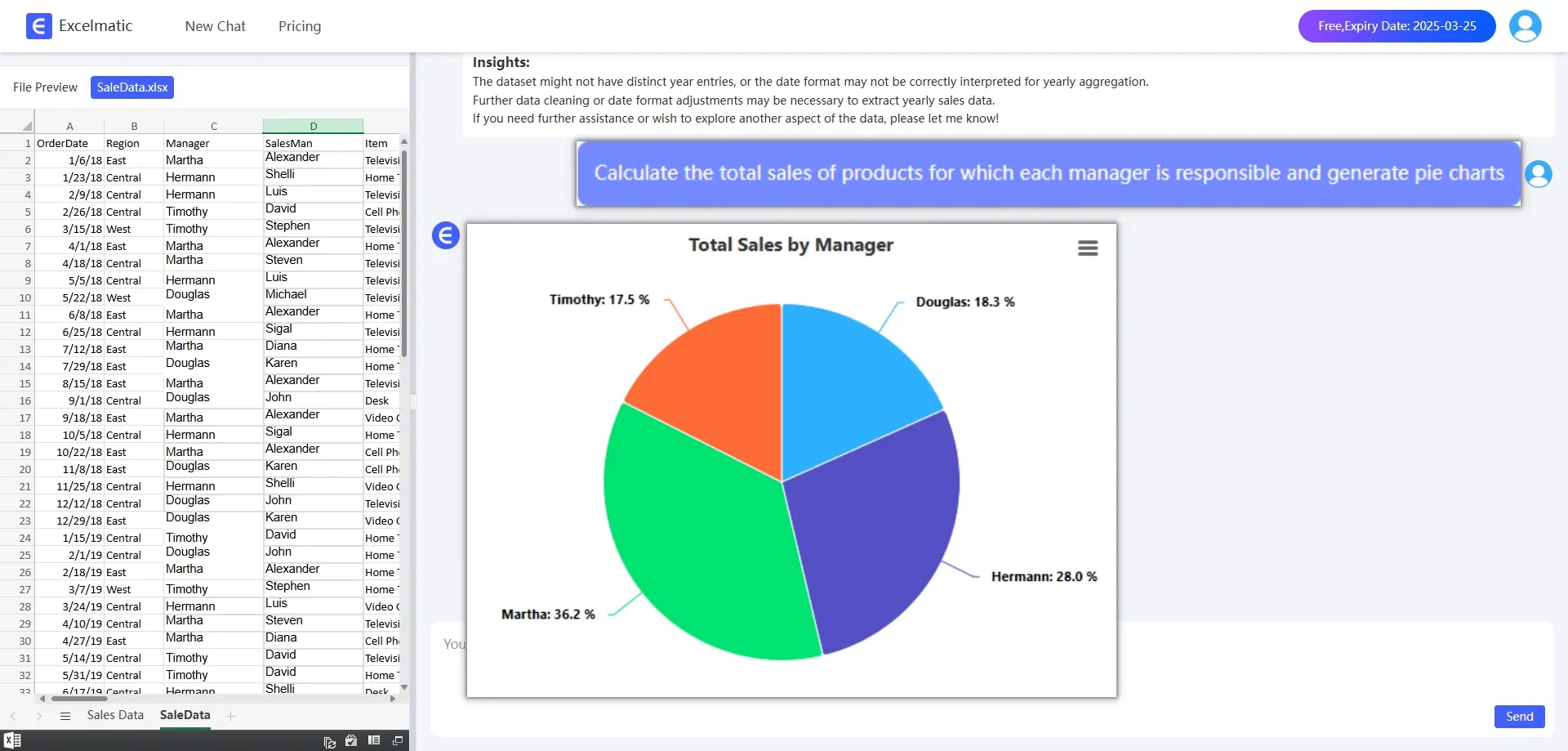
  2. Problem: Calculate the total sales of products for which each manager is responsible

    Action: Type calculate the total sales for each manager and generate pie charts

    Result: RowSpeak generates a pie chart of the products each manager is responsible for and displays total sales data.
chart

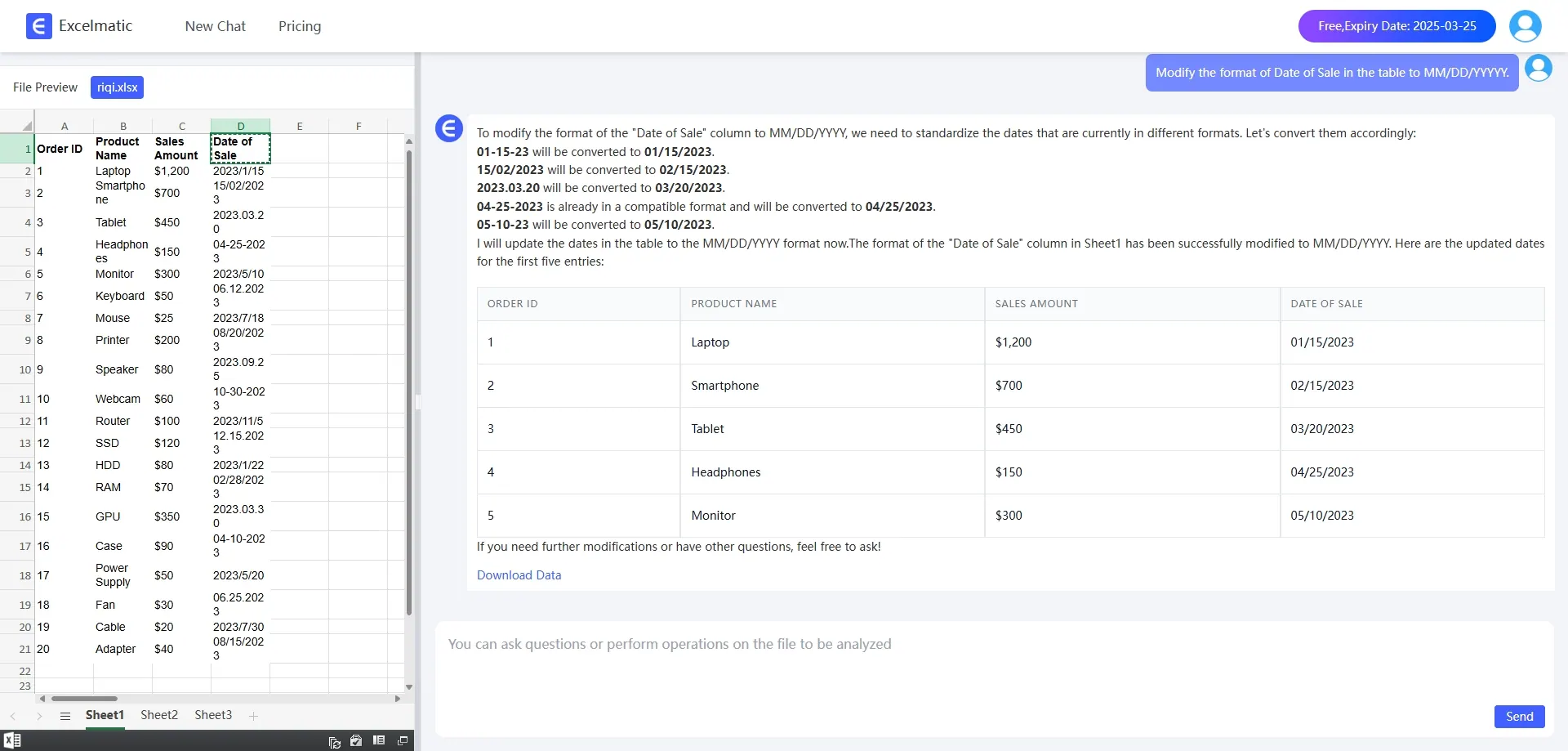
  1. Problem: Fix date formatting in the data

    Action: Type Fix date formatting in my data and Change to YY-DD-XX format

    Result: RowSpeak automatically identifies and corrects all date format issues, making your data clean and consistent.
date

Why Choose RowSpeak’s AI Conversation Feature?

RowSpeak’s AI conversation feature not only simplifies the data analysis process but also offers several key benefits:

  1. Time-Saving: No need to learn complex formulas; just type your question and get instant results.
  2. User-Friendly: Natural language interaction means anyone can use it, even without technical skills.
  3. Dynamic Visualization: Automatically generates beautiful charts that help you quickly understand your data.
  4. Smart Recommendations: RowSpeak suggests the best chart types and analysis methods based on your needs.

Conclusion: Making Data Analysis Effortless and Enjoyable

RowSpeak’s AI conversation feature transforms the data analysis experience. It eliminates the need for complex formulas and makes the process simple and efficient. Whether you’re a beginner or a professional, RowSpeak can be your go-to tool for effortless data analysis.


Try it now for free!

Ditch Complex Formulas – Get Insights Instantly

No VBA or function memorization needed. Tell RowSpeak what you need in plain English, and let AI handle data processing, analysis, and chart creation

Try RowSpeak Free Now

Recommended Posts

Stop the Suffering! Excel Online & Never Say “Oh God” Again!
Excel Tips

Stop the Suffering! Excel Online & Never Say “Oh God” Again!

With RowSpeak, complex tasks become simple, and data analysis is as easy as having a conversation

Sally
Chat with Excel AI for Quick and Smart Data Analysis
Excel Tips

Chat with Excel AI for Quick and Smart Data Analysis

Boost Excel Efficiency with ChatExcel: Your Ultimate AI-Powered Solution for Streamlined Workflows

Sally
How to use AI with excel in 2025
Excel Tips

How to use AI with excel in 2025

in this blog we will show you how to analyze Excel data using RowSpeak

Sally
Tableau Excel Integration: Clean, Connect, and Visualize Your Data with AI
Excel Tips

Tableau Excel Integration: Clean, Connect, and Visualize Your Data with AI

Bridge the gap between Excel and Tableau to unlock powerful data visualizations. This guide covers everything from data connection and cleaning to advanced analytics, and introduces AI-powered solutions to streamline your entire workflow, turning hours of manual work into seconds.

Ruby
Chat with AI Excel: Smarter Spreadsheets, Effortless Insights
Excel Tips

Chat with AI Excel: Smarter Spreadsheets, Effortless Insights

This article will share how talking to Excel can revolutionize your workflow and help you save a lot of time doing things manually!

Sally
Save Hours with These 4 ChatGPT + Excel Tips (and How RowSpeak Does It in One Sentence)
Excel Tips

Save Hours with These 4 ChatGPT + Excel Tips (and How RowSpeak Does It in One Sentence)

Discover how to use ChatGPT to write Excel formulas—and how RowSpeak takes it further by automating the entire process with natural language. Say goodbye to templates and hello to smart spreadsheets.

Sally
RowSpeak mini-classroom: new skills for professional reports in a hurry
Excel Tips

RowSpeak mini-classroom: new skills for professional reports in a hurry

Today, I'm going to share with you a great gadget -- RowSpeak, and how to use it to quickly make a professional and good-looking report.

Sally
Why Excel Formulas Fail: Simple Solutions to Common Problems
Excel Tips

Why Excel Formulas Fail: Simple Solutions to Common Problems

This blog teaches you how to easily deal with Excel formula failure

Sally