Transform Your Excel Data into Stunning Visuals with RowSpeak

Data visualization is a crucial aspect of data analysis, as it helps us understand complex data more intuitively. Traditional methods of creating charts in Excel can be time-consuming and require a certain level of expertise. However, with RowSpeak, generating a variety of charts has become incredibly simple and efficient.
upload

RowSpeak's Chart Generation Capabilities

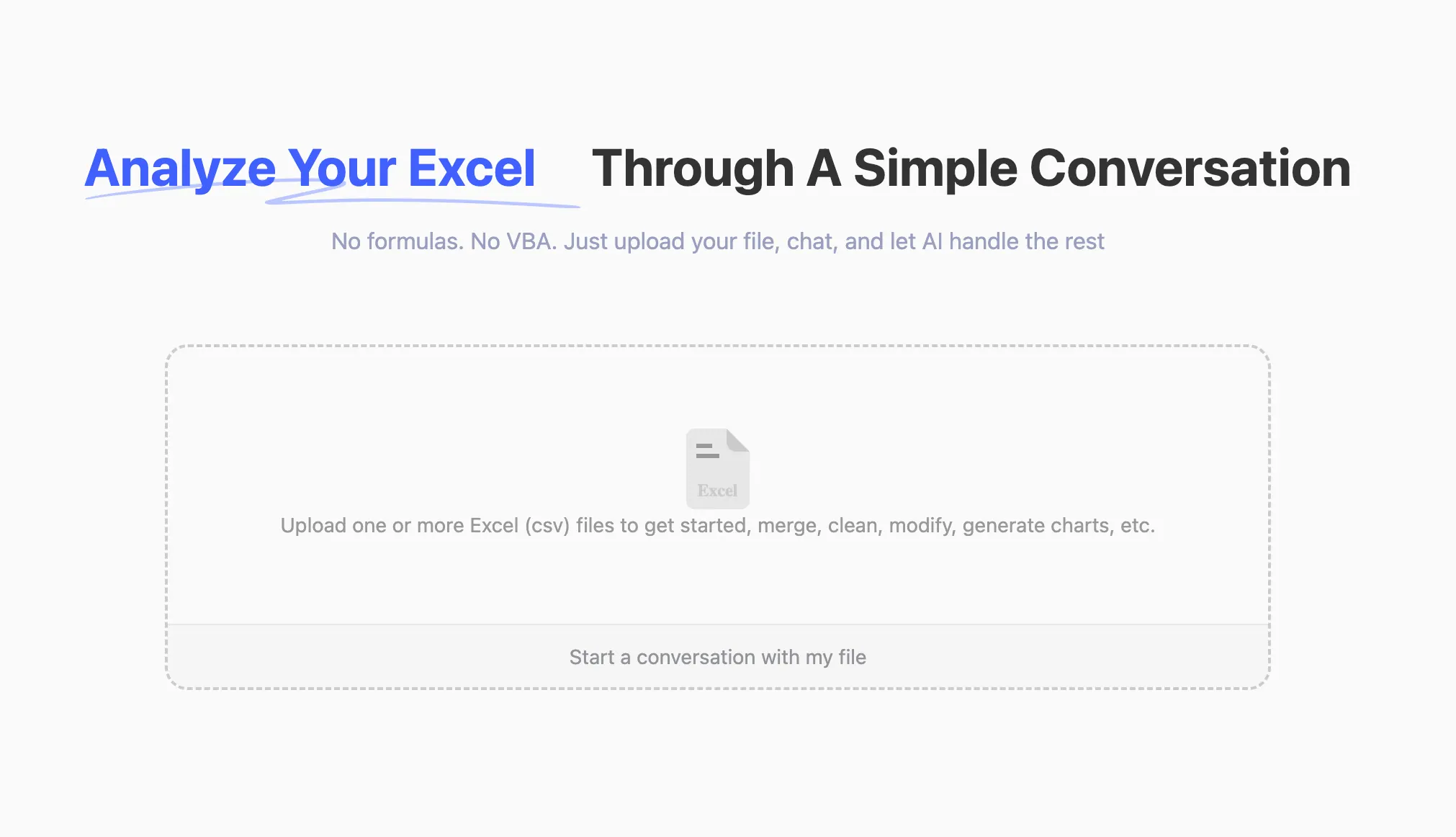
RowSpeak supports the creation of multiple types of charts, including Bar Charts, pie charts, line charts, and more. Users can simply upload their Excel files and use natural language commands to generate the desired charts. For example.

Practical Examples

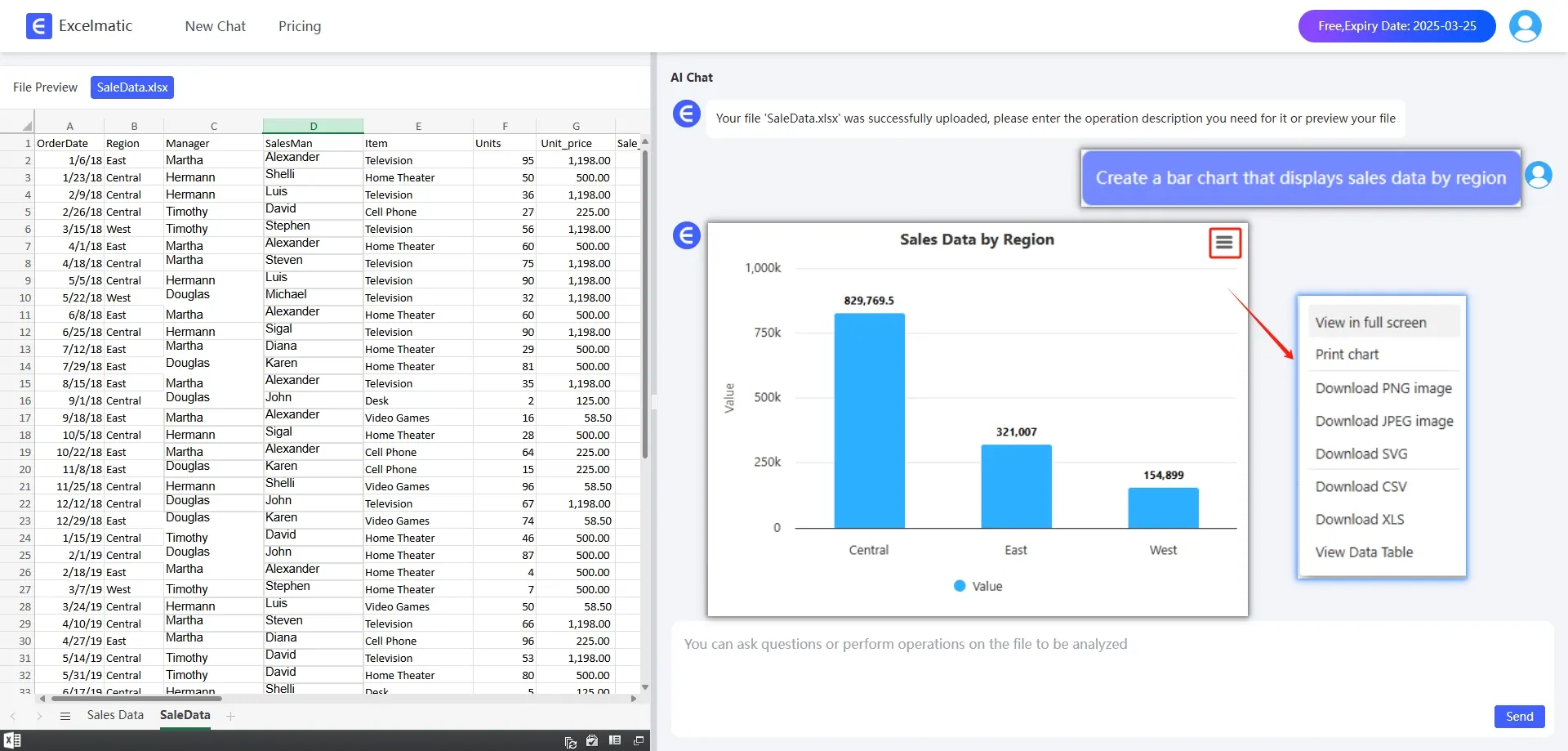
  1. Bar Chart: To create a Bar Chart showing sales by region, simply type Create a Bar Chart for sales by region. RowSpeak will instantly generate a Bar Chart that visually represents the sales data for each region.
chart

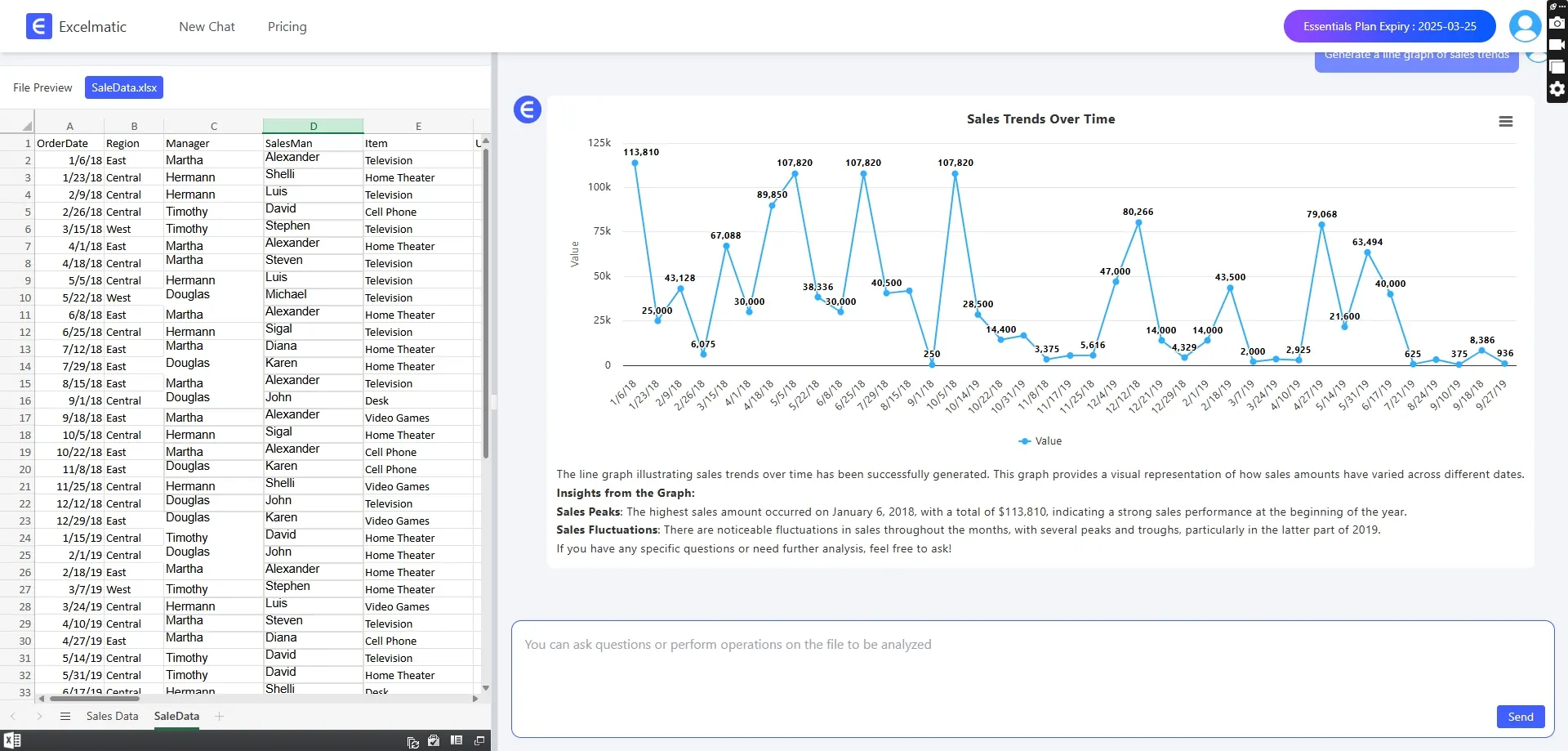
  1. Line Chart: For a line chart that displays sales trends over time, type Create a line chart for sales over time. RowSpeak will generate a line chart that shows the sales trends, making it easy to identify patterns and changes.
chart

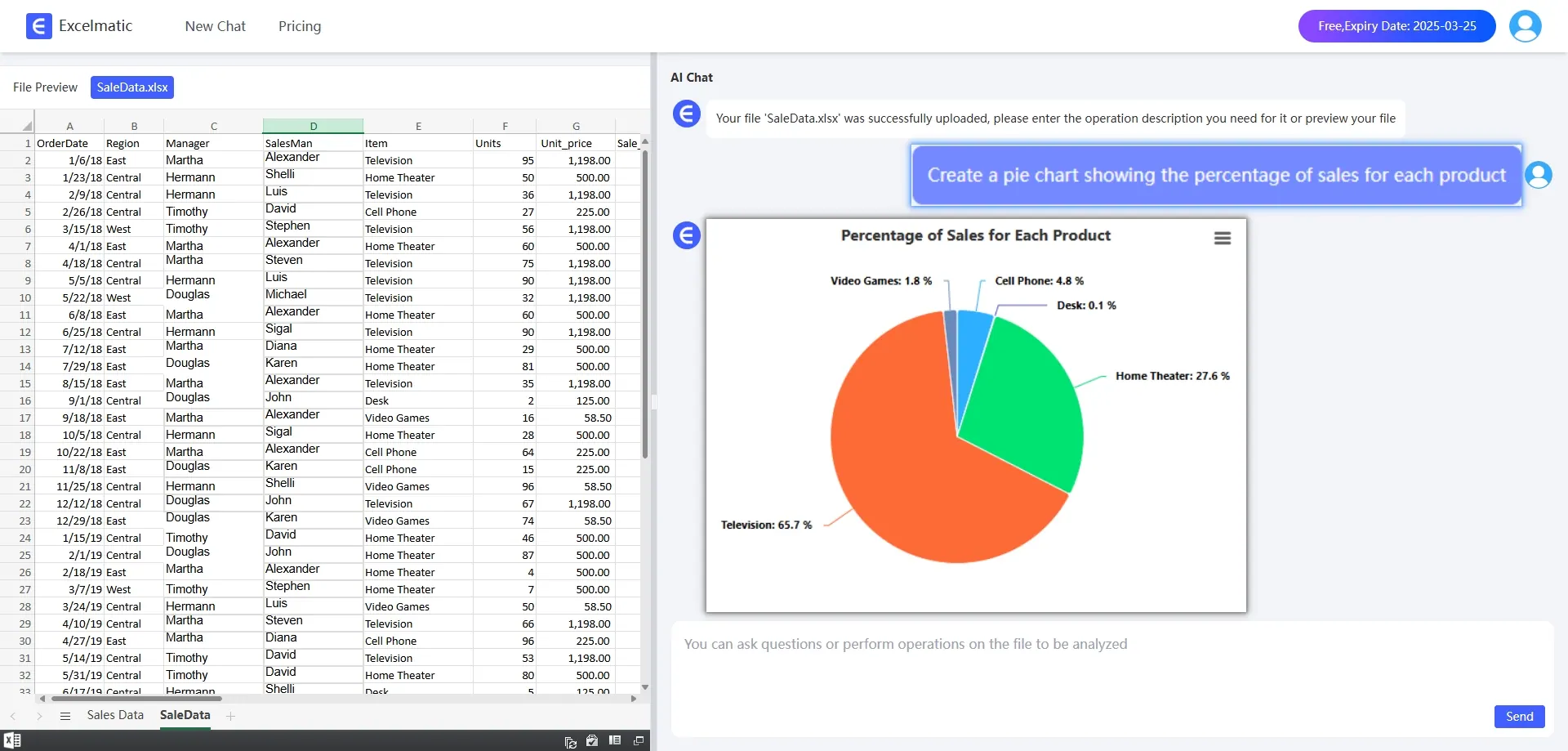
  1. Pie Chart: To create a pie chart that shows the proportion of sales for each product, type Create a pie chart for sales by product. RowSpeak will generate a pie chart that clearly displays the proportion of sales for each product.
chart

Advantages of Using RowSpeak for Chart Generation

  1. Time-Saving: RowSpeak eliminates the need for manual chart creation, saving you a significant amount of time.
  2. User-Friendly: The natural language interface makes it easy for anyone to use, regardless of their technical skills.
  3. Dynamic Visualization: The charts generated by RowSpeak are dynamic and update automatically when your data changes.
  4. Professional Results: RowSpeak ensures that the charts are professionally designed, enhancing the visual appeal of your data analysis.

Conclusion: Unlock the Full Potential of Your Data

With RowSpeak, turning your Excel data into stunning visuals is just a few clicks away. Whether you're a beginner or an experienced professional, RowSpeak's chart generation capabilities can help you unlock the full potential of your data and make your analysis more effective and engaging.


Try it now for free!

Ditch Complex Formulas – Get Insights Instantly

No VBA or function memorization needed. Tell RowSpeak what you need in plain English, and let AI handle data processing, analysis, and chart creation

Try RowSpeak Free Now

Recommended Posts

How to Create Stunning Excel Charts with Excel AI via RowSpeak
Excel Tips

How to Create Stunning Excel Charts with Excel AI via RowSpeak

Today, let's explore how to use RowSpeak to quickly create high-quality charts in Excel.

Sally
RowSpeak: AI-Powered Excel Chart Editor That Brings Data to Life!
Excel Tips

RowSpeak: AI-Powered Excel Chart Editor That Brings Data to Life!

RowSpeak helps you gain insights quickly and presents them in the most intuitive way.

Sally
Turn Data into Insights with a Click: RowSpeak, Your AI-Powered Excel Assistant.
Excel Tips

Turn Data into Insights with a Click: RowSpeak, Your AI-Powered Excel Assistant.

Learn how to turn even excel novices into professionals with RowSpeak!.

Sally
Ditch Your Excel Templates: Automate Data Analysis with AI (ChatGPT + RowSpeak in Action)
Excel Tips

Ditch Your Excel Templates: Automate Data Analysis with AI (ChatGPT + RowSpeak in Action)

Break free from Excel template limitations with ChatGPT and RowSpeak. Learn AI-powered data analysis workflow for dynamic business insights without complex formulas.

Sally
AI Meets Excel: RowSpeak is Here for Smarter Data Handling
Excel Tips

AI Meets Excel: RowSpeak is Here for Smarter Data Handling

Now, RowSpeak, driven by AI, is here to make Excel data analysis simple and intelligent

Sally
AI-Powered Excel: Efficiency Boosts So High, Your Boss Will Be Stunned!
Excel Tips

AI-Powered Excel: Efficiency Boosts So High, Your Boss Will Be Stunned!

with advancements in AI, a tool called RowSpeak has been developed. It brings AI into Excel, making data analysis much easier and more efficient.

Sally
RowSpeak small classroom: those things that create stunning data visualizations
Excel Tips

RowSpeak small classroom: those things that create stunning data visualizations

Today, I will share with you how to use RowSpeak to create a stunning data visualization.

Sally
Excel AI Tool: data analysis in 1 second with natural language!
Excel Tips

Excel AI Tool: data analysis in 1 second with natural language!

Excel AI tool: data analysis in 1 second with natural language!

Sally