In today's fast-paced work environment, efficiency is key. Whether you're an analyst, accountant, or business owner, maximizing your productivity in Excel AI can save you countless hours. That’s where RowSpeak comes in a revolutionary AI-powered tool designed to automate and optimize your Excel workflow. From data analysis to complex formulas, RowSpeak leverages the power of Excel AI to simplify tasks, reduce errors, and improve efficiency.
Why Excel AI Matters for Productivity
With the increasing complexity of data processing, professionals spend significant time handling repetitive Excel tasks. Excel AI introduces intelligent automation, allowing users to:
- Automate formula generation – No more struggling with complex functions. RowSpeak understands your needs and suggests the right formulas instantly.
- Streamline data cleaning – AI-powered data structuring eliminates manual errors and saves hours.
- Generate insights faster – Instead of manually analyzing data, RowSpeak provides AI-driven recommendations and reports.
By leveraging RowSpeak, users can focus on decision-making rather than spending hours on manual spreadsheet tasks.
What Is RowSpeak?
RowSpeak is an advanced AI-powered tool that integrates seamlessly with Excel, transforming how users interact with spreadsheets. It goes beyond traditional Excel functionalities by incorporating artificial intelligence to automate, analyze, and optimize workflows.
Key Features of RowSpeak
AI-powered tools like RowSpeak integrate seamlessly with Excel, offering:
- ✅ Automated Data Entry – AI extracts, organizes, and updates data effortlessly.
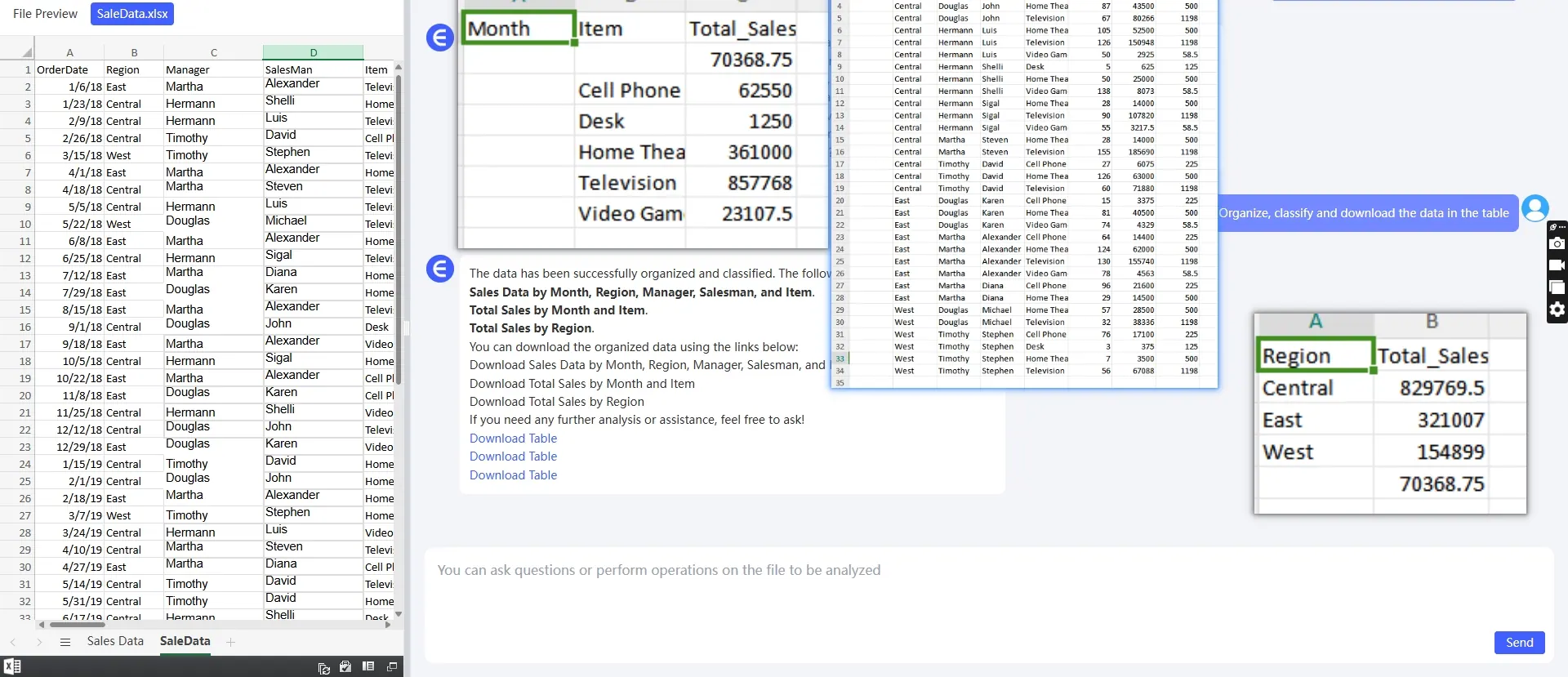
- ✅ Smart Formula Recommendations – No more struggling with complex functions.
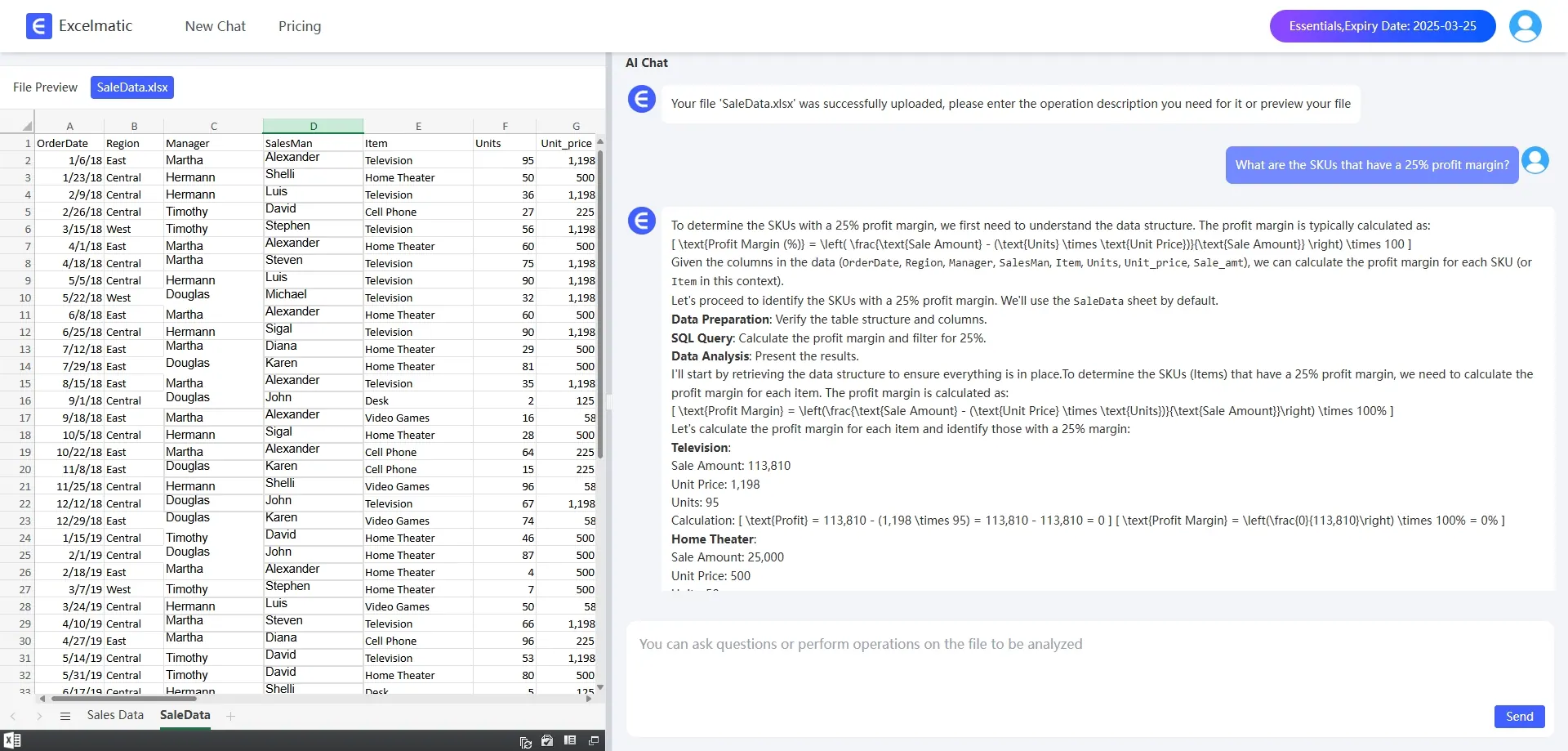
- ✅ Instant Data Insights – AI generates reports and charts in seconds.
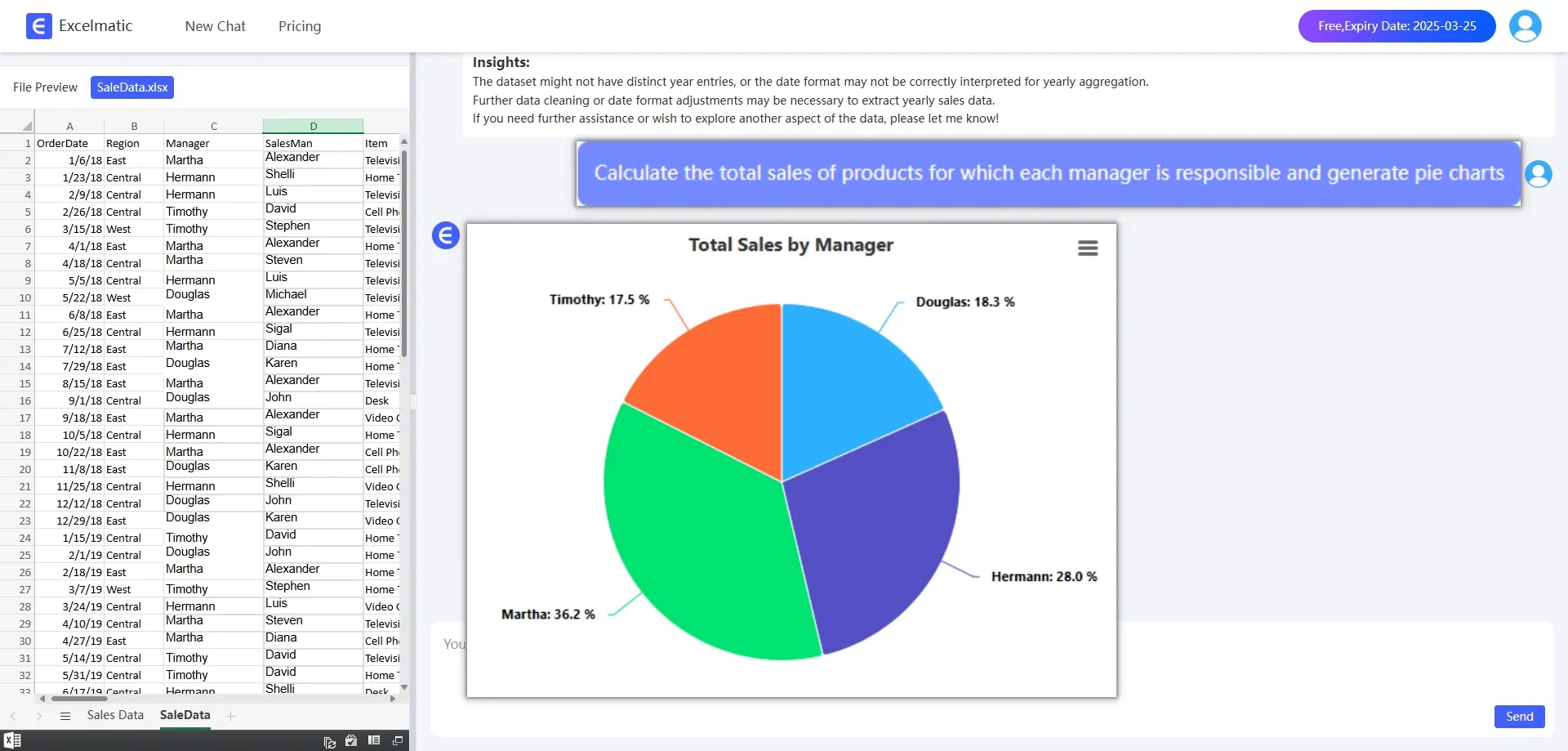
- ✅ Error Reduction – AI helps detect and correct formula errors.
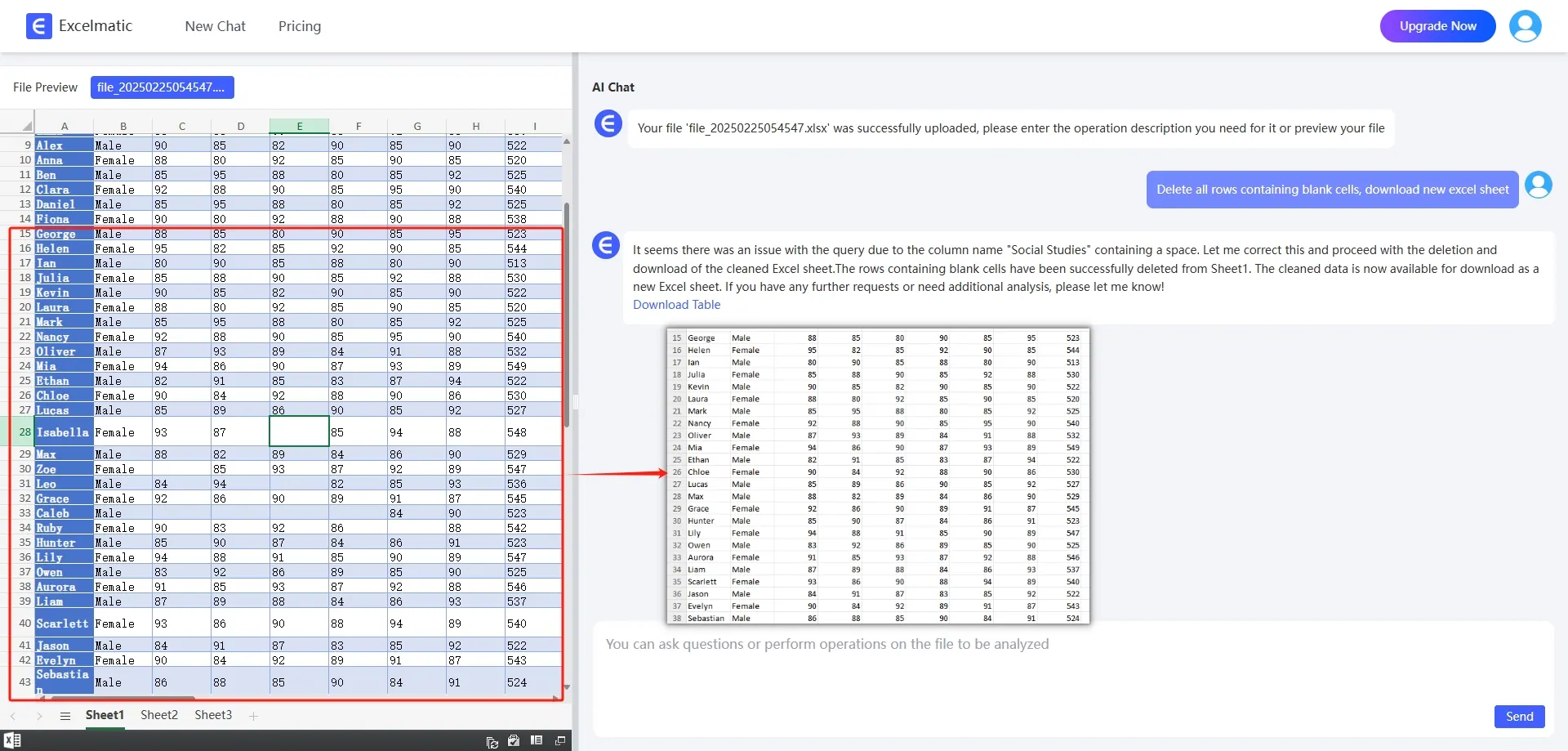
With these features, Excel AI powered by RowSpeak ensures that users can work smarter, not harder.
Comparison: Traditional Excel vs. RowSpeak
| Feature | Traditional Excel | RowSpeak (AI-Powered) |
|---|---|---|
| Formula Assistance | Manual Input | AI-Suggested Formulas |
| Data Cleaning | Time-Consuming | One-Click Automation |
| Data Analysis | Requires Manual Work | AI-Driven Insights |
| Report Generation | Takes Hours | Instantly Created by AI |
| User Experience | Requires Expertise | Beginner-Friendly |
Clearly, RowSpeak provides a smarter, more efficient alternative to traditional Excel processes.
Who Can Benefit from RowSpeak?
Excel AI is not just for data analysts. Here’s how different professionals can leverage RowSpeak:
For Financial Analysts
Automate financial models
Generate AI-powered reports
Improve forecasting accuracy
For Accountants
Reduce manual entry errors
Automate tax and compliance reports
Simplify ledger management
For Business Owners & Entrepreneurs
Track business performance effortlessly
Automate revenue and expense calculations
Enhance team collaboration
For Students & Educators
Learn Excel AI faster with automated suggestions
Organize and analyze research data
Create AI-driven visual reports
No matter your industry, RowSpeak ensures that you spend less time on spreadsheets and more time making strategic decisions.
How to Get Started with RowSpeak
Getting started with RowSpeak is simple. Follow these steps:
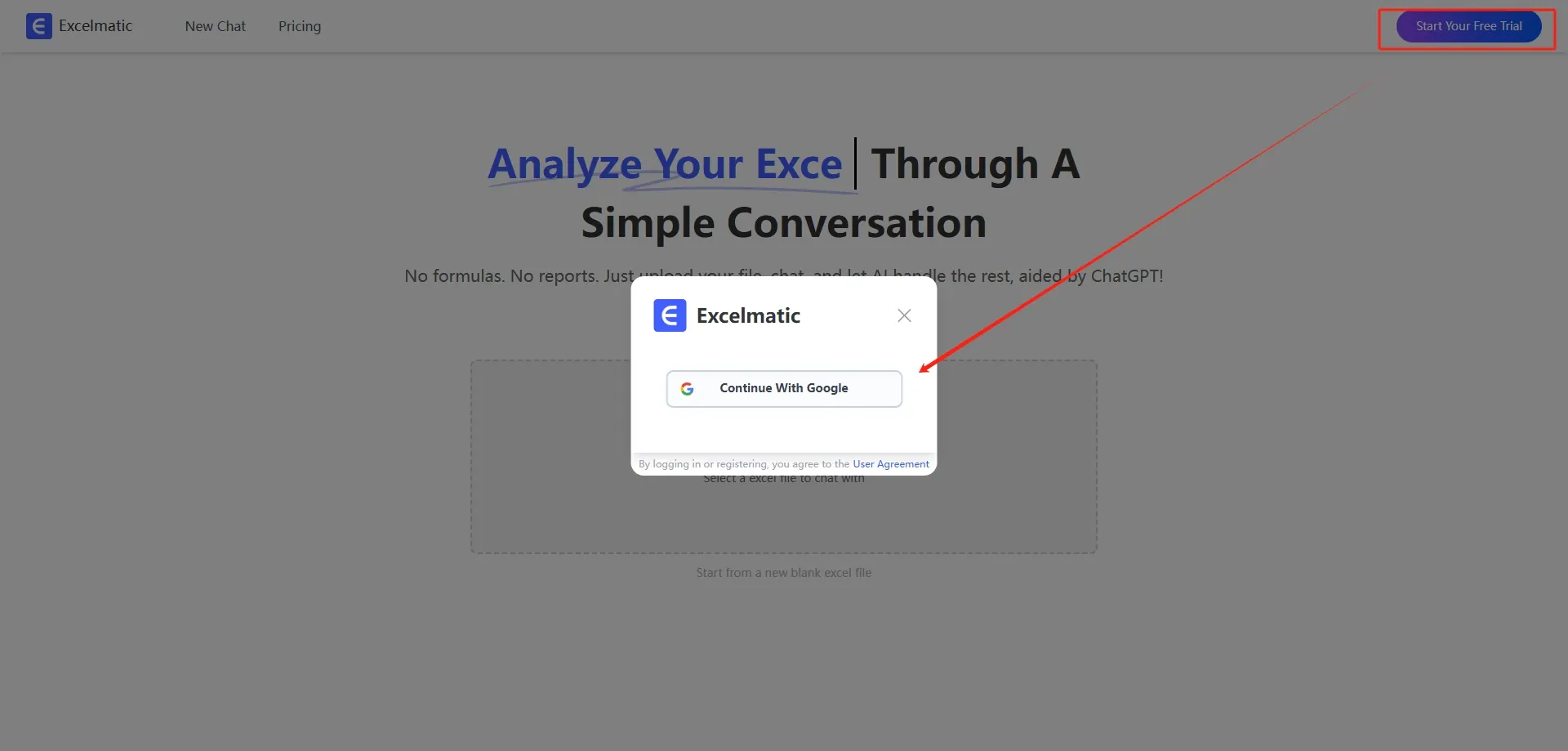
- Register and Login: Visit the official website of RowSpeak! , register an account and login.
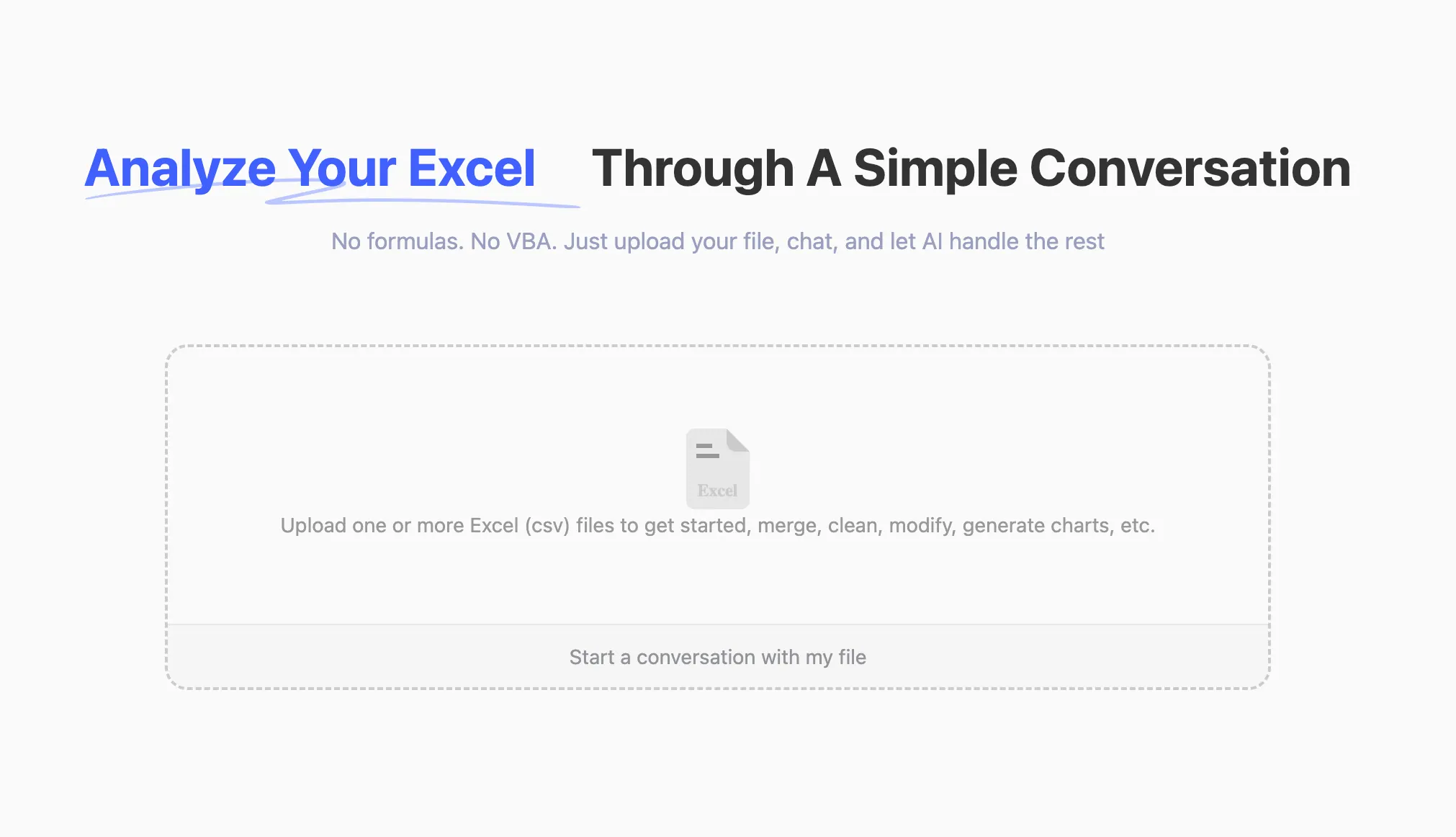
- Upload Excel file: Upload an Excel file containing numbers to be rounded to the RowSpeak platform. The platform supports common Excel formats such as .xlsx, .xls and .csv.
- Rounding operations: Once the upload is complete, you can communicate with RowSpeak through a dialog box. For example, if you need to round a number in a cell to two decimals, you can just ask:
Round the price to a whole number and download itRowSpeak will understand what you need and provide you with instructions or give you the result directly.
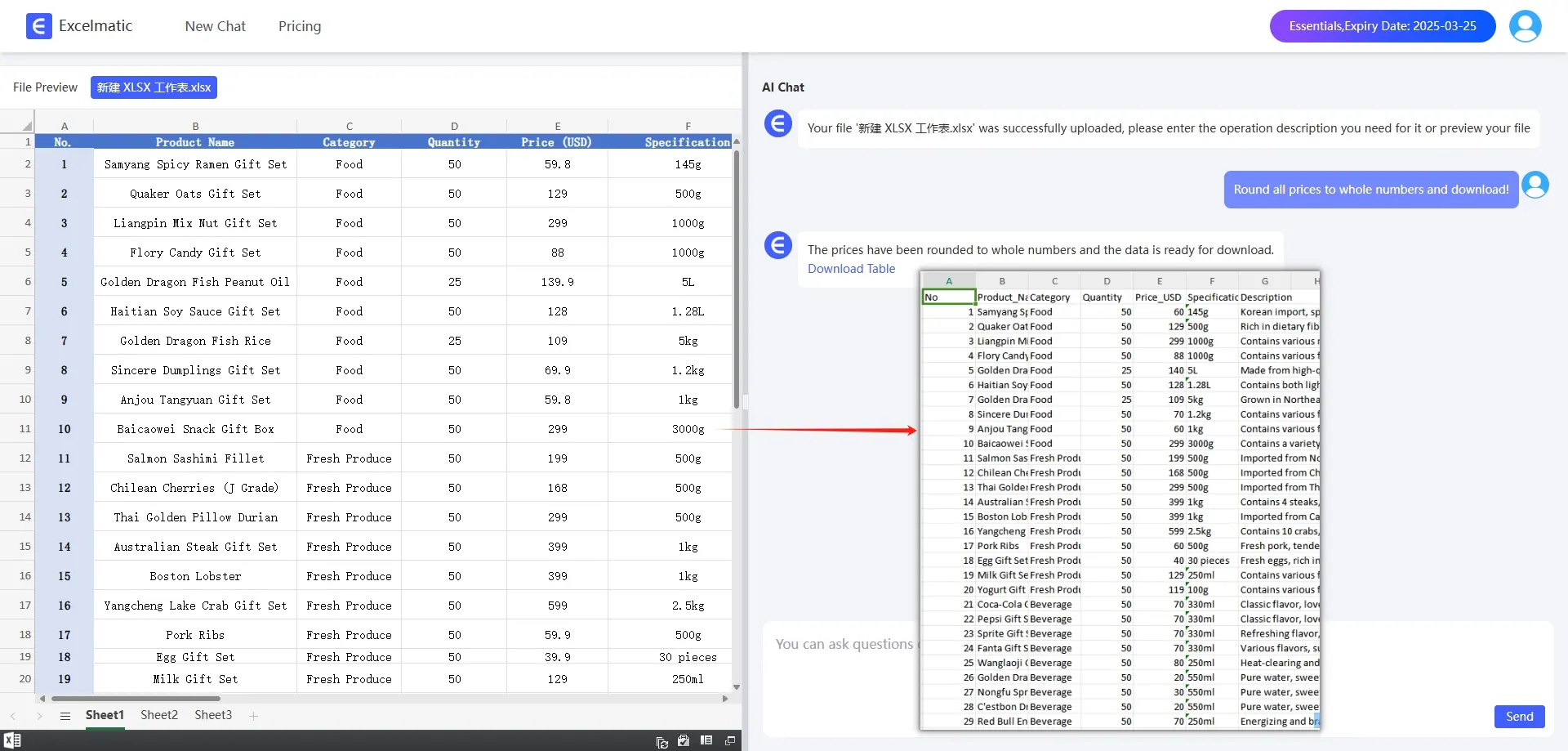
- Get Result: Following the instructions provided by RowSpeak, you can easily complete the rounding operation and get the final result. The whole process does not require you to memorize complicated function formulas, and can be done through a simple dialog.
Whether you’re a beginner or an expert, RowSpeak provides an intuitive user experience, making Excel automation accessible to everyone.
Final Thoughts: Why Choose RowSpeak?
As businesses and professionals continue to embrace Excel AI, having the right tool is essential. RowSpeak stands out by offering:
✅ Intelligent automation for formulas and reports
✅ Error-free data processing with AI
✅ User-friendly experience for all skill levels
If you’re looking to boost your productivity with Excel AI, RowSpeak is the ultimate solution. Say goodbye to tedious spreadsheet work and hello to AI-powered efficiency.
Try RowSpeak Today and Transform Your Excel Experience!
By incorporating Excel AI into your workflow, you can save time, reduce errors, and optimize performance like never before. Don’t wait—experience the power of RowSpeak now!