In the data-driven era, Excel remains the most popular data processing tool. However, complex formulas, functions, and pivot table operations often deter many users. RowSpeak seamlessly integrates AI technology with data analysis, allowing users to easily obtain insights through natural language interactions without mastering complex Excel skills.
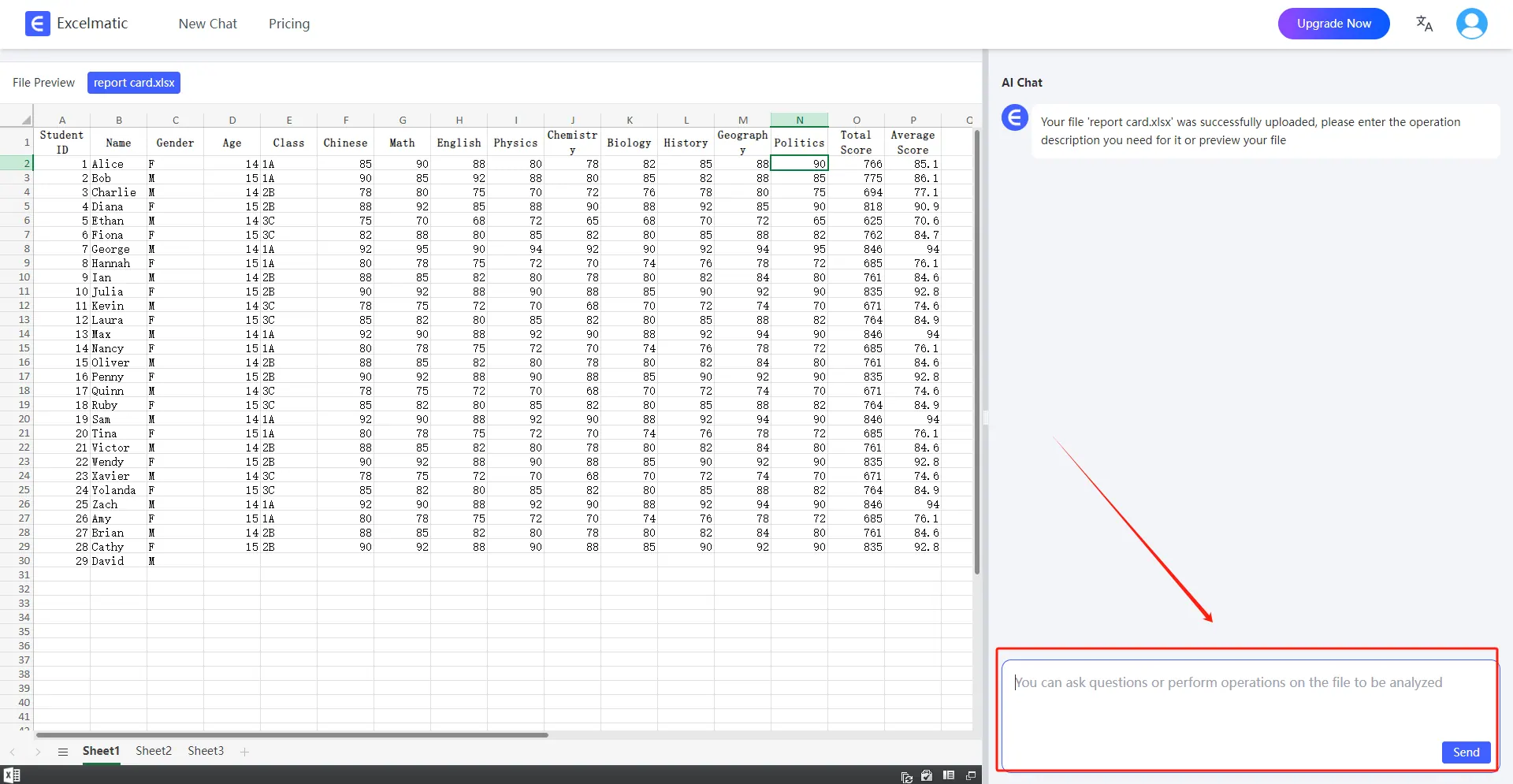
Other Popular Excel Data Analysis Tools
In addition to RowSpeak, many other excellent Excel data analysis tools are available, such as:
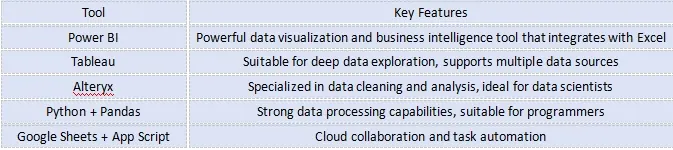
Key Features of RowSpeak
1. Data Processing and Analysis
Supports sorting, filtering, find-and-replace, and other operations for quick data handling.One-click identification of data patterns and anomaly detection.
2. Smart Formulas and Functions
Built-in mathematical, statistical, and logical functions, automatically selecting the best calculations.No need to manually input complex formulas—AI does it for you.
3. Automated Chart Generation
Easily create Bar Charts, pie charts, line graphs, and more for data visualization.Makes analysis results more intuitive, aiding in data-driven decision-making.
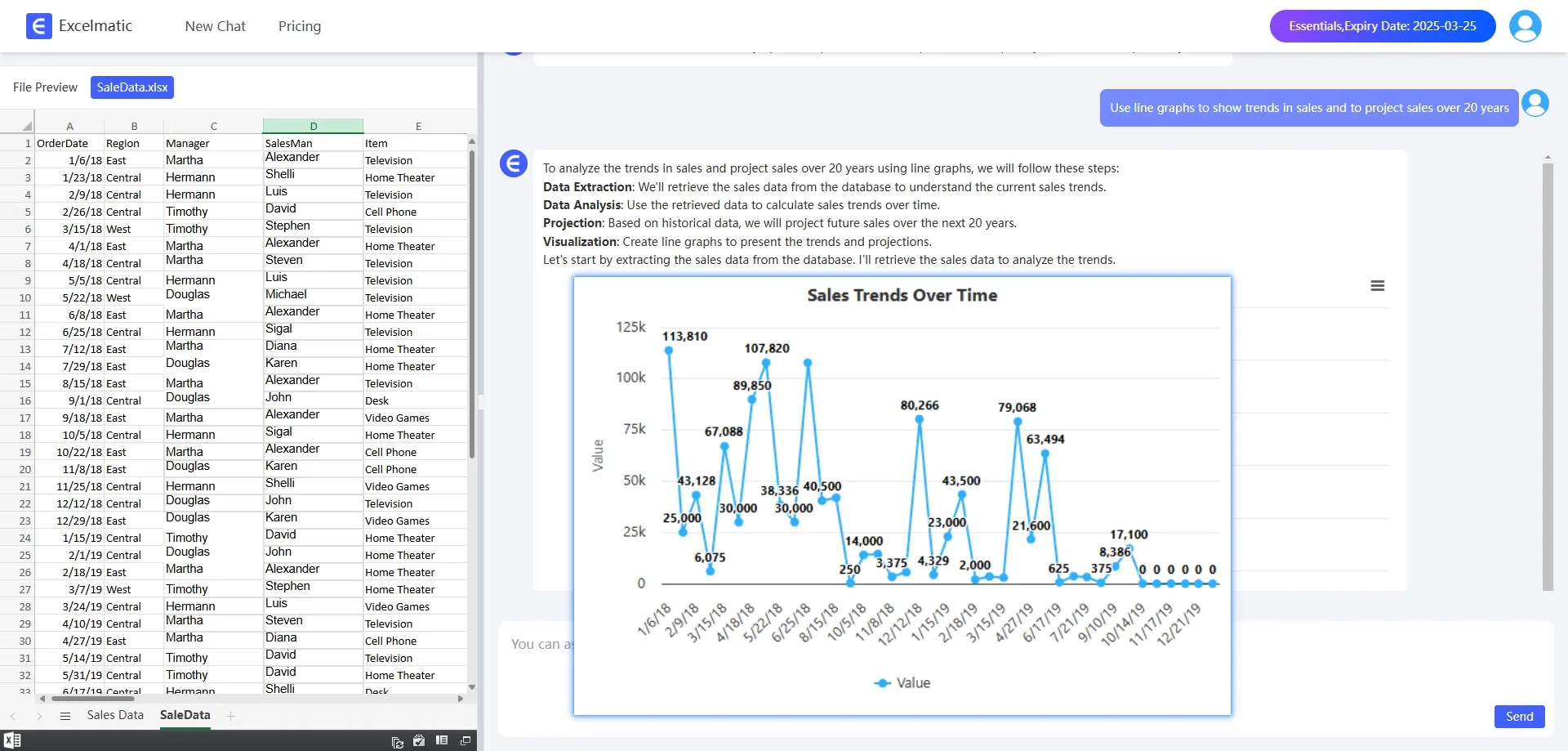
Use Cases of RowSpeak
- Financial Management: Budget planning and automated financial reports.
- Market Analysis: Data organization and consumer trend analysis.
- Project Management: Progress tracking and resource allocation.
- Education & Training: Student performance analysis and curriculum planning.
- Personal Finance: Household budgeting and investment analysis.
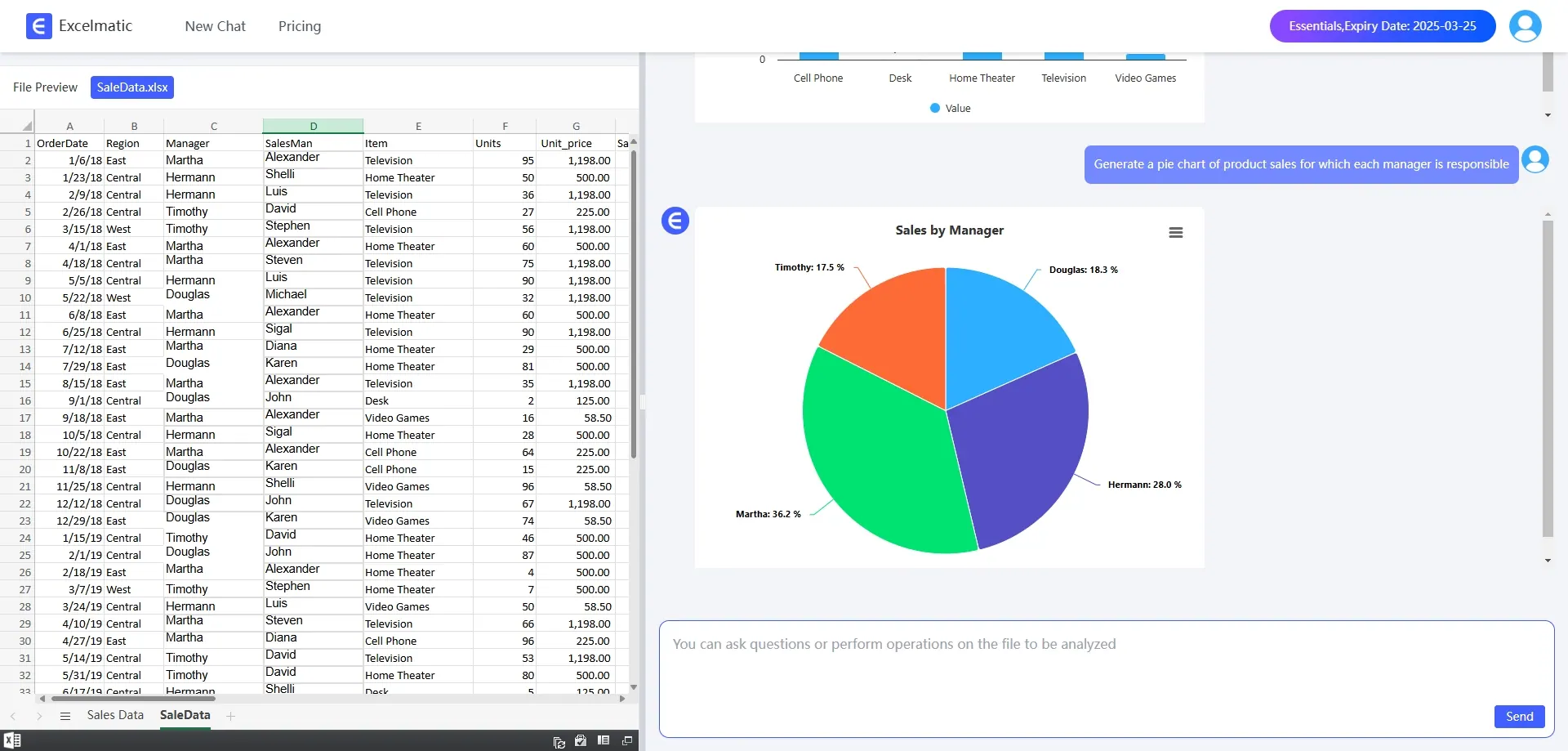
How does RowSpeak work?
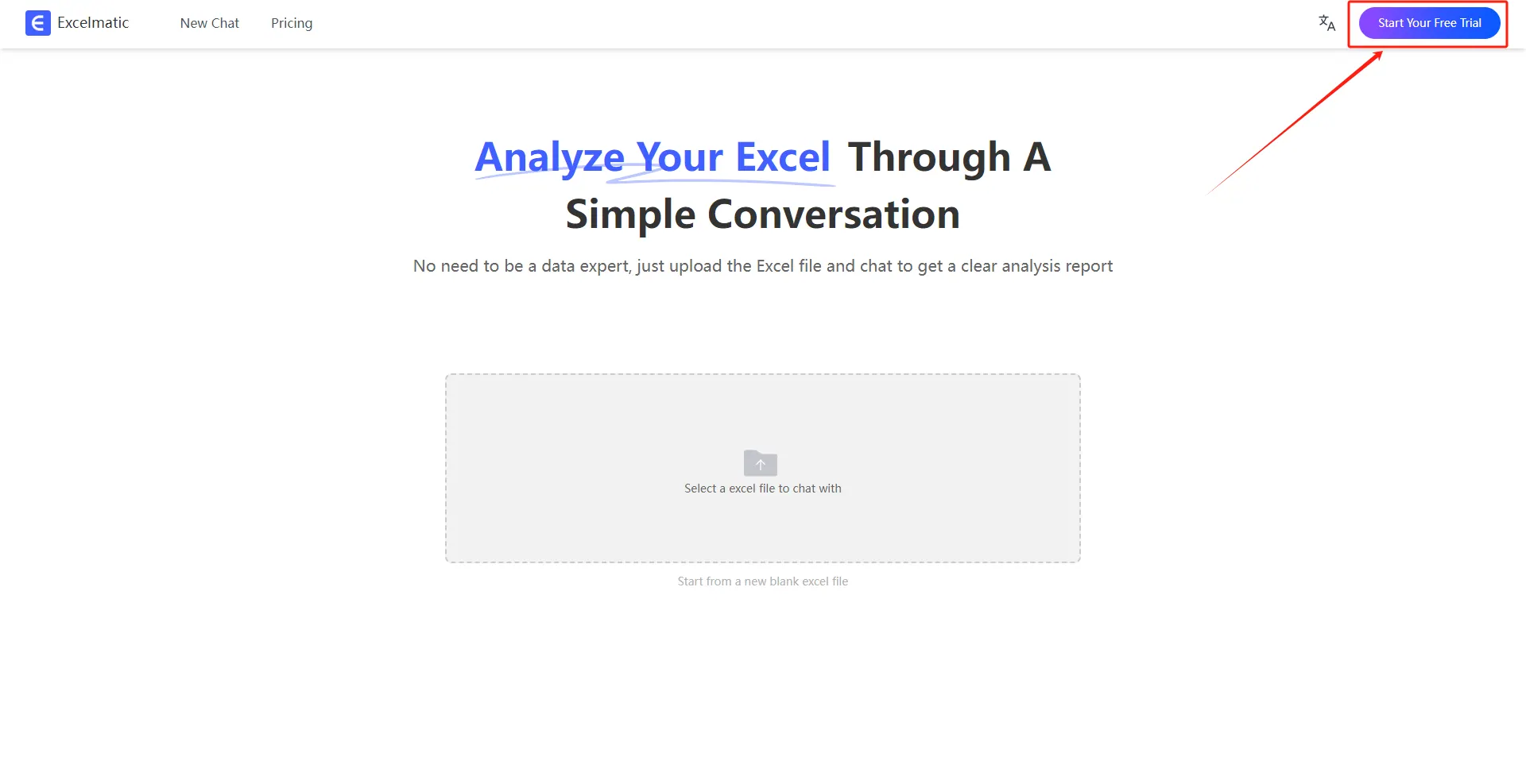
- Register and Log In
Visit the RowSpeak website and log in to your account.
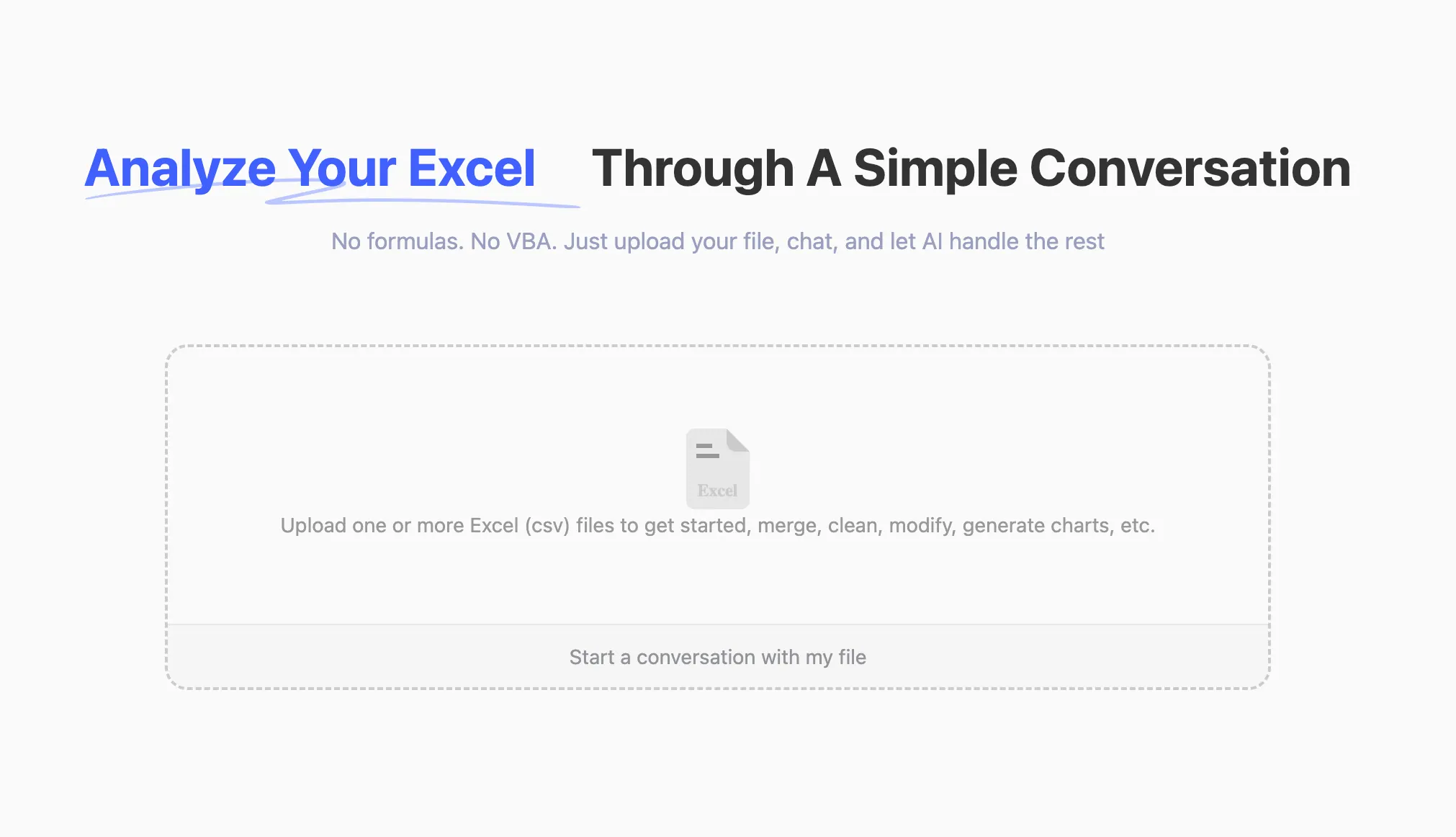
- Upload Excel Files
Upload your Excel files to RowSpeak. The system supports all common formats, including .xlsx, .xls, and .csv.
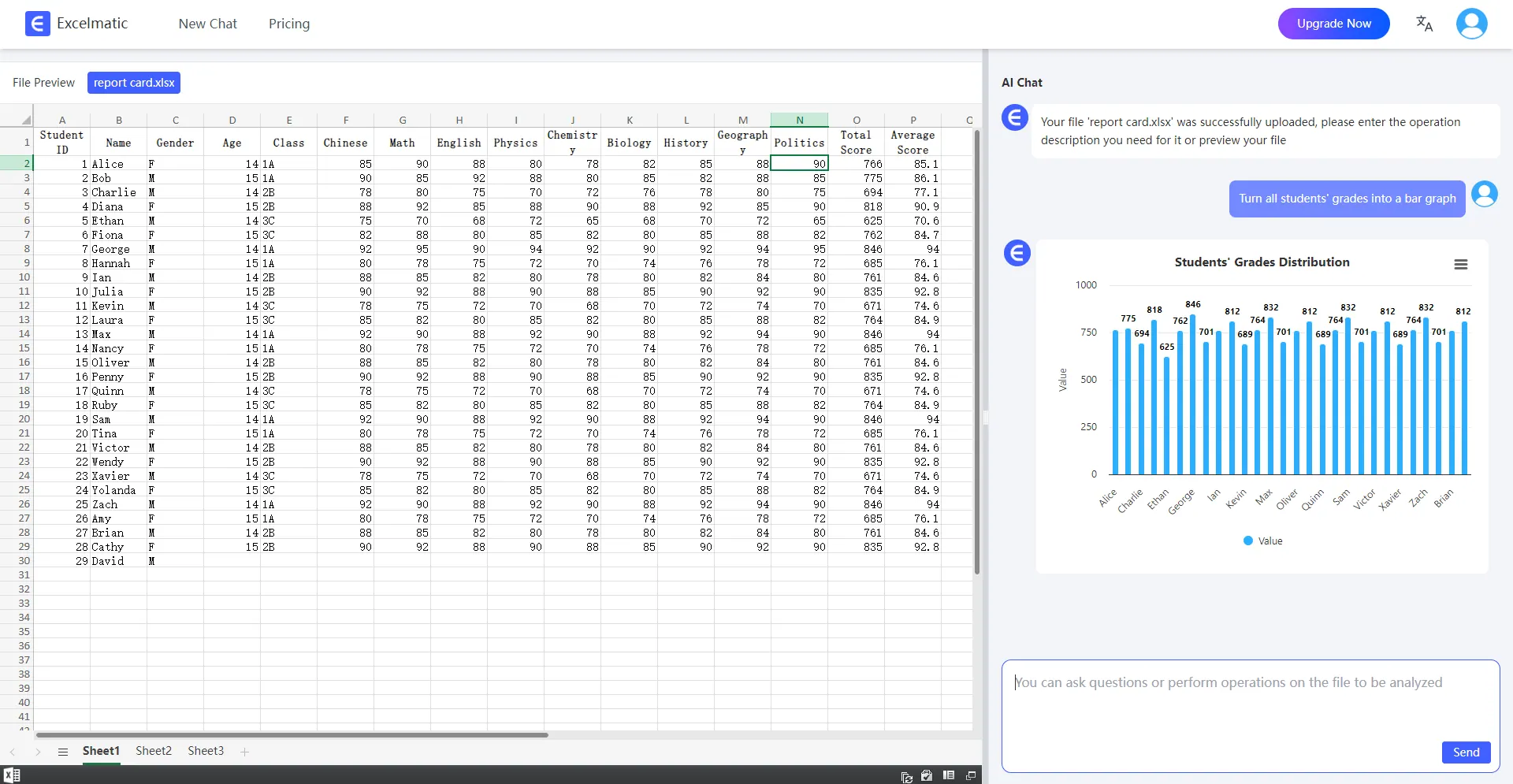
- Ask Questions in Natural Language
Once your file is uploaded, you can start asking questions in natural language. For example: “Help me count the total sales each month.”
- Get Analysis Reports
RowSpeak will immediately process your request and generate detailed analysis reports. These reports highlight key metrics and trends, provide data interpretations and recommendations, and support automatic data visualization charts.
Conclusion: Embrace Smart Excel Analysis
Whether you are a beginner in data analysis or an experienced professional, RowSpeak helps you efficiently complete data analysis. Experience RowSpeak today and let AI empower your work—step into the future of intelligent Excel analysis!