Excel AI Assistant | Automate Your Spreadsheets with AI-Powered Tools

RowSpeak AI Assistant is your intelligent spreadsheet companion, making Excel mastery effortless. From writing formulas and analyzing data to cleaning up datasets, AI is here to help—boosting your productivity and streamlining your workflow.
Excel AI Assistant

Boost Your Productivity with AI in Excel

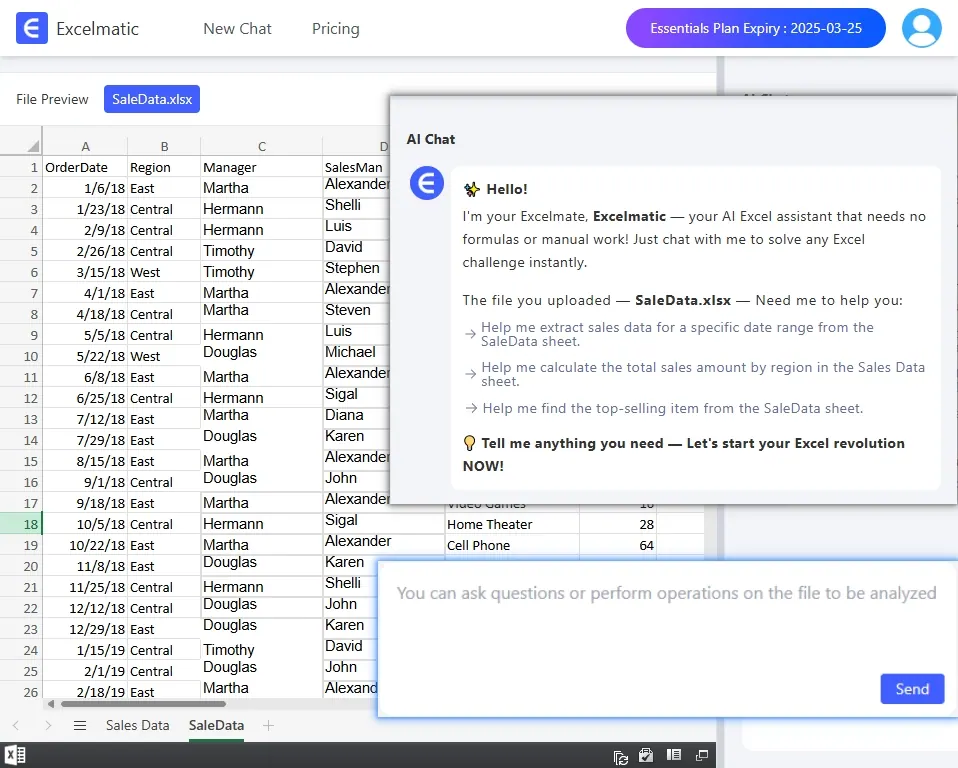
RowSpeak AI Assistant is the ultimate AI-powered Excel tool, designed to help you master spreadsheets effortlessly. From automating formulas, analyzing data, and cleaning up datasets to building templates, this Excel AI assistant streamlines your workflow and saves valuable time.

Smart Assistance for Every Excel Task Whether you need help with writing complex formulas, automating repetitive tasks, or conducting in-depth data analysis, your AI-powered spreadsheet assistant is here to help. Just ask, and get expert guidance in seconds.

Unlock the Power of Your Data Your AI Assistant does more than just answer questions. It analyzes your data, reveals insights, and suggests the best ways to optimize your spreadsheets. From chart creation to advanced templates, AI helps you make the most of your data.

Your Ultimate AI Spreadsheet Assistant

Formula & Function Automation

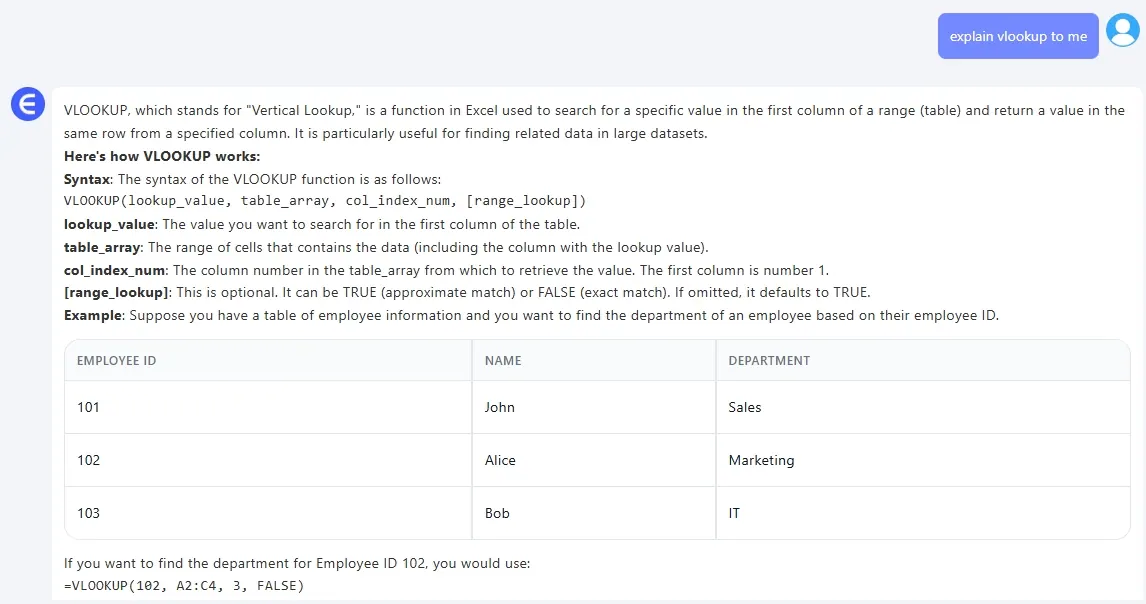
Struggling with formulas? Just ask AI! Get instant recommendations and generate accurate Excel formulas effortlessly.
Excel AI Assistant

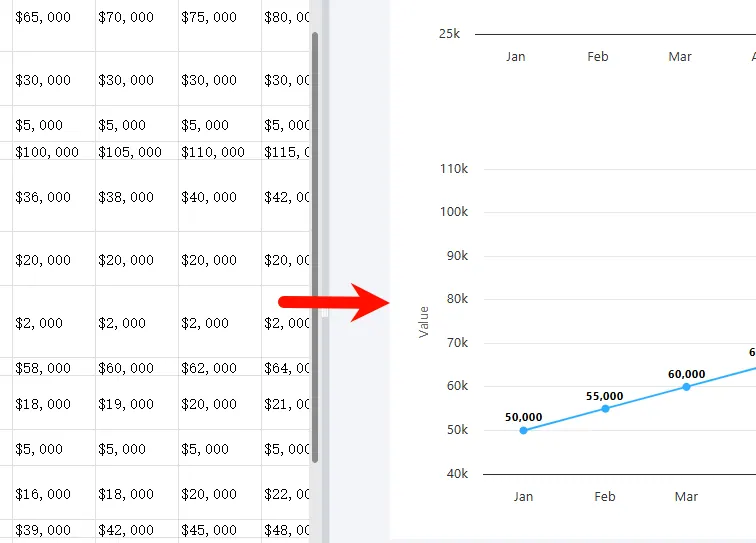
AI-Powered Data Analysis

Use AI in Excel to analyze data, uncover trends, and receive expert insights. Simply type your question in plain English and get instant analysis.
Excel AI Assistant

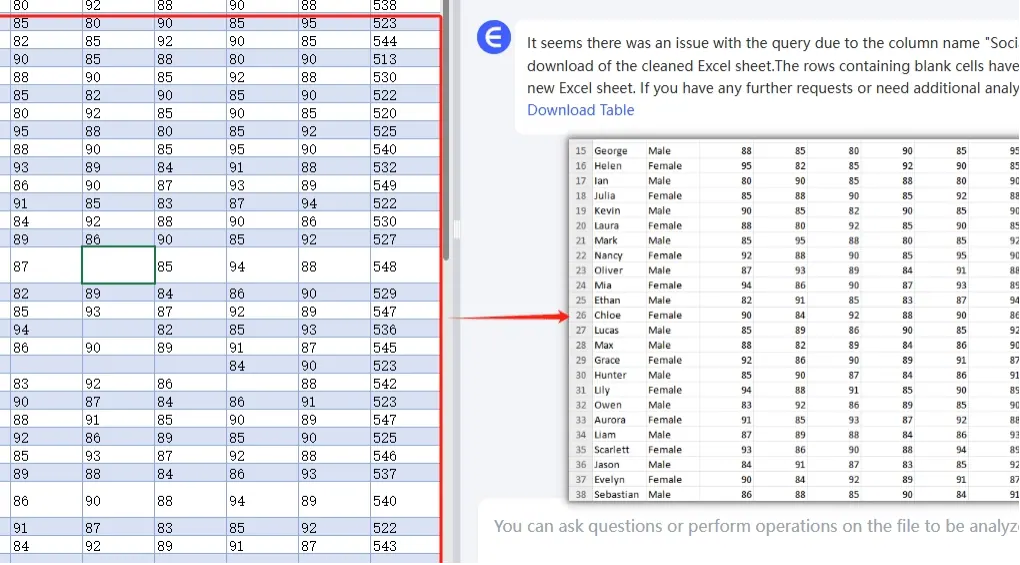
Data Cleanup & Transformation

Automate tedious Excel data cleaning tasks like removing duplicates, standardizing formats, and splitting columns—just describe what you need, and AI will handle it.
Excel AI Assistant

Start using RowSpeak today and take your spreadsheets to the next level!

Ditch Complex Formulas – Get Insights Instantly

No VBA or function memorization needed. Tell RowSpeak what you need in plain English, and let AI handle data processing, analysis, and chart creation

Try RowSpeak Free Now

Recommended Posts

Turn Data into Insights with a Click: RowSpeak, Your AI-Powered Excel Assistant.
Excel Tips

Turn Data into Insights with a Click: RowSpeak, Your AI-Powered Excel Assistant.

Learn how to turn even excel novices into professionals with RowSpeak!.

Sally
AI-Powered Excel: Efficiency Boosts So High, Your Boss Will Be Stunned!
Excel Tips

AI-Powered Excel: Efficiency Boosts So High, Your Boss Will Be Stunned!

with advancements in AI, a tool called RowSpeak has been developed. It brings AI into Excel, making data analysis much easier and more efficient.

Sally
Chat with Your Excel Files: Get Data Insights Instantly
Excel Tips

Chat with Your Excel Files: Get Data Insights Instantly

Learn how to streamline Excel analysis with RowSpeak's conversational interface for quick data insights.

tony
Chat Excel Simplify Excel with Just a Chat.
Excel Tips

Chat Excel Simplify Excel with Just a Chat.

with RowSpeak, you can now simplify your Excel tasks just by chatting in natural language!.

Sally
Why RowSpeak is the Best AI Assistant for Excel in 2025
Excel Tips

Why RowSpeak is the Best AI Assistant for Excel in 2025

Enter RowSpeak, the AI assistant for Excel that is transforming the way we interact with spreadsheets.

Sally
How to Analyze Sales Data in Minutes: A Step-by-Step Guide with RowSpeak Excel AI
Excel Tips

How to Analyze Sales Data in Minutes: A Step-by-Step Guide with RowSpeak Excel AI

Discover how RowSpeak’s AI transforms Excel sales data analysis with speed, accuracy, and ease—no formulas required.

Tony
How to Use AI to Instantly Analyze Excel Data (No Coding Needed!)
Excel Tips

How to Use AI to Instantly Analyze Excel Data (No Coding Needed!)

Want to analyze Excel data with AI but hate formulas? Learn how RowSpeak turns your spreadsheets into insights with just a question.

Sally
How to Calculate Present Value (PV) for Investment with AI Tools for Excel
Excel Tips

How to Calculate Present Value (PV) for Investment with AI Tools for Excel

Calculate Present Value (PV) for Investment with AI Tools in Excel

Sally