Excel has been a cornerstone for data management and analysis for decades. However, mastering Excel’s many functions and formulas can be time-consuming and overwhelming, especially for those who aren’t Excel experts. Enter RowSpeak, the AI assistant for Excel that is transforming the way we interact with spreadsheets.
For broader spreadsheet automation, RowSpeak's natural-language spreadsheet analysis explains how natural-language analysis fits everyday Excel and CSV work.
Key Features of RowSpeak
Natural Language Processing:
Forget about struggling with Excel formulas! RowSpeak’s AI assistant can understand your requests in plain language. Just ask, Showing the top five selling products. and get an instant analysis without needing to know Excel’s complex functions.
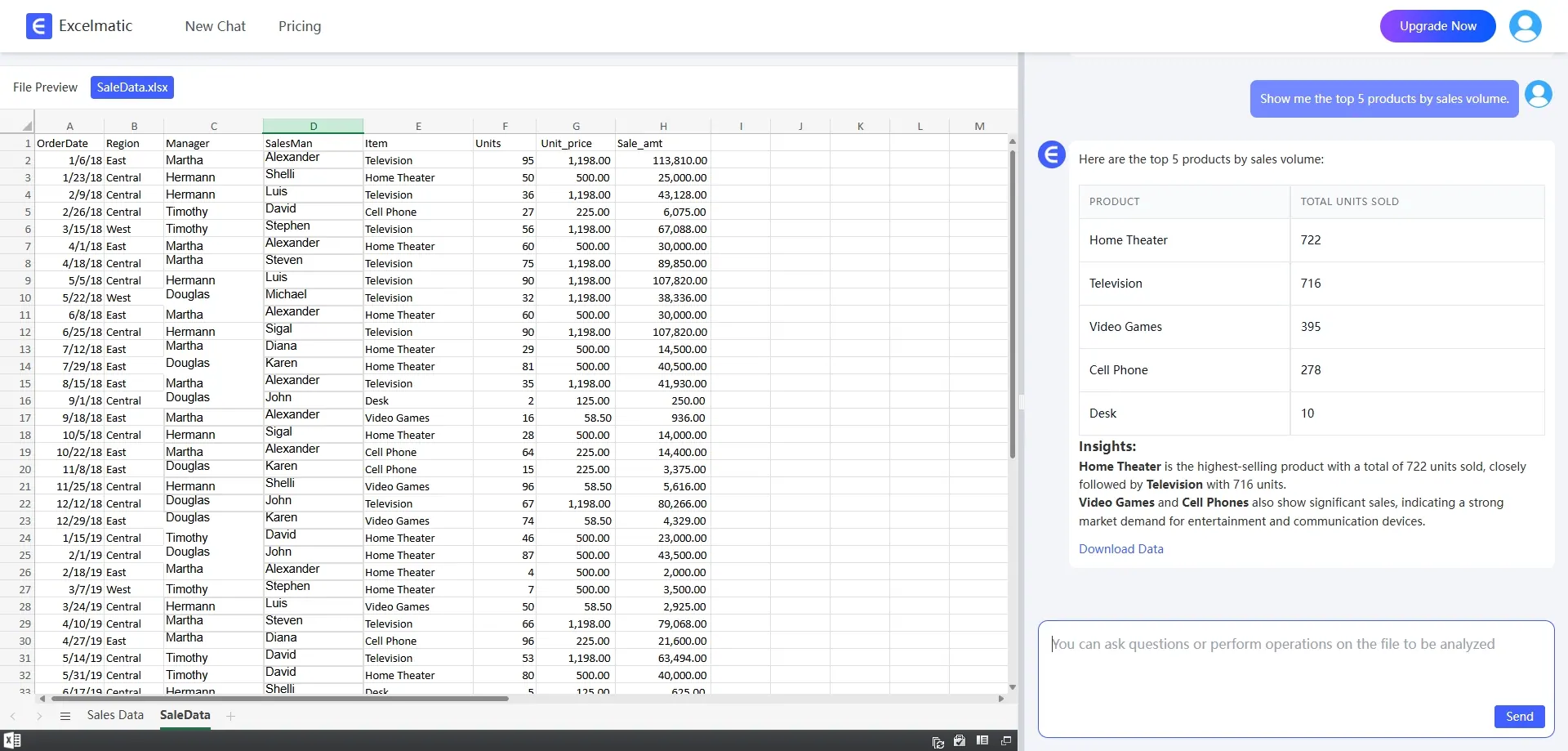
Data Analysis & Processing: RowSpeak supports data sorting, filtering, and find-and-replace functions, speeding up data cleanup and processing tasks. It helps streamline data analysis, making the process far more efficient than traditional methods.
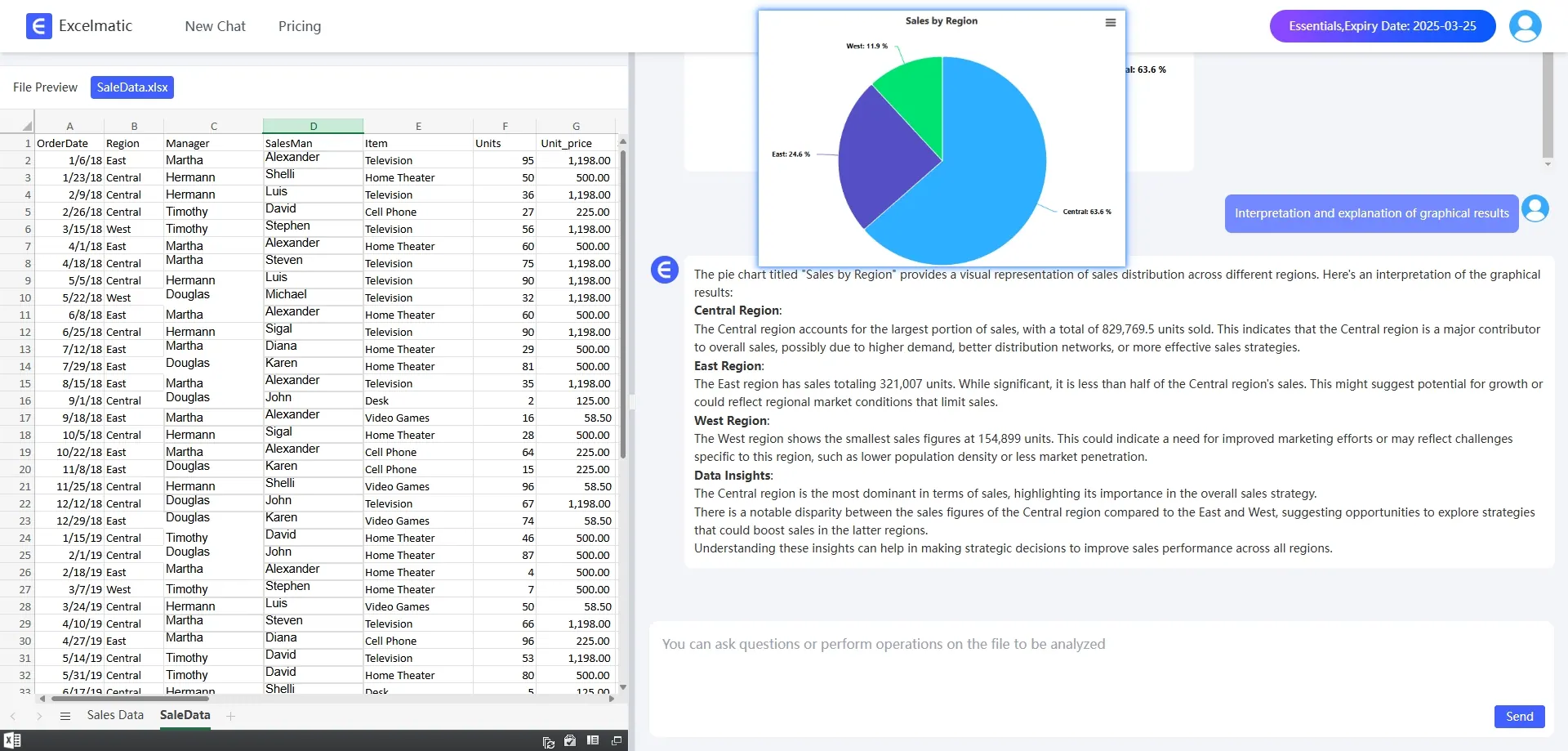
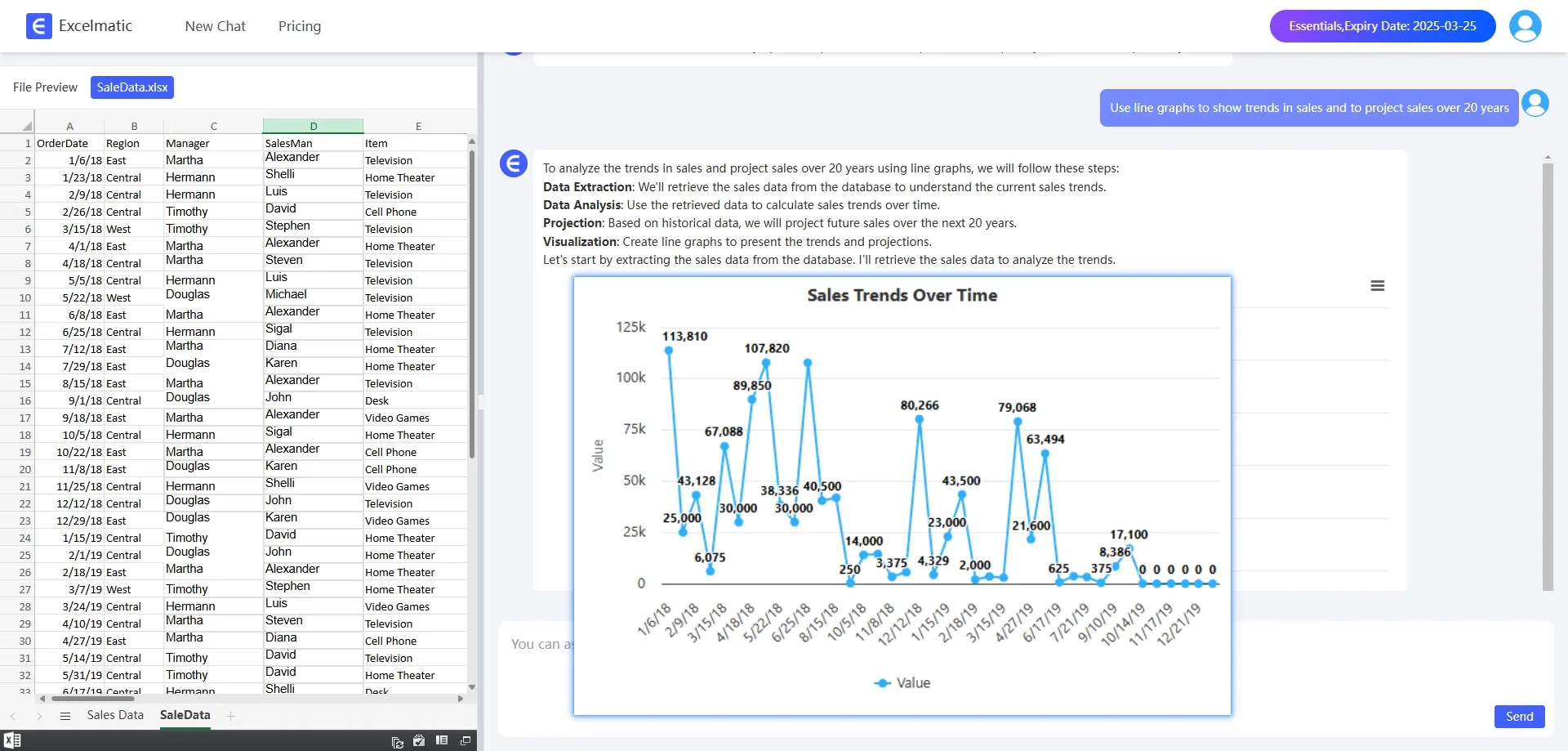
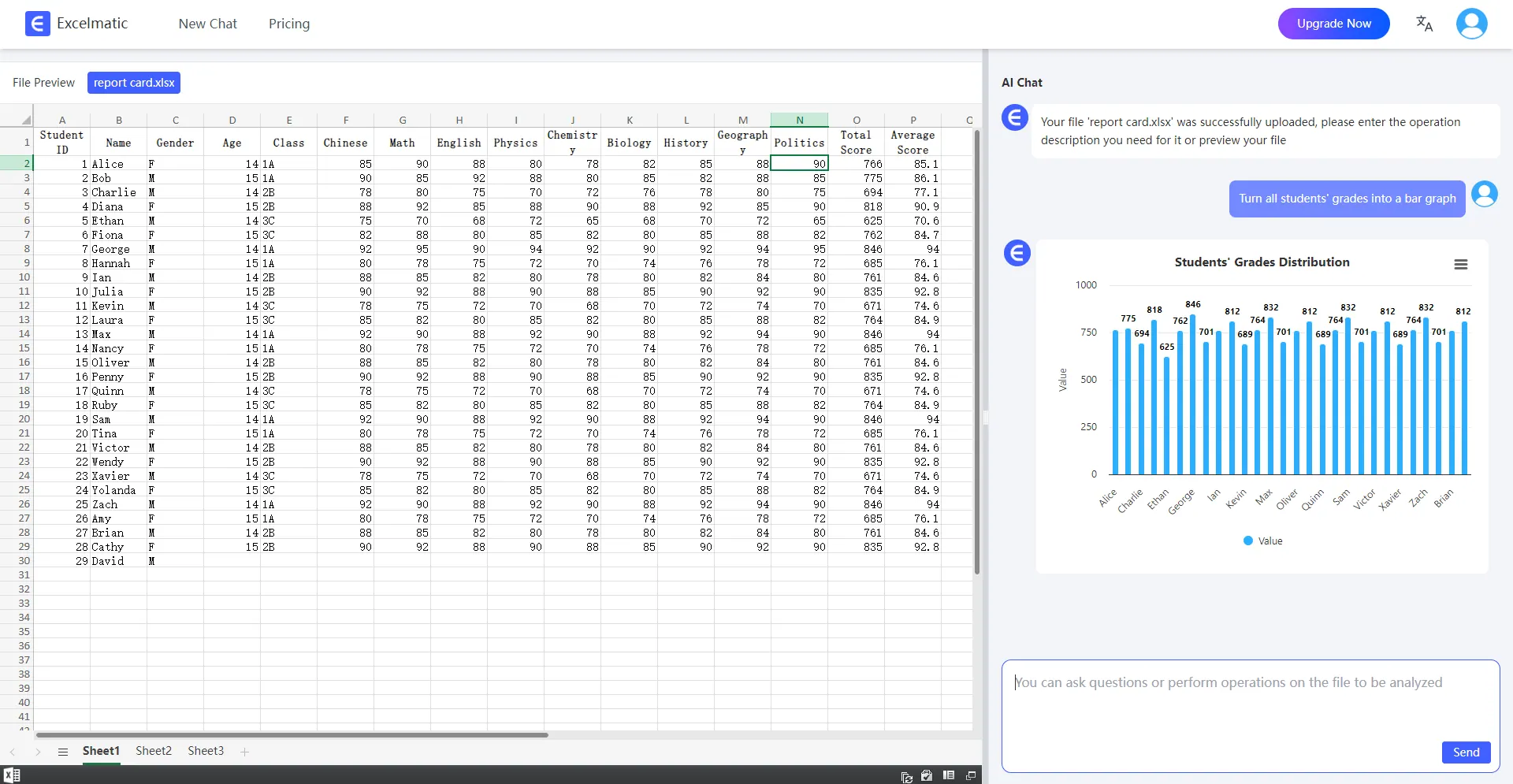
Charting & Visualization: RowSpeak automatically generates charts like bar graphs, pie charts, and line graphs, so you can visualize your data without spending time creating them manually. The AI tool even provides professional recommendations for the best chart types based on your data.
Why RowSpeak is the Best AI Assistant for Excel
Time Efficiency: RowSpeak helps you perform tasks in minutes that would typically take hours. No more manually creating complex formulas or charts—RowSpeak does it for you.
Ease of Use: It’s designed for both beginners and advanced users. Whether you’re new to Excel or a seasoned pro, RowSpeak’s intuitive interface and natural language processing make working with data easier than ever.
Data Insights & Recommendations: RowSpeak doesn’t just perform tasks—it also provides actionable insights and recommendations. Whether you’re analyzing sales, tracking project progress, or managing finances, it interprets your data and offers suggestions to help you make better decisions.
How does RowSpeak work?
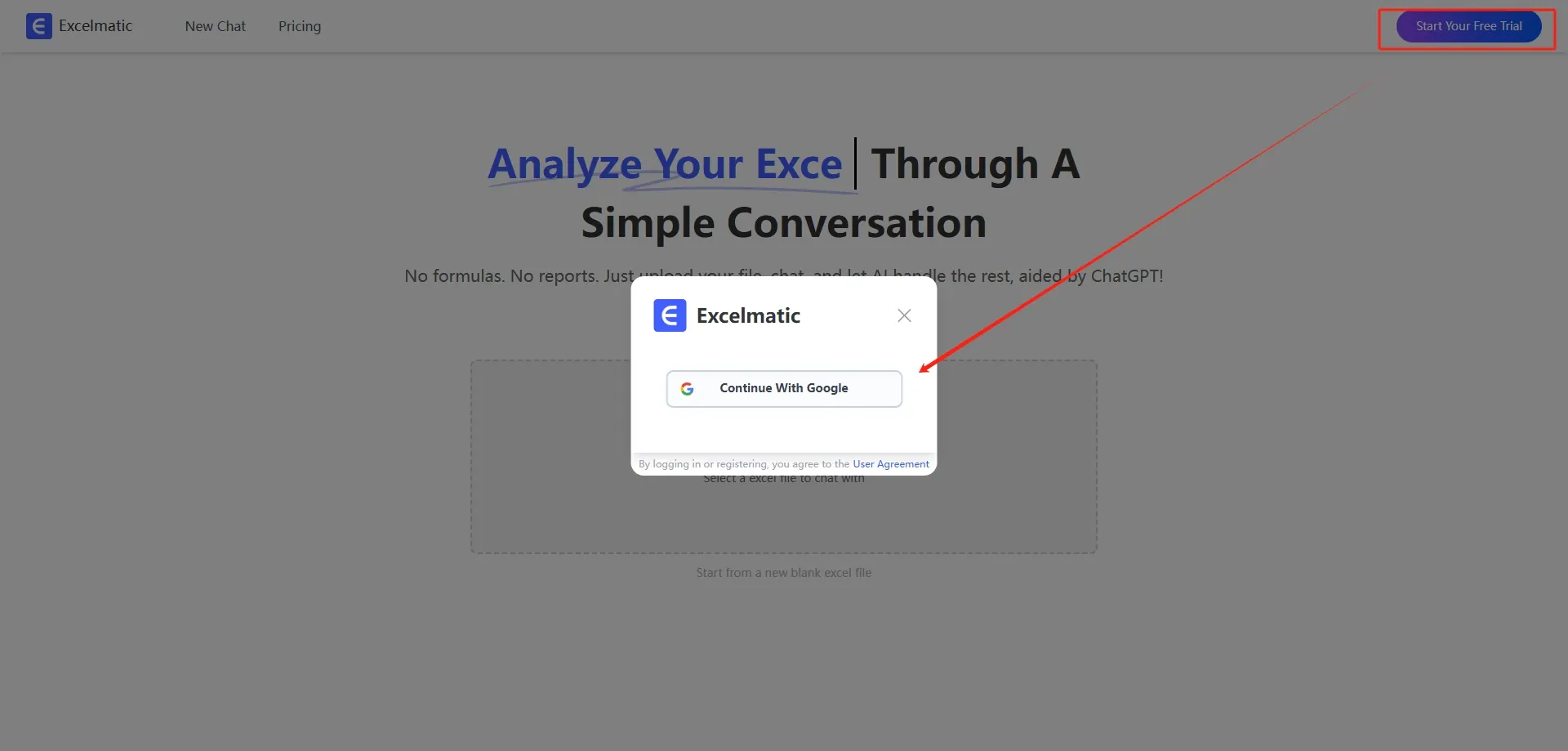
Register and Log In
Visit the RowSpeak website and log in to your account.
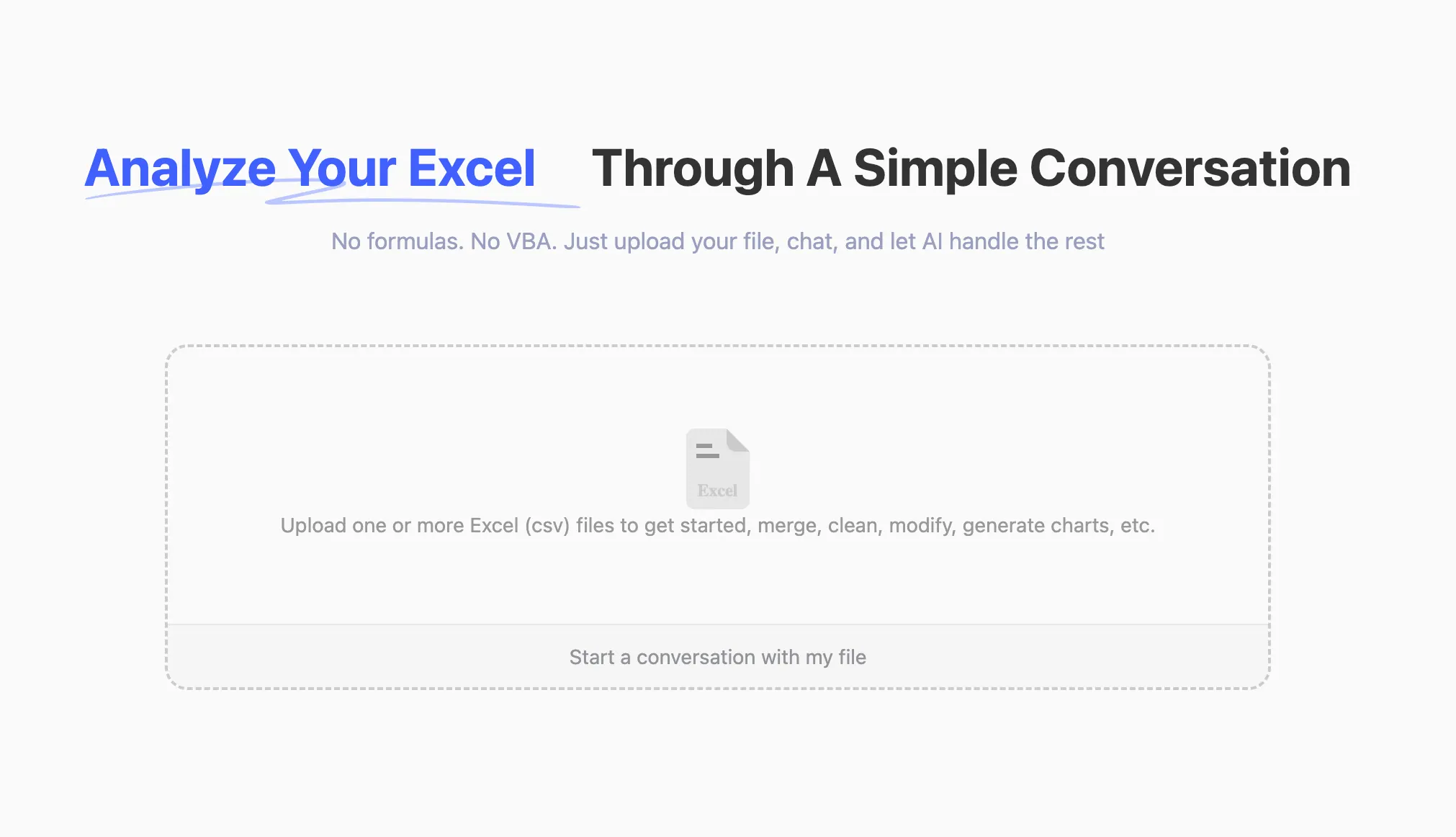
Upload Excel Files
Upload your Excel files to RowSpeak. The system supports all common formats, including .xlsx, .xls, and .csv.
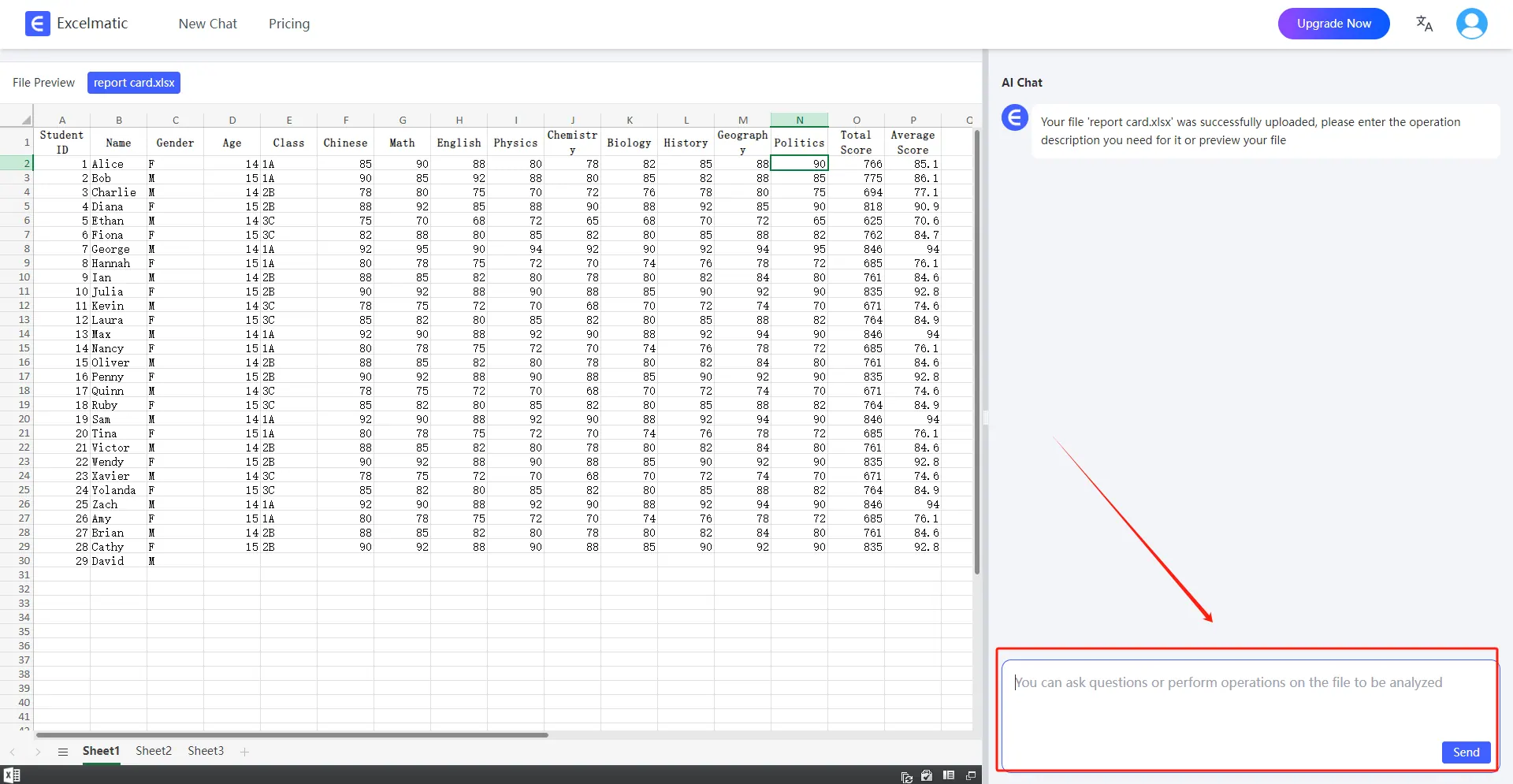
Ask Questions in Natural Language
Once your file is uploaded, you can start asking questions in natural language.
Get Analysis Reports
RowSpeak will immediately process your request and generate detailed analysis reports. These reports highlight key metrics and trends, provide data interpretations and recommendations, and support automatic data visualization charts.
Conclusion
RowSpeak is not just a tool; it’s an essential AI assistant for anyone who works with Excel. By leveraging AI and natural language processing, it eliminates the steep learning curve associated with Excel’s complex functions and transforms the way you interact with data. Whether you’re a financial analyst, project manager, or business owner, RowSpeak makes Excel more powerful, efficient, and user-friendly. Start your free trial today —no expertise required!