Working with spreadsheets can often feel overwhelming, especially when dealing with complex formulas, data analysis, and repetitive tasks. What if you could simply chat with Excel to get things done faster? With RowSpeak, you can now interact with Excel just like chatting with an AI assistant. Let’s explore how chatting with Excel through RowSpeak can transform your workflow and save you hours of manual effort.
What Is Chat with Excel?
Chat with Excel is an AI-driven feature powered by RowSpeak that allows users to interact with spreadsheets through a conversational interface. Instead of manually searching for formulas, fixing data issues, or generating reports, you can now simply type a question or command, and the AI will instantly provide the right solution.
Key Features of Chat with Excel
AI-Powered Formula Assistance
Struggling with Excel formulas? Just ask, How do I calculate compound interest? and RowSpeak will generate the correct formula instantly.Automated Data Cleaning
Cleaning messy spreadsheets manually is time-consuming. With chat-based AI assistance, you can request,Remove duplicates and fix formatting,and RowSpeak will handle it in seconds.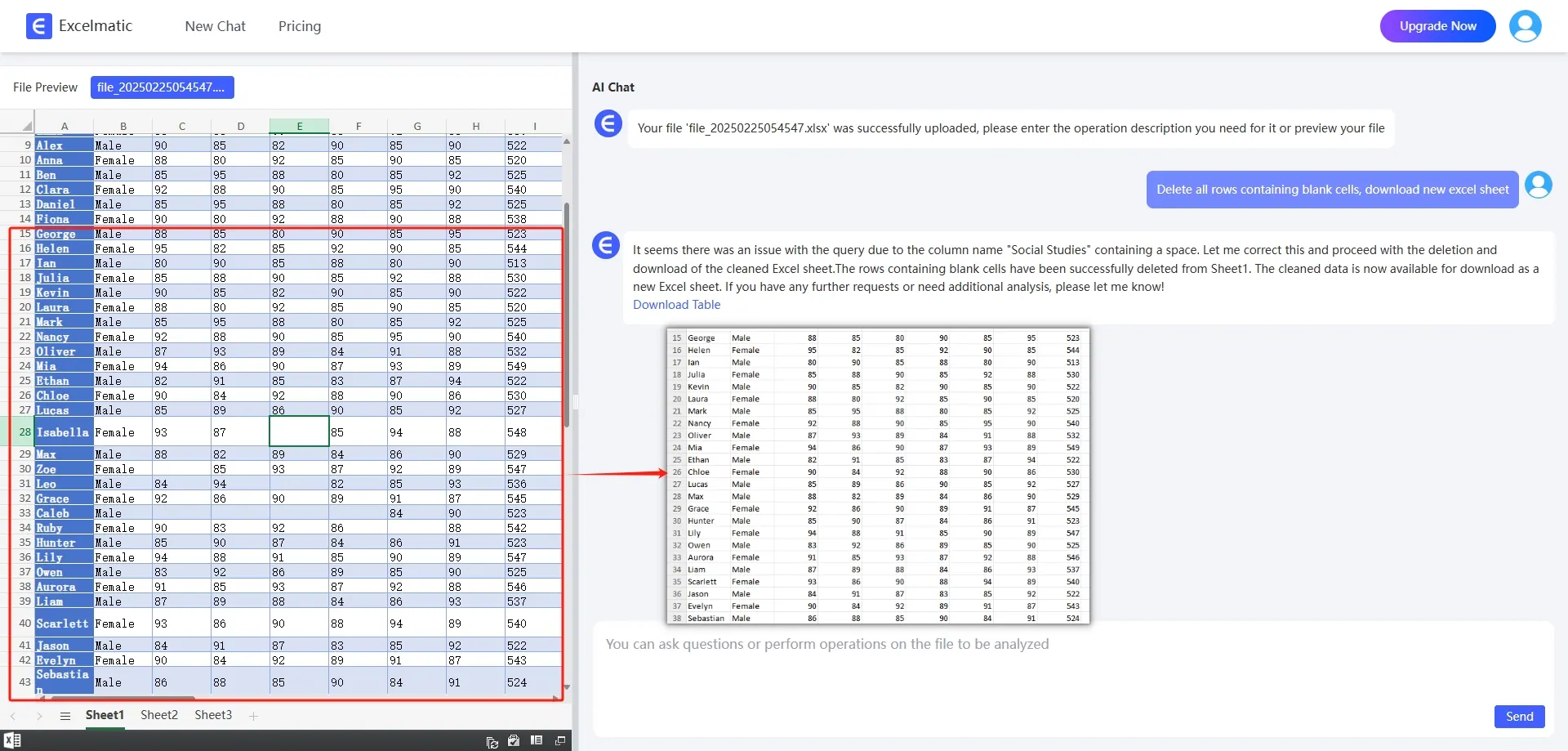
Instant Data Analysis
Need quick insights? Simply ask,What’s the trend in my sales data?and the AI will analyze your spreadsheet, highlight key patterns, and suggest relevant charts.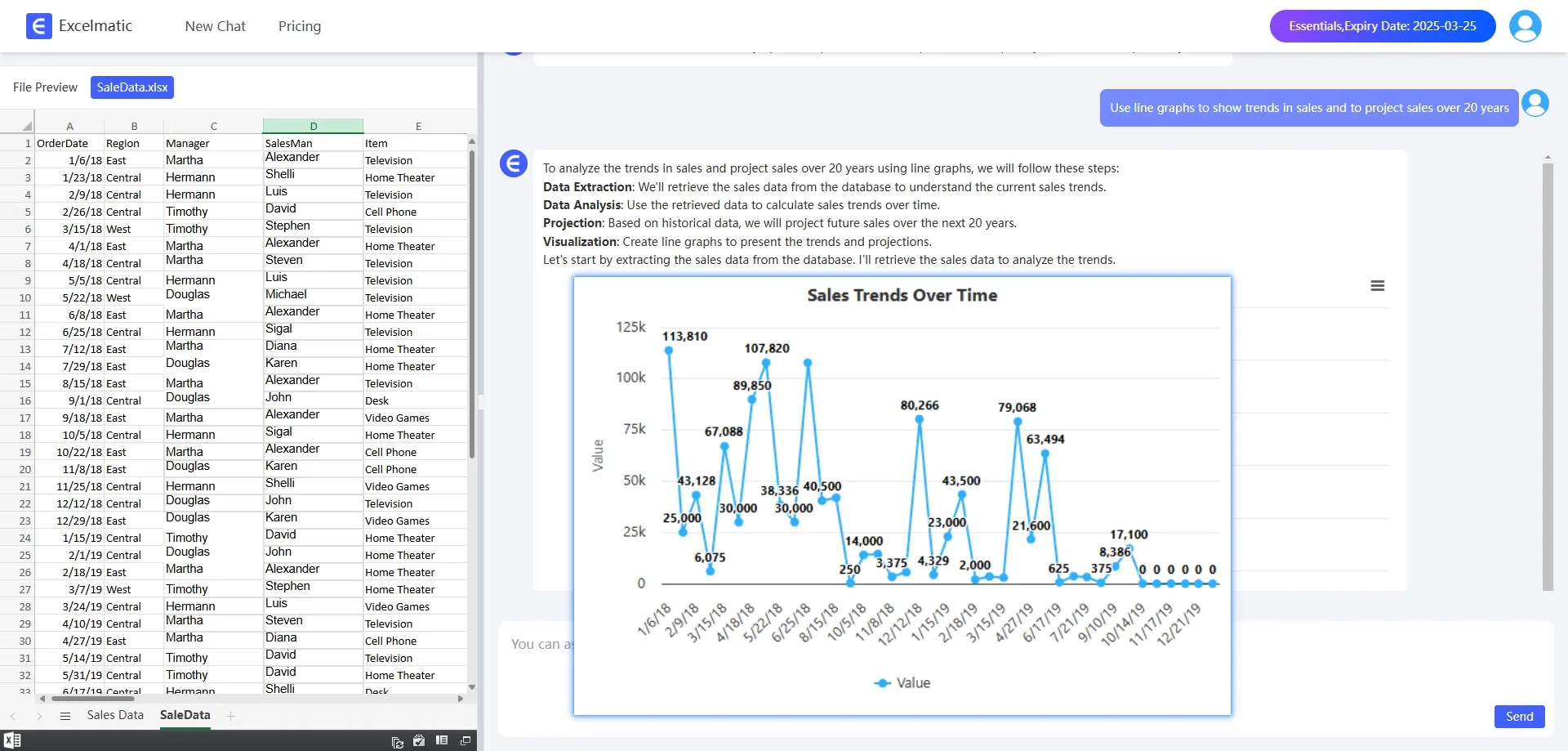
Smart Chart & Report Generation
Creating reports has never been easier. Just type,Create a revenue growth report,and RowSpeak will generate tables, charts, and summaries automatically.
Why Use Chat with Excel Instead of Traditional Methods?
Traditional spreadsheet tasks require manual effort, extensive knowledge of Excel formulas, and time-consuming troubleshooting. Chat with Excel simplifies this process, allowing you to interact naturally with AI and boost efficiency.
Comparison: Traditional Excel vs. RowSpeak (AI-Powered)
| Feature | Traditional Excel | RowSpeak (AI-Powered) |
|---|---|---|
| Formula Assistance | Requires searching online | AI suggests formulas instantly |
| Data Cleaning | Manual adjustments | One-click AI automation |
| Data Analysis | Requires manual calculations | AI-driven insights in seconds |
| Chart Creation | Time-consuming formatting | AI-generated visualizations |
| User Experience | Requires Excel expertise | Conversational & intuitive |
With Chat with Excel, even beginners can perform advanced tasks with ease.
How to Get Started with RowSpeak
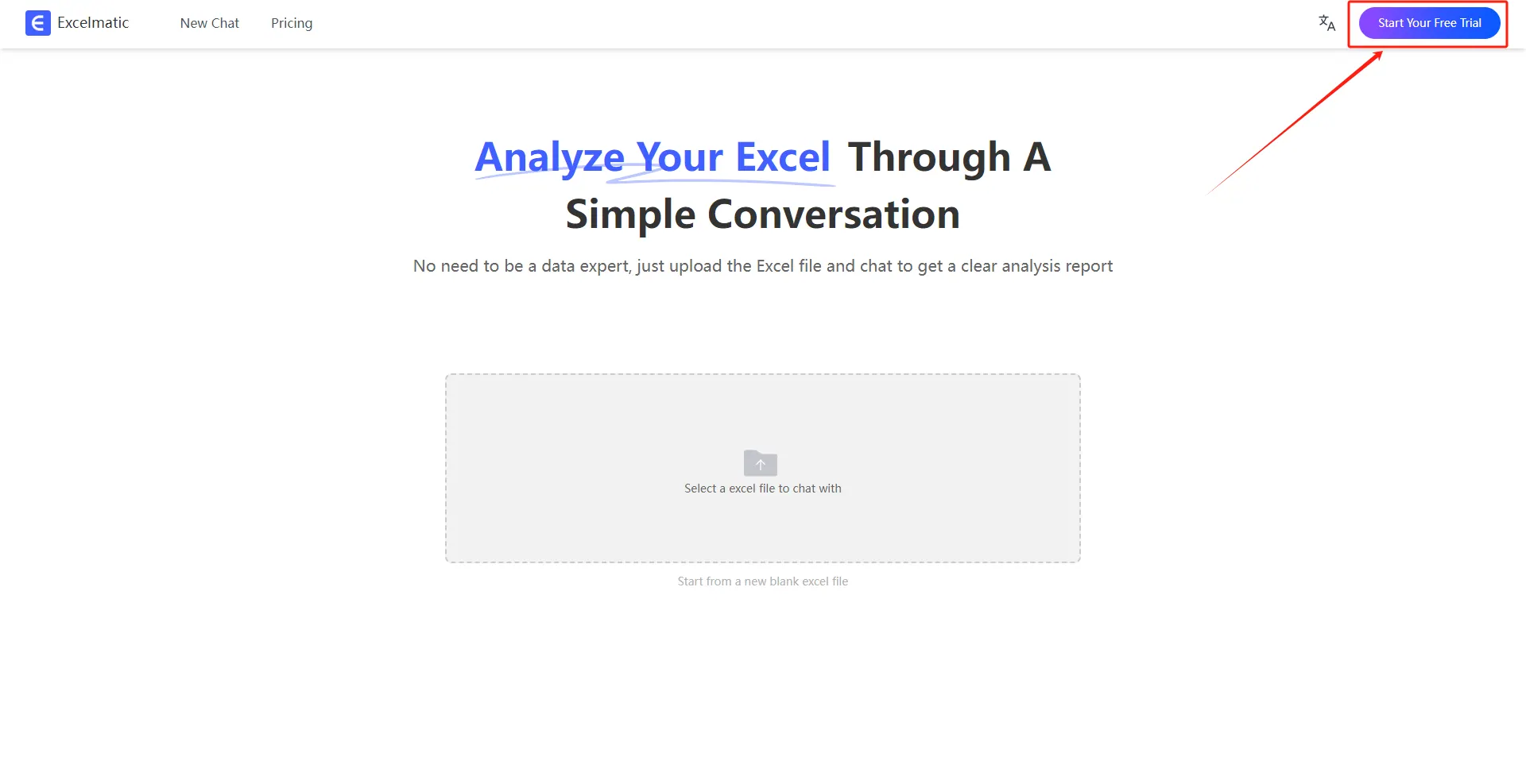
1.Register and Log In
Visit the RowSpeak website and log in to your account.
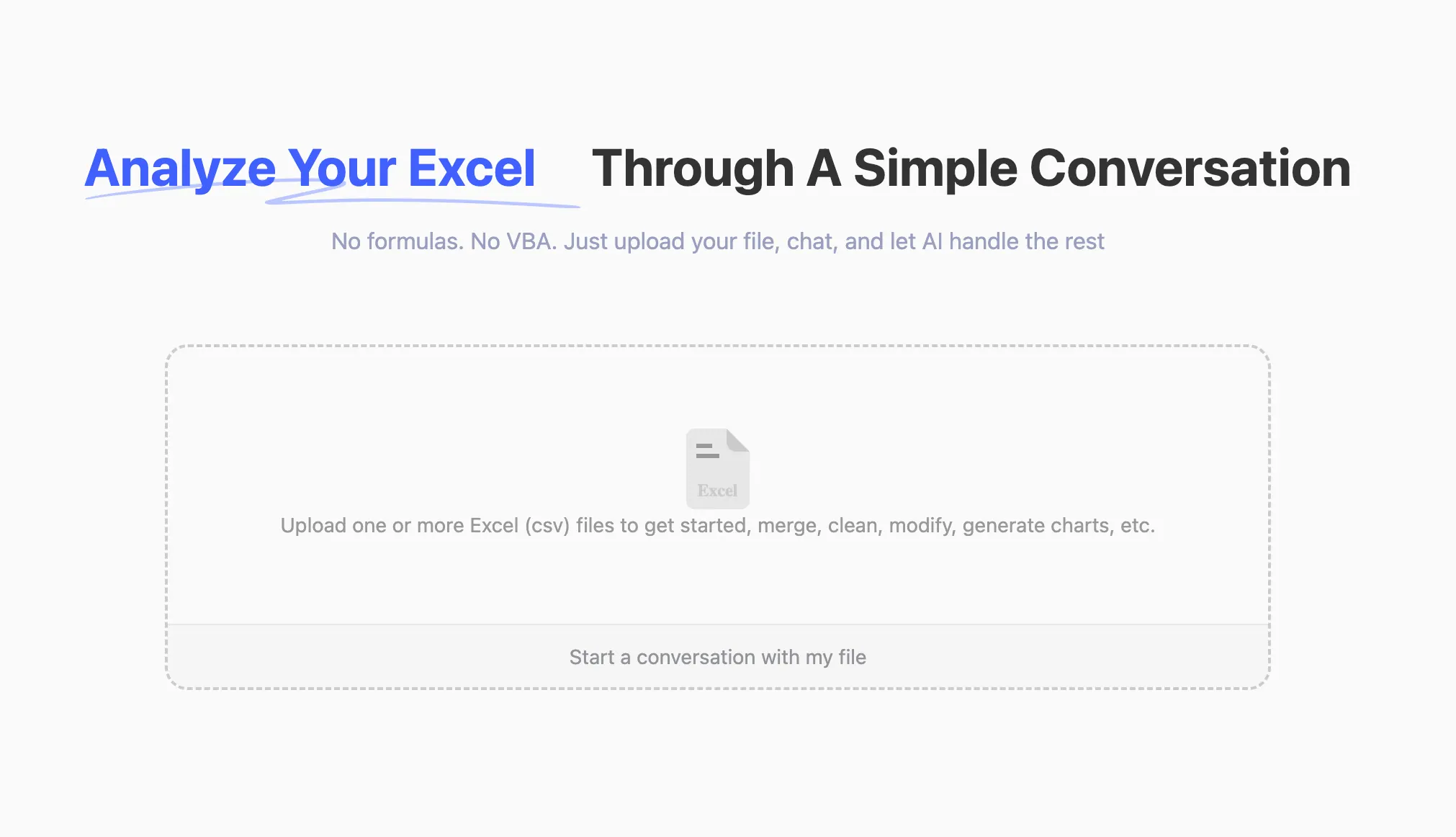
2.Upload Excel Files
Upload your Excel files to RowSpeak. The system supports all common formats, including .xlsx, .xls, and .csv.
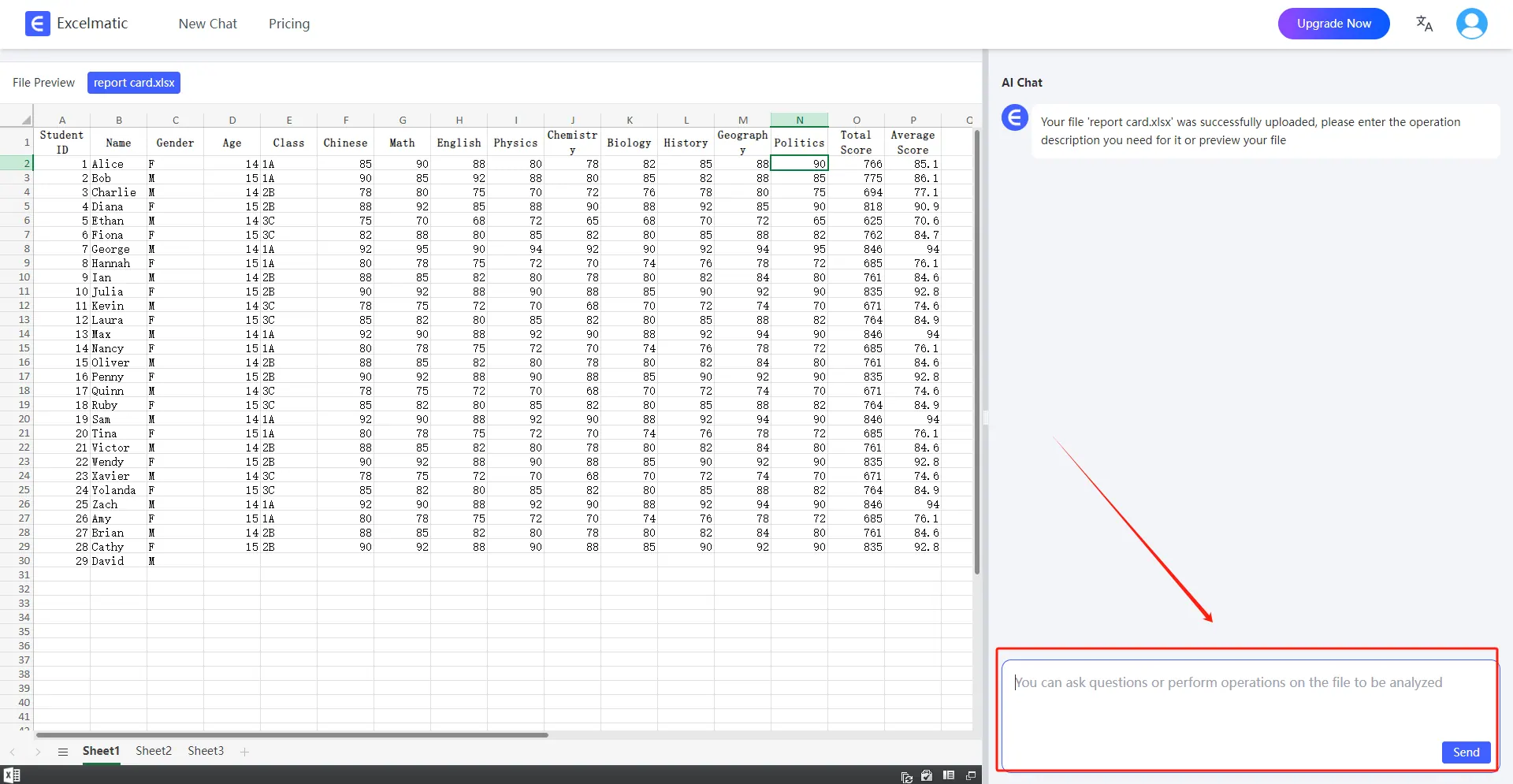
3.Ask Questions in Natural Language
Once your file is uploaded, you can start asking questions in natural language.
For example: Help me count the total sales each month.
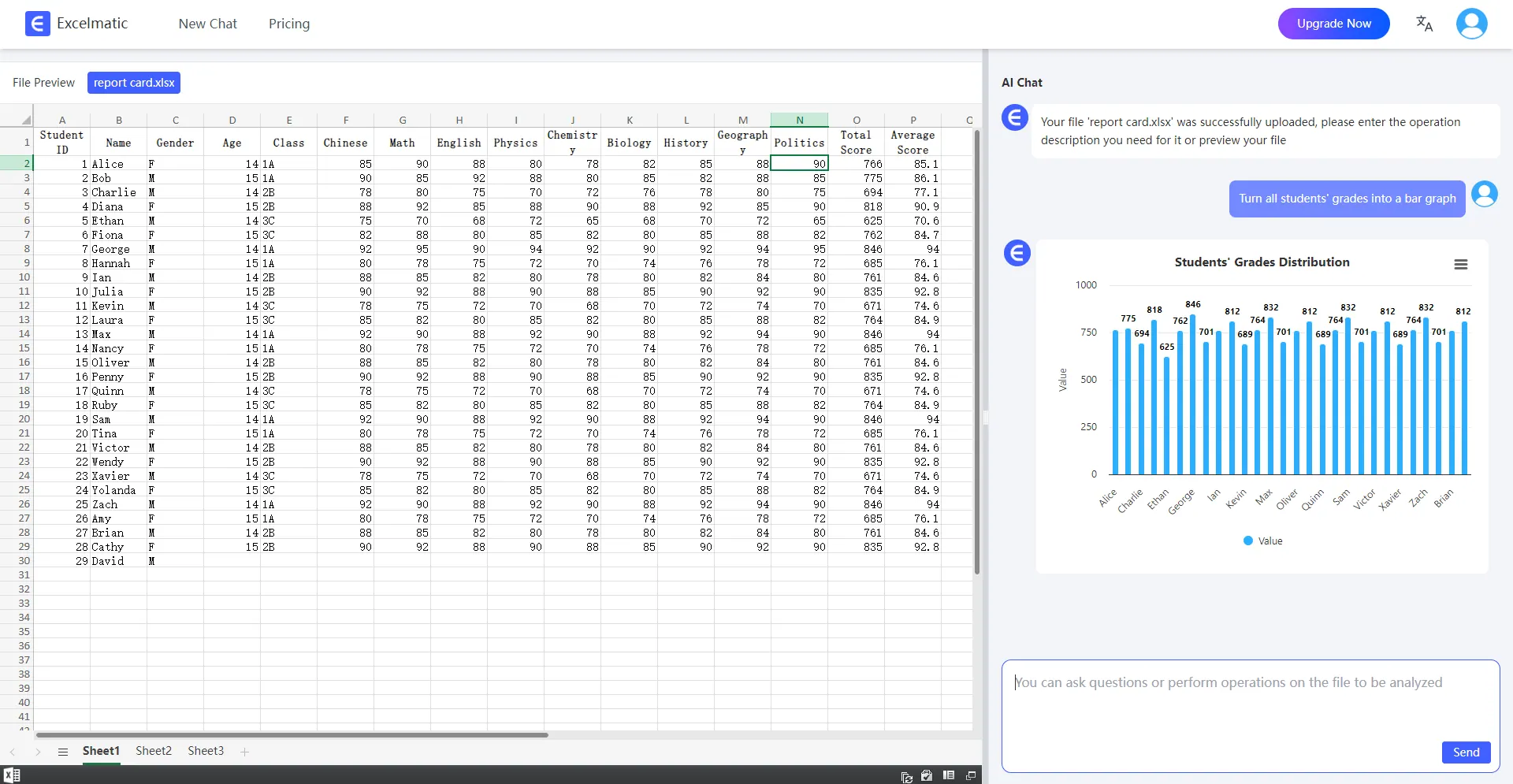
4.Get Analysis Reports
RowSpeak will immediately process your request and generate detailed analysis reports. These reports highlight key metrics and trends, provide data interpretations and recommendations, and support automatic data visualization charts.
Within minutes, you can transform the way you work with Excel!
Final Thoughts: Why Choose RowSpeak ?
If you’re looking for a smarter, faster way to manage spreadsheets, Chat with Excel, powered by RowSpeak, is the perfect solution. With AI automation and natural language processing, it makes Excel more efficient and user-friendly than ever.
✅ Eliminate manual formula searches
✅ Automate repetitive Excel tasks
✅ Get AI-powered insights instantly
✅ Enhance workflow efficiency effortlessly
Conclusion
Start using RowSpeak now and unlock the full potential of Chat with Excel your AI-powered spreadsheet assistant for a smarter workflow!