Excel is the world's most popular data analysis tool. However, complex functions, formulas, and data processing procedures often deter many people. Now, the advent of RowSpeak has made all of this much simpler. Today, let's explore how to use RowSpeak to make Excel analysis more efficient, intelligent, and accessible even for beginners!
What Can RowSpeak Do?
RowSpeak’s AI Conversation Feature: Making Data Analysis as Easy as Chatting
RowSpeak’s AI conversation feature is revolutionizing the way we analyze data. With natural language processing, RowSpeak understands your commands and delivers results instantly—no complex formulas or manual work required. Whether you’re new to data analysis or a seasoned pro, RowSpeak makes it easy to get the insights you need.
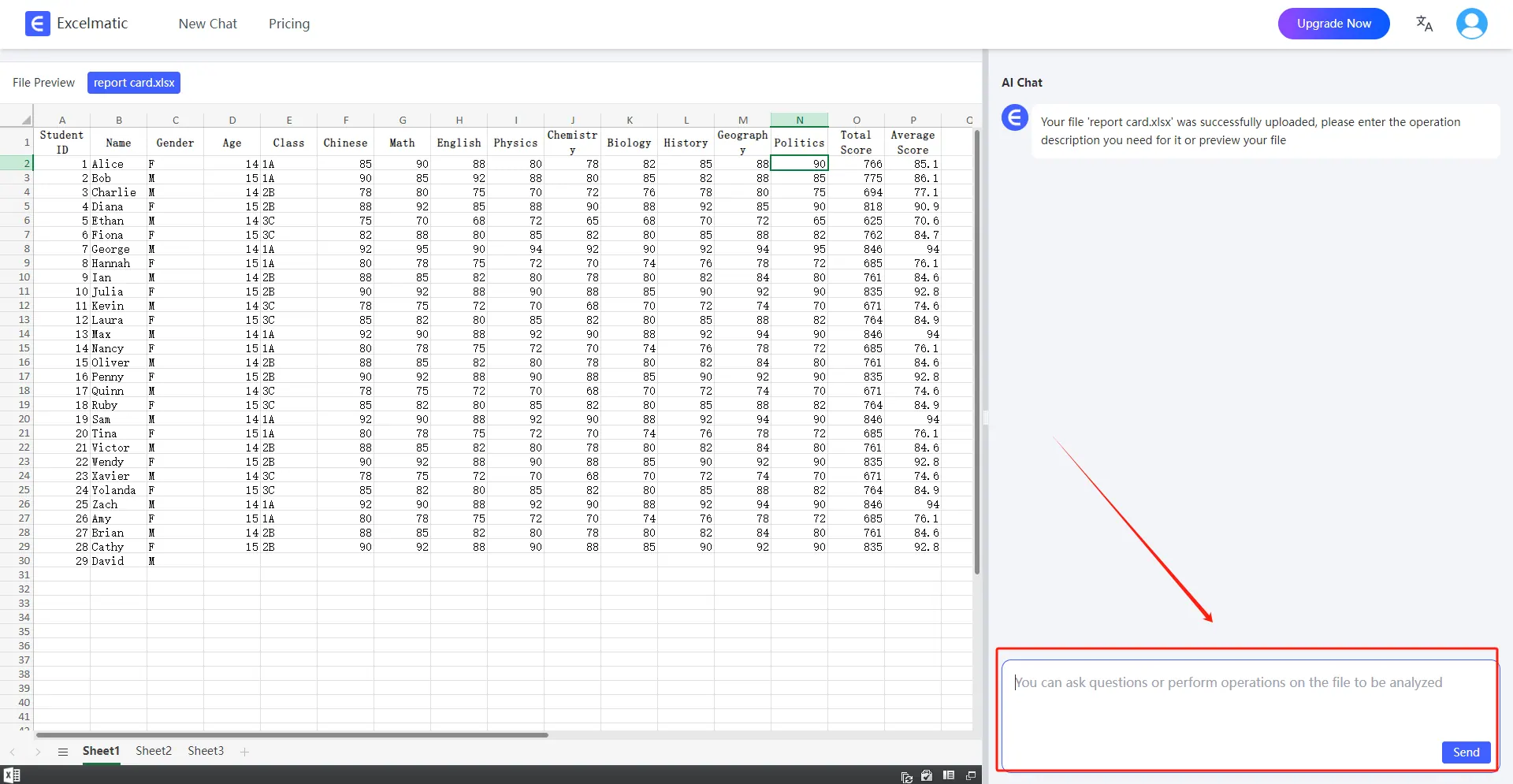
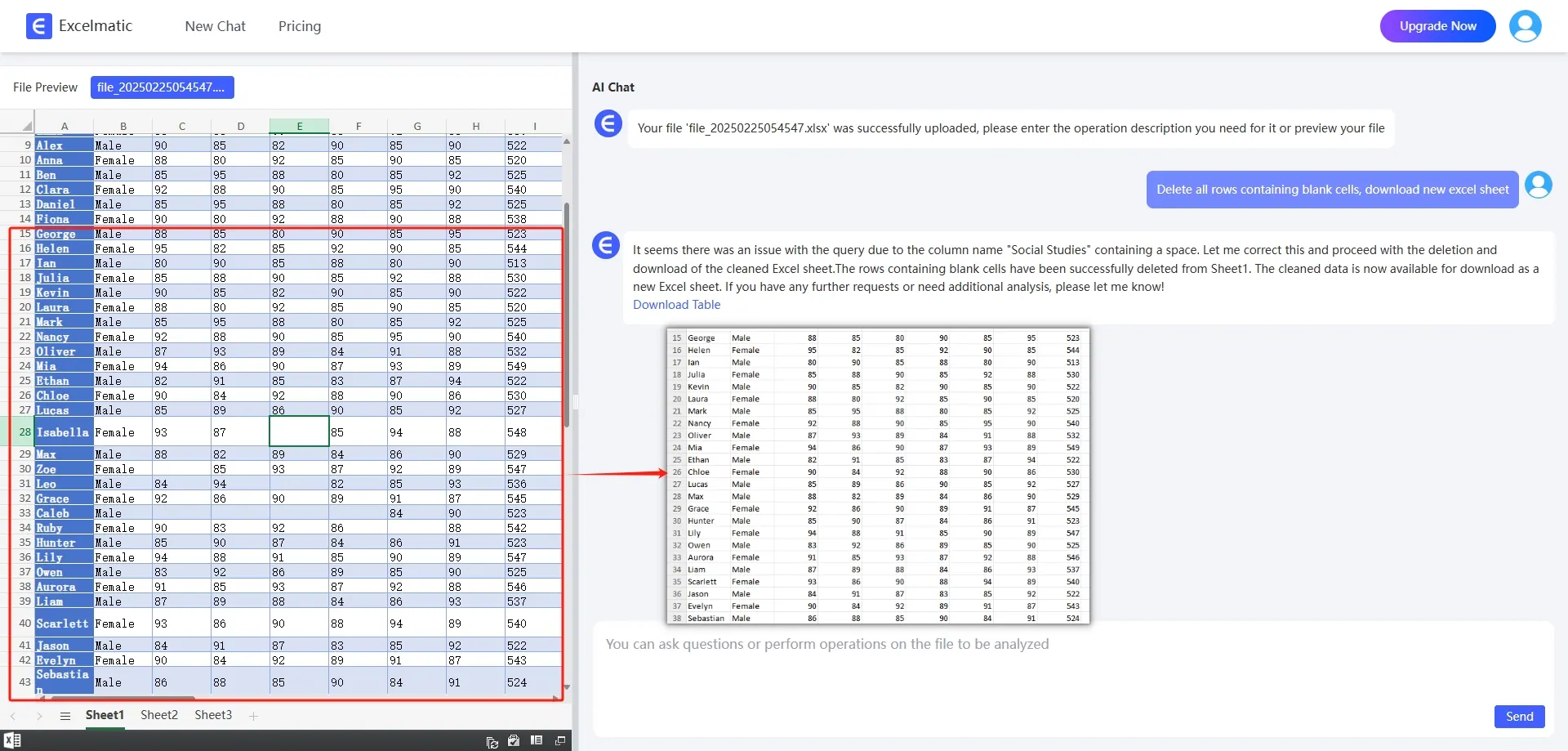
Automatic Data Organization and Cleaning
Traditional Excel data cleaning often requires manual operations, such as deleting duplicate values, filling in missing data, and formatting cells. RowSpeak can automatically identify anomalies in the data and perform intelligent cleaning.
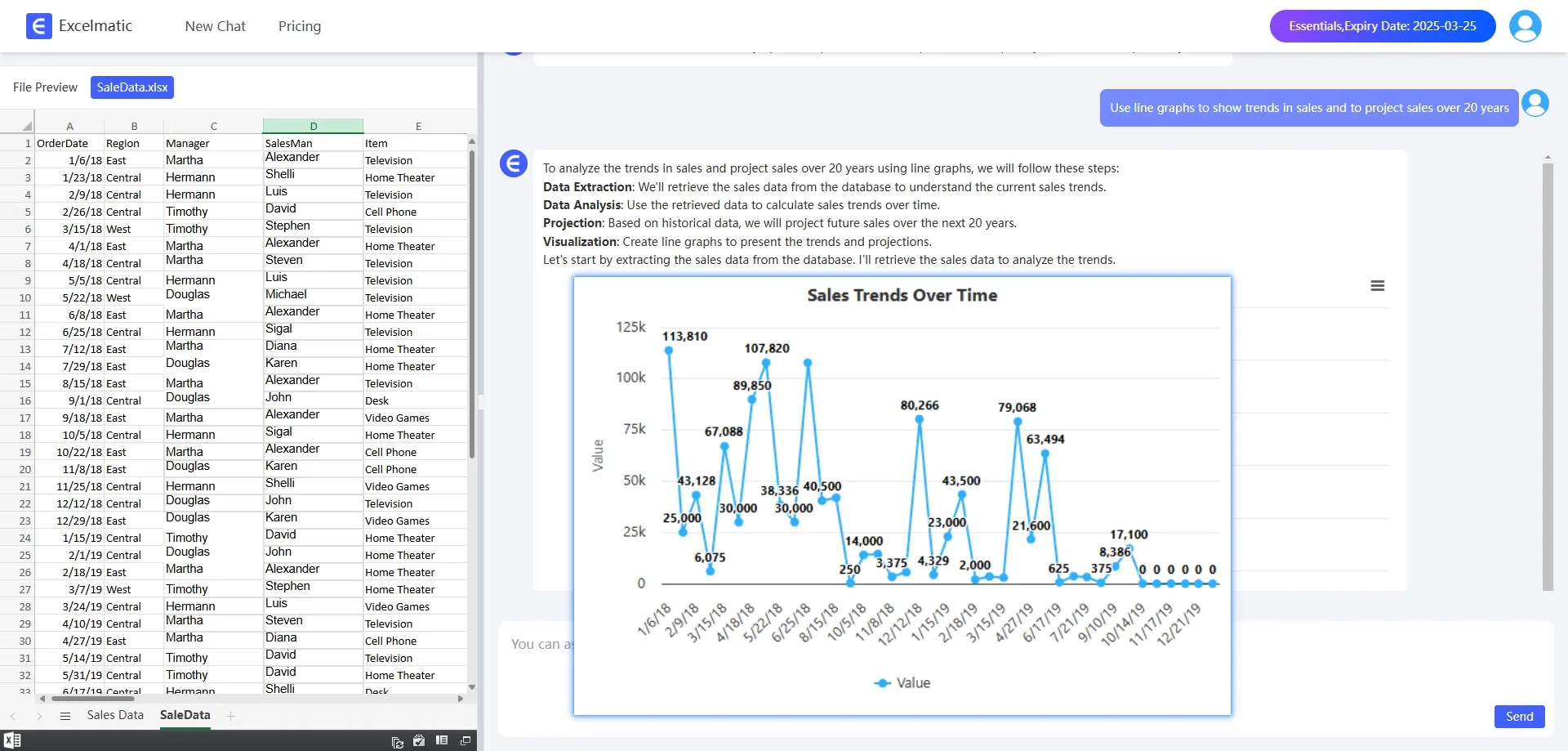
Intelligent Data Analysis and Insights
Users can directly ask questions in natural language, for example, Analyze this year's sales trends. RowSpeak will automatically parse the question and generate a corresponding data analysis report.
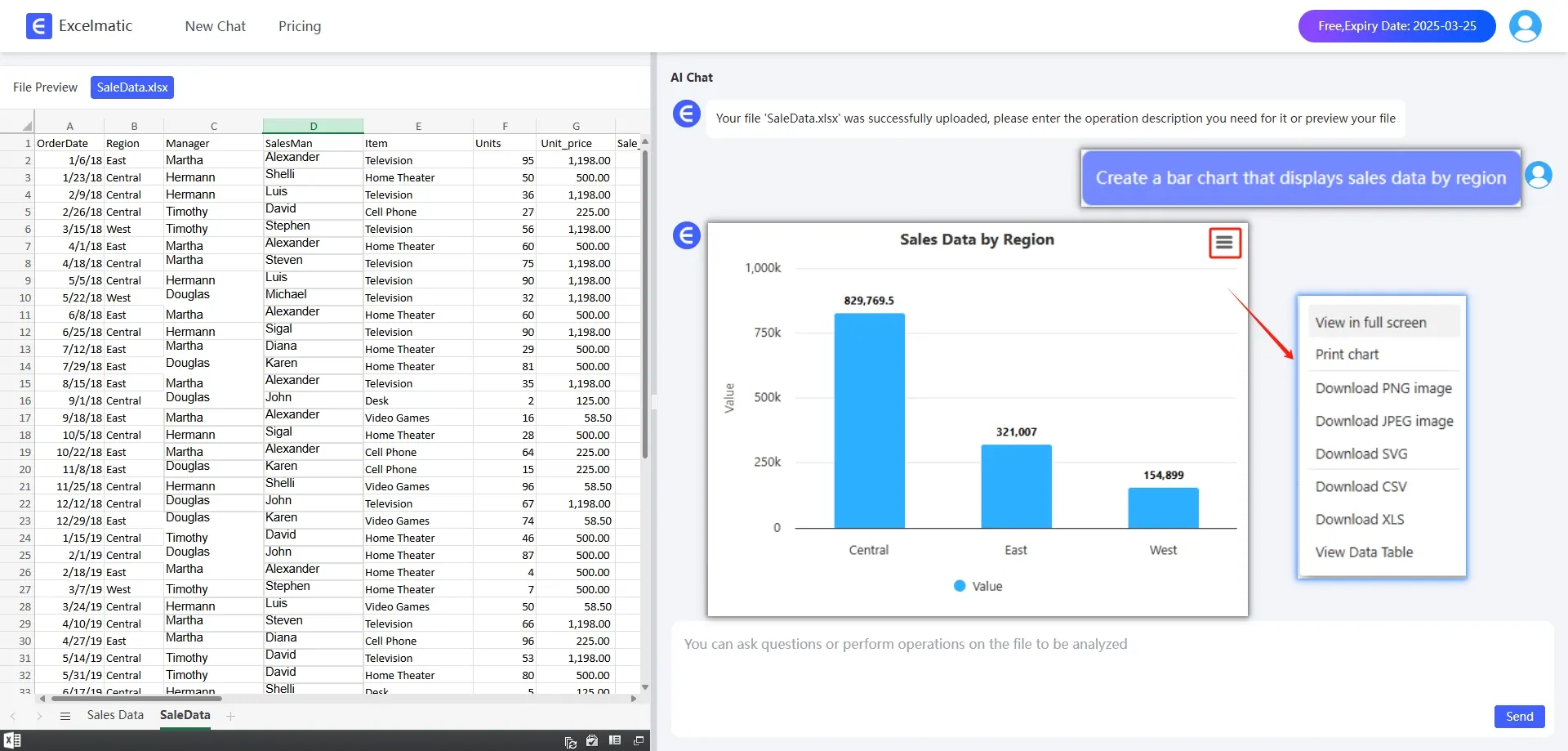
One-Click Visualization Chart Generation
There is no need to manually adjust pivot tables or charts. RowSpeak can automatically recommend the most suitable chart types based on your data, such as Bar Charts, pie charts, line charts, etc.
Why Choose RowSpeak?
✅ Time-saving — Traditional Excel data analysis is time-consuming, while RowSpeak can quickly generate analysis results.
✅ Lower barrier to entry — Suitable for beginners who do not need to master complex Excel formulas or VBA code.
✅ Enhanced analysis accuracy — RowSpeak can avoid errors from manual operations and provide more precise data insights.
✅ Intelligent recommendations — RowSpeak can automatically recommend the best analysis methods based on the data.
Conclusion
RowSpeak is changing the way we use Excel for data analysis. Whether you are a financial professional, a market analyst, or an ordinary Excel user, RowSpeak can make data analysis simpler and more efficient. If you haven't tried RowSpeak for Excel analysis yet, now is the perfect time!