Stop the Suffering! Excel Online & Never Say “Oh God” Again!

Tired of the chaos of collaborating on Excel projects? Endless emails, lost files, and the constant fear of overwriting changes can drive anyone to exclaim, Oh god, not again But what if there was a better way? Introducing RowSpeak—a powerful online Excel solution that transforms your data analysis into a seamless and enjoyable experience. With RowSpeak, complex tasks become simple, and data analysis is as easy as having a conversation.

Maximize Efficiency by Simplifying Numerous Tasks with RowSpeak

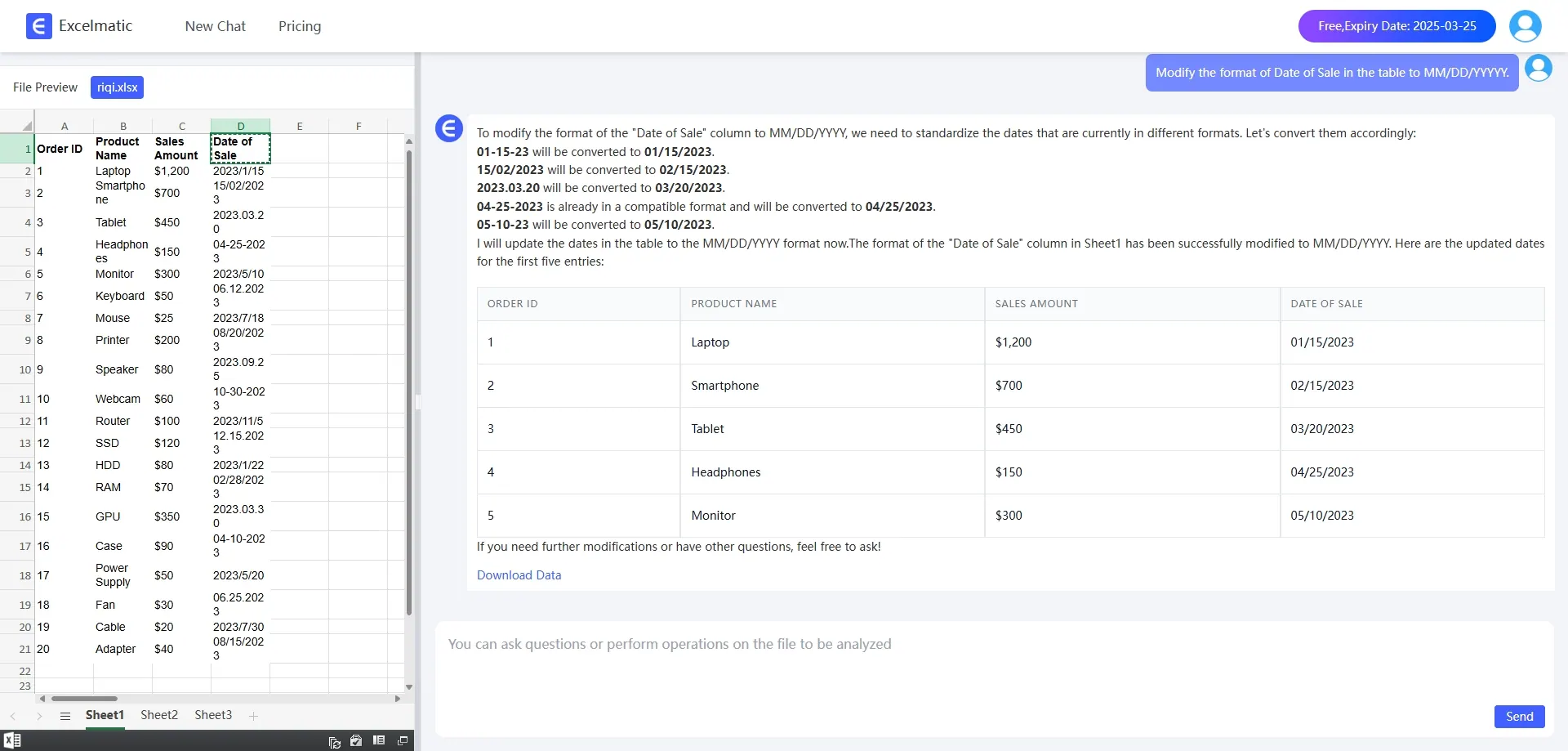
RowSpeak is all about making your life easier. Imagine being able to complete multiple tasks with just a few clicks. Whether you’re sorting data, creating pivot tables, or fixing messy formats, RowSpeak handles it all with ease. For example, if you have a dataset with messy date formats, simply type Fix the date formatting in my data and RowSpeak takes care of the rest. It’s like having a personal assistant for your Excel tasks!

datey

Conversational AI simplifies data analysis

RowSpeak turns data analysis into a conversation. Simply describe your needs in plain English, and RowSpeak delivers an instant answer - no complicated formulas or manual work required. For example, type in Show top 5 selling products and you'll get instant results. This intuitive AI makes data analysis accessible to everyone, regardless of your technical skills.
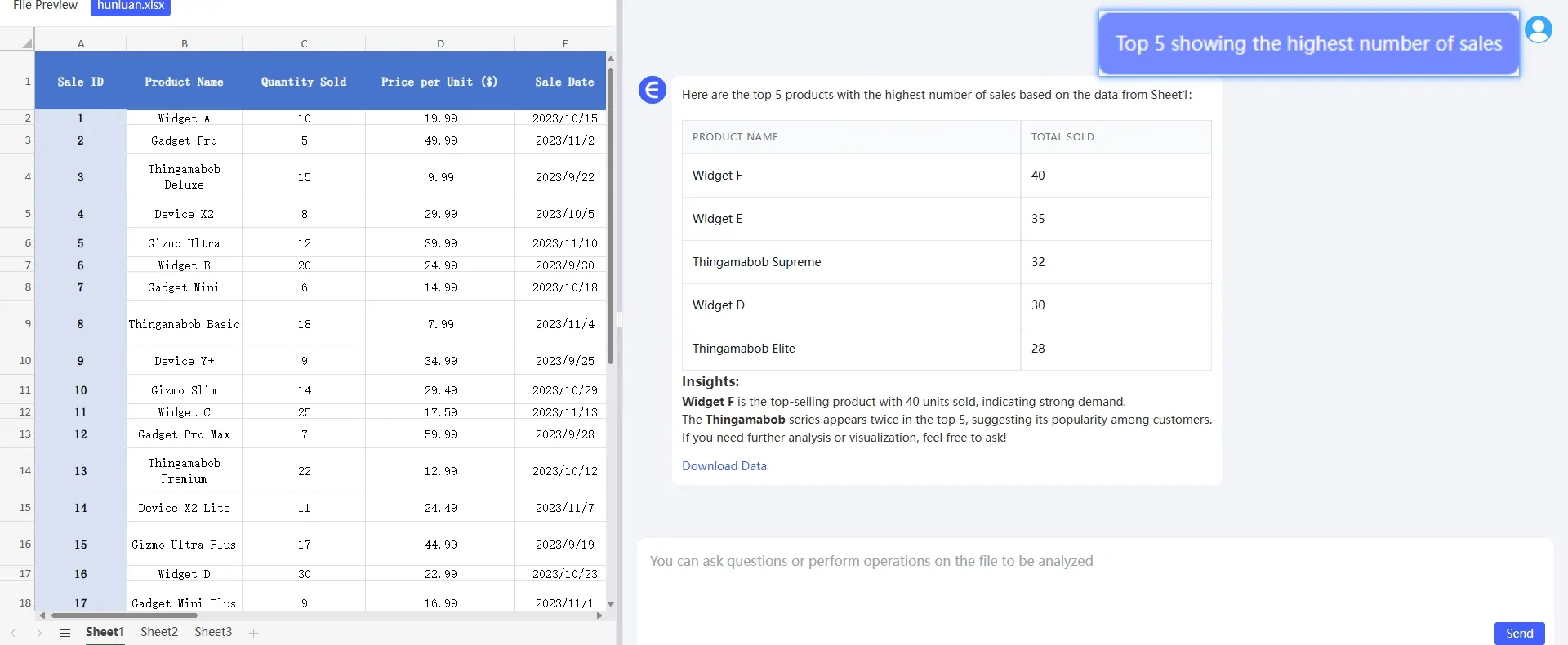
example

Powerful Data Processing and Analysis

RowSpeak comes with powerful data processing and analysis tools. Whether it's sorting, filtering, or working with large data sets using pivot tables, RowSpeak handles it all with ease. For example, if you need to analyze a large dataset with confusing formatting, RowSpeak's powerful tools can clean and organize the data in seconds.
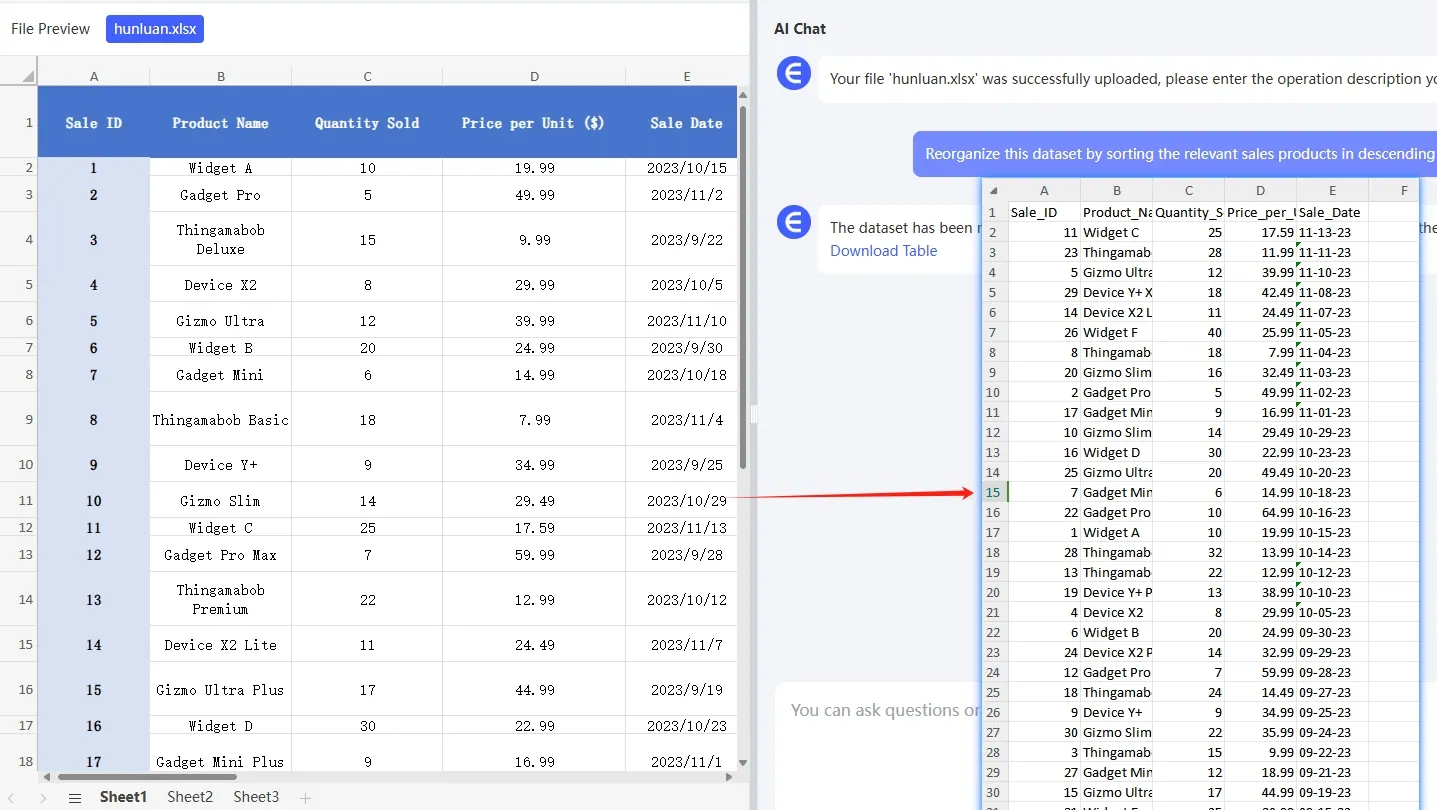
example

Intuitive Charts and Visualizations

RowSpeak's built-in charting tools automatically generate beautiful and dynamic charts based on your data, updating in real time as the data changes. From Bar Charts to line charts, RowSpeak chooses the most appropriate visualization for your needs, bringing your data to life.
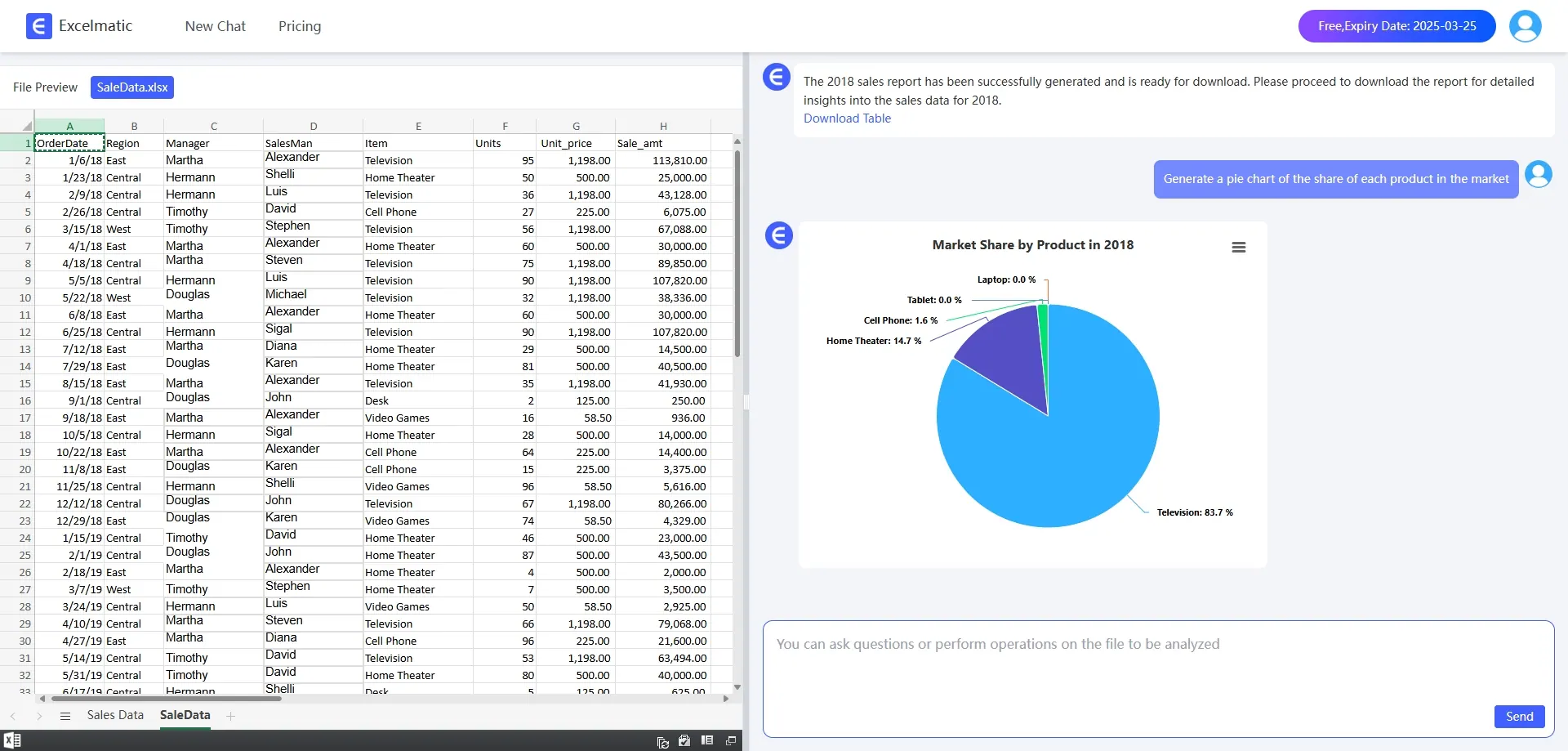
piechart

Conclusion: Embrace the Future of Excel

Are you ready to stop the pain and revolutionize your Excel experience? RowSpeak offers a solution that is so seamless, efficient and enjoyable, you'll wonder how you ever worked without it. Don't let old ways of working hold you back. Try RowSpeak today, and from now on say “Wow!” in Excel collaboration instead of “Oh my!” Instead of omg

The future of data analytics is here, and it's time to embrace it.Try RowSpeak today!

Ditch Complex Formulas – Get Insights Instantly

No VBA or function memorization needed. Tell RowSpeak what you need in plain English, and let AI handle data processing, analysis, and chart creation

Try RowSpeak Free Now

Recommended Posts

How to use AI with excel in 2025
Excel Tips

How to use AI with excel in 2025

in this blog we will show you how to analyze Excel data using RowSpeak

Sally
Say Goodbye to Complex Formulas: Effortless Data Analysis with RowSpeak’s AI Conversation Feature
Excel Tips

Say Goodbye to Complex Formulas: Effortless Data Analysis with RowSpeak’s AI Conversation Feature

RowSpeak’s AI Conversation Feature: Making Data Analysis as Easy as Chatting.

Sally
How to Use Excel AI to Round Numbers in Spreadsheets?
Excel Tips

How to Use Excel AI to Round Numbers in Spreadsheets?

with the power of RowSpeak Excel AI, you can round numbers in a simple, conversational way, without having to memorize complex function formulas.

Sally
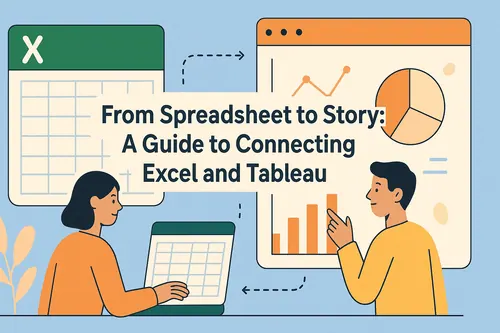
Tableau Excel Integration: Clean, Connect, and Visualize Your Data with AI
Excel Tips

Tableau Excel Integration: Clean, Connect, and Visualize Your Data with AI

Bridge the gap between Excel and Tableau to unlock powerful data visualizations. This guide covers everything from data connection and cleaning to advanced analytics, and introduces AI-powered solutions to streamline your entire workflow, turning hours of manual work into seconds.

Ruby
Save Hours with These 4 ChatGPT + Excel Tips (and How RowSpeak Does It in One Sentence)
Excel Tips

Save Hours with These 4 ChatGPT + Excel Tips (and How RowSpeak Does It in One Sentence)

Discover how to use ChatGPT to write Excel formulas—and how RowSpeak takes it further by automating the entire process with natural language. Say goodbye to templates and hello to smart spreadsheets.

Sally
Excel Automation Made Simple: How Artificial Intelligence Can Do Most of Your Workload
Excel Tips

Excel Automation Made Simple: How Artificial Intelligence Can Do Most of Your Workload

Supercharge Your Excel Productivity with AI: Expert Tips & RowSpeak Tricks

Sally
Why Excel Formulas Fail: Simple Solutions to Common Problems
Excel Tips

Why Excel Formulas Fail: Simple Solutions to Common Problems

This blog teaches you how to easily deal with Excel formula failure

Sally
Chat with AI Excel: Smarter Spreadsheets, Effortless Insights
Excel Tips

Chat with AI Excel: Smarter Spreadsheets, Effortless Insights

This article will share how talking to Excel can revolutionize your workflow and help you save a lot of time doing things manually!

Sally