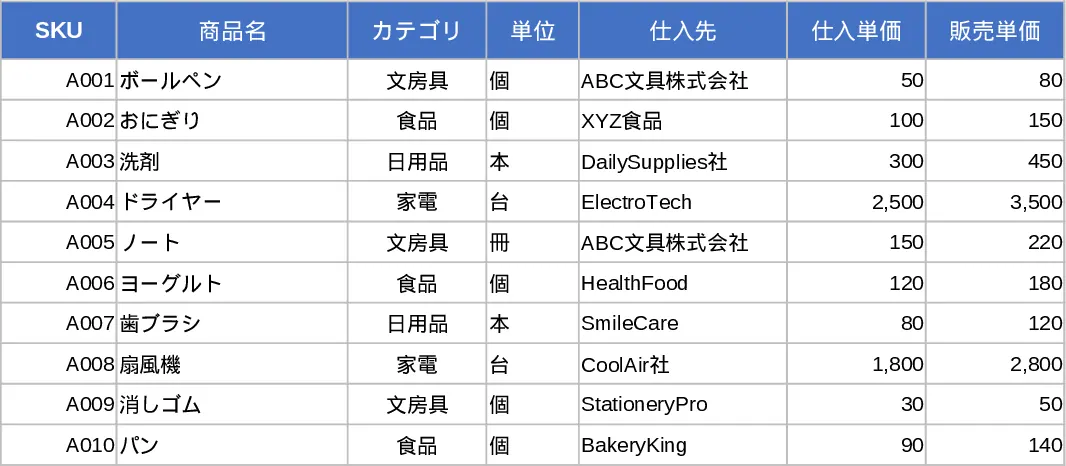
Three‑Sheet Inventory Management with Sample SKUs Template
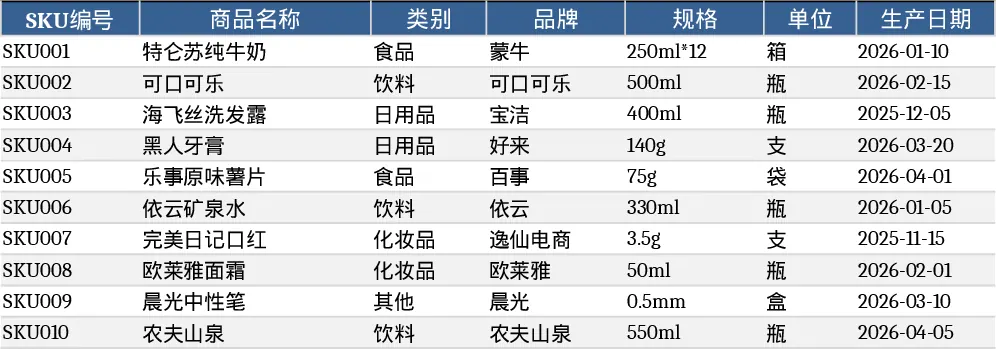
This Excel template is built for simple yet powerful inventory control. It consists of three linked worksheets: Product Master Data, Inventory Movement Log, and Inventory Summary. The master sheet holds 10 sample SKUs with fields such as SKU code, product name, category, unit price, and reorder point. The movement log records 20 sample transactions, each with a date, SKU reference (dropdown linked to the master list), transaction type (inbound/outbound), quantity, and notes. The summary sheet automatically aggregates the data, showing current stock, total inbound, total outbound, and alerts for items below the reorder point, all using standard Excel formulas and pivot‑table style tables.
Designed for warehouse staff, inventory analysts, and small‑business owners, the template solves the common headache of scattered stock records and manual calculations. By centralising product details and movement history, users can instantly see which items need replenishment, monitor turnover rates, and generate quick reports for purchasing decisions. The built‑in dropdowns reduce entry errors, while the summary view provides a clear snapshot of stock health without needing separate software.
How to use
- Open the workbook and review the sample SKUs in the Product Master Data sheet; add or edit rows to match your own product catalogue.
- In the Inventory Movement Log, select a SKU from the dropdown, choose Inbound or Outbound, enter the quantity and date, then save. The sheet will automatically update the totals.
- Switch to the Inventory Summary sheet to see current stock levels, total received, total shipped, and any low‑stock warnings.
- Export or copy the summary table for meetings, purchase orders, or further analysis.
Expected benefits include faster data entry, fewer calculation mistakes, and a clear, up‑to‑date view of inventory that saves time on manual stock checks and reporting.
Similar Templates Recommendation
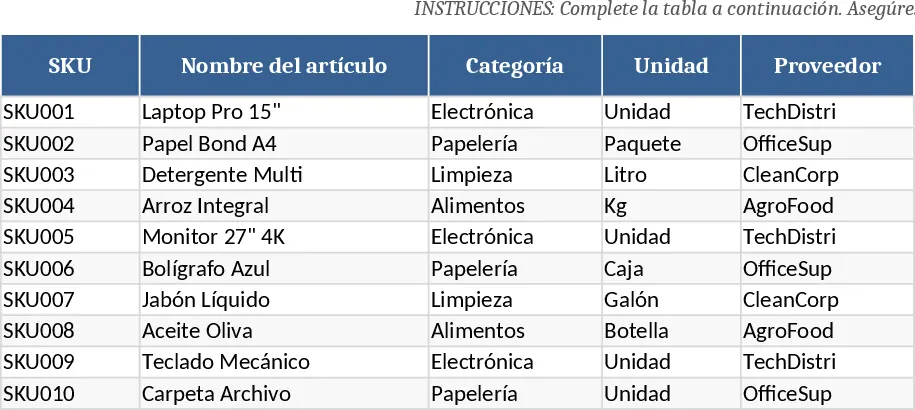
Gestión de Inventario y Movimientos Template
Track stock levels, movements, and reorder alerts with a three‑sheet Excel inventory management template.
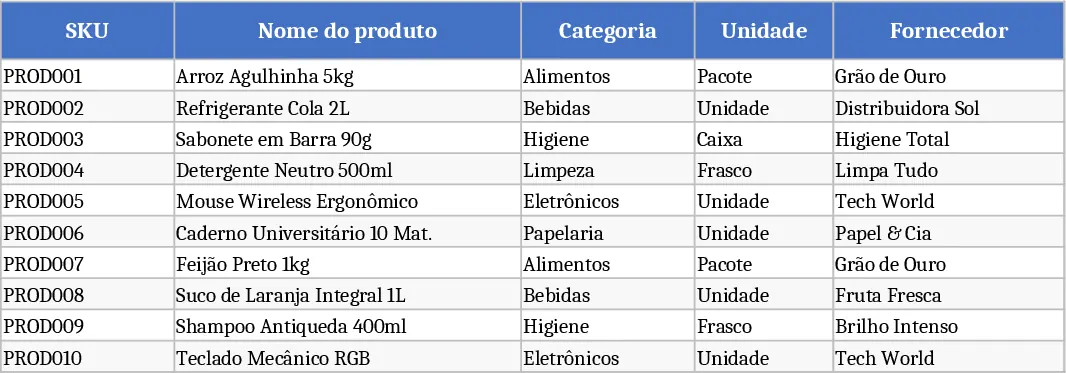
Inventory Management Tracker with Dashboard Template
A ready‑to‑use Excel workbook that tracks product master data, records stock movements, and automatically calculates current inventory with reorder alerts.
Inventory Management Master & Movement Tracker Template
Track inventory levels, movements, and reorder alerts across products with a three‑sheet Excel workbook that auto‑calculates stock balances.