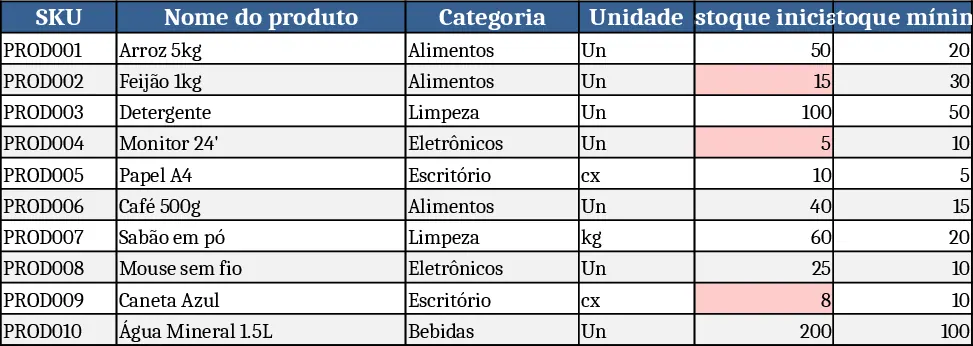
Inventory Management Master & Movement Tracker Template
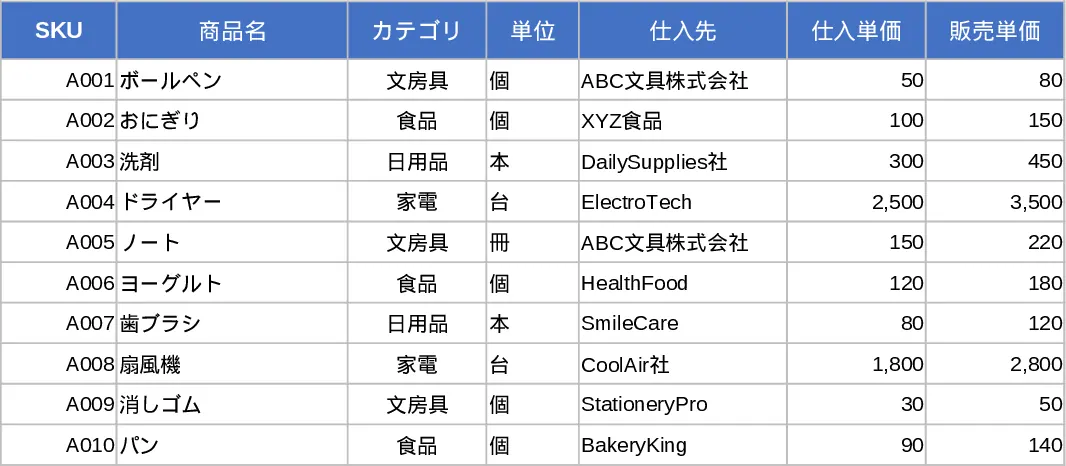
This three‑sheet Excel template gives you a complete view of your inventory lifecycle. The Product Master sheet holds the core data for each item – a unique SKU, product name, category (chosen from a dropdown), unit, supplier, purchase and sale prices, reorder point and notes. Validation rules keep SKUs unique and prices non‑negative. The Inventory Movement Log records every inbound, outbound or adjustment transaction. Each entry requires a date, links the SKU to the master list, selects the movement type from a dropdown, and records quantity, optional unit price, reference number, responsible staff and comments. Quantity must be positive, ensuring clean data. Finally, the Inventory Summary aggregates the data: it pulls SKU, name and category from the master, then calculates opening stock, total inbound, total outbound, adjustments and current stock using simple formulas. A conditional format flags any item whose current stock falls at or below its reorder point, displaying a “Reorder” alert.
The workbook solves the common headache of manually reconciling stock counts and spotting low‑stock items. By centralising product details and movement records, you eliminate duplicate data entry and reduce errors. The auto‑calculated summary instantly shows which products need replenishment, helping you keep shelves stocked without over‑ordering. It’s ideal for small‑to‑medium retailers, warehouse supervisors, or anyone who needs a clear, up‑to‑date picture of inventory without investing in complex ERP systems.
How to use:
- Fill the Product Master sheet with your items, using the dropdowns for category and ensuring each SKU is unique.
- Record every receipt, issue or adjustment in the Inventory Movement Log, selecting the SKU from the master list and choosing the movement type.
- The Inventory Summary updates automatically; review the "Reorder" alerts and current stock columns to plan purchases.
- Adjust opening balances or reorder points as needed; the formulas will recalculate the totals instantly.
Expected benefits: streamlined data entry, quicker identification of stock shortages, and reduced time spent on manual inventory reconciliation.
Similar Templates Recommendation
Inventory Management Tracker with Dashboard Template
A ready‑to‑use Excel workbook that tracks product master data, records stock movements, and automatically calculates current inventory with reorder alerts.
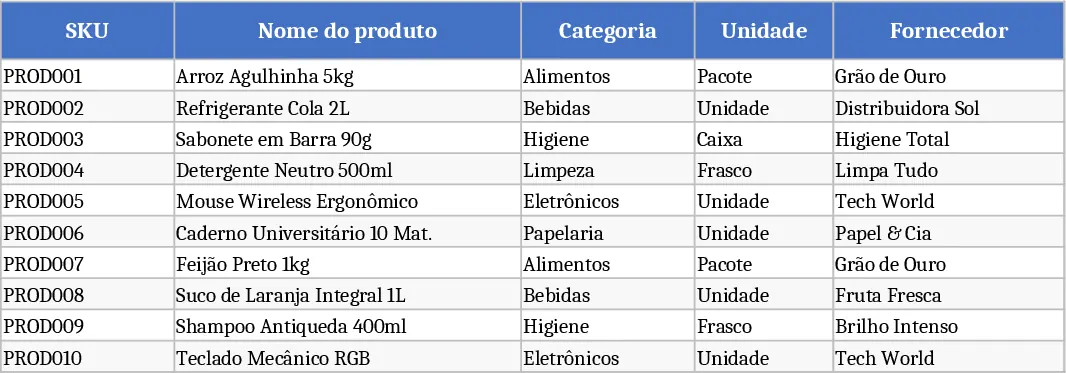
Comprehensive Inventory Management Tracker with Dashboard Template
Track product details, stock movements, and real‑time inventory levels with automatic reorder alerts in a single Excel workbook.
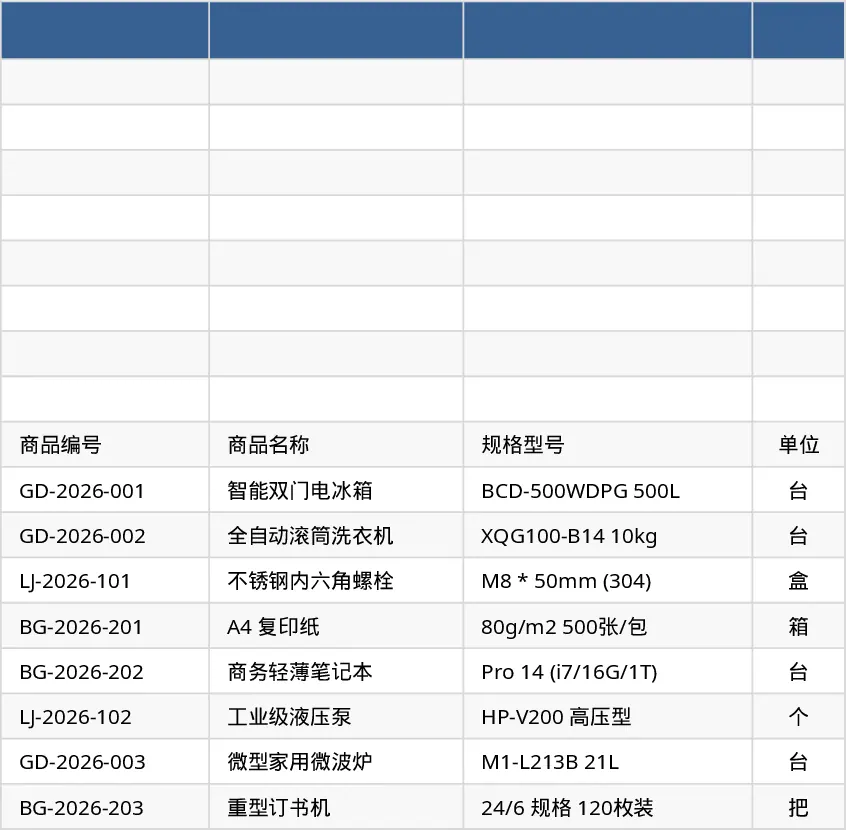
Inventory Management Tracker with Category Breakdown Template
Track product stock levels, movements, and reorder alerts in a three‑sheet Excel template with master data, transaction log, and summary.