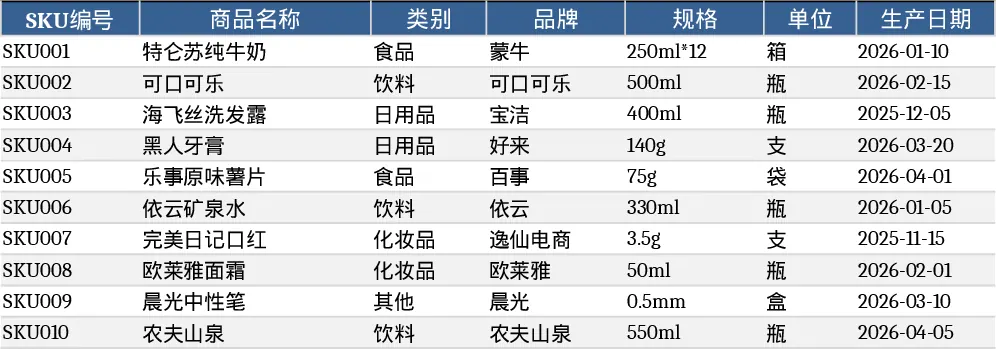
Gestión de Inventario y Movimientos Template
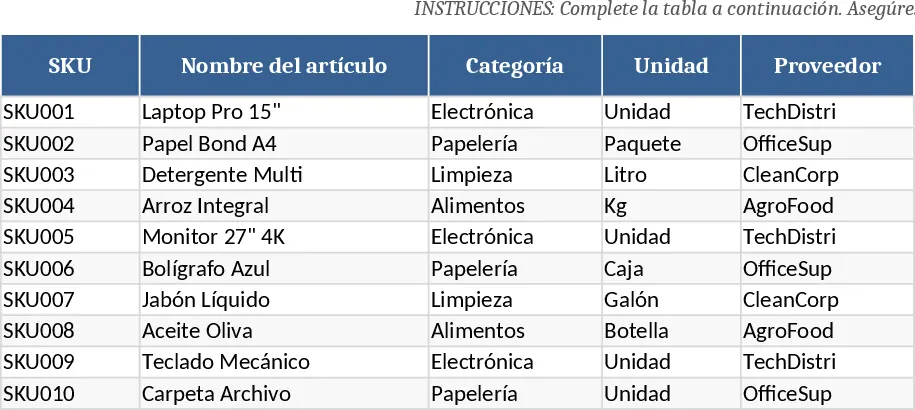
The Inventory Management template is organized into three clearly labeled sheets that work together to give you a complete picture of your stock. The Master Item List stores every product with a unique SKU, name, category (chosen from a dropdown), unit of measure, supplier, purchase cost, selling price, reorder point and optional notes. The Inventory Movements Log records every inbound, outbound or adjustment transaction, linking each entry to the master list via a dropdown SKU selector, and capturing date, quantity, unit cost, reference number, responsible person and comments. The Inventory Summary aggregates the data, showing initial stock, total receipts, total issues, adjustments, current balance and a conditional‑formatted reorder alert that flags items at or below their reorder point.
This template solves the common headache of manually reconciling stock counts and chasing reorder thresholds. By automating calculations—such as current stock = initial + receipts – issues + adjustments—you eliminate arithmetic errors and gain instant visibility into which items need replenishment. The conditional alert highlights low‑stock items in real time, helping you avoid stock‑outs and over‑ordering. The built‑in data validation (unique SKUs, non‑negative costs, required dates) keeps your records clean and reliable, reducing the time spent on data cleaning.
It is ideal for small‑to‑medium businesses, warehouse supervisors, retail store managers, and anyone who needs a low‑cost, easy‑to‑maintain system for tracking inventory without investing in specialized software. Whether you run a boutique shop, a manufacturing floor, or a distribution center, the template adapts to any product range and provides the metrics you need to make informed purchasing decisions.
How to use
- Open the Master Item List sheet and fill in your products, ensuring each SKU is unique; select categories from the provided dropdown and set appropriate reorder points.
- Switch to the Inventory Movements Log and record each transaction as it occurs, picking the SKU from the dropdown, choosing the movement type, and entering the quantity and any optional cost or reference details.
- Go to the Inventory Summary sheet to see automatically calculated totals; the current stock column updates instantly, and any item at or below its reorder point will display a red “Reorder” alert.
- Review the summary regularly to plan purchases, adjust safety stock levels, or investigate discrepancies.
By centralizing all inventory data in one workbook, you can expect to save hours each week that would otherwise be spent on manual counts and spreadsheet formulas, allowing you to focus on strategic stock planning rather than data entry.
Similar Templates Recommendation
Inventory Control Tracker Template
Track stock levels, monitor movements, and generate real‑time inventory reports with a ready‑to‑use Excel template.
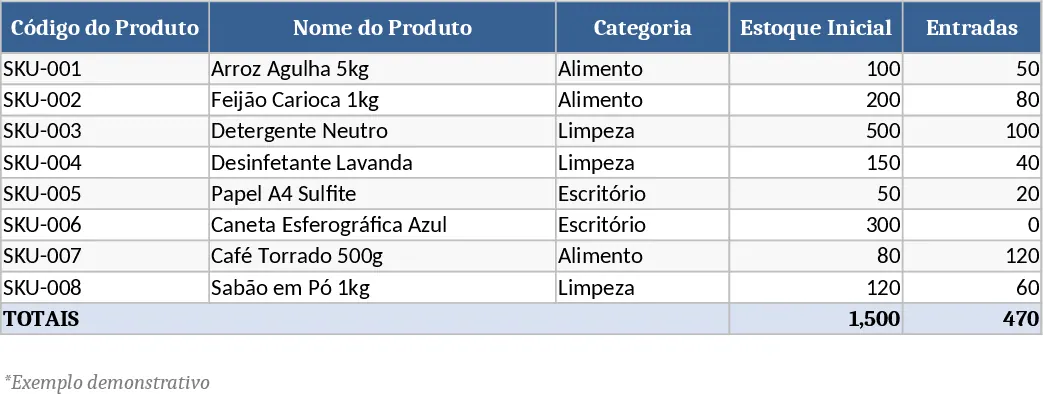
Inventory Management Tracker with Dashboard Template
A ready‑to‑use Excel workbook that tracks product master data, records stock movements, and automatically calculates current inventory with reorder alerts.
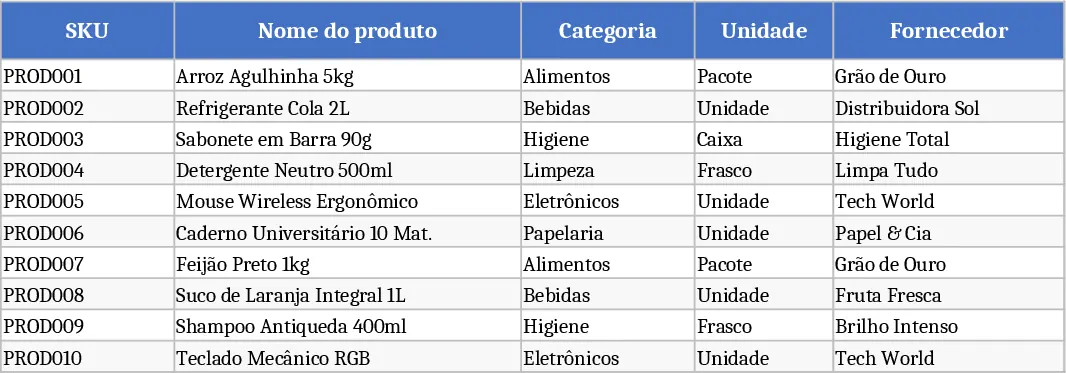
Three‑Sheet Inventory Management with Sample SKUs Template
Track product master data, record inventory movements, and view real‑time stock levels with a ready‑made 3‑sheet Excel template.