Monthly Budget & Loan Repayment Tracker Template
This Excel workbook is organized into five clear sheets: Income, Expenses, Summary, Loan Plan, and Savings Simulation. In the Income sheet you simply list each source of revenue (salary, side‑gig, etc.) with date and amount. The Expenses sheet uses a dropdown menu for categories such as Rent, Scholarship Loan, Pet Loan, PayPay Card, and a free‑text field for unexpected costs, letting you capture every outflow with a date, description and amount. The Summary sheet automatically calculates net cash flow, cumulative savings, and visual charts that show where your money goes each month. The Loan Plan sheet pulls data from the expense list to build an amortization table, showing remaining balance, interest, and a timeline for full repayment. Finally, the Savings Simulation sheet lets you adjust future income or expense assumptions and instantly see projected savings growth or debt reduction.
By consolidating all cash‑flow elements into one file, the template eliminates the need for multiple spreadsheets or manual calculations. It highlights overspending patterns, flags upcoming large payments, and provides a clear picture of how loan repayments affect your overall budget. The built‑in simulations help you test “what‑if” scenarios—like increasing your monthly savings by ¥10,000 or accelerating a loan payment—to see the impact on long‑term financial health. This practical approach reduces the mental load of budgeting and supports smarter, data‑driven decisions.
The workbook is ideal for anyone who wants tighter control over personal finances: recent graduates juggling scholarship repayments, families managing rent and pet expenses, or anyone with multiple credit‑card or loan obligations. It works equally well for users who are comfortable with Excel and those who prefer a ready‑made structure that only requires data entry. Whether you are planning a short‑term cash‑flow review or a multi‑year debt‑free roadmap, the template adapts to your needs.
How to use:
- Open the file and fill the Income sheet with all sources of monthly revenue, selecting the appropriate month from the dropdown.
- Record every expense on the Expenses sheet, choosing a category from the predefined list; add notes for irregular items.
- Switch to the Summary sheet to view automatically generated totals, net cash flow, and visual charts.
- Adjust parameters in the Loan Plan and Savings Simulation sheets to explore repayment speeds or savings targets; the tables and graphs update instantly.
Expected benefits: streamlined data entry, clearer insight into spending habits, and faster, more confident financial planning without endless manual calculations.
Similar Templates Recommendation
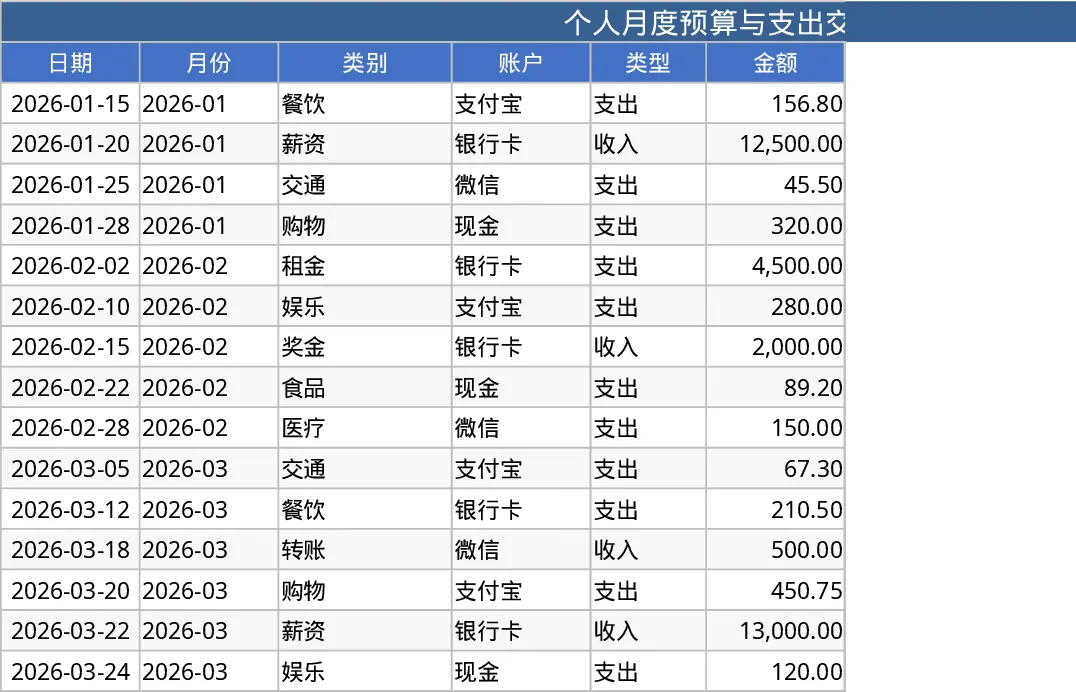
Personal Monthly Budget & Expense Tracker with Cash Flow Template
Track monthly personal income and expenses, compare against budgets, and view visual dashboards for savings insights.
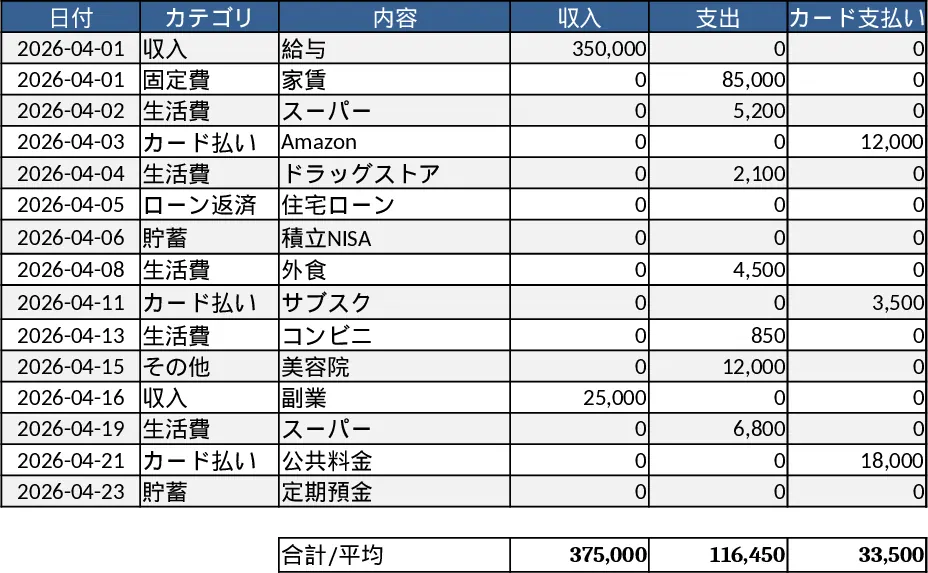
Monthly Budget Planner Template
Track and manage your monthly income and expenses, compare actual spending to your planned budget, and see visual cash‑flow summaries.
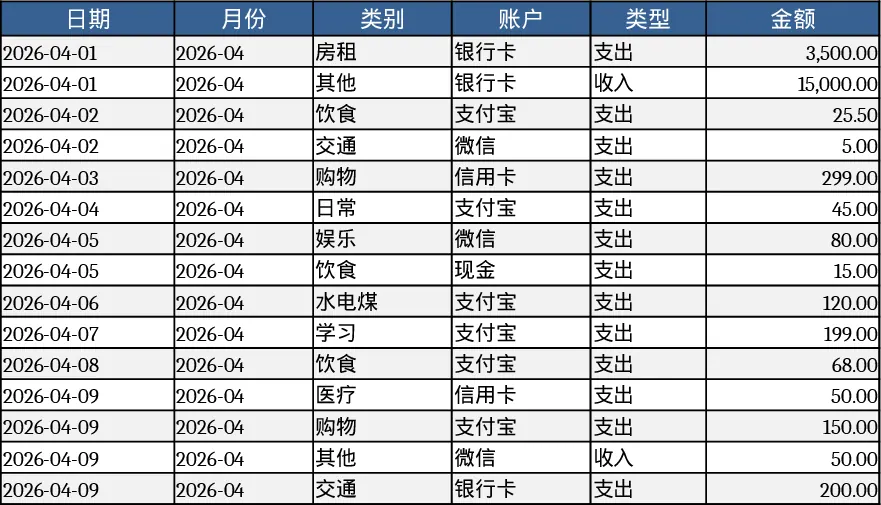
Personal Monthly Budget & Expense Tracker with Budget vs Actual Template
Track monthly personal income and expenses, compare against budgets, and view visual dashboards for savings insights.