Project Task Tracker with Overview and Dashboard Template
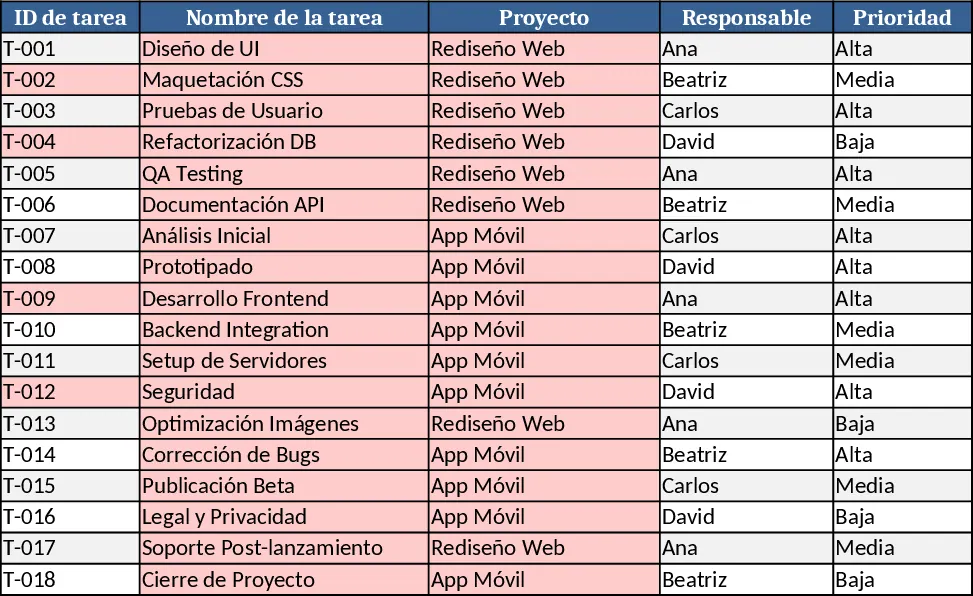
The Project Task Tracker template is built on two worksheets that give you a complete view of every activity across multiple projects. Sheet 1 – Tasks holds a structured table with columns for Task ID, Task Name, Project, Owner (drop‑down list), Priority (High/Medium/Low), Status (Not Started/In Progress/Blocked/Done), Start Date, Due Date, Estimated Hours, Actual Hours, Dependencies, and Notes. The Due Date column is mandatory, and conditional formatting flags any overdue task (Due Date < TODAY() and Status ≠ Done) in red, so you can spot risks instantly.
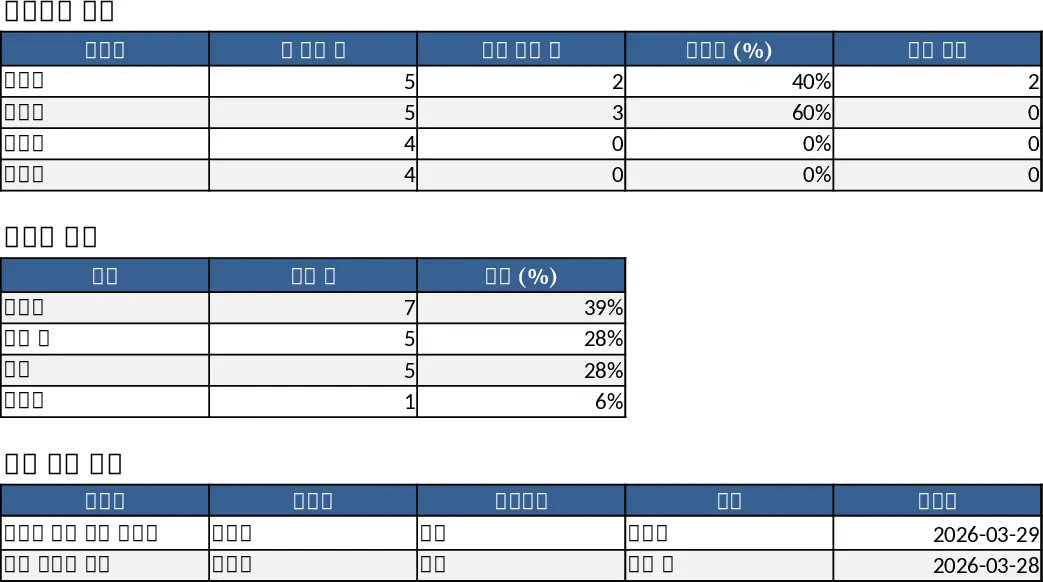
Sheet 2 – Project Overview aggregates the raw data into three easy‑to‑read sections. A "Summary by Owner" table shows the total number of tasks per person, how many are completed, the percentage of completion, and a count of overdue items. A "Summary by Status" grid breaks down tasks into Not Started, In Progress, Blocked, and Done, giving you a quick health check of the whole portfolio. Below these summaries, a dynamic table lists every overdue task with its key fields, allowing you to prioritize follow‑up actions.
This template solves the common headache of scattered task lists and manual status reporting. By centralising all task details in one place and automatically calculating progress metrics, you eliminate duplicate effort, reduce the chance of missed deadlines, and gain instant visibility into workload distribution. It is especially useful for project managers, team leads, or anyone coordinating work across several initiatives who needs a lightweight, no‑software‑required solution.
The tracker helps you manage task assignments, monitor progress against dates, compare estimated versus actual effort, and identify bottlenecks through the overdue‑task view. Because the Owner and Priority fields use drop‑down lists, data entry stays consistent, and the built‑in formulas keep the summary tables up‑to‑date without any extra work.
How to use
- Open the workbook and go to the Tasks sheet. Fill in each row with your real tasks, selecting the appropriate Owner, Priority, and Status from the drop‑downs. Ensure the Due Date is entered; the template will highlight any overdue items automatically.
- If a task depends on another, type the predecessor's Task ID in the Dependencies column. Add any notes that help clarify scope or blockers.
- Switch to the Project Overview sheet. The summary tables will refresh instantly, showing totals, completion percentages, and overdue counts per owner and per status.
- Review the "Overdue Tasks" table, prioritize corrective actions, and update the Status column as work progresses. The visual cues keep you and your team aligned.
Expected benefits: faster status reporting, clearer workload visibility, and fewer missed deadlines, all with minimal manual effort.
Similar Templates Recommendation
Project Task Tracker with Overview and Conditional Formatting Template
Track and manage project tasks with status, priority, deadlines, and responsible owners, plus summary dashboards per assignee and status.
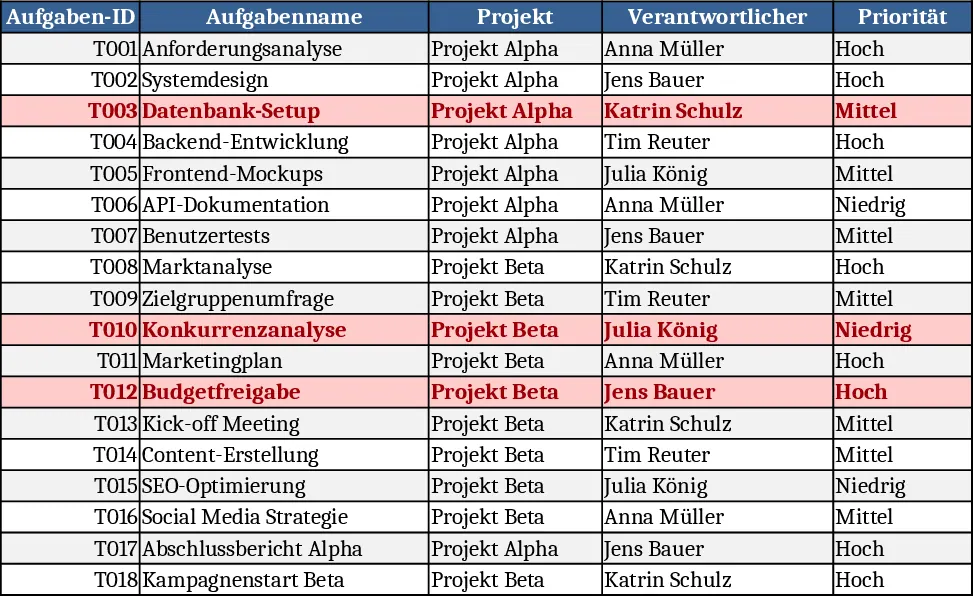
Project Task Tracker & Overview with Resource Planning Template
Track and manage project tasks with a two‑sheet Excel workbook that logs details, highlights overdue items, and provides per‑assignee and status summaries.
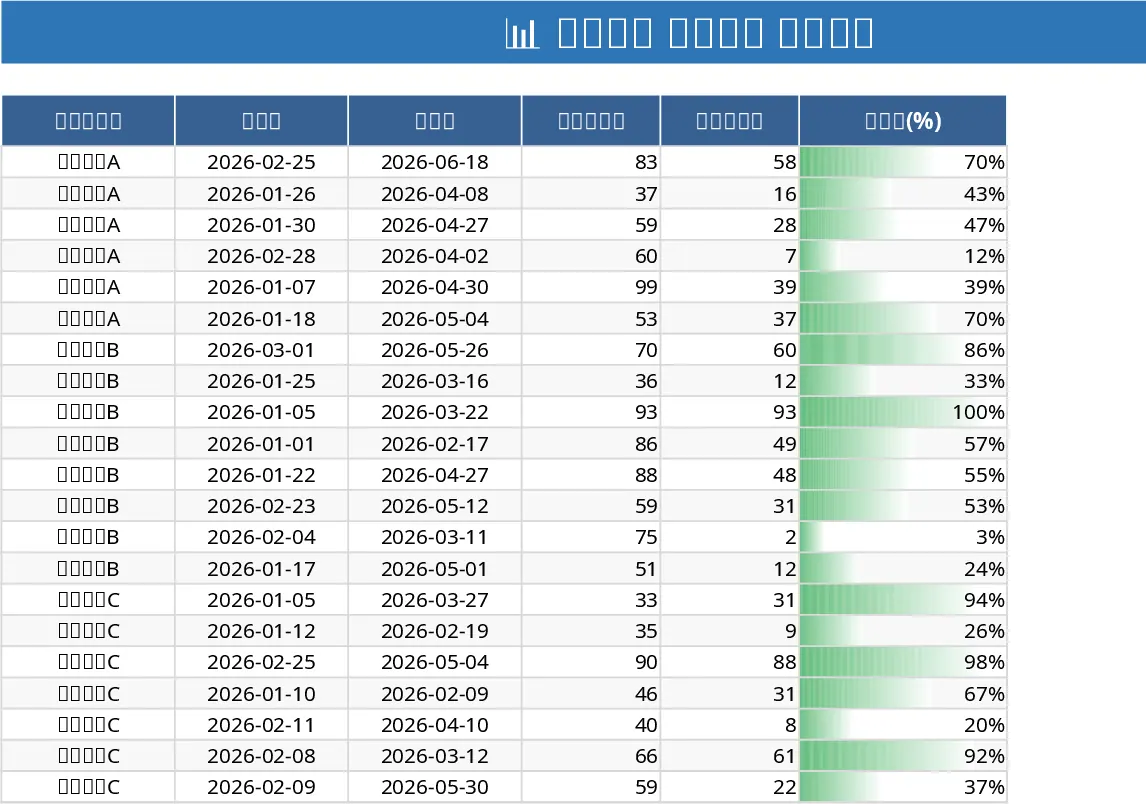
Project Task Tracker & Overview with Dashboard Template
Track tasks across multiple projects with status, priority, assignee dropdowns, and view per‑person and per‑status summaries plus a delayed‑tasks list.