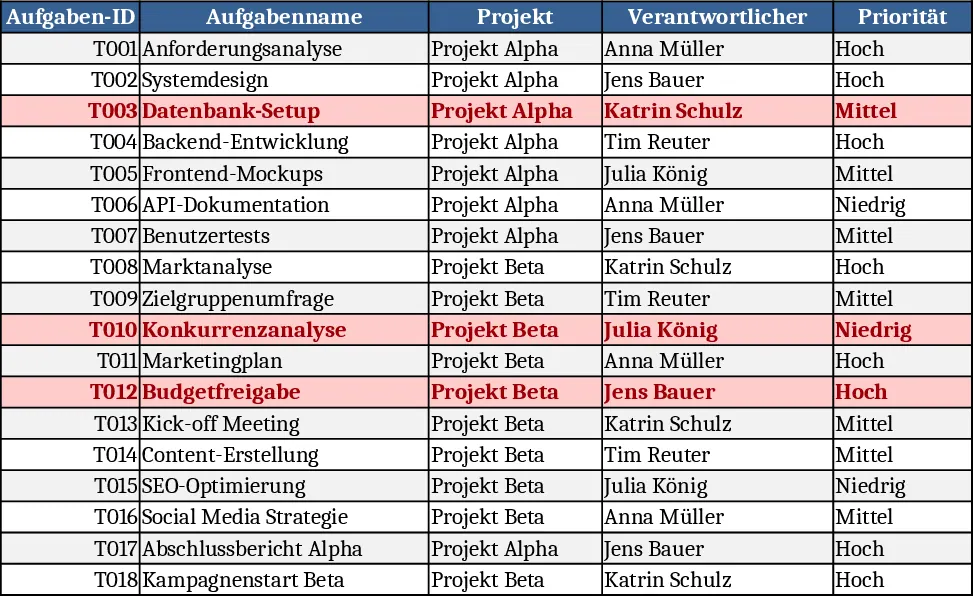
Project Task Tracker & Overview with Resource Planning Template
This Excel template is organized into two clear sheets – Tasks and Project Overview. The Tasks sheet captures every work item with columns for Task ID, Task Name, Project, Assignee (chosen from a dropdown list), Priority (High, Medium, Low), Status (Not Started, In Progress, Blocked, Completed), Start Date, Due Date, Estimated Hours, Actual Hours, Dependency, and Notes. The Due Date column is mandatory, and the Priority and Status columns are set up as dropdowns to keep data consistent. A conditional formatting rule automatically paints any overdue task (Due Date earlier than today and Status not "Completed") in red, making delays instantly visible.
The Project Overview sheet rolls up the raw data into actionable insights. It shows a summary by Assignee – total tasks, completed tasks, completion percentage, and count of overdue items – as well as a summary by Status, giving a quick health check of the whole project. A compact table lists all overdue tasks with only the key columns, so you can focus on what needs immediate attention. Sample data for two projects and eighteen tasks is already included, demonstrating how the sheets interact.
This workbook is ideal for project managers, team leads, or anyone who needs a lightweight, no‑software‑required solution to monitor task progress across multiple projects. It solves the common problem of scattered task information by centralizing everything in one file, reducing the time spent toggling between emails, chat messages, and separate documents. By visualizing overdue work and providing clear completion metrics, the template helps teams prioritize work, allocate resources efficiently, and keep stakeholders informed without the overhead of a full‑blown project‑management tool.
How to use
- Open the file and start by entering your own list of tasks in the Tasks sheet, selecting Assignees from the predefined dropdown and setting Priority and Status as needed.
- Fill in Start Date, Due Date, and estimate the effort; as you work, update Actual Hours and change the Status to reflect progress.
- Switch to the Project Overview sheet to instantly see per‑assignee totals, completion rates, and any overdue items highlighted in the summary table.
- Use the filtered overdue task list to plan your next actions, re‑assign work, or adjust deadlines.
Expected benefits: faster identification of bottlenecks, clearer visibility into team workload, and less manual effort compiling status reports.
Similar Templates Recommendation
Project Task Tracker with Overview and Dashboard Template
Track project tasks in Excel, assign owners, set priorities and deadlines, monitor real‑time status, and view summary dashboards by assignee and status.
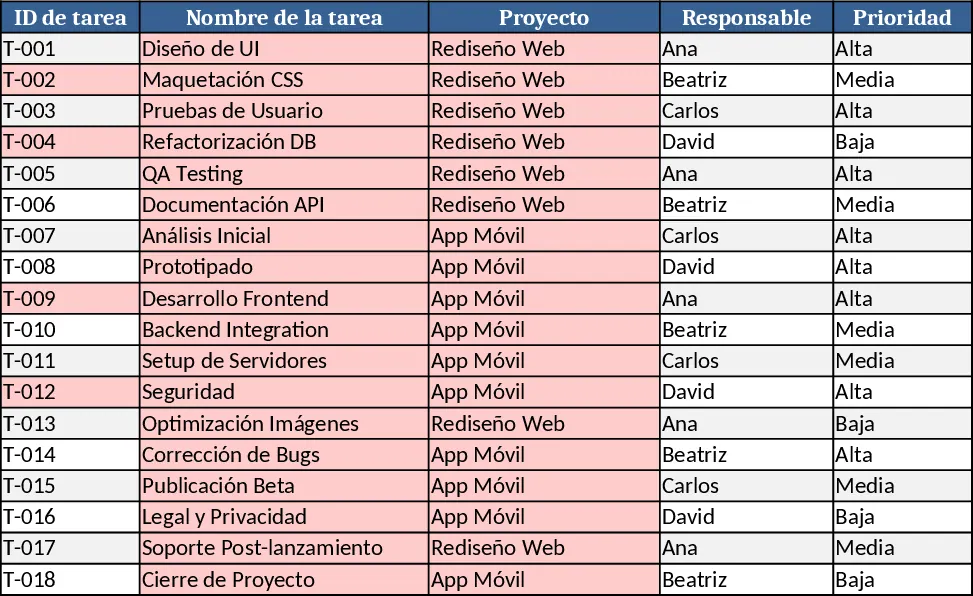
Project Task Tracker & Overview with Dashboard Template
Track tasks across multiple projects with status, priority, assignee dropdowns, and view per‑person and per‑status summaries plus a delayed‑tasks list.
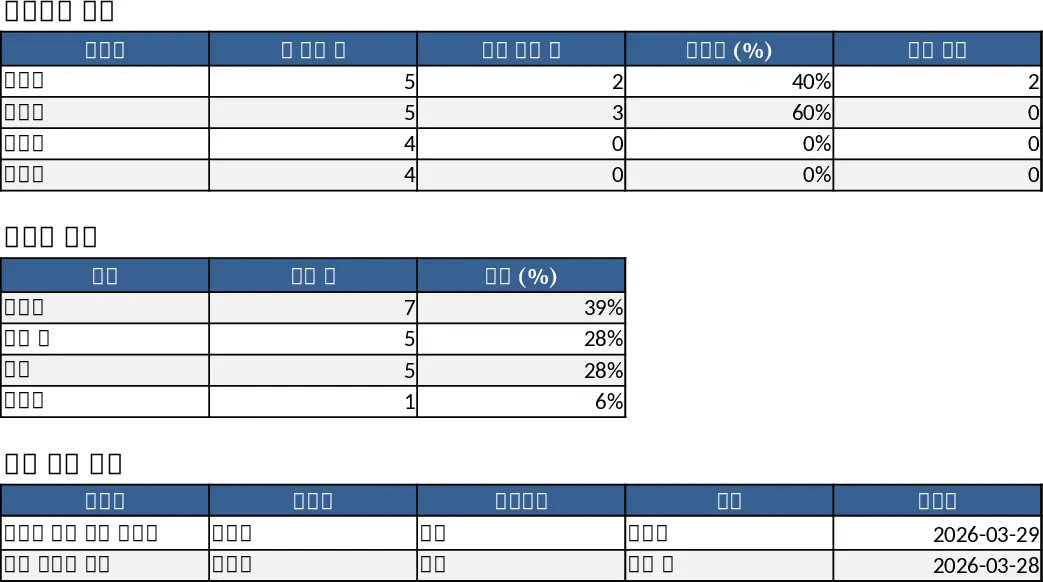
Project Task Tracker with Overview and Conditional Formatting Template
Track and manage project tasks with status, priority, deadlines, and responsible owners, plus summary dashboards per assignee and status.