All-in-One Project Management Template
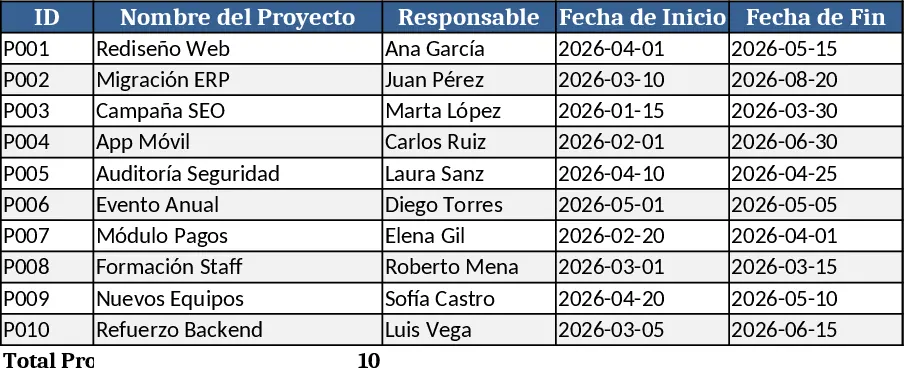
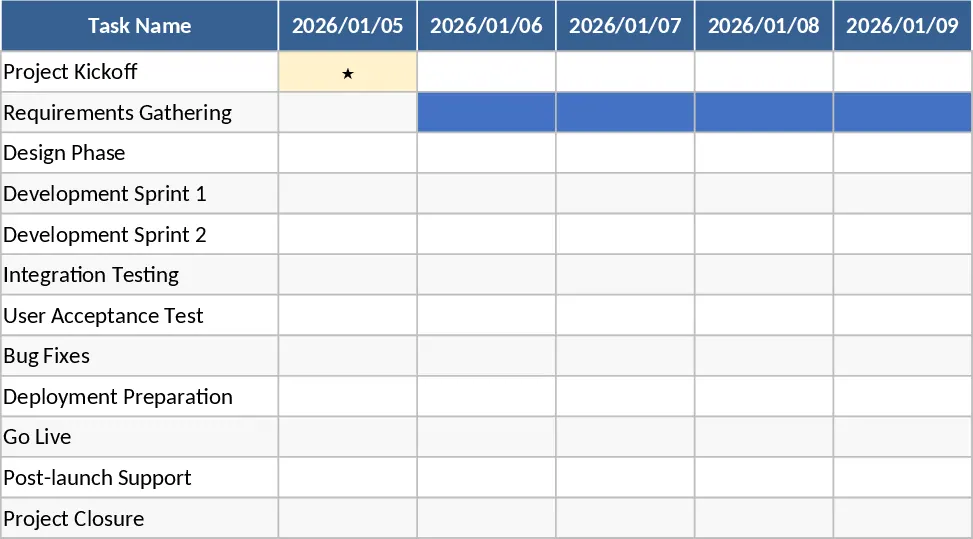
This Excel workbook is organized into six interconnected sheets that guide you from project definition to final reporting. The Project Overview sheet captures high‑level information such as project name, objectives, start/end dates, and key stakeholders. The Task List sheet lets you break the project into work packages, assign owners, set start‑finish dates, priority, and status dropdowns (Not Started, In Progress, Completed). The Timeline sheet automatically builds a Gantt‑style visual based on the dates entered, while the Resources sheet tracks people, equipment, and hours allocated to each task. A dedicated Budget sheet records planned versus actual costs, and the Dashboard sheet aggregates key metrics—overall progress, upcoming deadlines, budget variance, and resource utilization—into easy‑to‑read charts and summary tables.
Designed for project managers, team leads, and anyone who needs a clear, repeatable process for managing multiple initiatives, this template solves the common pain of scattered information and manual status updates. By centralizing task details, timelines, and financials, you gain instant visibility into where a project stands, which activities are at risk, and how resources are being consumed. The built‑in formulas and conditional formatting highlight overdue tasks and budget overruns, helping you intervene early and keep projects on track.
How to use
- Open the workbook and fill in the Project Overview with the project name, description, dates, and sponsor.
- In the Task List, add each work package, assign owners, set start and end dates, and choose the appropriate status from the dropdown.
- Switch to the Resources and Budget sheets to allocate hours, equipment, and cost estimates for each task; the sheet will calculate totals automatically.
- Review the Dashboard to see a real‑time snapshot of progress, upcoming milestones, and budget health. Adjust task dates or resources as needed, and the Gantt chart and summary figures will update instantly.
Expected benefits include faster project set‑up, reduced manual reporting effort, and clearer communication across teams, allowing you to focus more on delivering results than on chasing data.
Similar Templates Recommendation
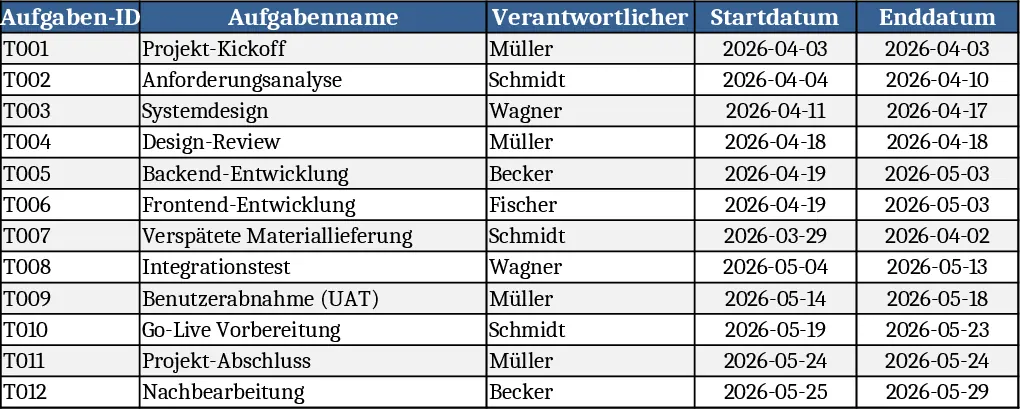
Project Gantt Chart Planner Template
A ready‑to‑use Excel Gantt chart template with task list, timeline view and summary dashboard for tracking project progress.
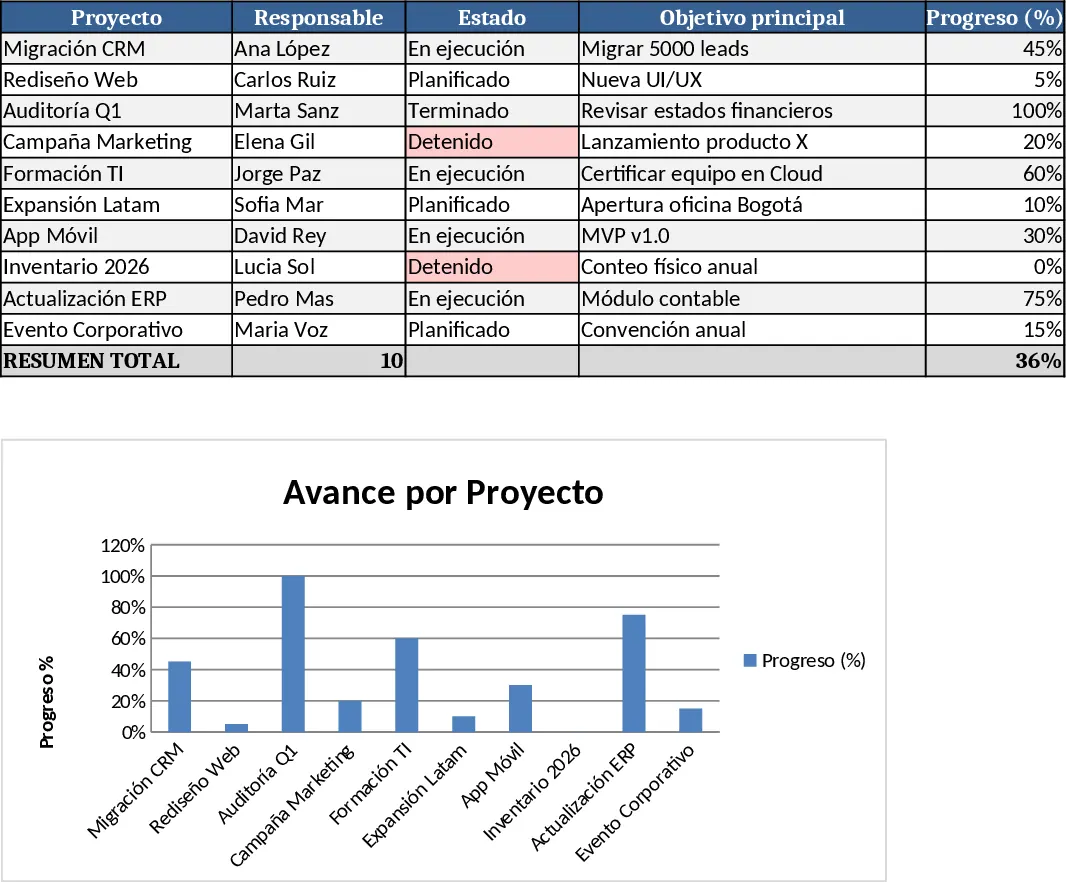
Multi-Project Planner with Dashboard Template
A comprehensive Excel template to plan, execute, and monitor projects with detailed steps, timelines, objectives, and visual dashboards.
Automated Gantt Chart Project Planner Template
Track project tasks and milestones with an automated Gantt chart timeline and a summary dashboard to monitor progress and identify critical delays.