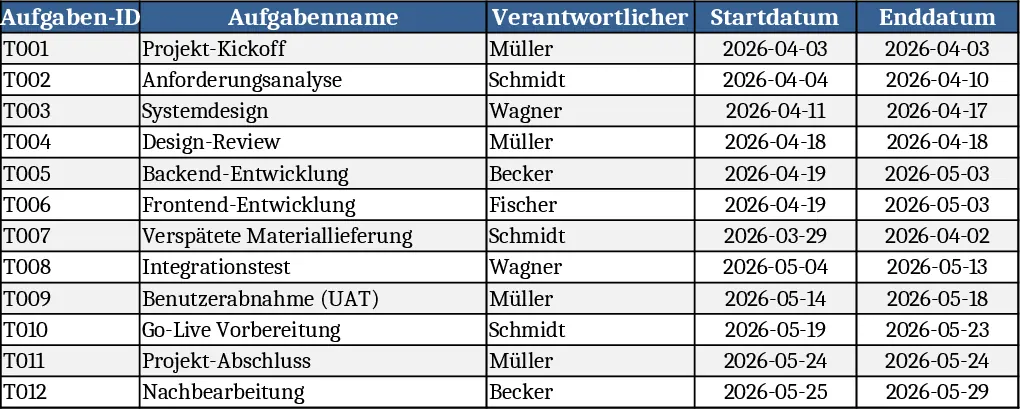
Multi-Project Planner with Dashboard Template
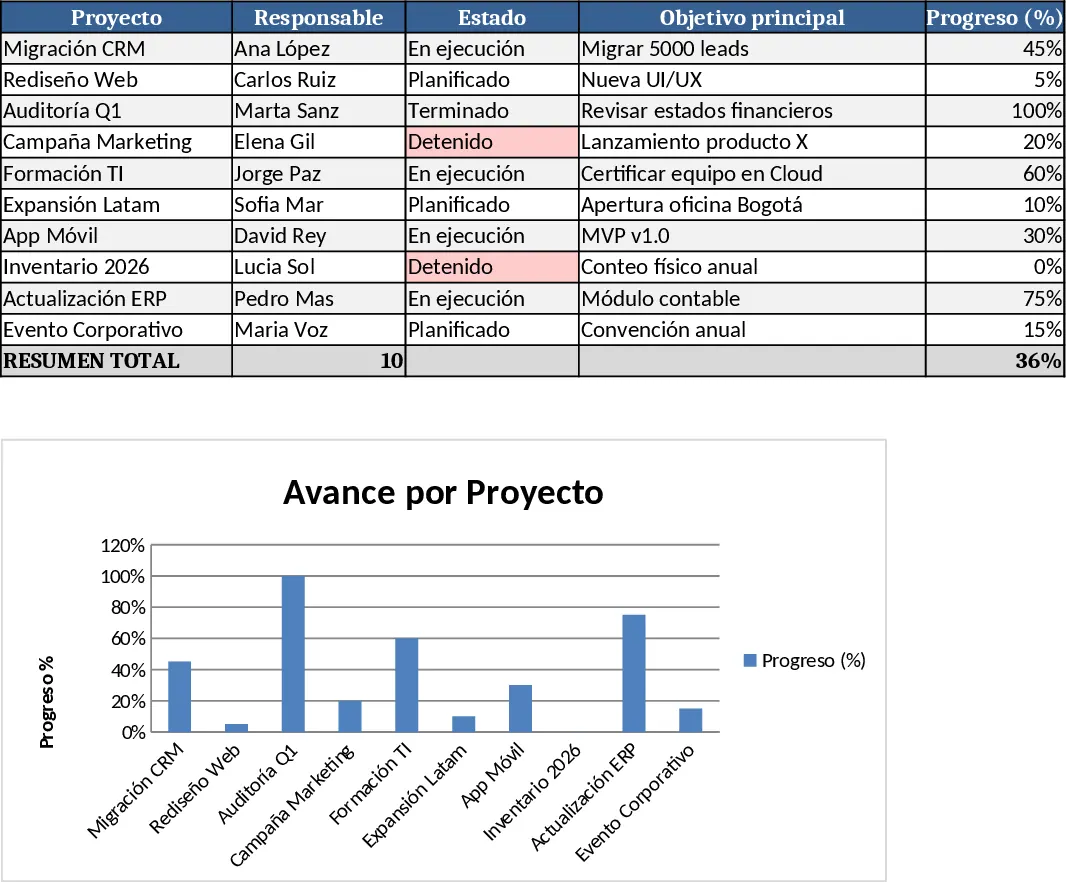
This Excel template gives you a full‑featured workspace for every project you manage. The file opens with a Dashboard sheet that pulls data from individual project tabs and displays key metrics such as overall completion percentage, upcoming deadlines, budget variance, and risk status in easy‑to‑read charts and conditional‑formatted tables. Below the dashboard, a Project Index sheet lists every project with quick links to its dedicated tab, allowing you to jump straight to the details you need.
Each project gets its own sheet, pre‑structured with columns for Project Name, Description, Objectives, Start Date, End Date, Current Phase, Next Steps, Owner, Priority, Status (with dropdowns like Not Started, In Progress, Completed, On Hold), Budget, Actual Spend, Risk Level, and Comments. A built‑in Gantt‑style timeline visualizes the schedule based on the start and end dates, while conditional formatting highlights overdue tasks and high‑risk items. The template also includes a Resource Allocation section where you can assign team members and track their workload across projects.
The template solves the common headache of scattered project information and manual status reporting. By centralizing all project data in one workbook, you eliminate duplicate files, reduce the risk of missed deadlines, and gain instant visibility into how each initiative is progressing. The visual dashboards turn raw numbers into actionable insights, making it simple to present updates to stakeholders without building separate reports.
It is ideal for project managers, team leads, small business owners, or freelancers who need a lightweight yet powerful tool to keep every initiative on track. Whether you are launching a marketing campaign, rolling out a new product, or managing internal IT upgrades, the template adapts to any industry and scales from a single project to a portfolio of dozens.
How to use
- Open the workbook and duplicate the "Project Template" sheet for each new project, renaming the tab to the project’s name.
- Fill in the required fields – start/end dates, objectives, owner, budget, and risk – using the dropdowns where provided.
- Update the "Current Phase" and "Status" columns as work progresses; the dashboard will automatically refresh to reflect changes.
- Review the Dashboard and Project Index regularly to spot bottlenecks, upcoming milestones, and budget overruns, then adjust tasks or reassign resources as needed.
Expected benefits: You’ll spend far less time compiling status reports, enjoy clearer communication across teams, and make faster, data‑driven decisions about project priorities.
Similar Templates Recommendation
Gantt Chart Project Planning with Conditional Formatting Template
Plan and visualize your project schedule with an automated Gantt chart featuring task tracking, timeline visualization, and summary insights.
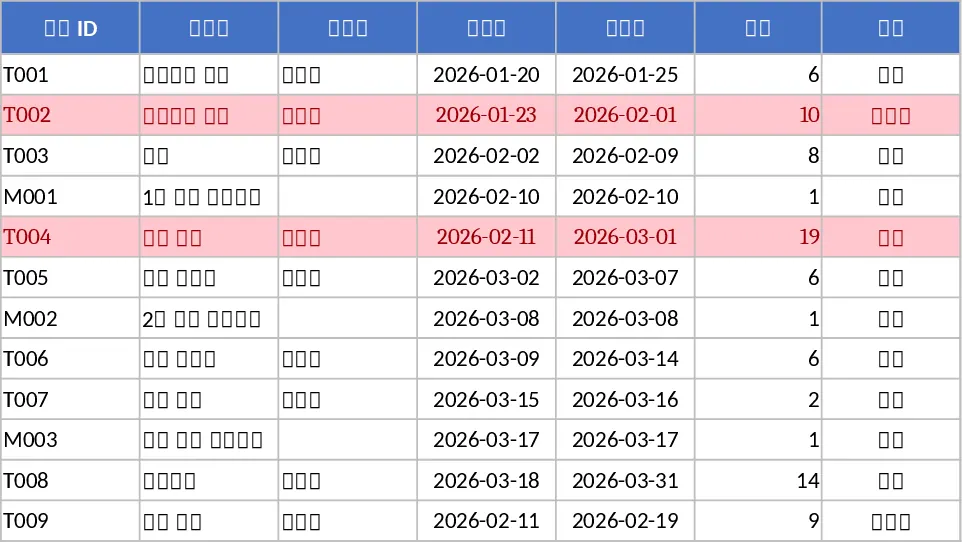
All-in-One Project Management Template
A comprehensive Excel template to plan, detail, execute, track and monitor all your projects step by step.
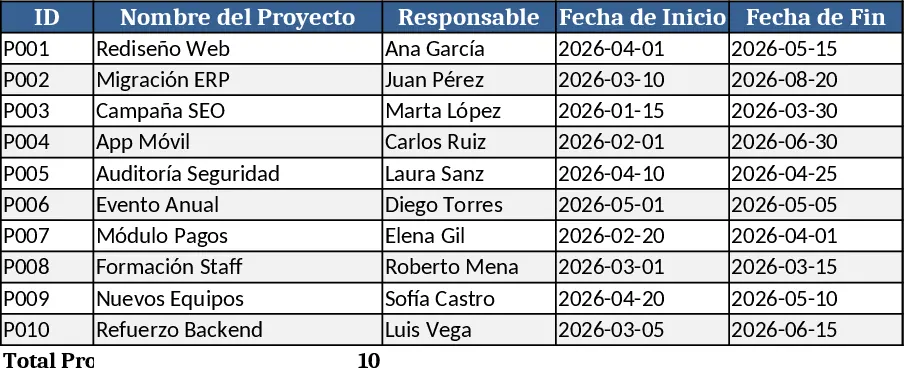
Project Gantt Chart Planner Template
A ready‑to‑use Excel Gantt chart template with task list, timeline view and summary dashboard for tracking project progress.