Arabic Poultry Shop Management Excel Template
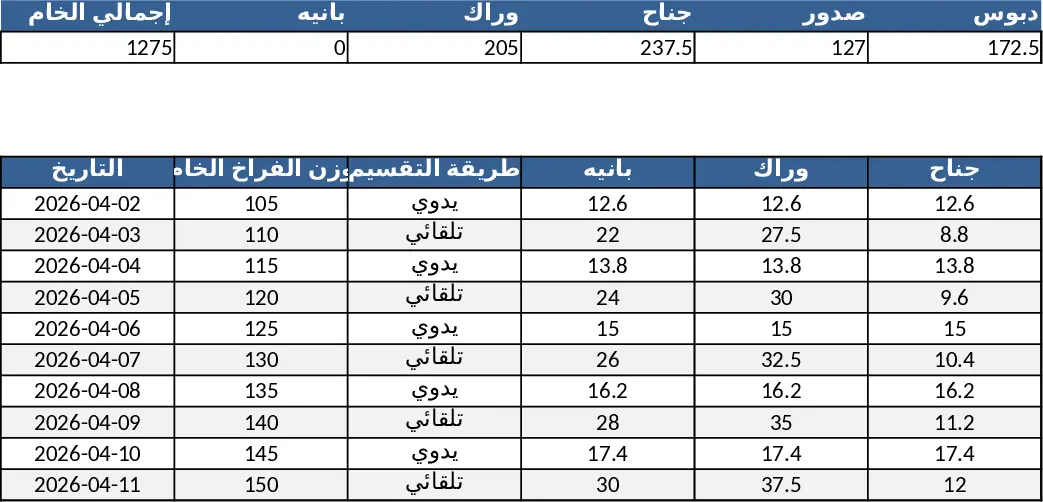
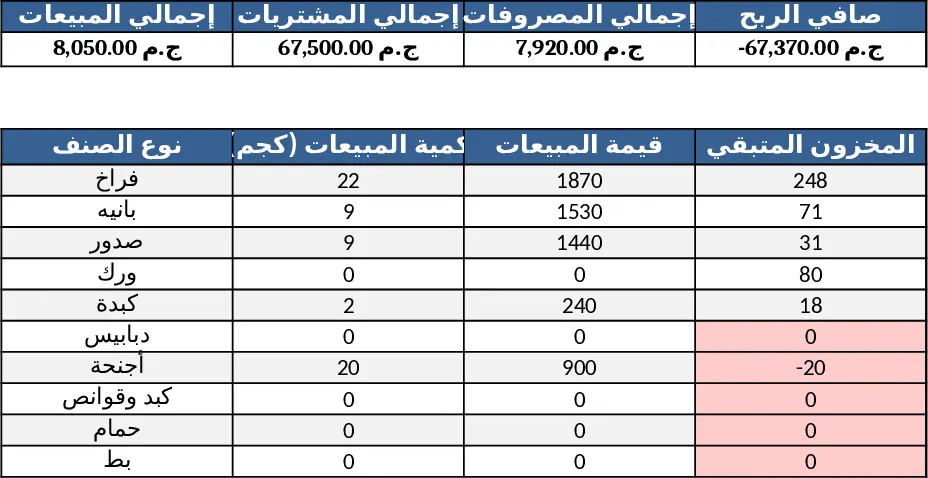
This all‑in‑one Arabic Excel workbook is built for poultry farms and retail shops that need a clear, automated view of every step from live bird purchase to final sale. The file contains seven linked sheets: Purchases records each slaughter batch with date, trader, weight, price and auto‑calculates totals per trader and weekly summaries; Processing lets you enter raw weight and either apply preset percentage cuts or manual amounts for parts such as breast, wing, thigh, etc., automatically feeding the results into the Stock sheet; Sales captures each transaction, deducts the sold quantity from stock, and rolls up daily, weekly and monthly revenue; Stock consolidates incoming quantities from purchases and processing, outgoing amounts from sales, and shows real‑time balances for every product line; Expenses separates fixed monthly costs, daily operational outlays and emergencies, summarising them by day, week and month; Cash‑Box & Credit tracks daily cash flow, net profit per day and outstanding customer credit, linking sales and expenses automatically; Dashboard presents key KPIs—total sales, purchases, expenses, net profit, profit per kilo—and visual charts for sales vs. costs, stock movement, plus colour‑coded alerts for low stock or negative margins. The workbook uses data validation lists for traders, product types and expense categories, pivot tables for quick reports, and conditional formatting for instant visual cues, all styled in calm colours for easy reading.
Designed for farm owners, shop managers and accountants who handle poultry operations in Arabic, this template removes the guesswork of manual calculations and scattered spreadsheets. It solves common pain points such as mismatched inventory records, time‑consuming profit calculations, and missed alerts on stock shortages. By centralising every transaction and linking sheets with formulas, users gain a single source of truth, faster decision‑making, and clearer insight into profitability per product line.
The template helps you monitor the full lifecycle of your poultry business: purchase weight and cost, conversion yields during processing, stock levels of each cut, daily sales performance, expense breakdowns, cash position, and credit balances. With the dashboard you can instantly spot trends, identify your best‑selling cut, see which trader supplies the most volume, and receive warnings before a stockout or a loss occurs.
How to use
- Open the workbook and start by adding your traders to the dropdown list on the Purchases sheet; then record each slaughter batch with date, weight and price. Totals update automatically.
- Move to the Processing sheet, enter the raw weight of each batch and choose either the default percentage cuts or input your own yields. The resulting quantities flow straight into the Stock sheet.
- Record every sale on the Sales sheet, selecting the product type from the list; the system deducts the sold amount from stock and updates daily, weekly and monthly sales totals.
- Keep the Expenses sheet current with daily, fixed and emergency costs. The Cash‑Box sheet will recalculate the day’s net cash and reflect any credit payments you log in the Credit section.
Expected benefits include a noticeable reduction in manual data entry time, fewer calculation errors, and quicker access to actionable financial and operational insights, letting you focus more on growing the business rather than juggling spreadsheets.
Similar Templates Recommendation
قالب إدارة محل دواجن شامل Template
Arabic Excel template that tracks poultry shop purchases, sales, inventory, expenses, cash & credit, with auto‑calculations and a visual dashboard.
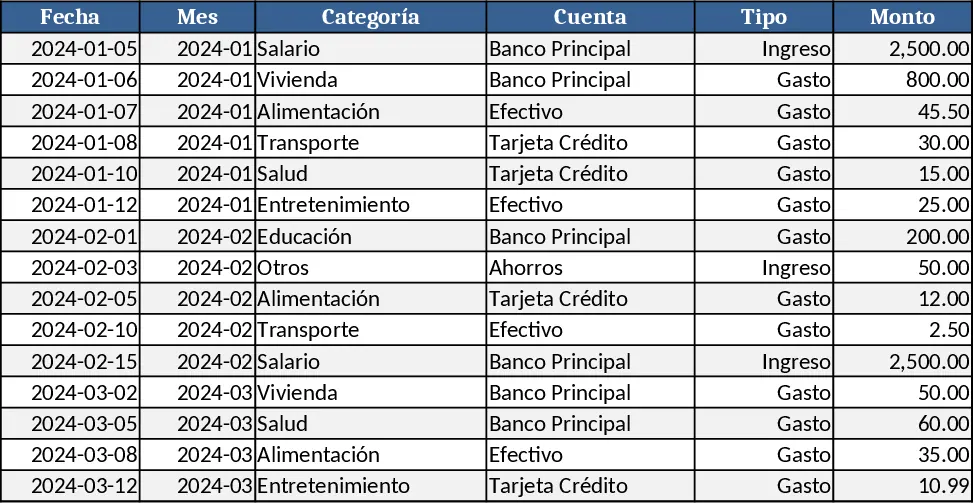
Personal Monthly Budget & Expense Tracker with Dashboard and Budget Plan Template
Track your monthly personal budget, log transactions, compare actual spending to planned amounts, and view visual dashboards.
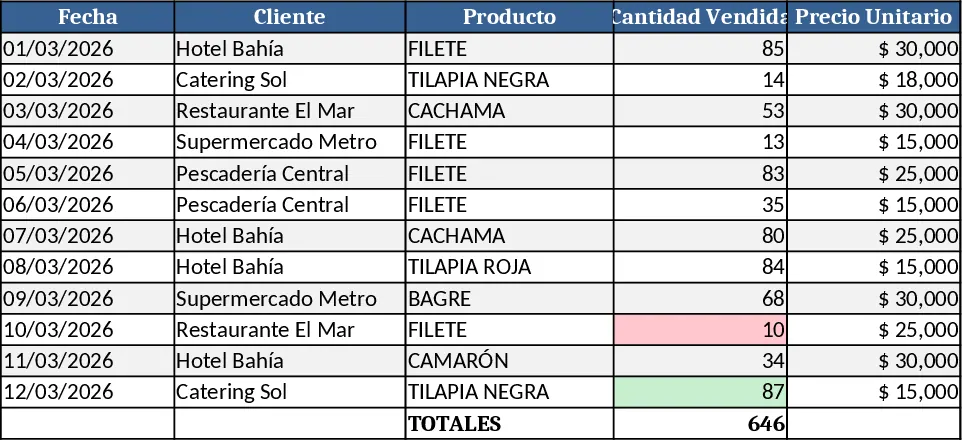
Professional Product Sales Tracker Template
Professional Excel template to log, calculate and visualize sales of fish products, with auto totals, dynamic charts and visual highlights.