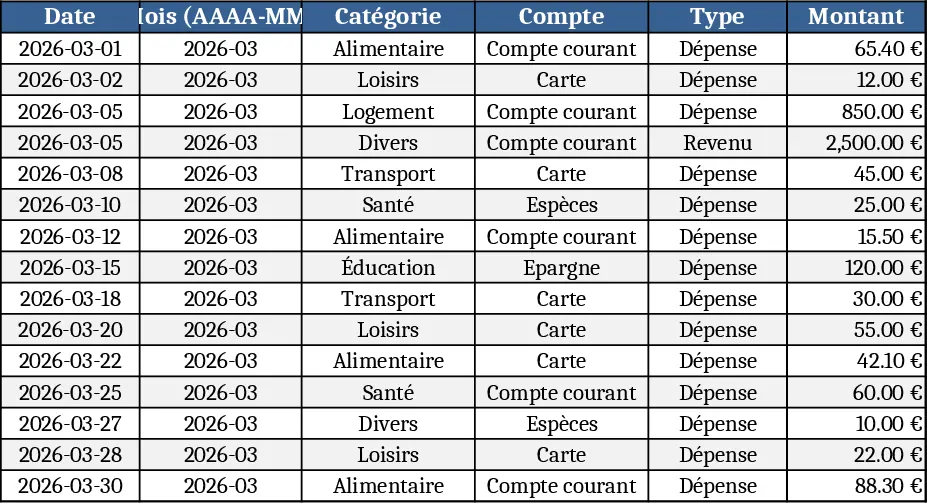
Personal Monthly Budget & Expense Tracker with Expense Analysis Template
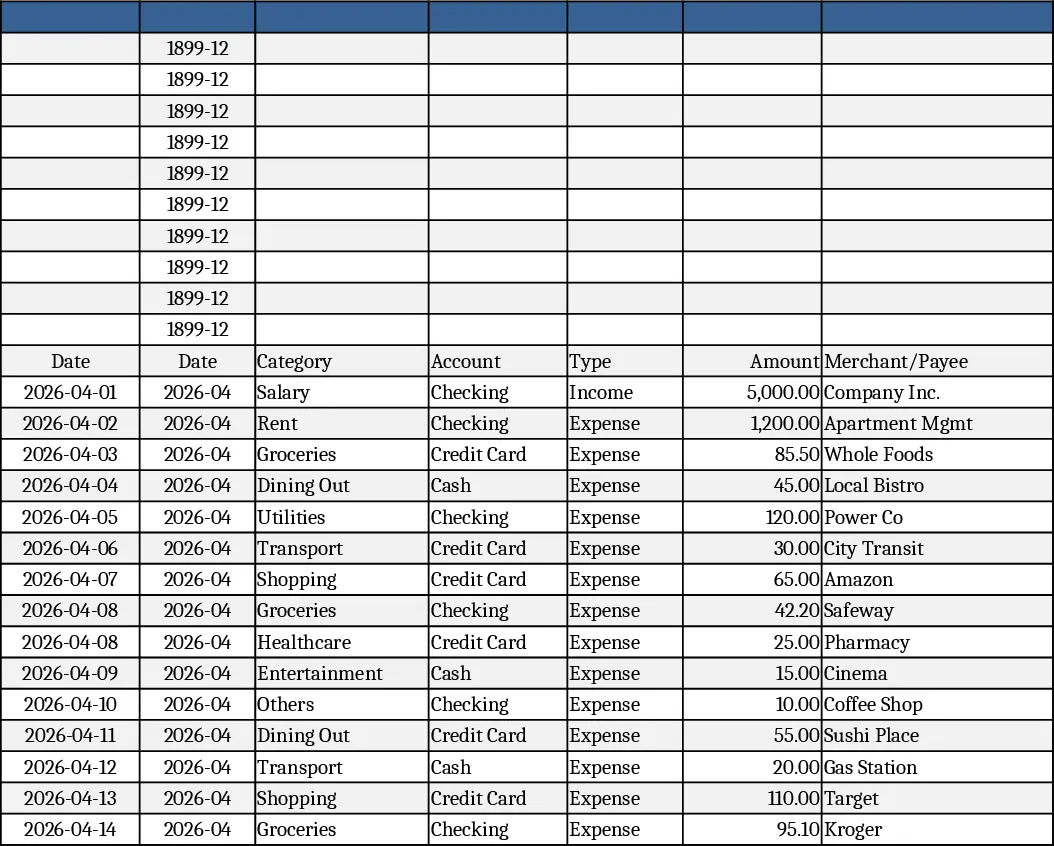
The Personal Monthly Budget & Expense Tracker is organized into three intuitive sheets. Transactions captures every financial movement with columns for Date, auto‑derived Month, Category, Account, Type (Income/Expense), Amount, Merchant/Payee, Payment Method and Notes. Dropdown lists keep categories, accounts, types and payment methods consistent, while validation ensures dates are entered and amounts stay positive. The Budget Plan sheet lists each spending category in rows and provides columns for the planned monthly budget, the actual spend (automatically summed from the Transactions sheet), the variance, and an over‑budget flag that turns red when spending exceeds the plan. Finally, the Dashboard aggregates key figures – total income, total expense, net savings – and visualizes spend by category in a pie chart, weekly spend trends in a line chart, and the top ten merchants by spend in a ranked list.
This template solves the common headache of manually reconciling receipts, remembering where money went, and guessing whether you’re staying within your budget. By pulling data from the Transactions sheet into the Budget Plan, you instantly see how each category performs against its target, and the dashboard gives you a quick visual health check of your finances. The built‑in formulas and conditional formatting eliminate the need for repetitive calculations, letting you focus on decision‑making rather than data entry.
It is ideal for anyone who wants clear control over personal finances – from students managing a part‑time income to freelancers juggling multiple revenue streams, and even households looking to monitor shared expenses. The template works for any month; simply add new rows to the Transactions sheet or extend the dropdown lists to include new categories or accounts, and the rest of the workbook updates automatically.
With this workbook you can track total income, total expenses, net savings, category‑level spending, weekly trends, and top merchants, all in one place. The variance column highlights overspending early, while the dashboard’s visual cues make it easy to spot patterns such as rising grocery costs or recurring subscription fees. This holistic view supports smarter budgeting, better cash‑flow planning, and more confidence in reaching financial goals.
How to use
- Open the workbook and start entering your real transactions in the Transactions sheet; select the appropriate date, category, account, type, payment method, and fill in the amount and merchant details.
- Go to the Budget Plan sheet and set your desired monthly budget for each category; the Actual Spend column will fill automatically based on the data you entered.
- Review the Variance and Over‑Budget Flag to see where you are on track or need to adjust spending.
- Switch to the Dashboard to see a snapshot of total income, expenses, net savings, and visual charts that update in real time as you add more rows.
Expected benefits: reduces manual tallying, speeds up monthly review, and gives a clear visual picture of where your money goes, helping you stay on budget with far less effort.
Similar Templates Recommendation
Personal Monthly Budget & Expense Tracker with Top Merchants Template
Track monthly income and expenses, compare against budgets, and visualize spending with charts in a ready‑to‑use Excel workbook.
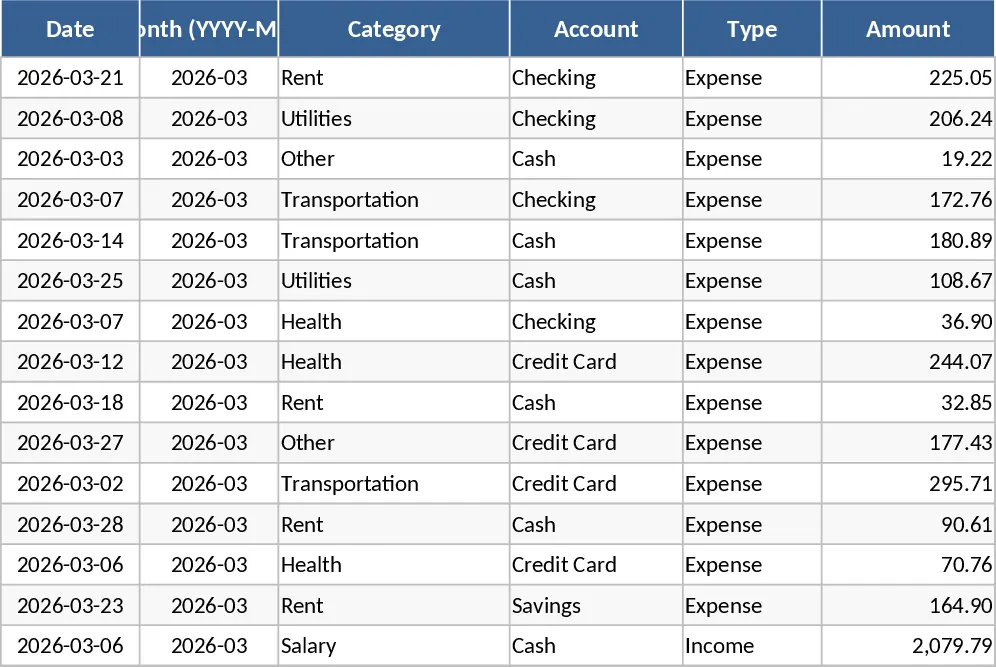
Personal Monthly Budget & Expense Tracker with Payment Methods Template
Track monthly income and expenses, compare against budgets, and visualize spending with charts in a ready‑made Excel workbook.
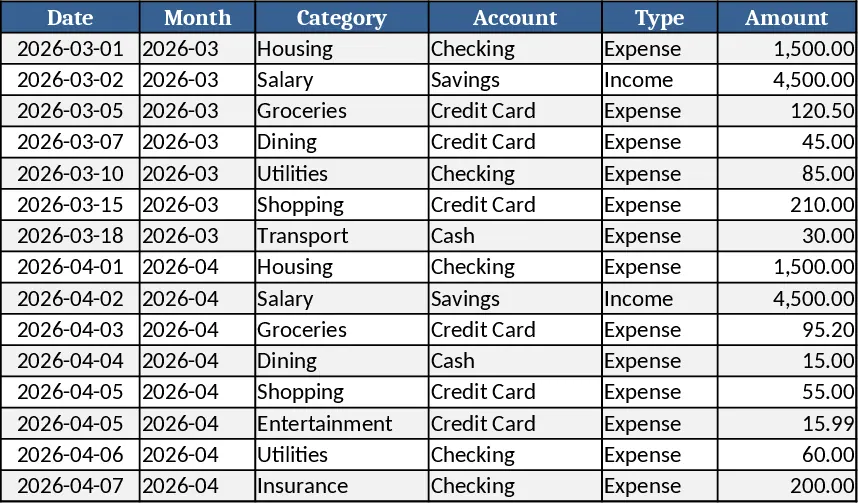
Personal Monthly Budget & Expense Tracker with Transaction Log Template
A ready‑to‑use Excel workbook that tracks monthly income and expenses, compares them to your budget, and visualizes savings and spending trends.