Payroll Calculator with Parameters, Employees, Time Inputs & Pay Statements Template
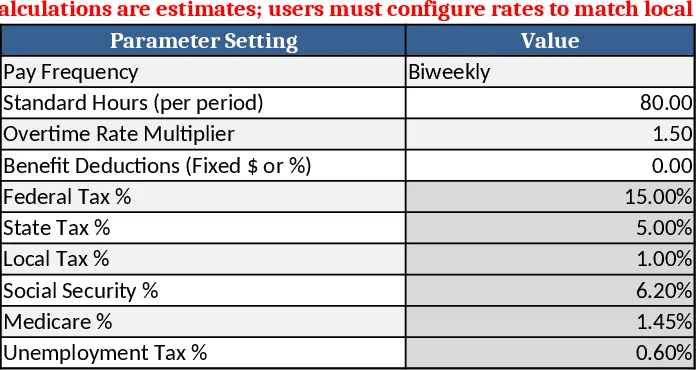
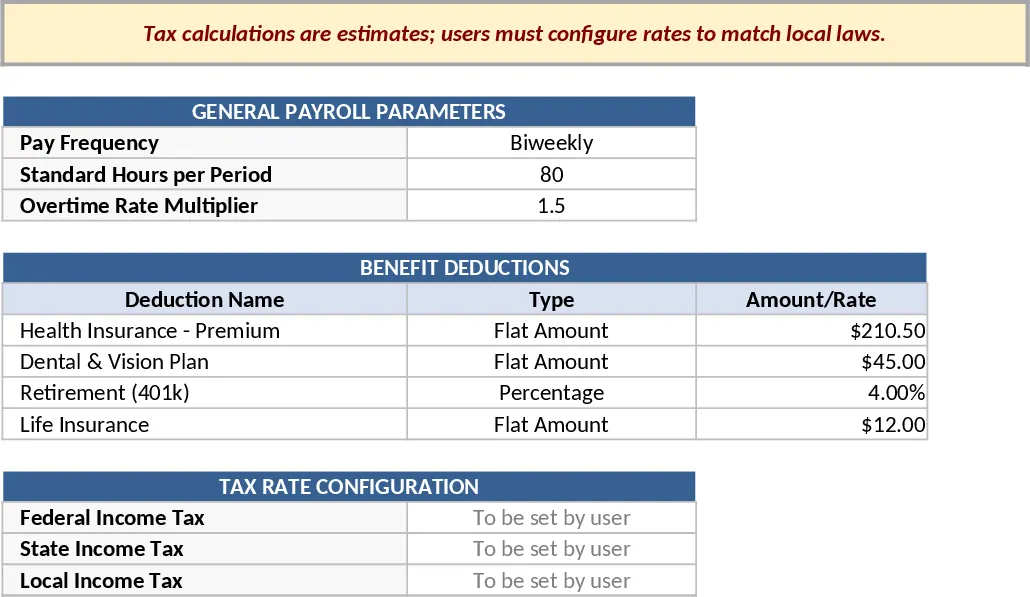
This Payroll Calculator template is organized into four clear sheets. Parameters lets you set pay frequency, standard hours, overtime multiplier, benefit deductions and placeholder tax rates – all editable fields that drive the calculations. Employees stores each worker’s ID, name, pay type (hourly or salary via a dropdown), rates, benefits plan, bank details, start date and active status. Time_Inputs is for hourly staff to log regular hours, overtime, bonuses and reimbursements per pay period. Finally, Pay_Statement automatically computes gross pay, pre‑tax deductions, tax withholdings (using your placeholder rates), post‑tax deductions and net pay for every employee and period, presenting a clean statement ready for distribution.
The template solves the tedious, error‑prone process of manual payroll processing. By centralizing all variables and linking them through formulas, you eliminate duplicate data entry, ensure consistent tax treatment, and instantly see how changes to rates or benefits affect net pay. It’s especially useful for small‑to‑mid‑size businesses, HR administrators, or finance teams that need a transparent, auditable payroll workflow without investing in dedicated software.
Anyone who manages payroll – from HR officers to office managers and accountants – can benefit. The sheet layout supports both hourly and salaried staff, tracks overtime, bonuses, and reimbursements, and produces ready‑to‑print pay statements. The built‑in disclaimer reminds users that tax calculations are estimates and must be adjusted to local regulations, keeping the tool compliant and trustworthy.
How to use
- Open the Parameters sheet and fill in your company’s pay frequency, standard weekly hours, overtime multiplier, benefit deduction method and the applicable tax rates.
- In the Employees sheet, add each worker’s details; select "Hourly" or "Salary" from the dropdown, then enter the corresponding rate.
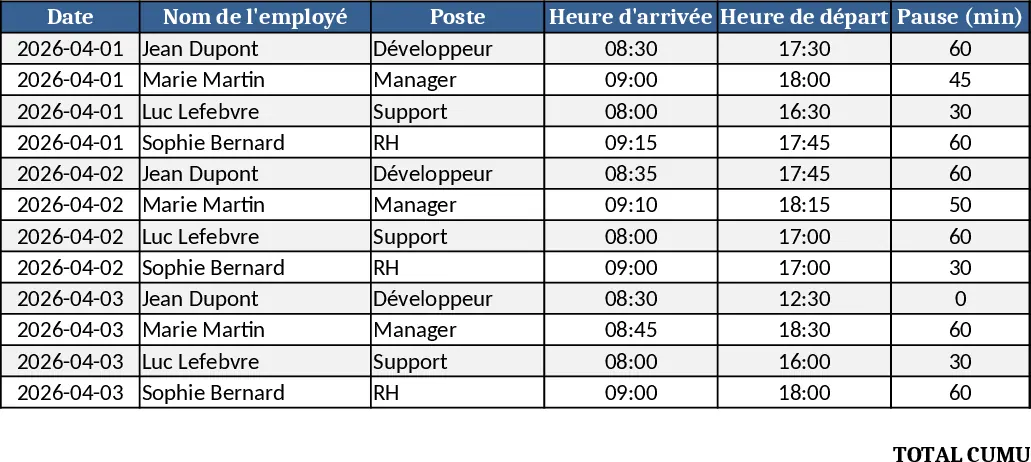
- Record time data for hourly staff in Time_Inputs for each pay period, including regular and overtime hours, bonuses, and reimbursements.
- Switch to Pay_Statement – the template will instantly calculate gross, deductions, taxes and net pay for every employee and period. Review, print or export the statements as needed.
Expected benefits: streamlined data entry, reduced calculation errors, faster generation of accurate pay slips, and a clear audit trail for payroll reviews.
Similar Templates Recommendation
Multi‑Sheet Payroll Calculator Template
A ready‑to‑use Excel payroll calculator with parameters, employee data, time inputs and pay statements to compute gross and net pay.
Employee Timesheet & Overtime Payroll Template
Track employee work hours, overtime, and generate payroll summaries for up to 10 staff with sample data in three linked sheets.

Employee Work Hours Tracker Template
Track each employee's daily work hours, calculate totals, overtime, and generate clear summary reports for payroll and management.