Inventory Management with Sample Data Template
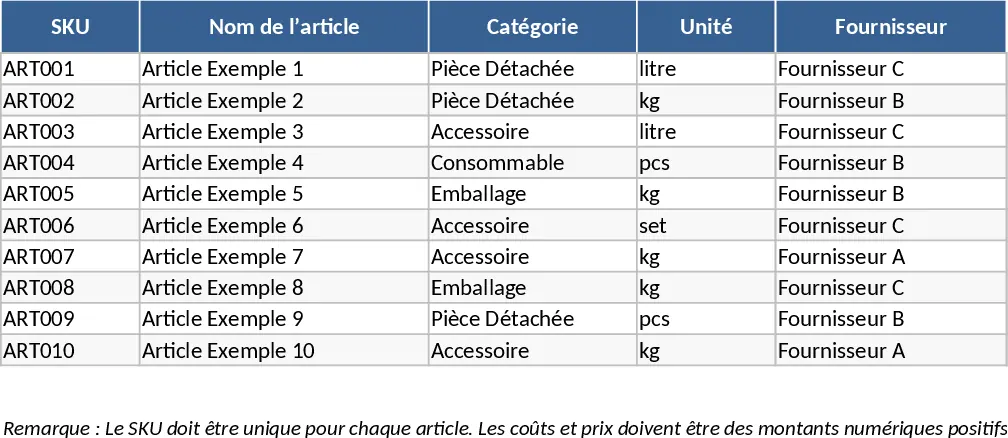
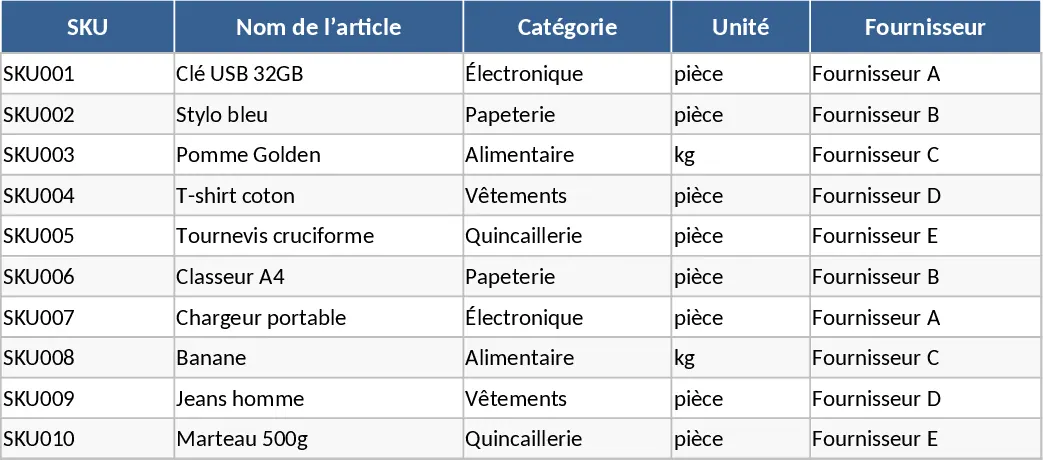
This comprehensive Inventory Management template provides a robust framework for businesses to maintain precise control over their physical assets. The system is organized into three specialized sheets designed to streamline data entry and reporting. The Item Master Data sheet serves as your central registry, where you define unique SKUs, categorize products, and establish critical financial metrics like purchase costs and selling prices. Most importantly, it allows you to set custom reorder points, ensuring that your procurement strategy is data-driven rather than based on guesswork. By centralizing supplier information and unit costs, you create a single source of truth for your entire product catalog.
The Stock Movement Log acts as the operational heartbeat of the template. By recording every transaction—whether it is a new shipment arrival, a customer sale, or a manual inventory adjustment—you create a transparent audit trail. This granular tracking helps identify patterns in stock turnover and minimizes discrepancies between physical counts and digital records. The template uses dropdown menus and data validation to ensure that entries remain consistent and error-free, which is vital for maintaining data integrity over time. Every entry includes fields for reference numbers and personnel names, making it easy to trace specific movements back to their source if issues arise.
For decision-makers, the Stock Summary sheet offers an instantaneous snapshot of the entire warehouse status. It automatically aggregates data from the movement logs to calculate current stock levels, total inflows, and outflows. The built-in alert system uses conditional formatting to highlight items that have fallen below their safety threshold, prompting immediate action to prevent stockouts. This tool is particularly beneficial for retail managers, e-commerce sellers, and small-scale manufacturers who need to balance capital tied up in inventory with the need for high product availability. It eliminates the need for complex manual formulas, providing a clear visual indicator of what needs your attention right now.
How to use:
- Start by populating the Item Master Data sheet with your product list, ensuring each SKU is unique and setting a realistic reorder point for each item.
- Every time stock moves in or out of your facility, enter a new line in the Movement Log, selecting the appropriate SKU from the dropdown and specifying the movement type.
- Regularly check the Stock Summary sheet to view your Available Stock and look for the Restock alert in the status column to trigger new orders.
- Review the total entries and adjustments periodically to identify inventory shrinkage or high-performing product categories.
Expected benefits: Significant reduction in manual calculation time, improved accuracy in stock forecasting, and minimized risk of lost sales due to out-of-stock scenarios.
Similar Templates Recommendation
Inventory Management and Stock Tracking with Charts Template
Track product levels, log stock movements, and receive automatic reorder alerts to maintain optimal inventory balance.
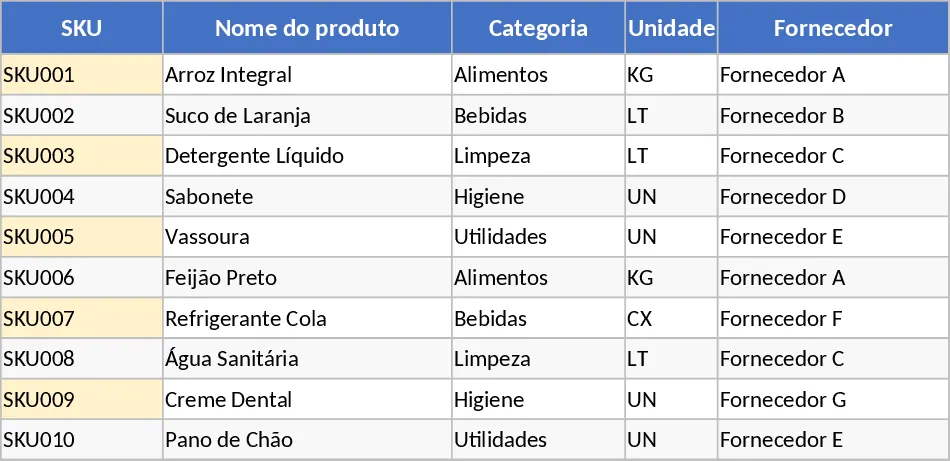
Automated Inventory Management and Stock Tracking with Conditional Formatting Template
Efficiently manage stock levels, track movements, and monitor reorder alerts across multiple SKUs to optimize your inventory control.
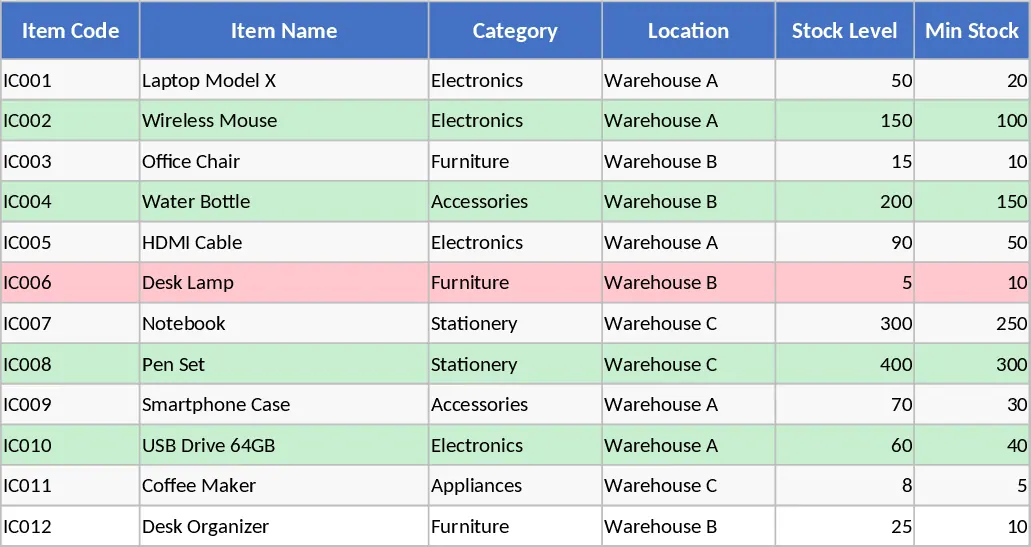
Inventory Management and Stock Tracking with Professional Layout Template
Track inventory levels, log stock movements, and receive automatic reorder alerts to maintain optimal stock levels and prevent shortages.