Personal Monthly Budget & Expense Tracker with Charts Template
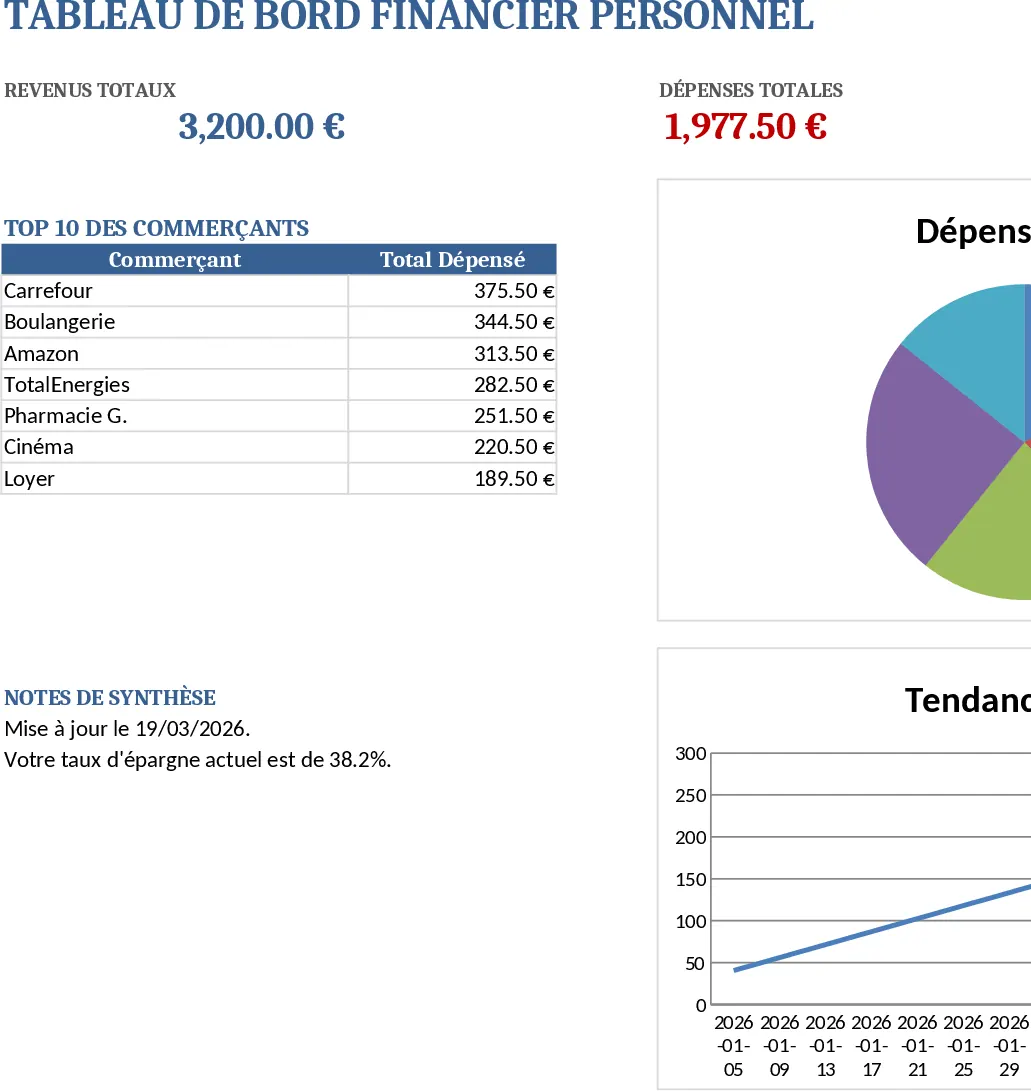
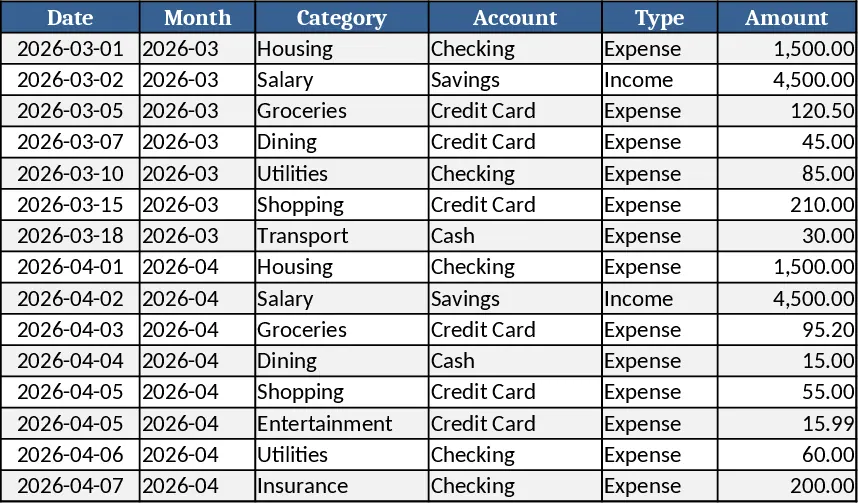
The template is organized into three linked worksheets. Transactions captures every movement of money with columns for Date, automatically derived Month, Category, Account, Type (Income/Expense), Amount, Merchant, Payment Method and Notes. Dropdown lists keep categories, accounts and payment methods consistent, while validation ensures dates are entered and amounts are positive. Budget Plan lists each spending category across columns for the monthly budget, actual expenses pulled from the Transactions sheet, the variance between budgeted and real amounts, and a conditional‑format flag that turns red when spending exceeds the budget. Dashboard pulls summary totals – total income, total expenses, net savings – and visualizes data with a pie chart of category‑wise spending, a line chart of weekly expense trends, and a table of the top 10 merchants by amount. Sample data for fifteen transactions is pre‑filled, and the structure is ready for you to add new categories or accounts without breaking formulas.
This workbook solves the common headache of manually reconciling receipts, spreadsheets, and bank statements. By automating the aggregation of expenses and instantly calculating variances, it gives you a clear picture of where your money goes each month. The visual dashboard turns raw numbers into actionable insights, helping you spot overspending, adjust budgets, and plan savings goals. It’s especially valuable for individuals, couples, freelancers, or anyone who wants disciplined personal finance management without expensive software.
Anyone who needs to monitor cash flow on a personal level will benefit: students managing a limited allowance, families balancing household bills, gig workers tracking irregular income, or retirees ensuring their expenses stay within retirement budgets. The template tracks every transaction, categorizes it, compares it to a predefined budget, and highlights any overruns, making it easy to stay on top of financial health and make informed decisions about future spending.
How to use:
- Open the workbook and start entering your real transactions on the Transactions sheet, selecting the appropriate category, account and payment method from the dropdowns.
- Go to the Budget Plan sheet and fill in your target budget for each category for the month; the sheet will automatically pull actual spend from the Transactions data.
- Switch to the Dashboard sheet to see updated totals, charts and the top‑spending merchants; refresh the view if you add many rows.
- Adjust categories or accounts by editing the hidden list sheets; all dependent dropdowns and formulas will update automatically.
Expected benefits: faster monthly reconciliation, clearer visibility of spending patterns, and reduced effort in budgeting and reporting.
Similar Templates Recommendation
Personal Monthly Budget & Expense Tracker with Transaction Log Template
A ready‑to‑use Excel workbook that tracks monthly income and expenses, compares them to your budget, and visualizes savings and spending trends.
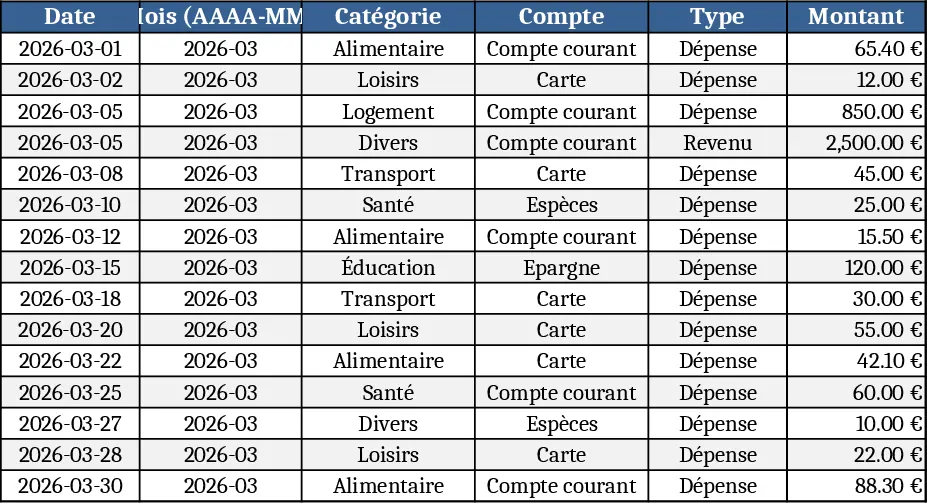
Personal Monthly Budget and Expense Tracker with Dashboard and Conditional Formatting Template
Track monthly income and expenses, compare against budget, and view visual dashboards of spending trends in a single Excel workbook.
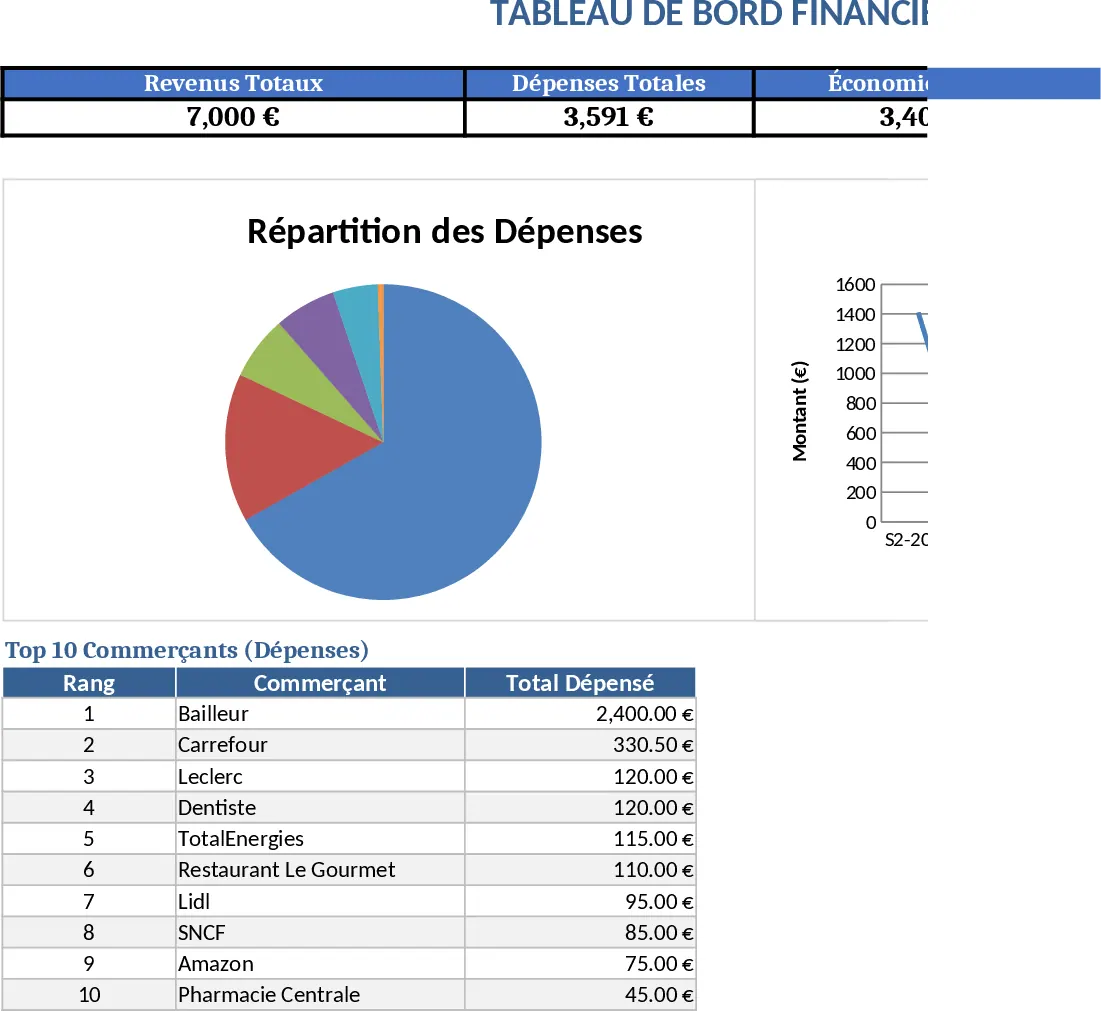
Personal Monthly Budget & Expense Tracker with Payment Methods Template
Track monthly income and expenses, compare against budgets, and visualize spending with charts in a ready‑made Excel workbook.