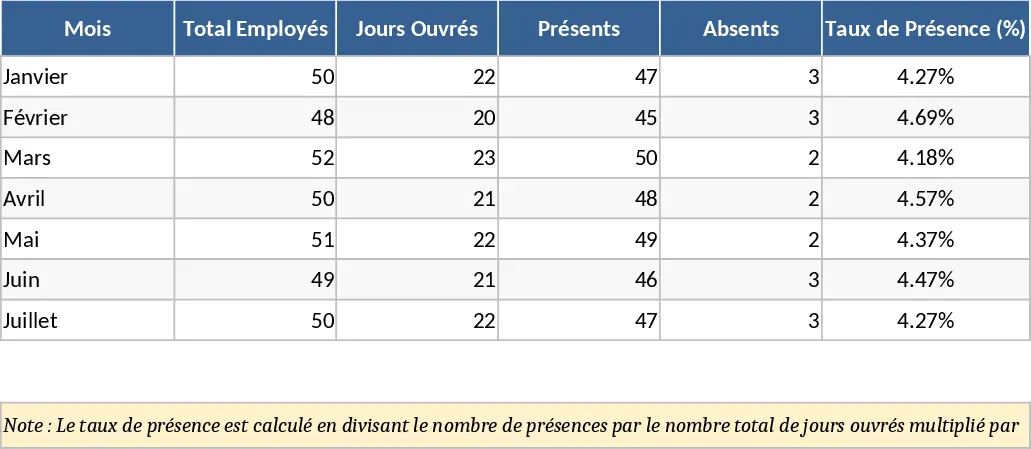
Employee Attendance and Overtime Tracker Template
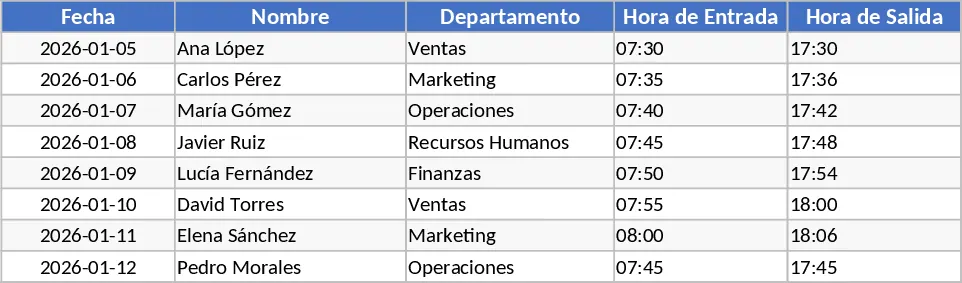
Managing a workforce effectively starts with accurate timekeeping. This Attendance and Overtime Registry template is designed to simplify the complex task of monitoring employee presence and calculating additional labor costs. Whether you are managing a small retail team or a growing corporate department, keeping a precise record of when employees arrive, when they take breaks, and when they stay late is crucial for both operational transparency and legal compliance. The template is organized into intuitive sheets, including an Employee Database, a Daily Attendance Log, and a Monthly Summary Dashboard. Key fields allow you to capture specific entry and exit times, while built-in dropdowns make it easy to categorize types of leave or specific overtime reasons.
The primary utility of this template lies in its ability to automate the math behind payroll. Instead of manually subtracting clock-in times from clock-out times and then checking against a standard 8-hour day, the template does the heavy lifting for you. It identifies overtime thresholds automatically, helping you avoid costly errors in wage calculation. This is particularly useful for businesses that operate with flexible shifts or those that frequently require staff to work beyond their contracted hours during peak seasons. By providing a clear visual of total hours worked, it helps managers identify who is being overworked and where additional hiring might be necessary to balance the load.
This tool is a perfect fit for HR managers, department heads, and administrative assistants who need a reliable, low-cost solution for workforce management. It bridges the gap between manual paper sheets and expensive biometric systems. In daily workflows, it serves as the central point for time-tracking data, allowing for quick adjustments and real-time visibility into staff availability. Beyond just numbers, it helps in maintaining a fair workplace where every extra hour is recognized and compensated correctly, boosting employee morale and trust. The template also allows for the tracking of absences, sick leave, and vacations, providing a holistic view of team availability in one single file.
How to use:
- Start by populating the Employee List with names, IDs, and their standard daily working hours or shift patterns to set the baseline for calculations.
- On a daily or weekly basis, enter the actual clock-in and clock-out times for each employee in the Attendance Log sheet, including any break durations.
- The template will automatically calculate the total hours and flag any overtime; you can then review the Monthly Summary to see aggregated data for payroll processing.
By implementing this structured approach, you can expect to save several hours each month on administrative tasks. The automated calculations reduce the risk of human error, ensuring that your payroll is both accurate and compliant with labor standards, ultimately leading to a more organized and professional HR operation. This systematic recording also provides valuable historical data that can be used to analyze labor trends and improve future shift planning.
Similar Templates Recommendation
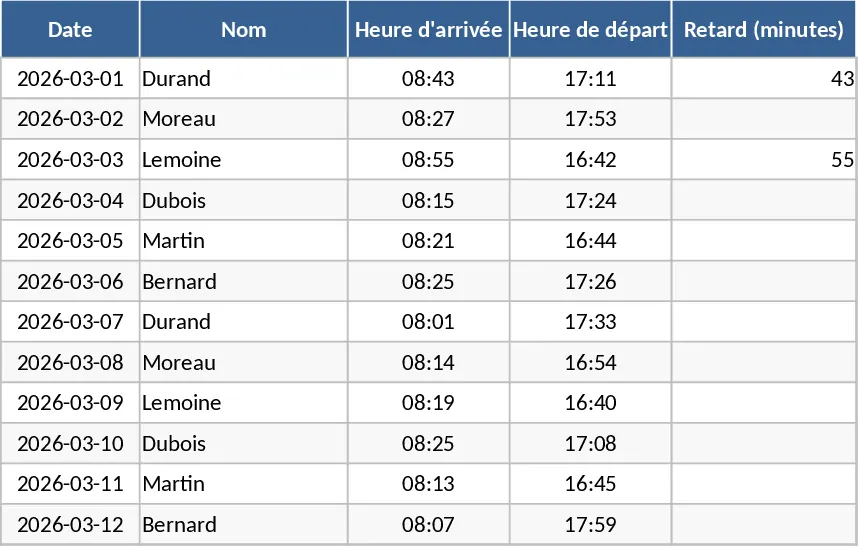
Employee Attendance, Absence, and Leave Tracker Template
Track employee attendance, monitor lateness, and manage leave requests for March 2026 with this streamlined office attendance log.
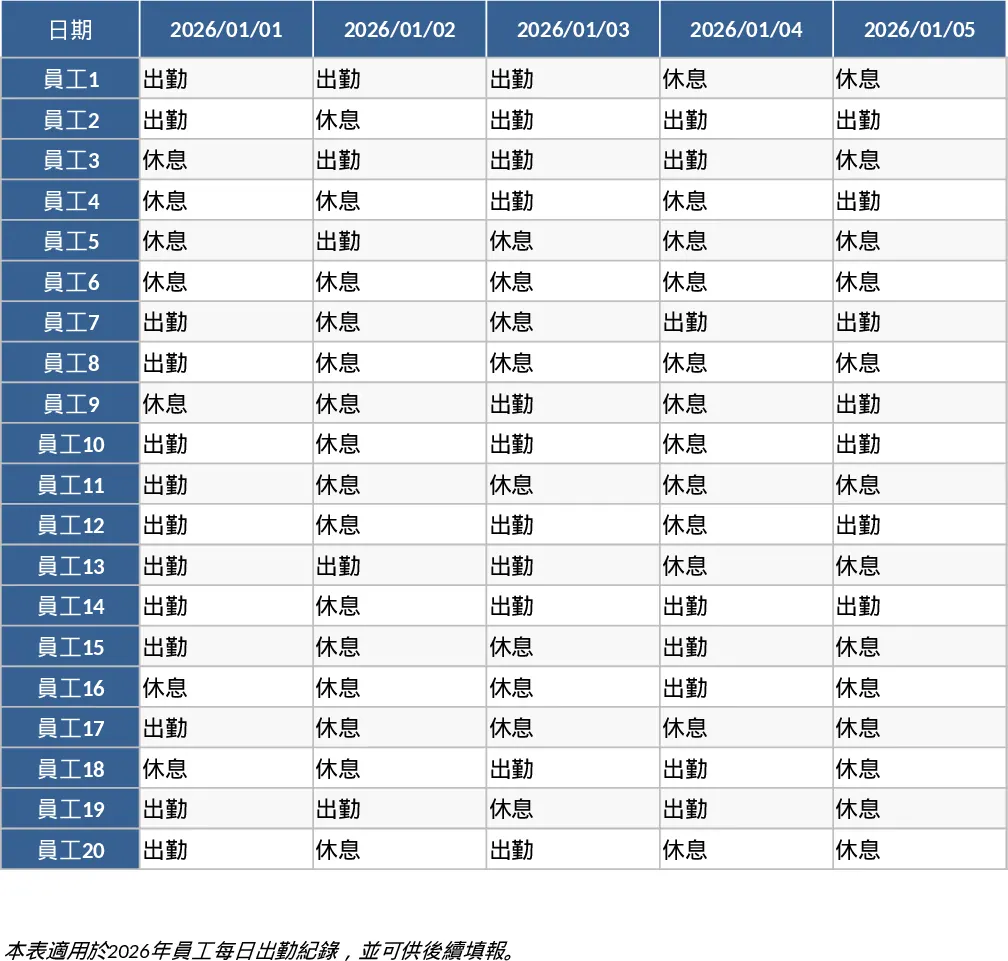
2026 Daily Employee Attendance Tracker Template
Monitor daily attendance for up to 20 employees throughout 2026 with a clear visual layout to track work status, leaves, and absences.
Attendance Tracker with Dashboard Template
Track daily employee attendance, monitor leave types, and generate monthly summaries to streamline payroll and workforce management.