Employee Attendance Tracker with Dashboard Template
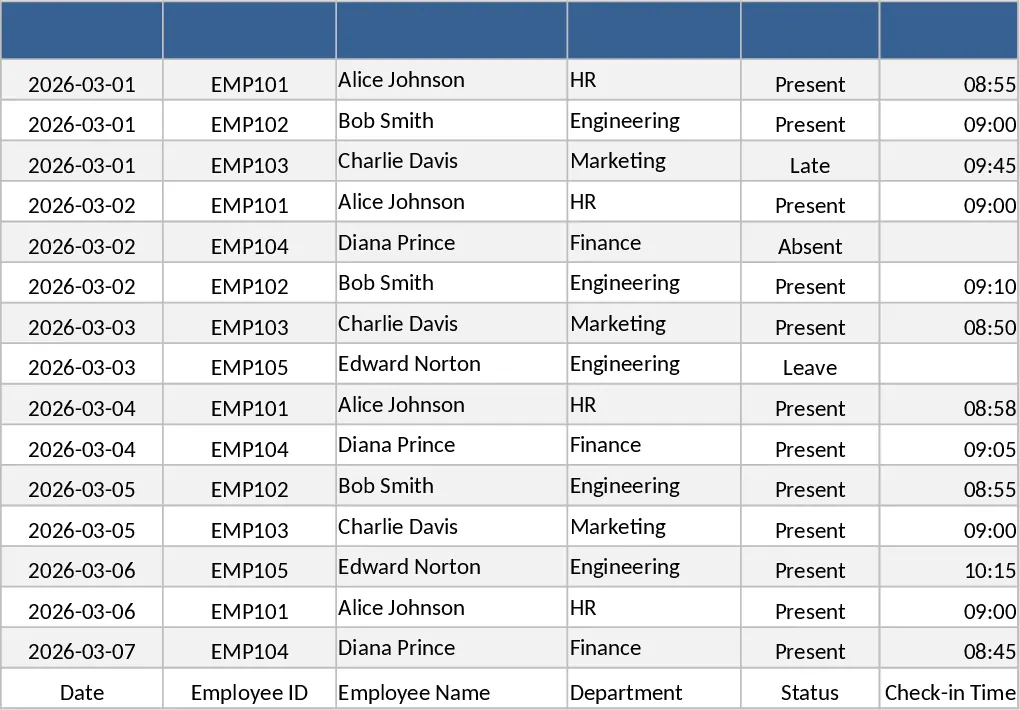
The Employee Attendance Excel Template is organized into three clear sheets – Employee List, Attendance Log, and Summary. In the Employee List you enter each staff member’s ID, name, department and contract type. The Attendance Log captures daily data: Date, Employee ID (linked to the list), Status (Present, Absent, Late, Early Leave, Overtime) chosen from a dropdown, Hours Worked, and optional comments. The Summary sheet automatically aggregates the raw data, showing total days present, total absences, count of late arrivals, accumulated overtime hours, and a month‑by‑month chart that visualizes attendance trends. All calculations are built‑in, so you get instant totals and visual insights without writing formulas yourself.
This template solves the common headache of manual attendance tracking. Instead of juggling paper sheets or separate spreadsheets, you have a single, structured workbook that eliminates duplicate entry, reduces errors, and provides a quick snapshot of workforce availability. The built‑in dashboards help managers spot patterns such as frequent tardiness or excessive overtime, enabling proactive scheduling and more accurate payroll preparation. By consolidating attendance data, the template also supports compliance reporting and audit trails, making it easier to respond to internal or regulatory inquiries.
The tool is ideal for HR professionals, office administrators, small‑business owners, and team leads who need a reliable way to monitor who is at work each day. It works equally well for companies with a handful of employees or for larger teams that want a lightweight alternative to dedicated time‑tracking software. Whether you’re preparing monthly payroll, planning shift coverage, or simply wanting a clear view of attendance health, this template fits the scenario.
How to use
- Open the workbook and fill the Employee List sheet with every staff member’s details – this creates the reference for the rest of the file.
- Each day, go to the Attendance Log and record the date, select the employee from the dropdown, choose the appropriate status, enter hours worked, and add any notes.
- Switch to the Summary sheet to see automatically updated totals, percentages, and charts that reflect the data you just entered.
- Export the summary or copy the relevant rows to your payroll system when it’s time to process wages.
Expected benefits: you’ll spend far less time compiling attendance records, enjoy fewer calculation mistakes, and gain immediate visual insight into workforce patterns, freeing you to focus on strategic HR tasks.
Similar Templates Recommendation
Employee Work Hours Tracker Template
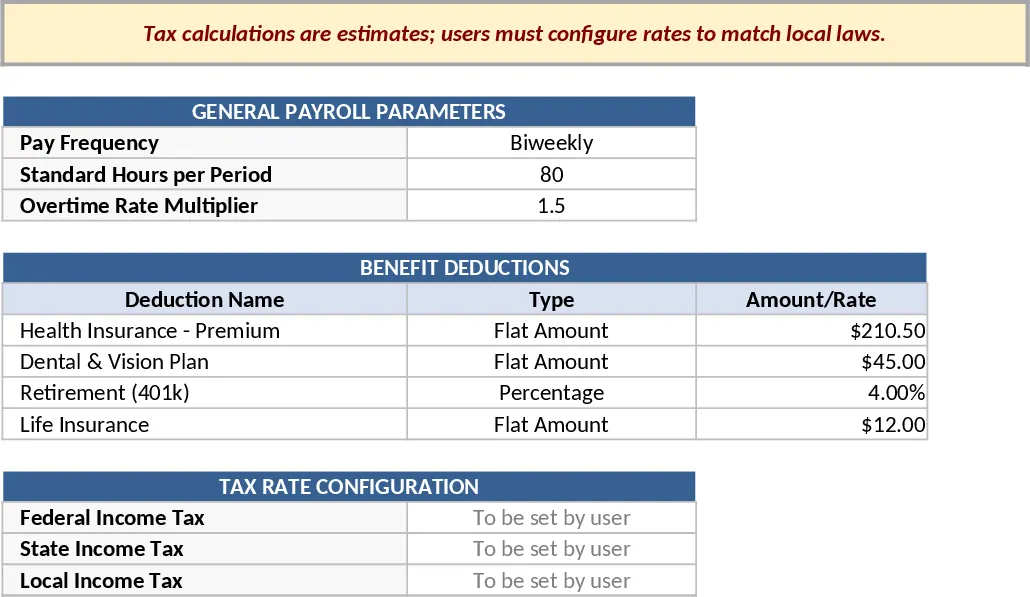
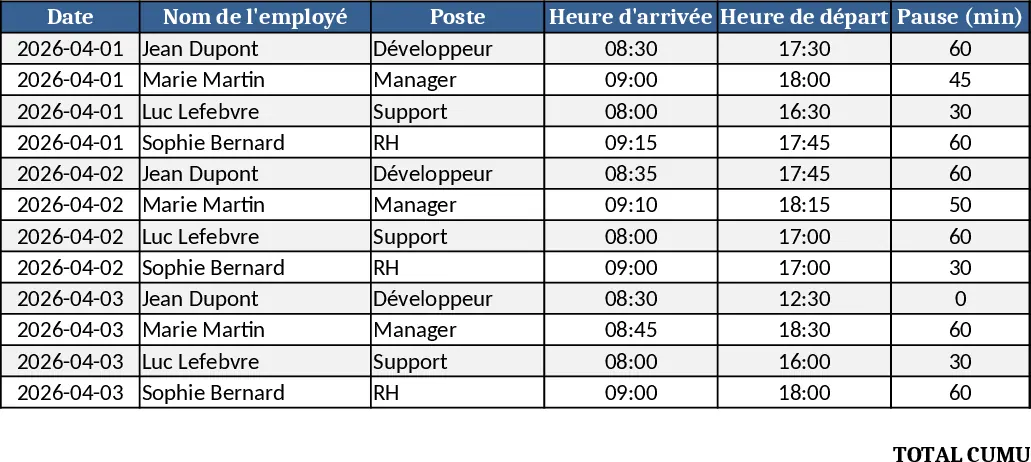
Track each employee's daily work hours, calculate totals, overtime, and generate clear summary reports for payroll and management.
Employee Timesheet & Overtime Payroll Template
Track employee work hours, overtime, and generate payroll summaries for up to 10 staff with sample data in three linked sheets.
Multi‑Sheet Payroll Calculator Template
A ready‑to‑use Excel payroll calculator with parameters, employee data, time inputs and pay statements to compute gross and net pay.