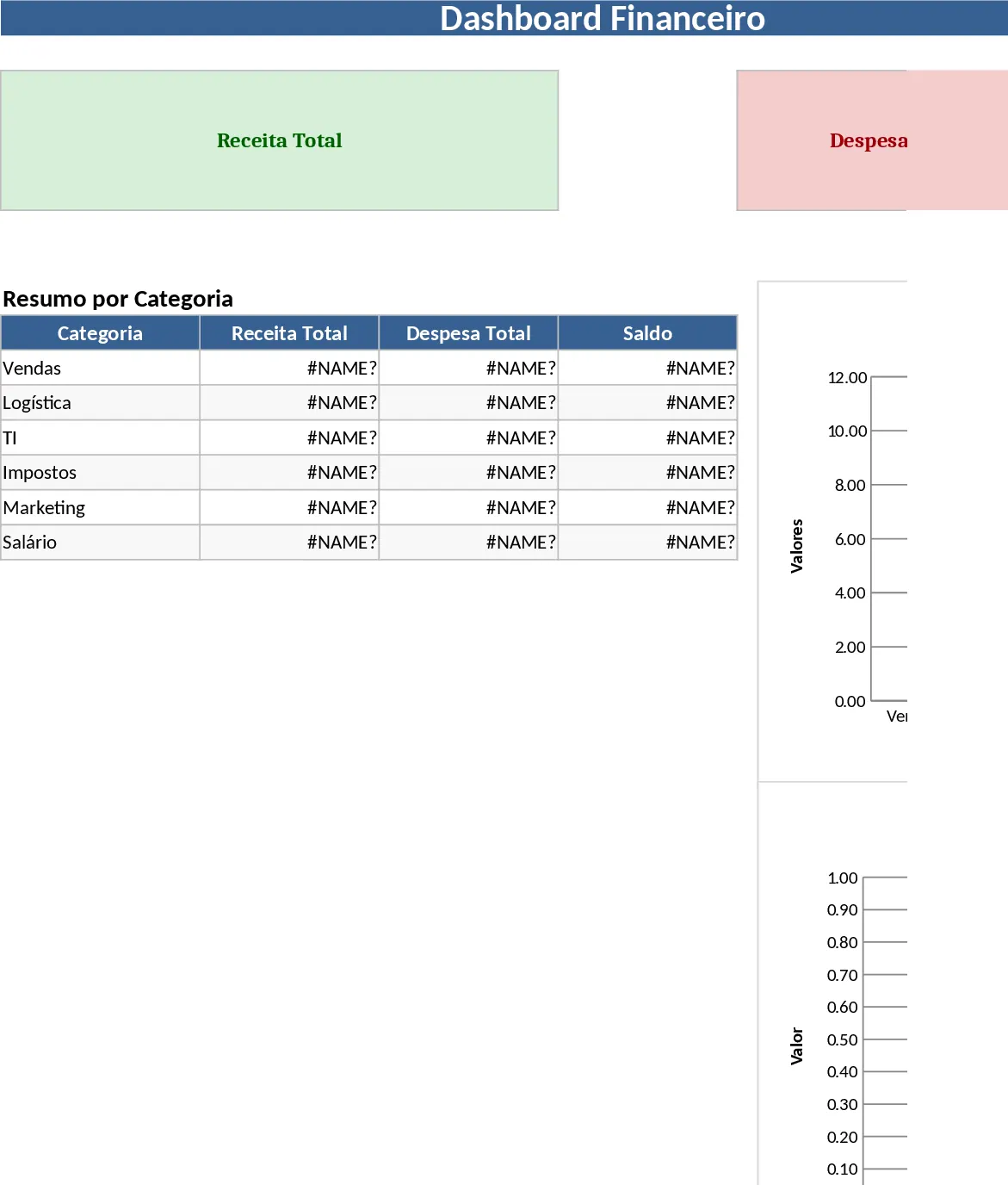
Google Sheets Data Management Template
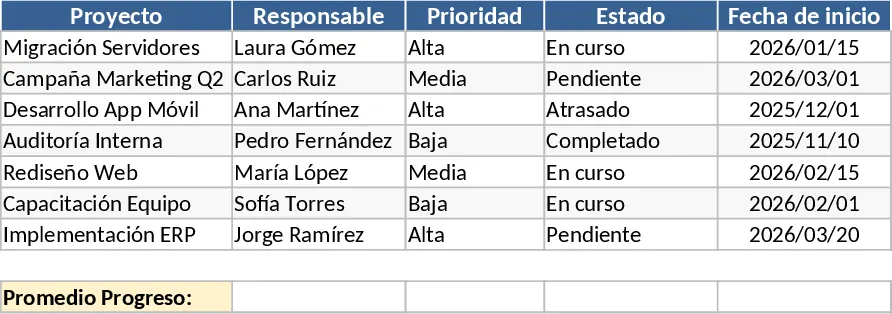
The Google Sheets Overview template is a versatile and comprehensive tool designed to transform how you interact with your data. At its core, the template is structured to provide a high-level perspective on various data points, making it an essential asset for anyone who relies on spreadsheets for daily organization. The template consists of several interconnected sheets, including a primary data input log, a categorization settings tab, and a dynamic summary dashboard. Key fields are clearly labeled to guide users through the data entry process, while customizable dropdown menus allow for seamless classification of entries. This structure ensures that even as your dataset grows, the information remains organized and easy to navigate.
One of the primary benefits of this template is its ability to solve the problem of information overload. In a typical work environment, data is often scattered across different files and platforms. This template acts as a central repository, allowing you to consolidate everything from project milestones and financial figures to inventory levels and contact lists. By bringing all this information into a single, well-organized Google Sheet, you gain a clearer understanding of your overall status. The automated summary outputs provide instant feedback, such as total counts, averages, and visual progress bars, which are crucial for making informed decisions quickly.
This template is particularly beneficial for freelancers, small business owners, and department leads who need to maintain a bird's-eye view of their operations. For instance, a project manager can use it to track the status of multiple concurrent tasks, while a small business owner might use it to monitor daily sales and expenses. The scenario is simple: whenever you find yourself switching between too many tabs or struggling to find a specific piece of information, this overview template provides the clarity you need. It helps you track progress over time, manage deadlines, and produce professional-looking reports that can be shared with stakeholders or team members.
The utility of this template extends beyond simple data entry. It is designed to enhance your daily workflow by reducing the manual effort required to generate reports. Instead of spending hours calculating totals or creating charts from scratch, the template does the heavy lifting for you. This allows you to focus on analyzing the data and taking action rather than just managing the spreadsheet itself. The clean, professional design also makes it suitable for presentations, ensuring that your data is not only accurate but also visually appealing.
How to use this template:
- Begin by navigating to the Settings tab to customize the dropdown options and categories to match your specific project or business needs.
- Enter your raw data into the Data Entry sheet, filling out the relevant columns such as dates, descriptions, and values.
- Use the built-in filters to sort through your data or search for specific entries, ensuring that you can find what you need in seconds.
- Review the Dashboard or Summary sheet to see your data visualized through automated charts and key performance indicators.
By implementing this Google Sheets Overview template, you can expect a significant reduction in the time spent on administrative tasks and a noticeable improvement in data accuracy. It provides a reliable framework for growth, allowing you to scale your data tracking efforts without losing control of the details.
Similar Templates Recommendation
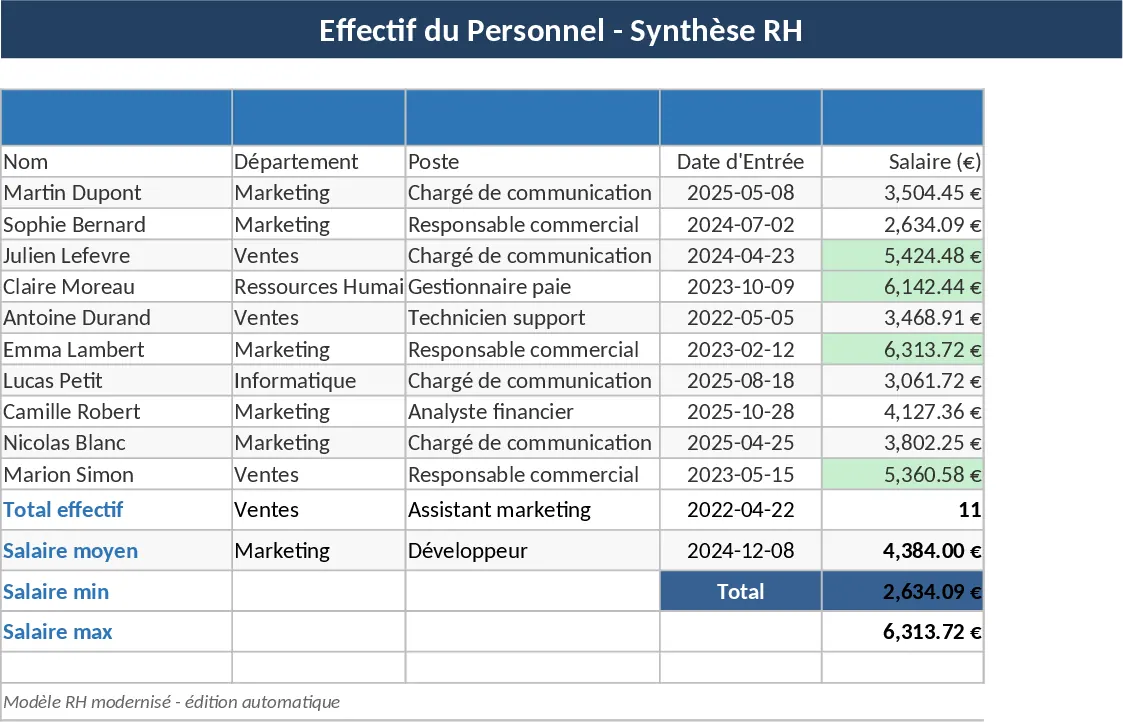
Modern Data Table Template
Transform your raw data into a professional, modern dashboard to track key metrics and manage daily operations with ease and clarity.
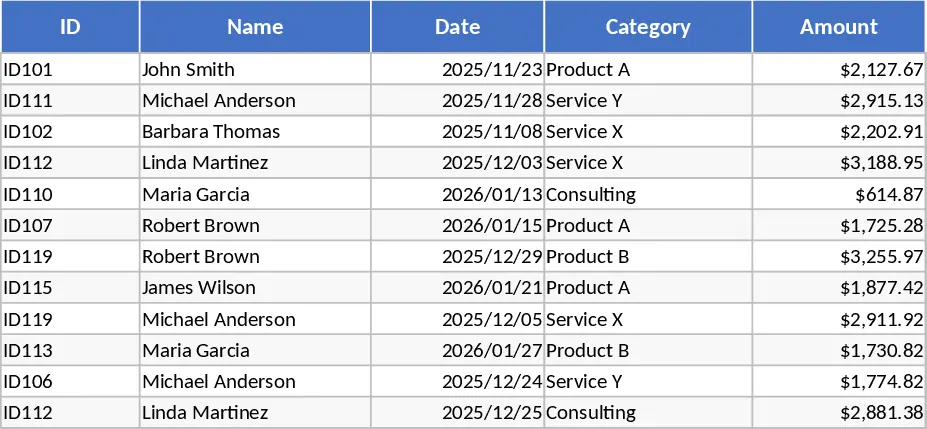
Simple Data Entry Table Template
Organize raw datasets into structured tables to track key metrics, visualize trends, and generate clear summaries for better decision-making.
Professional Business Dashboard with Charts Template
Visualize key performance indicators and track data trends with this customizable dashboard template designed for clear business insights.