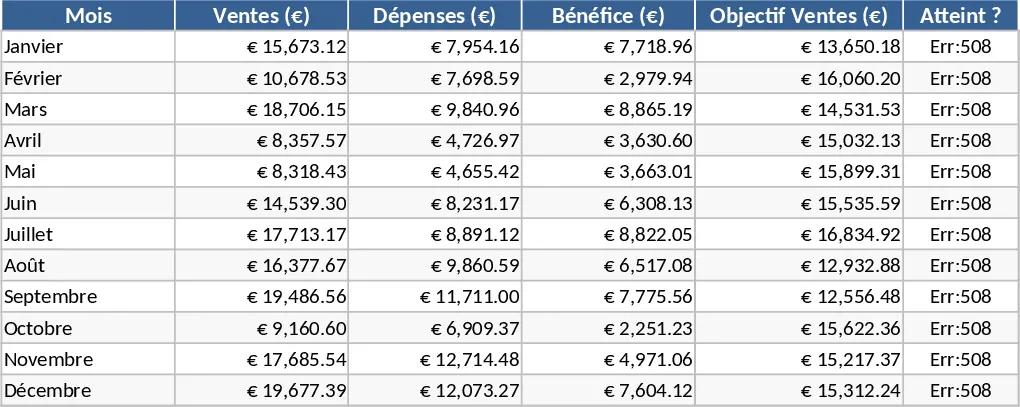
Simple Data Entry Table Template
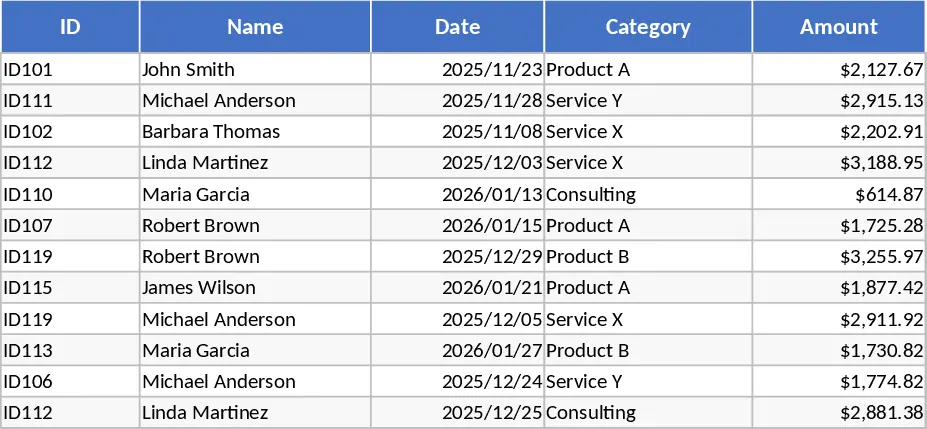
This Data Table Summary template is designed to transform messy, unorganized datasets into structured, actionable insights. It features a dedicated data entry sheet where you can input raw information across customizable columns, along with a summary dashboard that automatically aggregates your figures. With built-in filters and dropdown menus, you can easily categorize entries by date, department, or status, allowing for a multi-dimensional view of your business or personal information.
Whether you are managing inventory levels, tracking project expenses, or analyzing sales performance, this tool eliminates the manual effort of calculating totals and averages. It solves the common problem of data overload by distilling large volumes of information into concise tables and visual summaries. This makes it an essential resource for analysts, small business owners, and project managers who need to report on progress or identify trends without building complex formulas from scratch.
The template helps you track key performance indicators (KPIs), financial totals, and operational metrics in one centralized location. By maintaining a clean data structure, you ensure that your reporting remains consistent and accurate over time. It is particularly useful for monthly reviews, budget tracking, or any scenario where you need to compare planned versus actual results across different categories.
To use this template, first navigate to the Data Entry sheet and define your column headers to match your specific dataset. Next, input your raw data or paste it from another source, ensuring you use the dropdown menus for consistent categorization. Finally, head over to the Summary tab to view your auto-generated reports; you can use the slicers or filters to drill down into specific timeframes or categories for a more detailed analysis.
Using this template significantly reduces the time spent on manual data manipulation and formula troubleshooting, allowing you to focus more on interpreting results and less on formatting cells.
Similar Templates Recommendation
Data Table Optimization and Pivot Analysis Template
Transform raw data into structured tables and generate dynamic pivot table reports to gain instant insights into your business metrics.
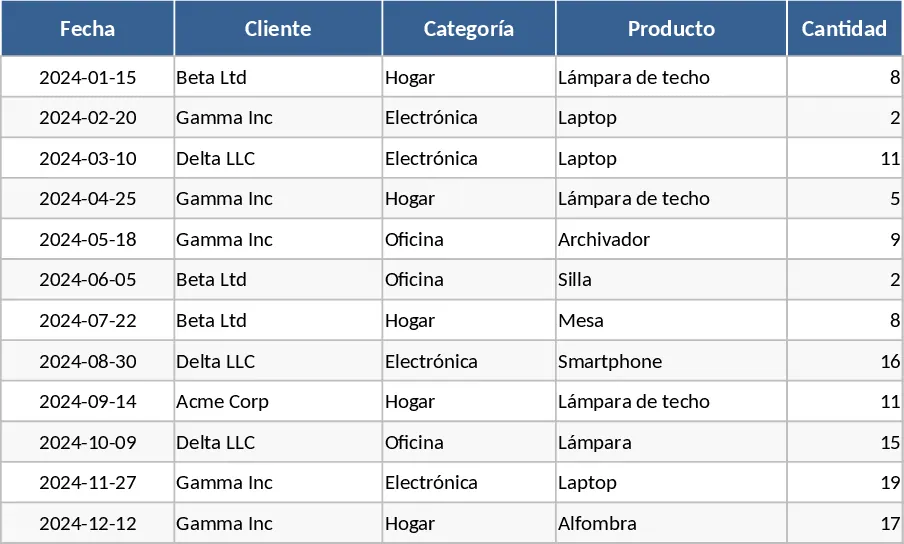
Pivot Table Data Analysis Template
Organize and analyze large datasets effortlessly using this dynamic pivot table template for professional reporting and data visualization.
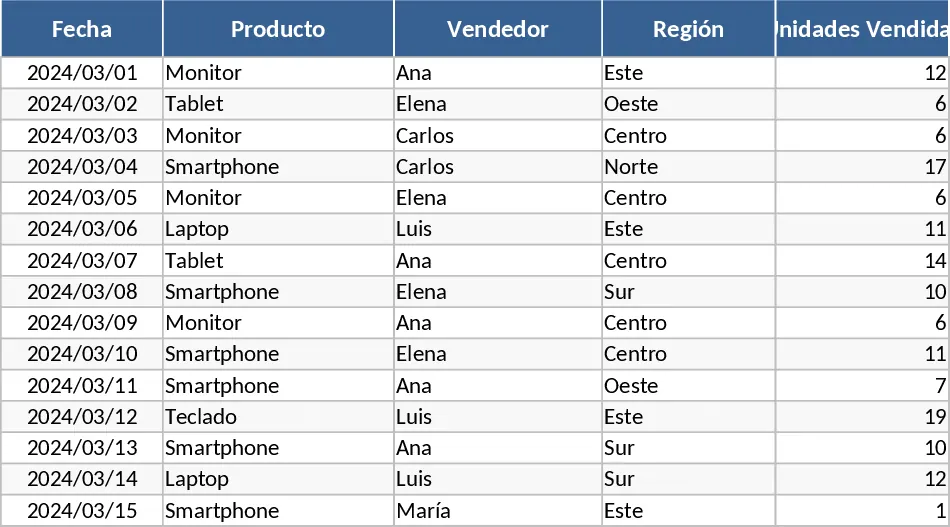
Professional Business Dashboard with Weekly Trends Template
Visualize your key performance indicators and business metrics in one centralized view to make data-driven decisions with ease.