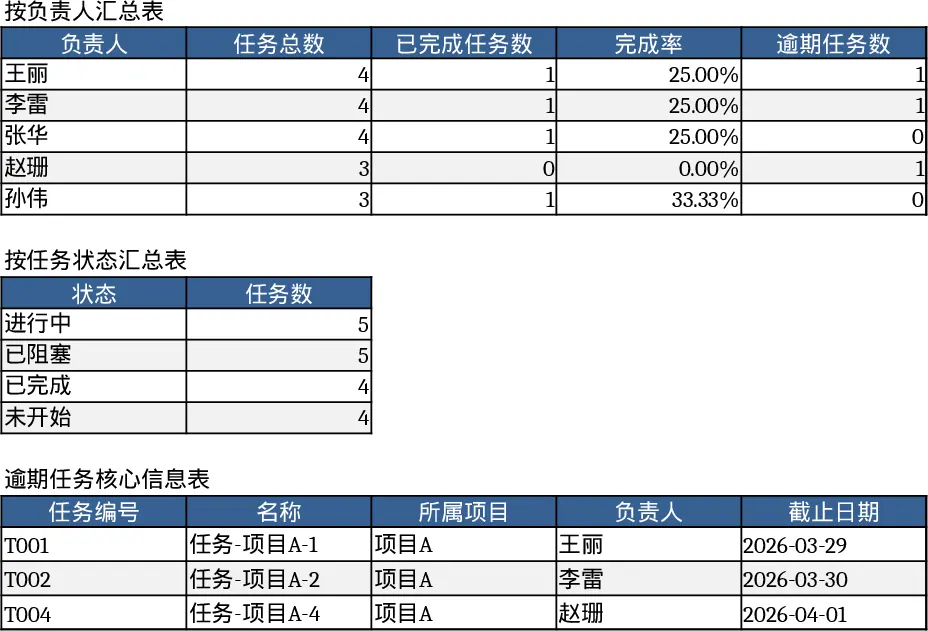
Project Task Tracker & Overview with Task Status Template
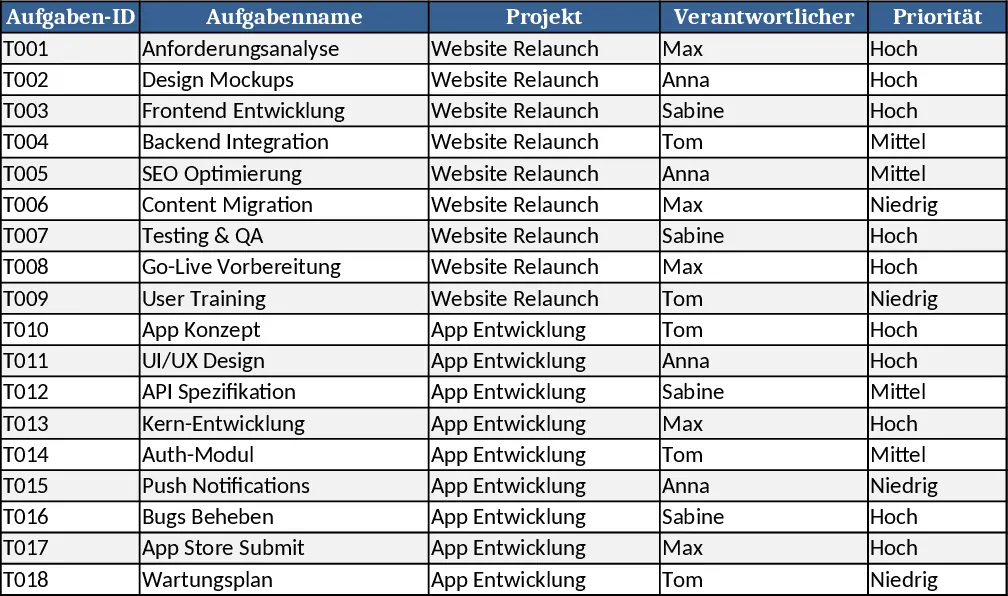
The Project Tasks Tracker is a two‑sheet Excel workbook designed to give you a clear, real‑time view of every task across your projects. The Tasks sheet lists each work item with columns for Task ID, Name, Project, Responsible (chosen from a dropdown), Priority (High/Medium/Low), Status (Not Started/In Progress/Blocked/Completed), Start Date, Due Date, Estimated Hours, Actual Hours, Dependencies, and Notes. Conditional formatting highlights overdue tasks in red when the due date is past today and the status isn’t Completed. The Project Overview sheet aggregates this data, showing per‑responsible‑person totals, completed counts, completion percentages, and overdue counts, plus a status‑based summary and a table of all overdue items with key details. Sample data for 18 tasks across two projects is pre‑filled to illustrate the layout.
This template solves the common headache of scattered task information and manual status reporting. By centralising task attributes and automating calculations, you instantly see which tasks are at risk, how workload is distributed, and where bottlenecks exist. The built‑in dropdowns enforce consistent data entry, while the summary tables eliminate the need for separate reports, letting you focus on decision‑making rather than data gathering.
Project managers, team leads, and anyone coordinating multi‑project work will find this workbook invaluable. Whether you’re running a software development sprint, a marketing campaign, or a construction phase, the tracker adapts to any industry where tasks need clear ownership, priority, and deadline management. It helps you keep teams aligned, ensures accountability, and provides a quick snapshot for stakeholder updates.
How to use:
- Open the Tasks sheet and enter each new task, selecting the responsible person, priority, and status from the dropdowns, then fill in dates, estimated hours, and any dependencies.
- As work progresses, update the Actual Hours and change the Status column; overdue rows will turn red automatically.
- Switch to the Project Overview sheet to see refreshed totals, completion percentages, and a list of overdue tasks without any extra effort.
- Use the summary tables to export or copy‑paste data for presentations or status meetings.
Expected benefits: reduces manual tracking time, improves visibility into project health, and helps teams stay on schedule with minimal effort.
Similar Templates Recommendation
Project Task Tracker with Overview and Dashboard Template
Track project tasks in Excel, assign owners, set priorities and deadlines, monitor real‑time status, and view summary dashboards by assignee and status.
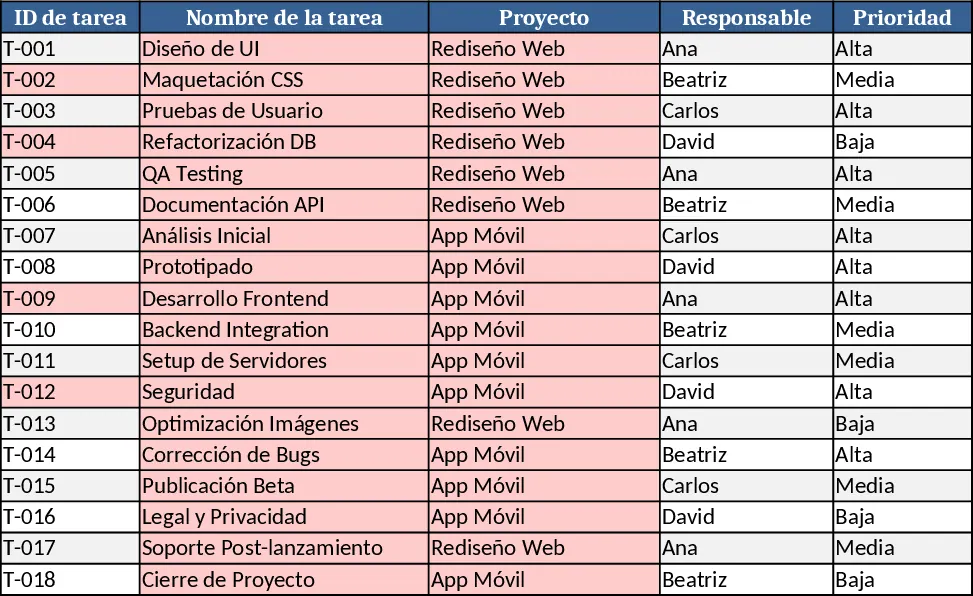
Project Task Tracker & Overview with Dashboard Template
Track tasks across multiple projects with status, priority, assignee dropdowns, and view per‑person and per‑status summaries plus a delayed‑tasks list.
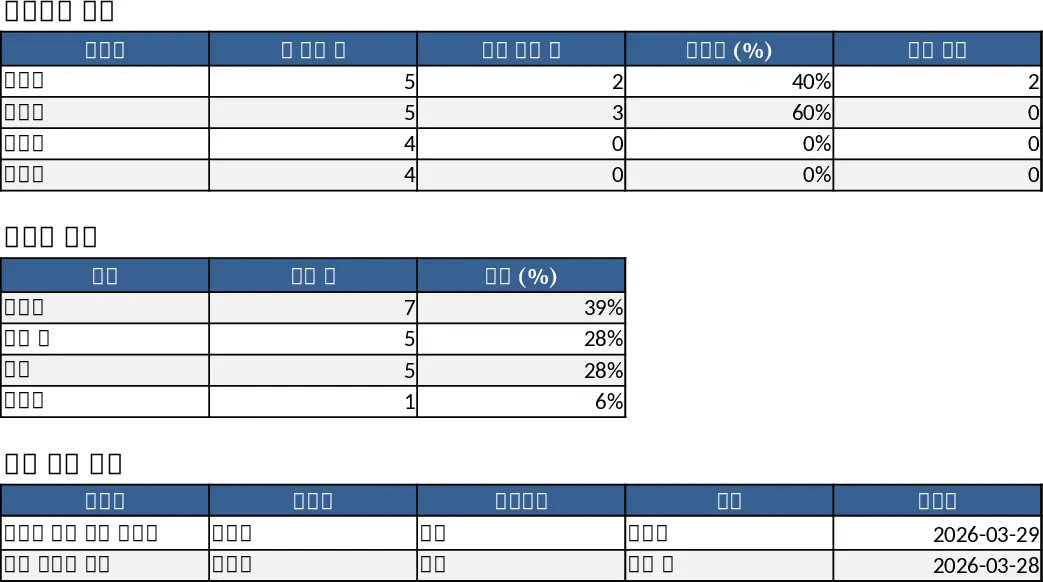
Project Task Tracker & Owner Overview Template
Track, prioritize, and monitor project tasks with automatic status highlights and per‑owner summaries in a ready‑to‑use Excel workbook.