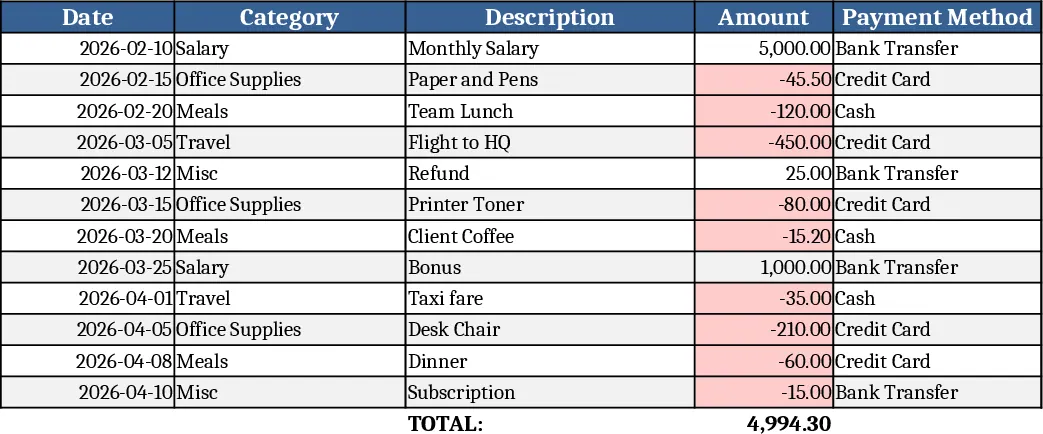
Image-Based Excel Replication Template
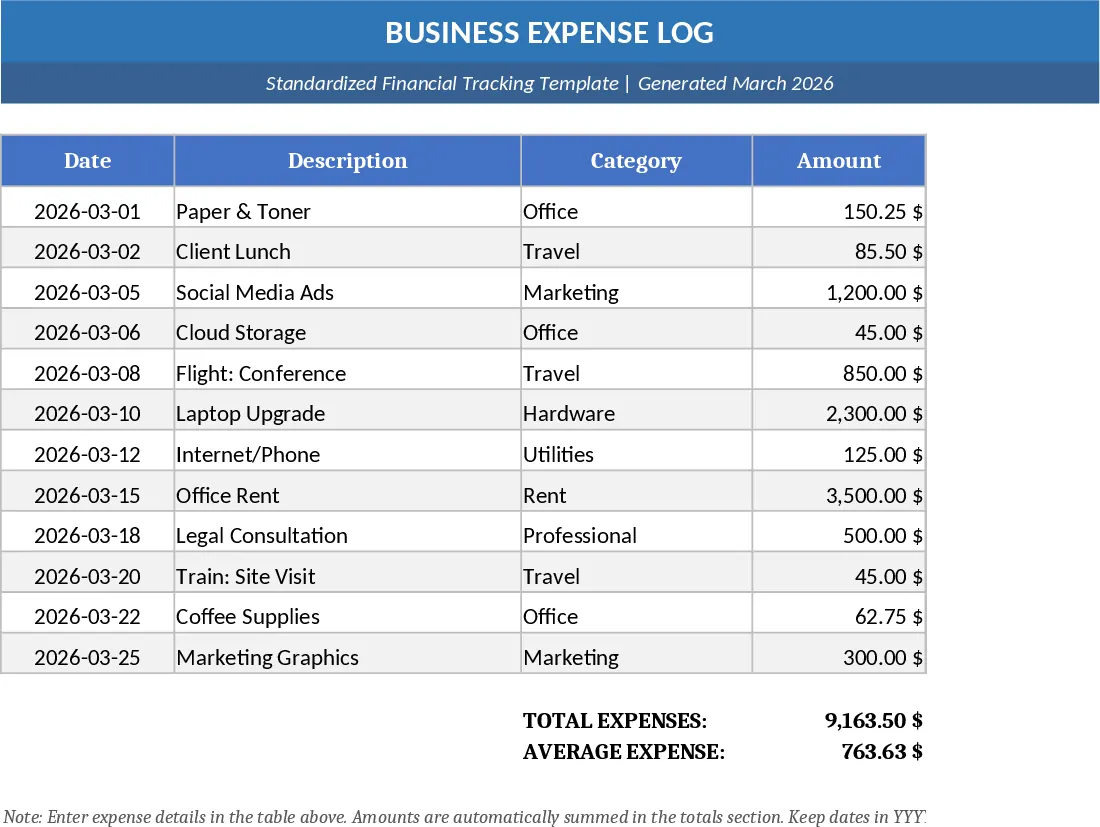
This template generator takes a picture of a table, form, or any structured layout and instantly builds a fully functional Excel workbook that looks and works exactly like the original. The engine analyses the image, identifies rows, columns, headers, and any visual cues such as colour‑coded sections or drop‑down icons. It then creates separate sheets for raw data, calculations, and a summary dashboard. Key fields are automatically named, data‑type validation (text, number, date) is applied, and common UI elements like drop‑down lists are recreated based on the visual cues in the picture. The result is a clean, editable spreadsheet that you can start using immediately, with built‑in formulas and summary tables that reflect the structure you captured.
By converting a static image into a live Excel file, you eliminate the tedious, error‑prone task of manually re‑typing data and rebuilding tables. This is especially valuable when you receive scanned reports, screenshots of dashboards, or hand‑drawn layouts that need to become actionable data sources. The template ensures consistency across the team, reduces transcription mistakes, and speeds up the onboarding of new reports. Whether you are consolidating monthly sales snapshots, digitising audit checklists, or turning classroom grade sheets into gradebooks, the tool gives you a ready‑made, formula‑ready workbook in seconds.
The solution is ideal for analysts, accountants, project coordinators, educators, and anyone who regularly receives information in image form and needs to work with it in Excel. It shines in scenarios such as converting scanned invoices into a ledger template, turning a photographed inventory list into a stock‑tracking sheet, or reproducing a printed KPI dashboard for further analysis. The generated workbook tracks the same metrics shown in the image, supports ongoing data entry, and provides instant visual summaries, making it a bridge between visual documentation and dynamic data management.
How to use
- Upload the image file (PNG, JPG, PDF) containing the table or layout you want to replicate.
- Review the auto‑detected fields on the preview screen; adjust column names, data types, or drop‑down options if needed.
- Click Generate Workbook – the system creates a multi‑sheet Excel file with raw data, calculations, and a summary view.
- Open the file in Excel, start entering new data, and watch the built‑in formulas update the dashboard instantly.
Expected benefits: dramatically cut the time spent recreating tables, reduce manual entry errors, and provide an instantly usable spreadsheet that matches the original visual design.
Similar Templates Recommendation
Formula-Enabled Data Table Template
A ready‑to‑use Excel workbook where you paste your data and built‑in formulas instantly calculate key metrics and insights.
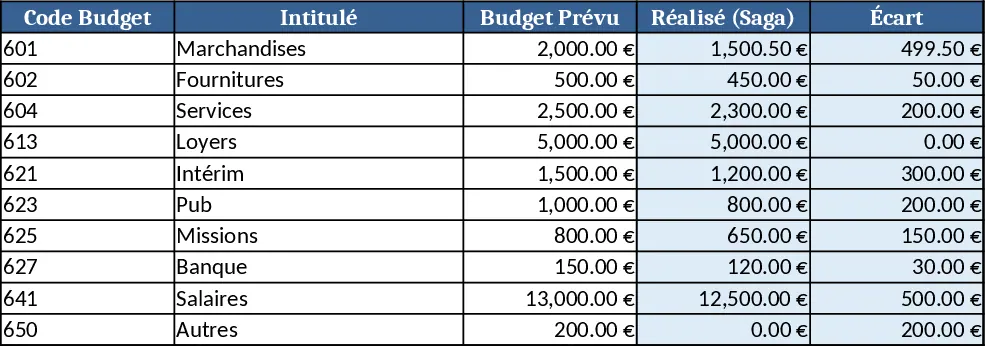
SR Number Guest Name Lookup Template
Use this Excel template to link multiple worksheets by SR# and automatically pull the correct person’s name onto each page.
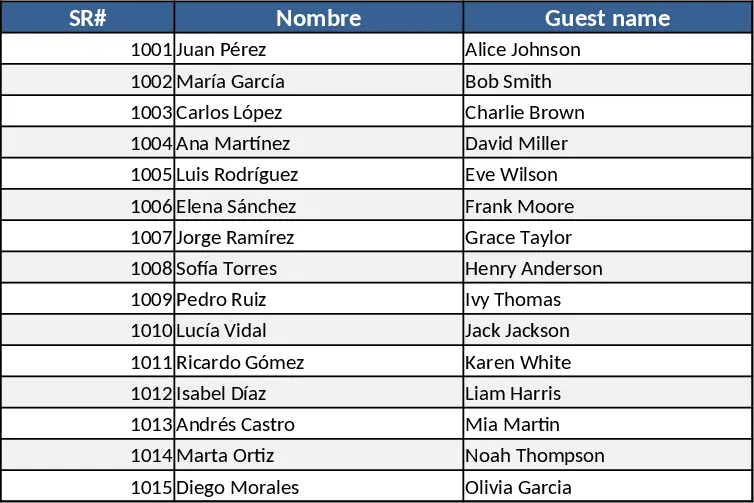
General Purpose Excel with Data Validation Template
A versatile, customizable Excel template that you can adapt to track data, manage projects, or analyze metrics across any business need.