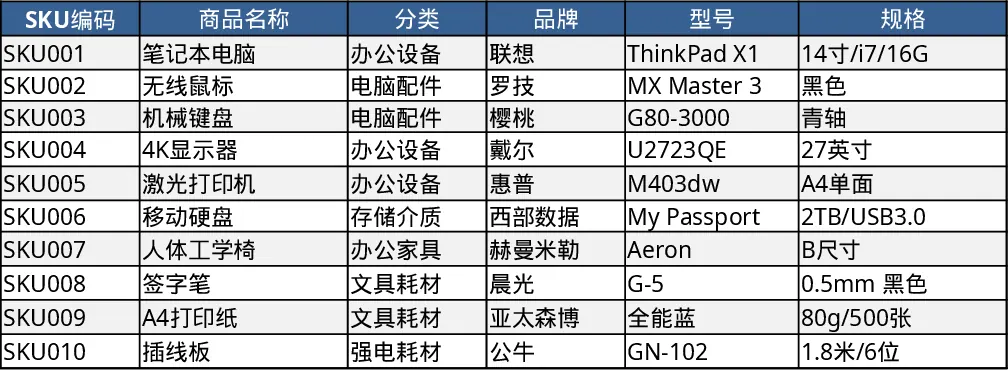
Inventory In/Out Tracking with Sales Details Template
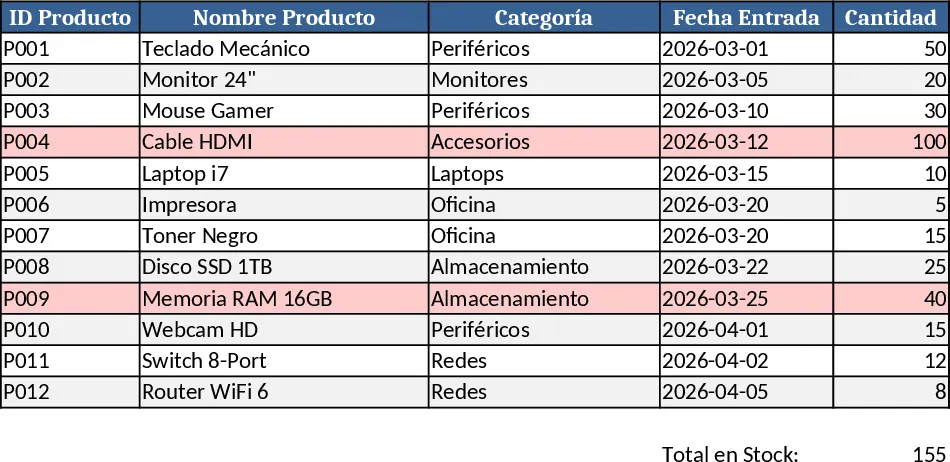
This Excel template is built for anyone who needs a clear view of stock flow and sales activity. It contains three main sheets: Inventory Register, Movement Log, and Summary Dashboard. The Register lists each product with fields for SKU, description, current quantity, unit price and a dropdown for product category. The Movement Log captures every transaction – inbound receipts, outbound sales, transfers, and losses – with columns for date, product SKU (linked to the Register), quantity, transaction type (cash sale, transfer, loss), seller name, and optional notes. A small set of data‑validation lists ensures consistent entry. The Dashboard pulls data from the logs to show total stock on hand, monthly sales by type, top‑selling items, and a loss‑rate chart, all updated automatically with simple formulas and pivot tables.
The template solves the common headache of scattered spreadsheets and manual tallies. By centralising all movements, it eliminates duplicate entries, reduces errors in stock counts, and gives instant visibility into how much inventory is available, which items are moving fast, and where losses are occurring. This helps prevent stock‑outs, over‑ordering, and unnoticed shrinkage, ultimately keeping cash flow healthier and operations smoother.
It is ideal for small‑to‑medium retail stores, warehouse managers, and sales teams who handle cash, bank transfers, or occasional inventory loss. Whether you run a boutique shop, a hardware outlet, or a distribution centre, the template adapts to any product range and sales channel, providing a single source of truth for inventory decisions.
The template helps you track every inbound receipt, every sale (by cash, transfer or loss), and the responsible seller, turning raw transaction data into actionable insights such as average turnover time, profit per product, and loss percentages. These metrics support better purchasing plans, pricing strategies, and loss‑prevention measures.
How to use
- Open the Inventory Register sheet and fill in each product’s SKU, description, unit price and starting quantity. Use the category dropdown to group items.
- Record each transaction in the Movement Log: select the date, pick the SKU from the linked list, enter the quantity, choose the transaction type (Cash Sale, Transfer, Loss, Receipt) and type the seller’s name.
- Switch to the Summary Dashboard – the key figures and charts update automatically, showing current stock levels, sales totals by type, and loss trends.
- Periodically review the dashboard to spot low‑stock alerts or unusually high loss rates, then adjust ordering or investigate causes.
Expected benefits include faster end‑of‑day stock reconciliation, fewer manual calculations, and clearer visibility into sales performance, all of which free up time for strategic tasks rather than data entry.
Similar Templates Recommendation
Inventory Invoice Tracker Template
Track stock levels, create invoices, auto‑calculate totals and deduct sold items from inventory—all within one Excel workbook.
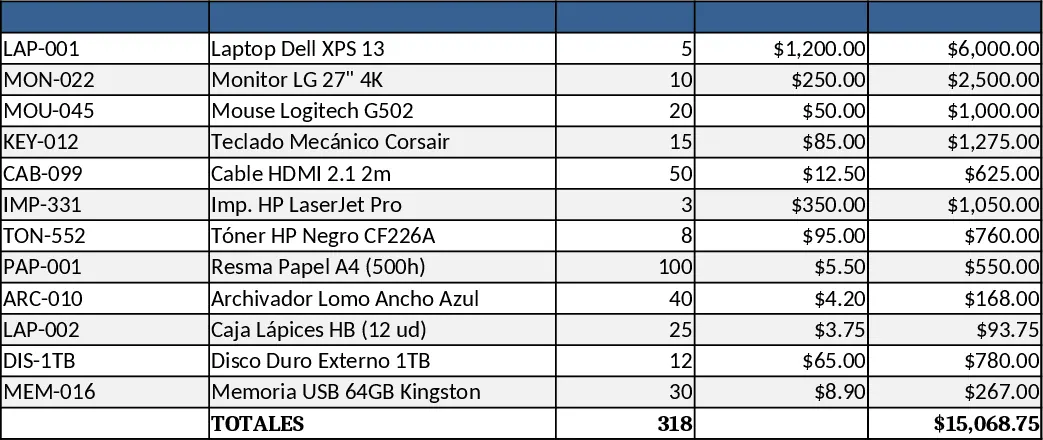
Comprehensive Inventory Management Tracker with Dashboard Template
Track product details, stock movements, and real‑time inventory levels with automatic reorder alerts in a single Excel workbook.
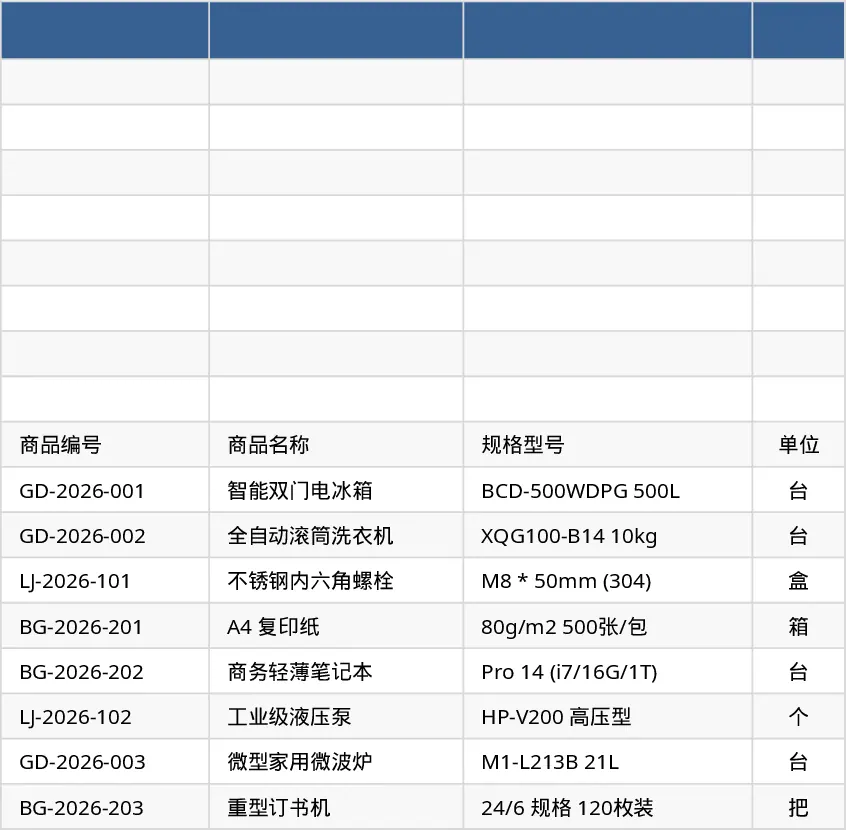
Three‑Sheet Inventory Management Template
Track product details, record stock movements, and view real‑time inventory summaries with three linked sheets and sample data.