Rounding numbers is a common requirement when working with Excel tables. Whether it's to simplify data or to fulfill a specific calculation, accurate rounding is critical. Traditionally, we have used Excel's own functions to accomplish this task, but these methods can require some formula knowledge and manipulation skills. Now, with the power of RowSpeak, you can round numbers in a simple, conversational way, without having to memorize complex function formulas.
Traditional methods
In the traditional method, Excel provides several commonly used functions to rounding operations:
ROUND function: This is the most common rounding function, the syntax for the
ROUND (number, num_digits), whichnumberis to be rounded up to the number ofnum_digitsis to specify the number of retained decimal places. For example,ROUND(3.14159, 2)would return 3.14.ROUNDUP function: This function always rounds up numbers, with the same syntax as the ROUND function. For example,
ROUNDUP(3.14159, 2)would return 3.15.ROUNDDOWN function: opposite of the ROUNDUP function, this function always rounds down. For example,
ROUNDDOWN(3.14159, 2)would return 3.14.
To use these functions, you need to enter the formula in the appropriate cell and drag it to apply it to the entire column of data. For users unfamiliar with Excel functions, this may take some time and practice to master.
An easy way to use RowSpeak
RowSpeak is an Excel analysis tool based on artificial intelligence technology that allows users to perform various operations, including rounding numbers, by means of a natural language dialog. Below are the specific steps to do so:
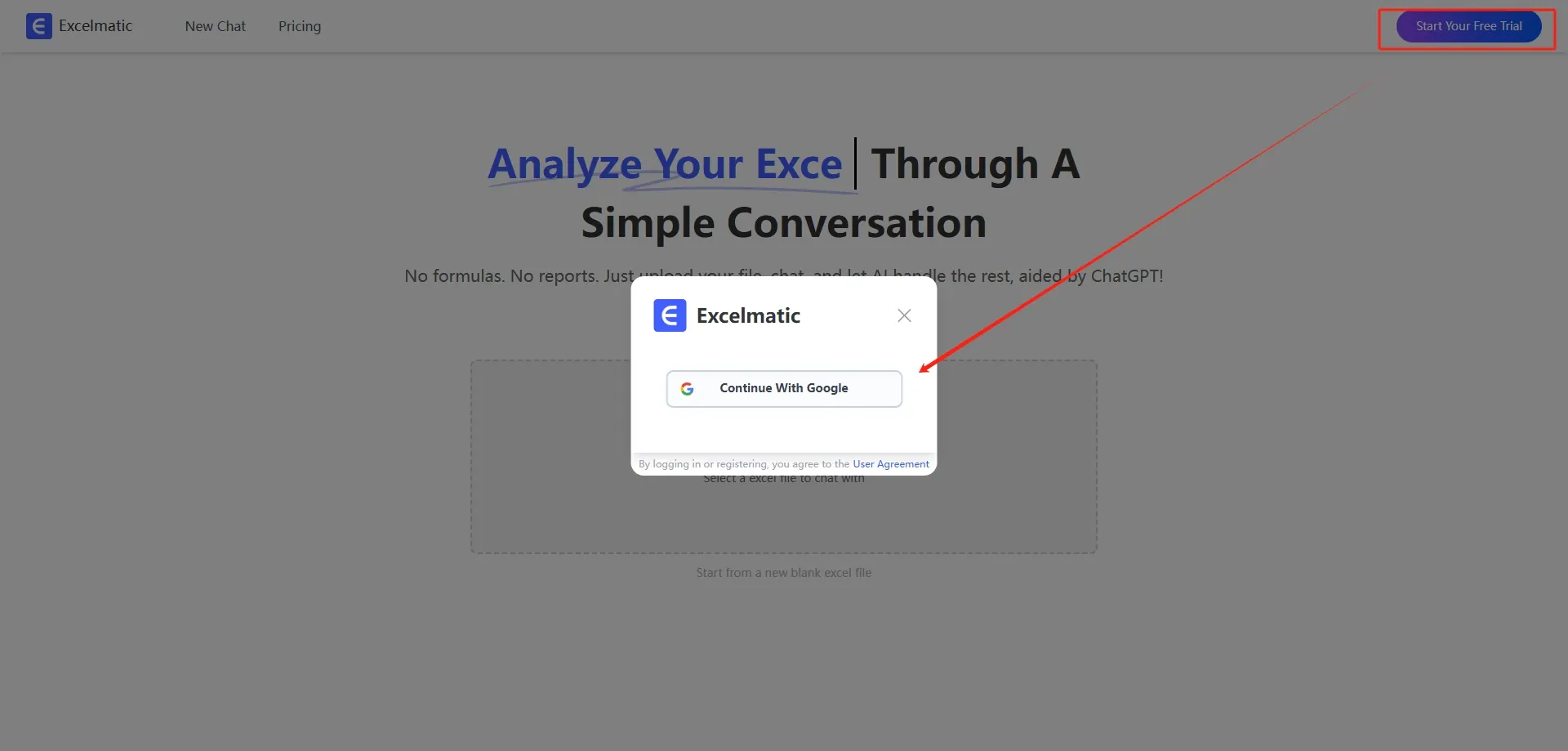
- Register and Login: Visit the official website of RowSpeak! , register an account and login.
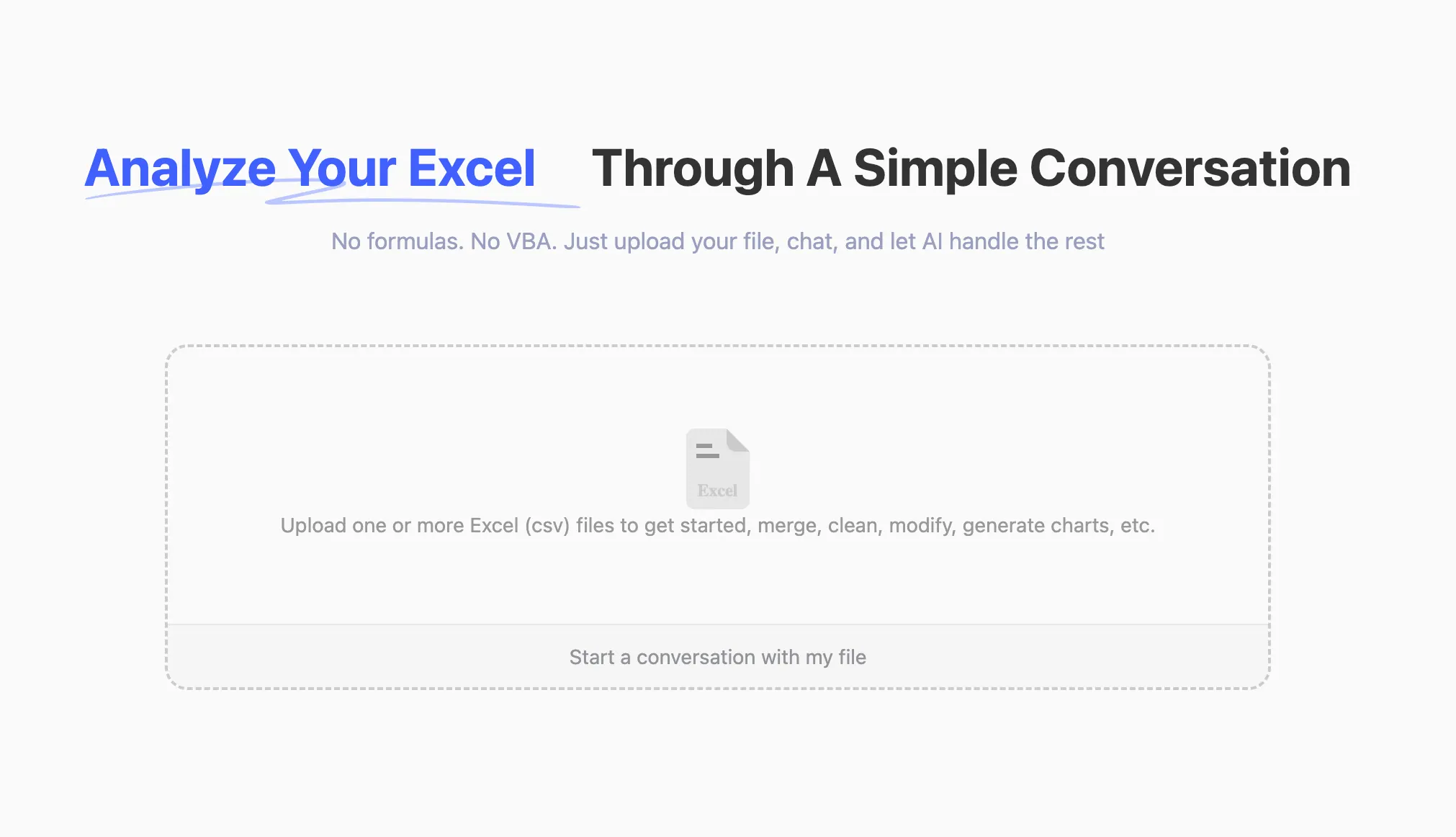
- Upload Excel file: Upload an Excel file containing numbers to be rounded to the RowSpeak platform. The platform supports common Excel formats such as .xlsx, .xls and .csv.
- Rounding operations: Once the upload is complete, you can communicate with RowSpeak through a dialog box. For example, if you need to round a number in a cell to two decimals, you can just ask:
Round the price to a whole number and download itRowSpeak will understand what you need and provide you with instructions or give you the result directly.
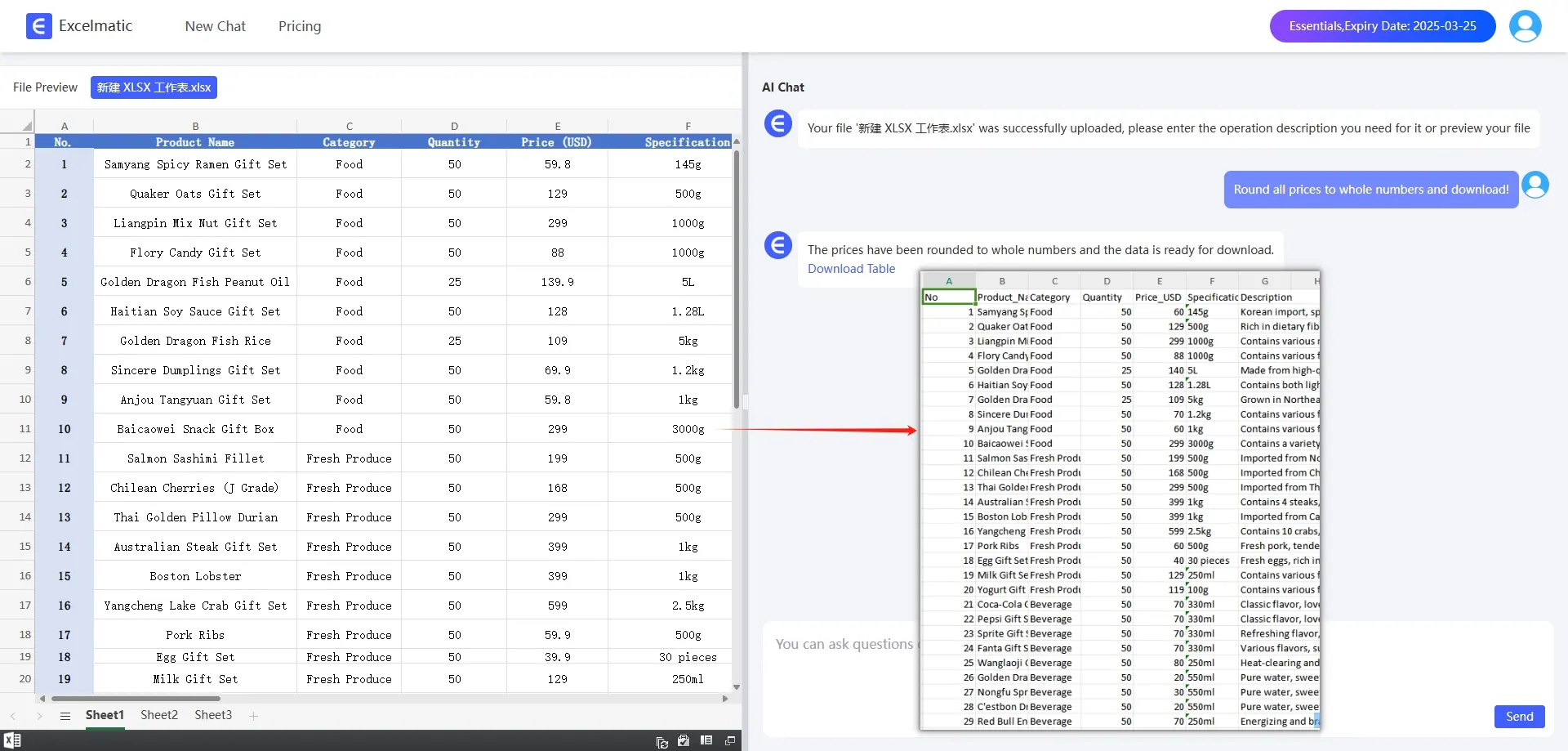
- Get Result: Following the instructions provided by RowSpeak, you can easily complete the rounding operation and get the final result. The whole process does not require you to memorize complicated function formulas, and can be done through a simple dialog.
With RowSpeak! , you can round numbers in Excel tables more easily and intuitively, saving time and effort, especially for those users who are not familiar with Excel functions.