Power BI is a strong business intelligence platform. For governed dashboards, stable semantic models, enterprise distribution, and deep Microsoft ecosystem work, it often makes sense.
For reports that repeat every week or month, RowSpeak's automated spreadsheet reports keeps file cleanup, metric checks, and summaries reusable.
But many teams searching for a Power BI alternative are not really rejecting BI. They are trying to solve a smaller, messier problem:
We have Excel and CSV exports every week. We need clear reports and dashboards faster. We do not want every change to become a BI project.
That is a different category of work. It is less about replacing Power BI and more about choosing the right reporting layer for spreadsheet-heavy teams.
Key takeaways:
- Power BI is best when the data model is stable, governed, and reused across teams.
- RowSpeak is better suited to file-based reporting where Excel, CSV, PDF, and image-based tables need to become reviewable summaries, charts, and dashboards quickly.
- The right decision depends on data stability, governance needs, report frequency, and how often business questions change.
Why Teams Look for a Power BI Alternative
The search usually starts with a real workflow problem:
- A finance manager receives monthly Excel files from different departments.
- A sales ops team exports pipeline data before every leadership meeting.
- An ecommerce operator downloads Shopify, ads, and inventory CSVs each week.
- A consultant needs to turn client files into a report without building a full data model.
- A manager wants a dashboard, but the source data changes too often for a polished BI setup.
Power BI can handle many of these scenarios if the team invests in modeling, refresh logic, permissions, and dashboard design. The question is whether that investment is justified for the report in front of you.
If the report is still changing, if the data arrives as files, or if the team mostly needs explanation and action, RowSpeak may be the lighter path.
For spreadsheet-heavy teams, the first useful step is often not a dashboard. It is finding issues in the file, such as duplicate rows or inconsistent product records, before the report becomes visual.
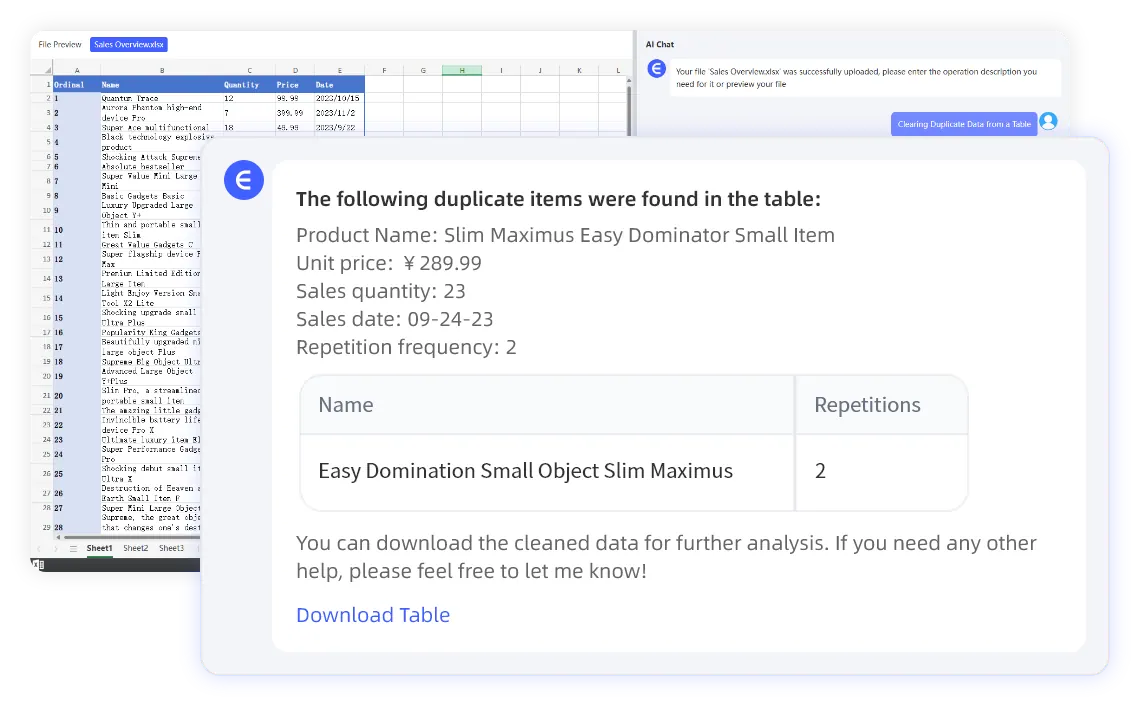
For a deeper version of this argument, see when Power BI is overkill for Excel reports.
The Decision Framework
Use four questions before choosing a tool.
1. Is the data source stable?
Power BI works best when the source structure is predictable. If the same tables refresh on a schedule, the model can pay off.
RowSpeak is better when the inputs are variable: Excel files from vendors, CSV downloads, PDF reports, screenshots, or workbook tabs that shift from month to month.
2. Is the output a dashboard, a report, or a decision?
If the team needs a live dashboard used by many people, BI is often the better long-term home.
If the team needs a written summary, variance explanation, chart recommendations, and a management-ready report, RowSpeak may be more direct. Its AI reporting workflow is designed around turning files into explanations, not just visuals.
3. How often do the questions change?
Stable dashboards reward BI. Changing questions reward flexible analysis.
If leadership asks a different follow-up every week, a conversational workflow can be faster than rebuilding measures, visuals, and filters.
4. Who owns the report?
If analytics or IT owns the data model, Power BI can be a strong fit.
If finance, ops, sales, or marketing owns the files and needs to move quickly, RowSpeak can give those teams a practical layer between raw spreadsheets and formal BI.
Where RowSpeak Fits
RowSpeak is not a universal Power BI replacement. It is a better fit for a specific class of work:
- File-based analysis
- Recurring spreadsheet reports
- Messy Excel and CSV exports
- PDF or screenshot tables that need analysis
- Written explanations for leadership
- Dashboard drafts and chart recommendations
- Lightweight correction when the first pass needs refinement
That makes RowSpeak useful before BI, beside BI, or instead of BI for smaller reporting workflows.
For example, a finance team might use RowSpeak to analyze monthly department workbooks, generate a variance report, and identify questions for review. Later, the stable KPIs can move into a Power BI model.
A sales team might use RowSpeak every week to analyze CRM exports and prepare a leadership update. If the dashboard becomes standardized across the company, BI may become the next step.
Example: Monthly Operating Report
Suppose an operations manager receives:
orders_may.csvinventory_snapshot_may.xlsxreturns_may.csvsupplier_notes.pdf
The team needs an operating report with late orders, stockout risk, return drivers, and supplier issues.
In Power BI, this may require cleaning files, building relationships, defining measures, designing visuals, and handling refresh logic.
In RowSpeak, the first workflow can be:
Analyze these monthly operating files. First inspect data quality and identify
inconsistent fields across the CSV, Excel, and PDF sources. Then create a report
with order delays, inventory risks, return drivers, supplier issues, and charts
that should be included in a dashboard. Show the logic and caveats for each
metric.
That does not replace a governed BI system. It gives the team a faster first report and a clearer idea of what deserves a dashboard.
For operations or inventory-heavy work, this can connect naturally with RowSpeak's inventory AI workflows.
What Power BI Still Does Better
Use Power BI when you need:
- Enterprise dashboard distribution
- Governed semantic models
- Centralized permissions
- Scheduled refresh against stable sources
- Deep integration with Microsoft reporting environments
- Complex dashboard apps maintained over time
That honesty matters. If a report is business-critical, stable, and shared widely, BI may be the right investment.
The mistake is applying that same level of infrastructure to every file-based report. Some reports need a lighter workflow first.
What RowSpeak Does Better for Spreadsheet Teams
RowSpeak is stronger when:
- The input is a file, not a clean database.
- The report includes narrative explanation.
- Business users need to ask follow-up questions.
- The team wants a reviewable draft quickly.
- The final output may be a report, not a permanent dashboard.
The workflow can start with a file inspection prompt:
Review these spreadsheet exports and identify data quality issues, likely key
fields, missing values, duplicate records, and metric definitions needed before
creating a management report.
Then move into reporting:
Create a management report with KPI summary, top changes, anomalies, likely
causes, recommended actions, and dashboard chart suggestions. Show assumptions
and calculation logic before the final summary.
That is the practical advantage: less setup before the first useful answer.
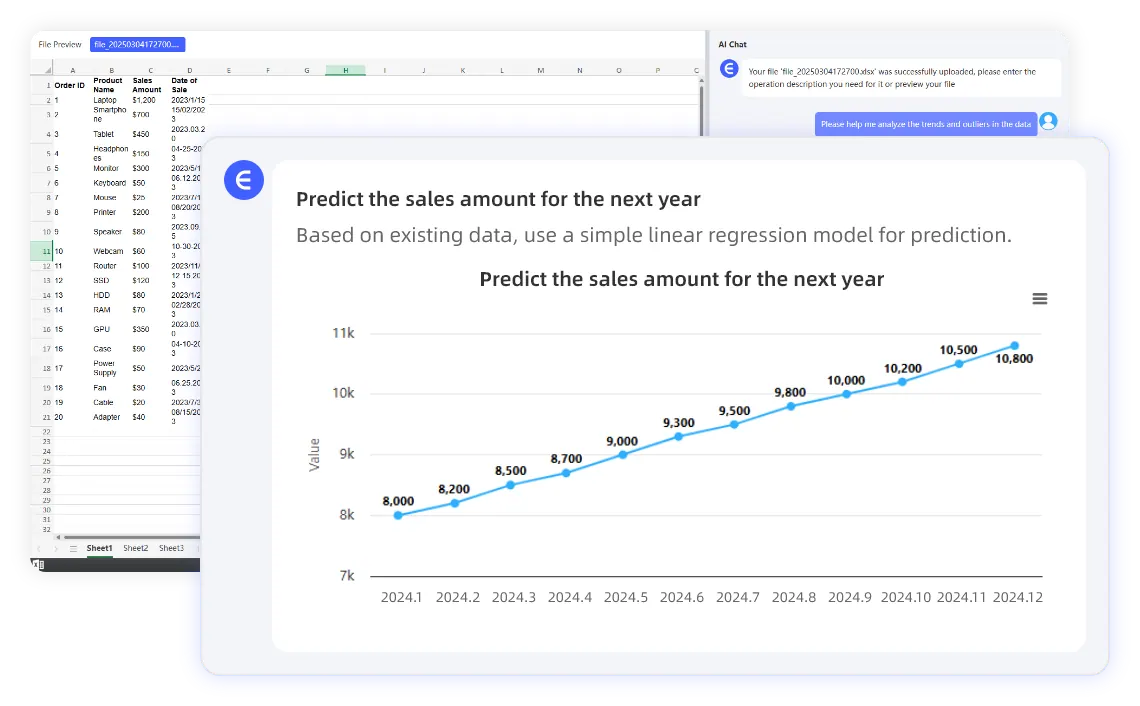
For teams that still need forecasts or trend views from spreadsheet exports, RowSpeak can create analysis from the file before the workflow is formalized in BI.
A Simple Tool Choice Matrix
Choose Excel when the workbook logic must stay in cells and the report owner is comfortable maintaining formulas.
Choose Power BI when the model is stable, shared, governed, and worth maintaining.
Choose generic AI when you need help writing formulas, explaining concepts, or drafting text from small snippets.
Choose RowSpeak when the work starts with business files and ends with a report, explanation, or dashboard draft.
For teams comparing BI options, RowSpeak's business intelligence positioning gives a clearer view of where file-based AI analysis fits.
The Best Path May Be Staged
You do not have to choose one tool forever.
Many teams should start with RowSpeak to understand the reporting logic, stabilize metric definitions, identify recurring data issues, and learn which charts are actually useful.
Then, if the workflow becomes stable and widely adopted, move the final model into Power BI.
That sequence is often healthier than building BI too early. You avoid modeling a report that will change next week, and you give business users a faster way to learn what they really need.
Power BI is powerful. RowSpeak is practical when the work is still close to the files.