Key Takeaways
- The market is fragmented: In 2026, there are four distinct categories of AI-powered e-commerce dashboard reporting tools — each with a different cost, complexity, and time-to-insight profile.
- Most tools are over-engineered for sellers: Enterprise BI platforms like Tableau and Looker are built for data teams, not for the Shopify operator who needs a revenue breakdown by 9 AM.
- Speed is the new accuracy: The best reporting tool isn't the one with the most connectors — it's the one that gets a decision-maker to an insight before the window closes.
- RowSpeak's position: As an Excel-to-dashboard converter powered by AI prompts, RowSpeak occupies a unique gap in the market: zero setup, zero SQL, and a complete visual dashboard in under 60 seconds.
Why E-commerce Reporting Broke in 2026
The data problem for e-commerce brands has flipped. Getting data out of platforms used to be the hard part — today every major platform has an export, an API, and a native analytics tab. The new problem is the opposite: too much data, not enough decision-making.
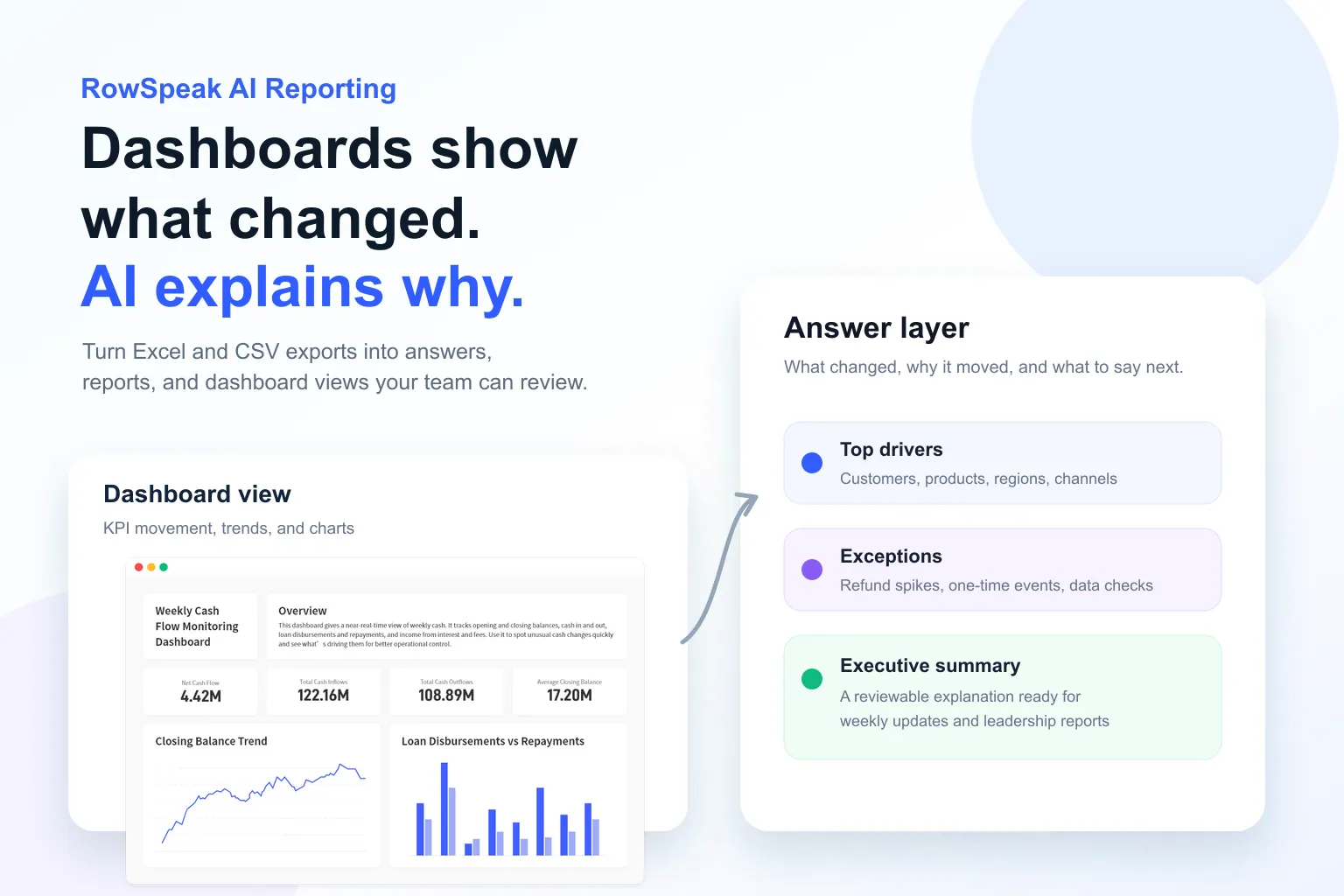
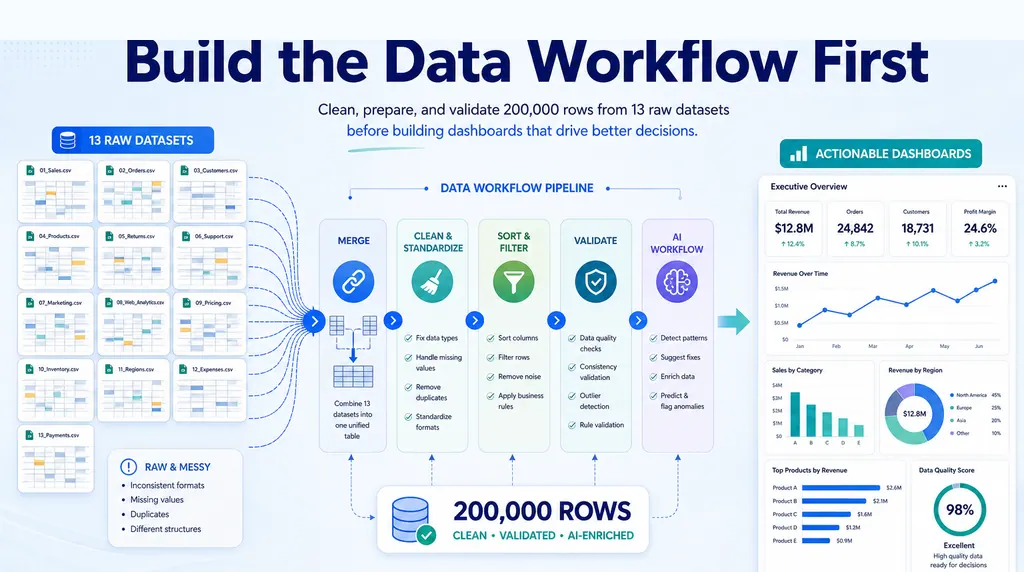
For campaign, channel, ROI, or customer reporting, RowSpeak's AI marketing analytics workflow connects raw marketing files to a reviewable analysis workflow.
The average mid-size DTC brand in 2026 pulls from 6–9 sources simultaneously — Shopify, Meta Ads, Google Ads, Klaviyo, Amazon, TikTok Shop, a 3PL, and a CRM. Each has its own dashboard. None of them answer the question a founder needs answered on a Monday morning:
Where did we lose money last week, and what do we do about it?
This is the gap that AI-powered e-commerce dashboard reporting tools are designed to fill. This guide breaks down every major category and helps you identify which one belongs in your stack.
The 4 Categories of AI-Powered E-commerce Dashboard Reporting Tools
| Category | Tools | Time to Dashboard | Requires Data Team? | Cost |
|---|---|---|---|---|
| Enterprise BI Platforms | Tableau, Looker, Power BI, Domo | Days to weeks | Yes | $70–$500+/user/mo |
| Native Platform Analytics | Shopify Analytics, Amazon Brand Analytics, GA4 | Minutes | No | Included |
| AI Analytics Assistants | Polymer, Julius AI, Akkio | Hours (setup) | Sometimes | $30–$200/mo |
| Excel-to-Dashboard Converters | RowSpeak, Coefficient | Under 60 seconds | No | Free–$59/mo |
Category 1: Enterprise BI Platforms
Tableau, Power BI, and Looker are the gold standard for organizations with complex data infrastructure and dedicated analysts. In 2026, all three have added AI layers — Copilot, Tableau AI, Gemini-powered querying — that genuinely reduce the SQL burden.
But for a DTC brand doing $2M–$20M in revenue, the setup alone (2–6 weeks, at least one technical hire) rarely pays off. The "dashboard" most operators need isn't a 40-chart exploration environment — it's a single-page performance summary with a clear action item at the bottom.
Best fit: Brands with $50M+ revenue and a dedicated data team.
Category 2: Native Platform Analytics
Shopify's 2026 analytics includes cohort analysis and LTV projections. Amazon Brand Analytics surfaces search query data that was previously invisible. These tools are genuinely useful — and free with your subscription.
The problem starts the moment you go multi-channel. Each platform measures attribution differently: Shopify counts when an order is placed, Meta when the pixel fires, Amazon when it ships. Reconciling these numbers manually is one of the most time-consuming tasks in e-commerce ops. Native tools are also structurally incentivized to keep you inside their ecosystem — Meta Ads Manager will never tell you your TikTok ROAS is 40% higher.
Best fit: Single-channel sellers or early-stage multi-channel brands.
Category 3: AI Analytics Assistants
Tools like Polymer and Julius AI let you ask questions in plain English — "What was my best-performing category in Q1?" — and generate charts, run statistical analyses, and surface anomalies without technical input. The category has matured significantly in 2026.
The core limitation: they answer the questions you ask. They don't proactively surface the insights you didn't know to look for. Most also require API connections and field mapping before they become useful — a dealbreaker for a seller who just exported a CSV and needs a dashboard in two hours.
Best fit: Growth analysts with clean, already-connected data sources.
Category 4: Excel-to-Dashboard Converters
This is the category most e-commerce operators don't know exists — and the one that solves their actual problem most directly.
The vast majority of e-commerce reporting still starts in a spreadsheet: a CSV from Shopify, a weekly report from the 3PL, ad spend pasted from Meta. The data is already structured. It just isn't visual. Whether you are visualizing marketing ROI or tracking your business expense report, the goal is the same: clarity over complexity.
RowSpeak is the most capable tool in this category in 2026. Rather than clicking through chart menus, you describe the dashboard you want in plain English — and RowSpeak builds it from your file in under 60 seconds. No data warehouse. No data team. No formulas.
Best fit: Operators, founders, and sales managers who live in Excel/CSV exports and need dashboards fast.
RowSpeak in Action: A Real E-commerce Scenario
The situation: A growth marketer compiles weekly ad spend from Meta, Google, and TikTok into a single Excel file. Columns: Platform, Campaign, Spend, Clicks, Conversions, Revenue.
The prompt typed into RowSpeak:
Create an ad performance dashboard. Show total spend, total revenue, and blended ROAS as KPIs. Add a stacked bar chart of spend by platform. Compare ROAS by platform, sorted highest to lowest. Highlight any platform where ROAS is below 2.0.
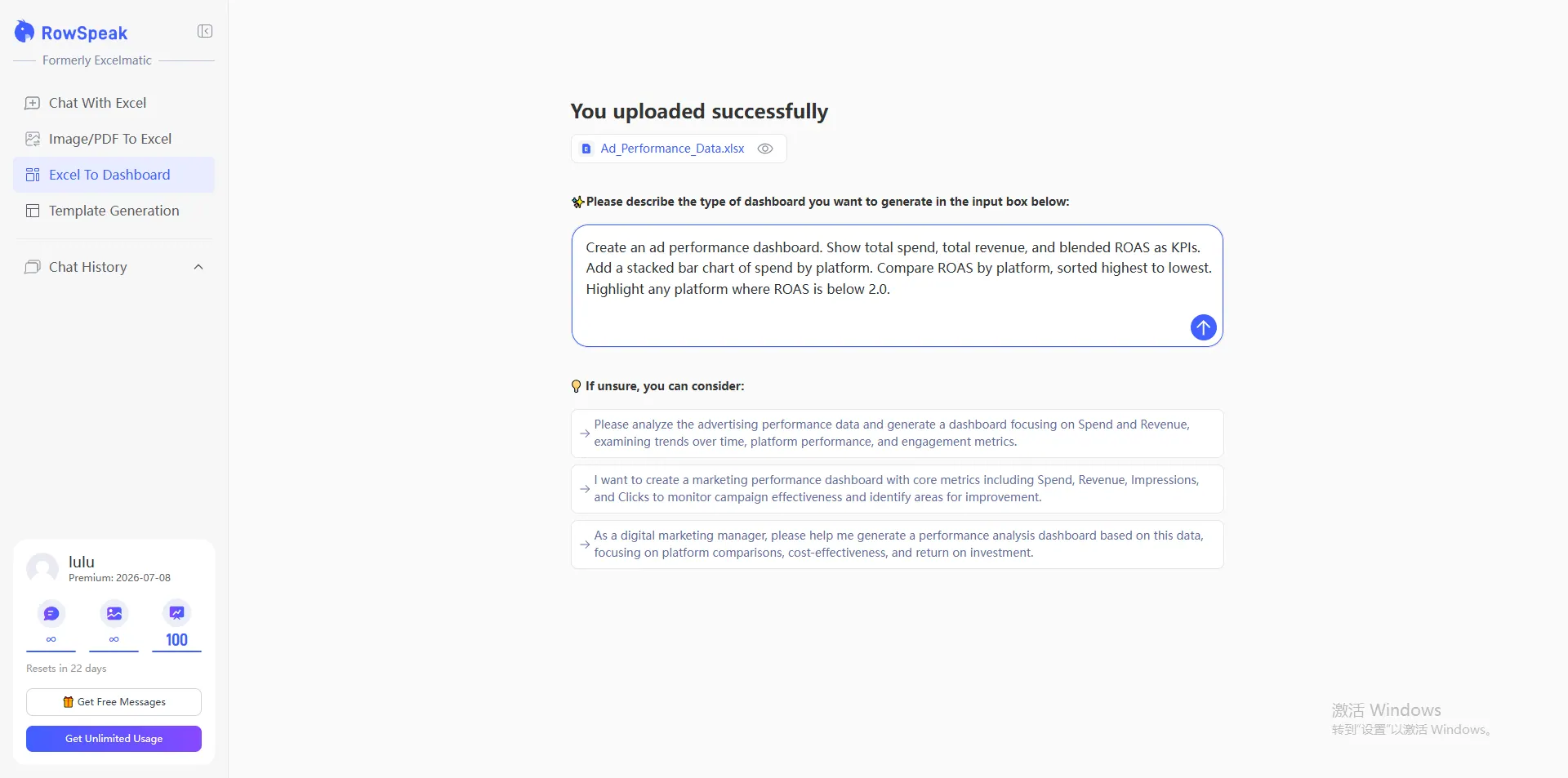
Within 60 seconds, RowSpeak returns a complete, decision-ready dashboard — KPI cards summarizing total spend, revenue, and blended ROAS at a glance; charts breaking down performance by platform and campaign; a ranked comparison table with underperforming platforms automatically flagged; and a Key Insights panel written in plain English that tells you not just what the numbers are, but what to do about them. No formulas. No formatting. No manual cross-referencing between platform exports.
A media buyer would spend 45 minutes calculating that recommendation manually. RowSpeak surfaces it automatically — with no additional prompt.
How to Choose: A Quick Decision Framework
| Your situation | Recommended tool |
|---|---|
| Data lives in Excel / CSV exports | RowSpeak |
| Data lives in a warehouse (BigQuery, Snowflake) | Enterprise BI (Tableau, Power BI) |
| Selling on one platform only | Native analytics (Shopify, Amazon) |
| Need interactive, chat-based data exploration | AI Assistant (Polymer, Julius AI) |
| Non-technical user, need dashboard in < 60 seconds | RowSpeak |
| Budget under $60/month | RowSpeak (free tier available) |
Frequently Asked Questions
Q: Can RowSpeak connect directly to Shopify or Amazon?
RowSpeak is optimized for the Excel/CSV workflow — export your data from any platform, drag it in, and get a visual dashboard instantly. No API credentials or integrations required. For sellers who also act as influencers, these generated reports can even be shared with partners as a professional asset, much like how smart creators use Excel templates as lead magnets.
Q: How is RowSpeak different from Excel's built-in charts?
Excel charts require manual configuration for every element. RowSpeak generates a complete, multi-element dashboard from a single plain-English prompt — and adds an AI-written insights panel that Excel cannot produce.
Q: Do I need SQL or formulas to use RowSpeak?
No. RowSpeak is entirely prompt-driven. Describe what you want in plain English; the AI handles the rest.
Stop Reporting. Start Deciding.
The best AI-powered e-commerce dashboard reporting tools in 2026 share one trait: they remove the distance between your data and your next decision.
Enterprise BI platforms serve organizations with data teams and six-figure budgets. Native analytics serve single-channel sellers. AI assistants serve growth teams with connected data pipelines.
And RowSpeak serves the operator who has a spreadsheet, a meeting in an hour, and zero time to waste.
The data is already there. The decision is already waiting. RowSpeak just makes the answer visible.
🚀 Turn Your E-commerce Data Into a Dashboard in 60 Seconds
Upload any Excel or CSV export from Shopify, Amazon, or your ad platforms. Get a complete visual dashboard — with AI-written insights — instantly. No setup. No SQL. No data team required.
Try RowSpeak Free — No Credit Card Required