Key Takeaways
- The Dual-Track Advantage: The most successful creators link personal discipline directly to financial outcomes in a single dashboard.
- Cost Efficiency: Eliminate the need to spend $40+ on pre-made planilhas by generating custom, formula-ready files with AI.
- SEO Optimized for 2026: Prepare for the upcoming year with a template that handles daily habits, revenue summaries, and content calendars automatically.
- Instant Deployment: Use RowSpeak AI to turn a simple descriptive prompt into a professional Excel tool without writing a single line of code.
The "Hotmart Secret": Why Habit + Revenue Templates Rule the Market
Why are you still tracking your habits and your money in two different places?
If you look at the top-selling digital products in the Brazilian and global creator markets, you'll find a recurring winner: the high-performance spreadsheet. These aren't just tools; they are the handshake that builds trust between a creator and their audience.
Most people fail their New Year's resolutions because they don't see the immediate financial ROI of their habits. A Habit & Revenue Tracker solves this by putting your "Content Publishing" streak right next to your "Weekly Income" chart. When you see the data align, you don't stop.
Stop Buying Someone Else's Logic
Creators often spend hours—or dozens of dollars—trying to find a template that fits their specific workflow. But why adapt to a rigid planilha when the tool can adapt to you?
The "dirty secret" of the digital product economy is that you don't need to be an Excel wizard to create high-value assets; you just need the right prompt.
🎯 The "Money-Maker" Prompt for 2026:
Paste this into the RowSpeak Template Generator:
Generate a 2026 habit and business tracker with 7 daily habits (✅/❌ checkboxes), weekly revenue summary, content publishing calendar, and monthly auto-chart.
What RowSpeak Delivers in 30 Seconds:
- Visual Habit Streaks: Automated checkboxes that make daily tracking satisfying.
- Revenue Visibility: A dedicated section to log income streams and monitor growth.
- Auto-Generated Analytics: Monthly charts that visualize your performance trends without manual graph setup.
💡 Need a Head Start? Browse Our Frameworks
Not sure how to structure your first prompt? You can browse our massive template library to see how top creators and productivity experts organize their data. Think of these as "blueprints"—you can download a high-quality foundation for free, and then use RowSpeak AI to customize, expand, or completely reinvent it.
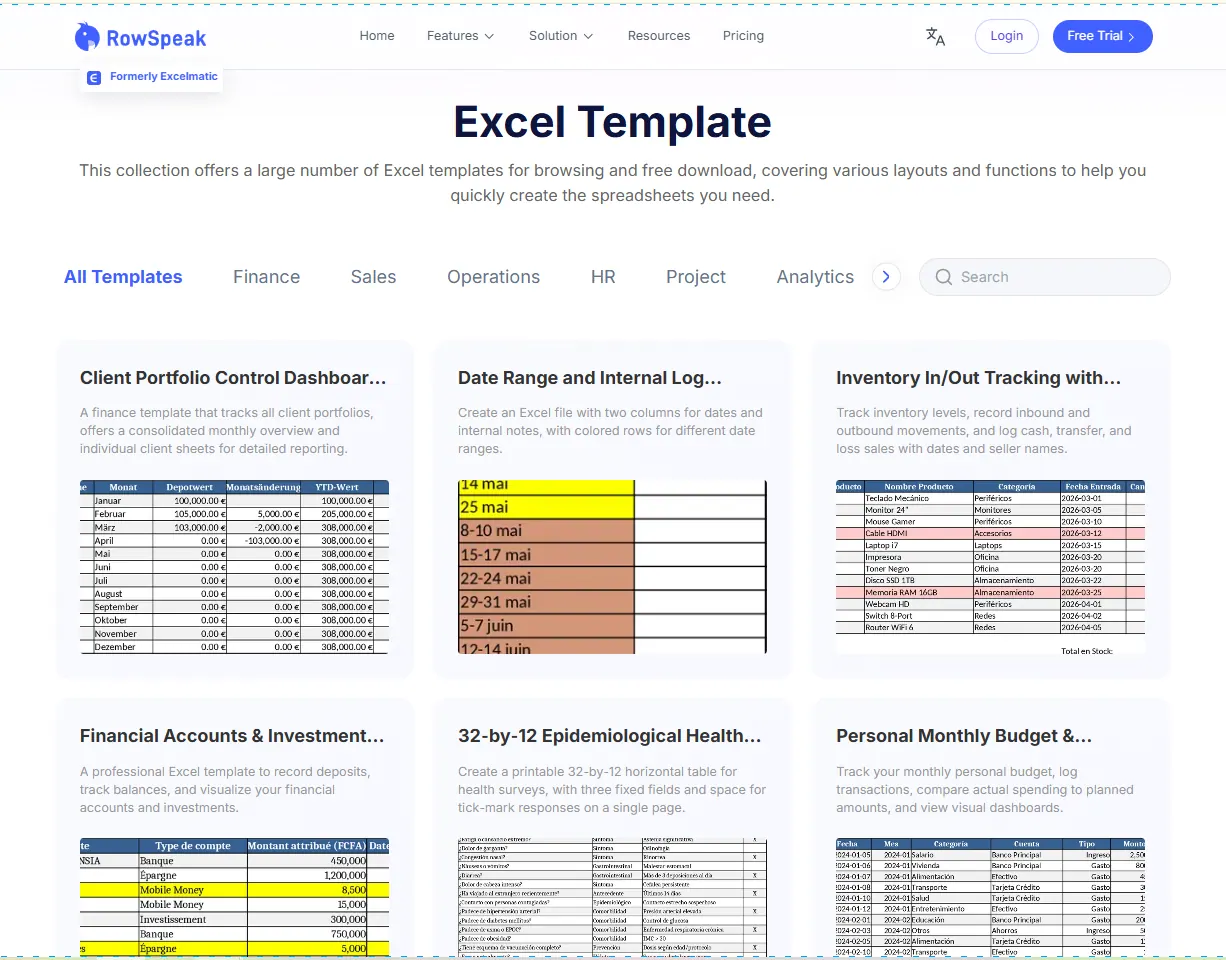
Use our library for inspiration, then let AI build the version that fits you perfectly.
From Personal Tool to Profit Machine
Once you've generated your custom tracker, you have more than just a personal tool—you have a Lead Magnet.
Smart creators use these AI-generated templates to:
- Build Email Lists: Offer the "2026 Growth Tracker" as a free gift in exchange for an email.
- Establish Authority: A professional, auto-calculating Excel file signals deep expertise better than a basic PDF.
- Upsell Premium Offers: Once your leads trust your tracking system, they are significantly more likely to buy your courses or coaching.
If you're ready to turn your spreadsheets into a business system, check out our guide on why smart creators give away Excel templates to see the full strategy in action.
Ready to Master Your 2026 Workflow?
The difference between a "side hustle" and a "system" is the quality of your data. Don't waste another hour fighting with cell formulas or spending money on templates that don't quite fit.
→ Generate Your Custom 2026 Tracker Now
Not ready to prompt? You can also browse our professional template library to download a ready-to-use foundation in seconds.
Describe it. Generate it. Own it.