Your weekly report takes three hours to build. An AI tool produces a draft in twenty minutes. That looks like a win—until you count the time spent fixing columns, checking totals, rewriting explanations, and getting the report approved.
For an operations manager deciding whether to renew a reporting tool, the useful result is a short, defensible answer: How much work disappeared, what did the new workflow cost, and did the report still pass review?
Below, you can work through four matched reporting runs, calculate the result in Excel, and write a renewal recommendation. Start by copying the example tables into a spreadsheet; replace the practice numbers with your own timing log before making a purchase decision.
Key takeaways:
- Measure the whole reporting job: preparation, building, review, corrections, and handoff. A quick draft alone does not establish a saving.
- Follow a four-run example that frees 5 hours 40 minutes after review and corrections, with setup counted separately.
- Keep the value of available staff time separate from money your business actually stops spending.
- Use a quality check and a conservative scenario before renewing or expanding a tool.
- RowSpeak can help turn reporting files into reviewable answers. It does not automatically measure your team's time or prove financial return.
What does AI reporting ROI mean?
ROI means return on investment: the benefit of a change, minus its cost, divided by its cost. For reporting, define the benefit before doing the arithmetic. Hours available for other work and a smaller contractor invoice are different results.
Use three separate views:
| View | What you measure | What it supports |
|---|---|---|
| Work saved | Total person-minutes needed for an approved report | Whether the workflow frees capacity |
| Capacity value | Freed hours × an agreed hourly cost | An economic comparison, even if payroll stays the same |
| Cash effect | Documented spending avoided minus additional cash spending | Whether the change actually improves cash flow |
Do not add capacity value and avoided wages for the same hours. That counts one benefit twice. Likewise, do not attach a dollar value to “better decisions” without evidence of the decision, its outcome, and a credible comparison.
Pigment's guide to measuring AI ROI in financial planning recommends establishing baselines and including implementation, training, and ongoing costs. This guide applies those principles to one smaller job: producing an approved recurring report from exported files.
Step 1: Define the report that both workflows must deliver
Choose one recurring report, such as a weekly sales summary. Keep the input files, reporting dates, required checks, and final audience comparable. “Build a chart” and “deliver a reviewed management report” are different jobs.
Write a simple acceptance rule:
Deliver a sales total that matches the approved export, a breakdown by region, an explanation of the three largest changes, and a list of unresolved data issues. The reviewer must approve it before it counts as delivered.
Keep the same definition when comparing manual Excel work with an AI-assisted route. If the AI route adds a useful dashboard, record that benefit separately; do not pretend the two outputs are identical.
Use your existing approved checks or the AI report review checklist. An attractive report with an unexplained total is still unfinished.
Step 2: Log everyone's work, including review and rework
Record person-minutes: the time people spend working. If an analyst and reviewer each work for ten minutes, record twenty minutes. Keep unattended processing and elapsed time until approval in separate columns; do not charge the same waiting time to several people.
Use these stages consistently:
| Stage | Include |
|---|---|
| Prepare | Export files, remove sensitive details, repair columns, explain field meanings |
| Build | Create formulas, ask questions, refine prompts, assemble charts and the report |
| Review | Check source totals, dates, exclusions, and written claims |
| Rework | Correct errors, repeat a failed run, investigate missing results |
| Handoff | Save the approved version and explain outstanding issues |
Count unsuccessful attempts too. If an AI attempt fails and someone finishes manually, the AI route includes both the failed attempt and the manual fallback.
For a real pilot, record file size, missing fields, unusual transactions, and who did the work. Match comparable cycles; where practical, alternate which route you try first. Reusing the same file can create a learning advantage. Four runs are an initial check, not proof of performance across every reporting month.
Step 3: Calculate the complete before-and-after result
All numbers below are synthetic teaching data. They are not measured RowSpeak results, a customer case study, or a promise of savings. Each pair uses the same practice reporting task and is assumed to pass the acceptance checks after the recorded corrections.
Copy this table into Excel. Columns C through G are person-minutes; column H is the total.
| Cycle | Route | Prepare | Build | Review | Rework | Handoff | Total |
|---|---|---|---|---|---|---|---|
| W1 | Manual | 40 | 100 | 35 | 20 | 5 | 200 |
| W1 | AI-assisted | 30 | 20 | 35 | 20 | 5 | 110 |
| W2 | Manual | 45 | 105 | 35 | 20 | 5 | 210 |
| W2 | AI-assisted | 35 | 20 | 35 | 25 | 5 | 120 |
| W3 | Manual | 35 | 95 | 35 | 20 | 5 | 190 |
| W3 | AI-assisted | 25 | 20 | 35 | 20 | 5 | 105 |
| W4 | Manual | 40 | 100 | 35 | 20 | 5 | 200 |
| W4 | AI-assisted | 30 | 20 | 35 | 35 | 5 | 125 |
In H2, enter =SUM(C2:G2) and fill down through H9. Then calculate:
Manual minutes:       =SUMIF(B2:B9,"Manual",H2:H9)
AI-assisted minutes:  =SUMIF(B2:B9,"AI-assisted",H2:H9)
Hours freed:          =(800-460)/60
The manual route takes 800 minutes; the AI-assisted route takes 460 minutes. The difference is 340 minutes, or 5 hours 40 minutes, across four reports. Review still takes 140 minutes in each route, and AI rework takes 100 minutes versus 80 manually. Those costs remain visible.
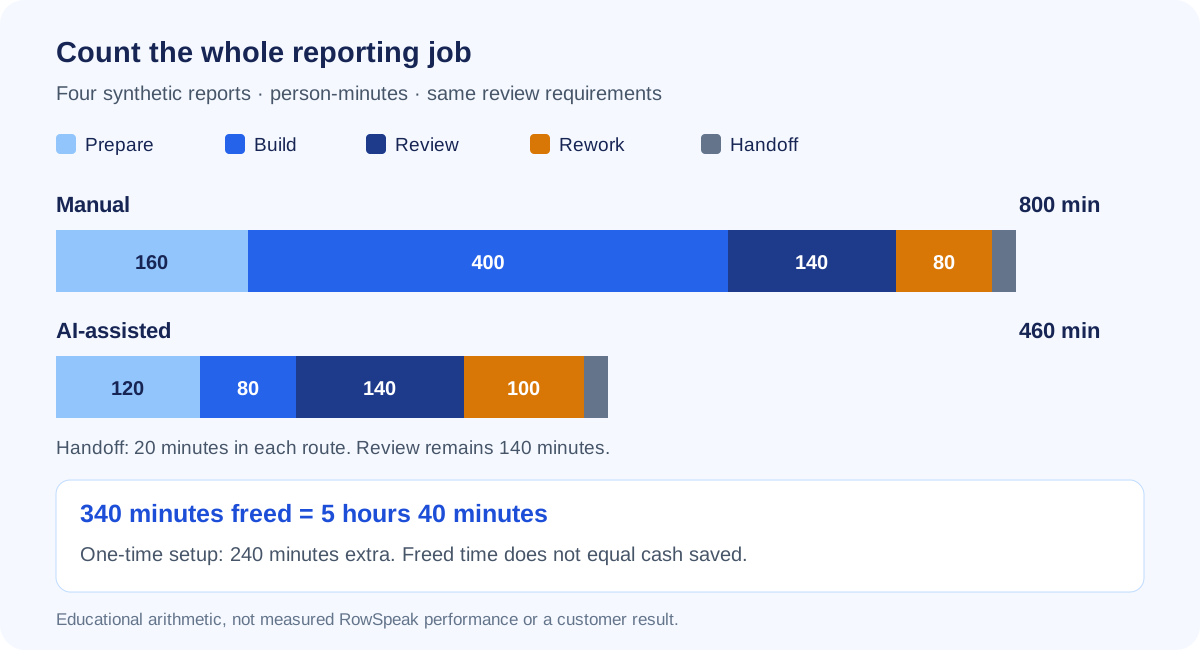
Calculated from the eight rows above. The graphic illustrates the arithmetic; it is not a product screenshot or a measured performance comparison.
Showing the stage totals helps you decide what to improve. Here, building becomes shorter, but corrections grow. If your real log shows the same pattern, investigate the repeated corrections before scaling the workflow.
Step 4: Include costs without calling time saved cash saved
For this example, assume one month contains exactly these four reports. Use an agreed staff cost of $40 per hour, an allocated monthly tool cost of $120, and four hours of one-time setup and training. These are illustrative USD assumptions, not RowSpeak prices or typical savings.
The capacity value is 340 / 60 × $40 = $226.67. Keep the unrounded value in formulas; round only the displayed answer.
| Calculation | First month | Later comparable month |
|---|---|---|
| Capacity value from recurring work saved | $226.67 | $226.67 |
| Allocated tool cost | $120.00 | $120.00 |
| Setup time valued at 4 × $40 | $160.00 | $0.00 |
| Net capacity value after these costs | −$53.33 | $106.67 |
| Capacity-based ROI: net value ÷ included costs | −19.0% | 88.9% |
The first month is negative on this basis even though recurring reports take less work. Setup absorbs part of the benefit. Future months are a scenario that assumes the same workload and saving continue; they are not observed results.
The cash view is different. Assume the staff are salaried, setup requires no overtime, and no contractor bill or other payment falls. Then documented cash savings are $0, and the additional tool payment makes the month's net cash effect −$120. Available time may still be valuable, but the business has not saved $226.67 in cash.
If a contractor invoice genuinely falls, use its documented reduction in a separate cash calculation. Include any extra implementation payments there too. For shared subscriptions, explain how you allocate cost to this workflow and show the full bill separately so allocations are not mistaken for avoided spending.
Step 5: Test a conservative result before deciding
Suppose you can use only 40% of the freed capacity for useful work. That is an assumption about redeployment, not another measured saving:
Usable capacity value: 340 / 60 × $40 × 40% = $90.67
Less monthly tool cost:                       $120.00
Recurring net capacity value:                −$29.33
This changes the recommendation. Faster drafts alone do not justify expansion if the available time goes unused or the tool introduces unresolved quality problems.
At $40 per hour, covering $120 requires three usable hours per month, before setup and other additional costs. Compare your actual log with that threshold. When cost is zero, leave ROI undefined and report net benefit; do not divide by zero or display “infinite ROI.”
Before deciding, check:
- All attempted reports, reviewer time, and fallback work are included.
- Each delivered report passes the same checks; unresolved failures stay visible.
- Tool, setup, training, and support costs have a defined period and owner.
- The hourly cost and usable-capacity assumption are approved.
- Cash savings have spending evidence and are counted only once.
Where RowSpeak fits in the pilot
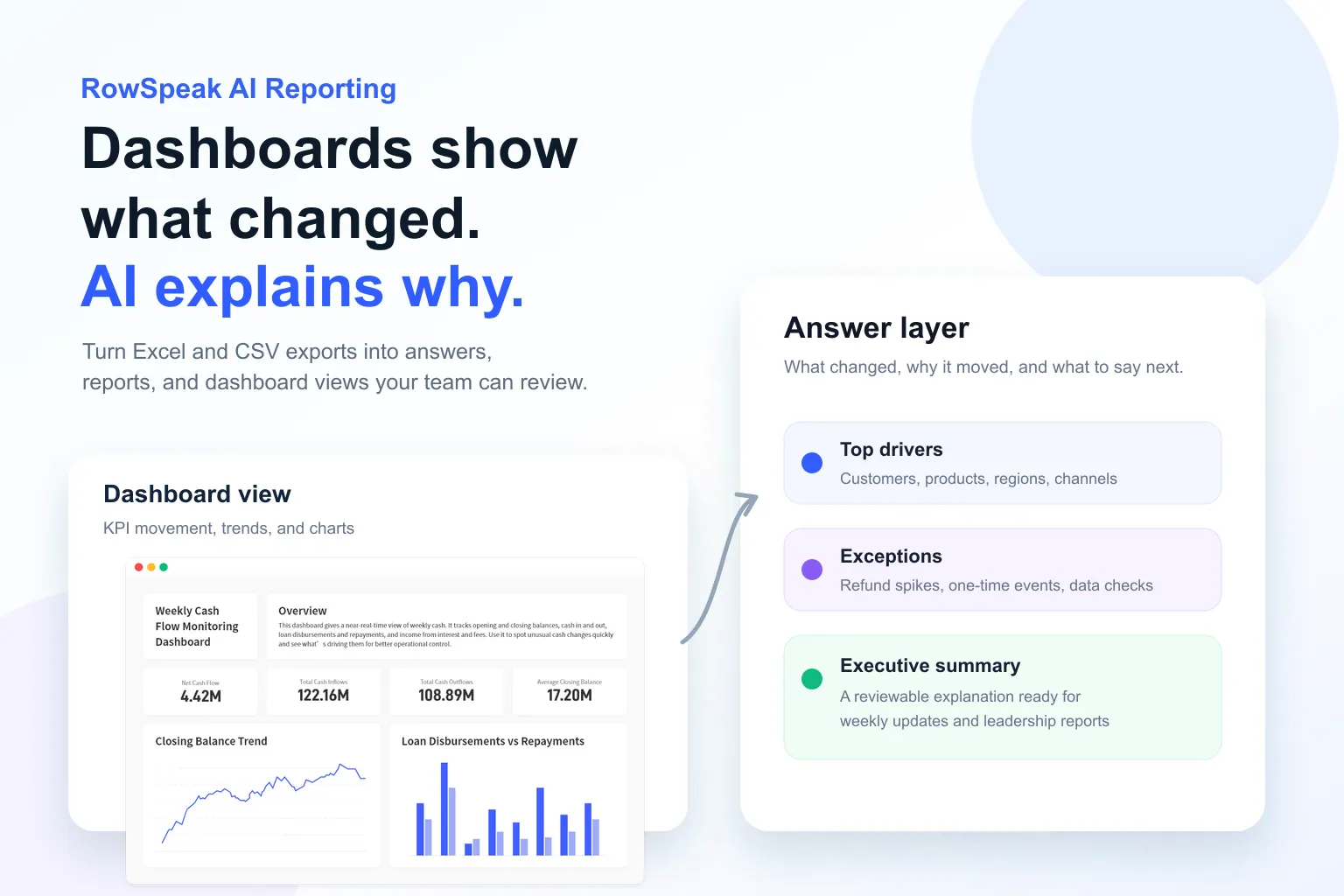
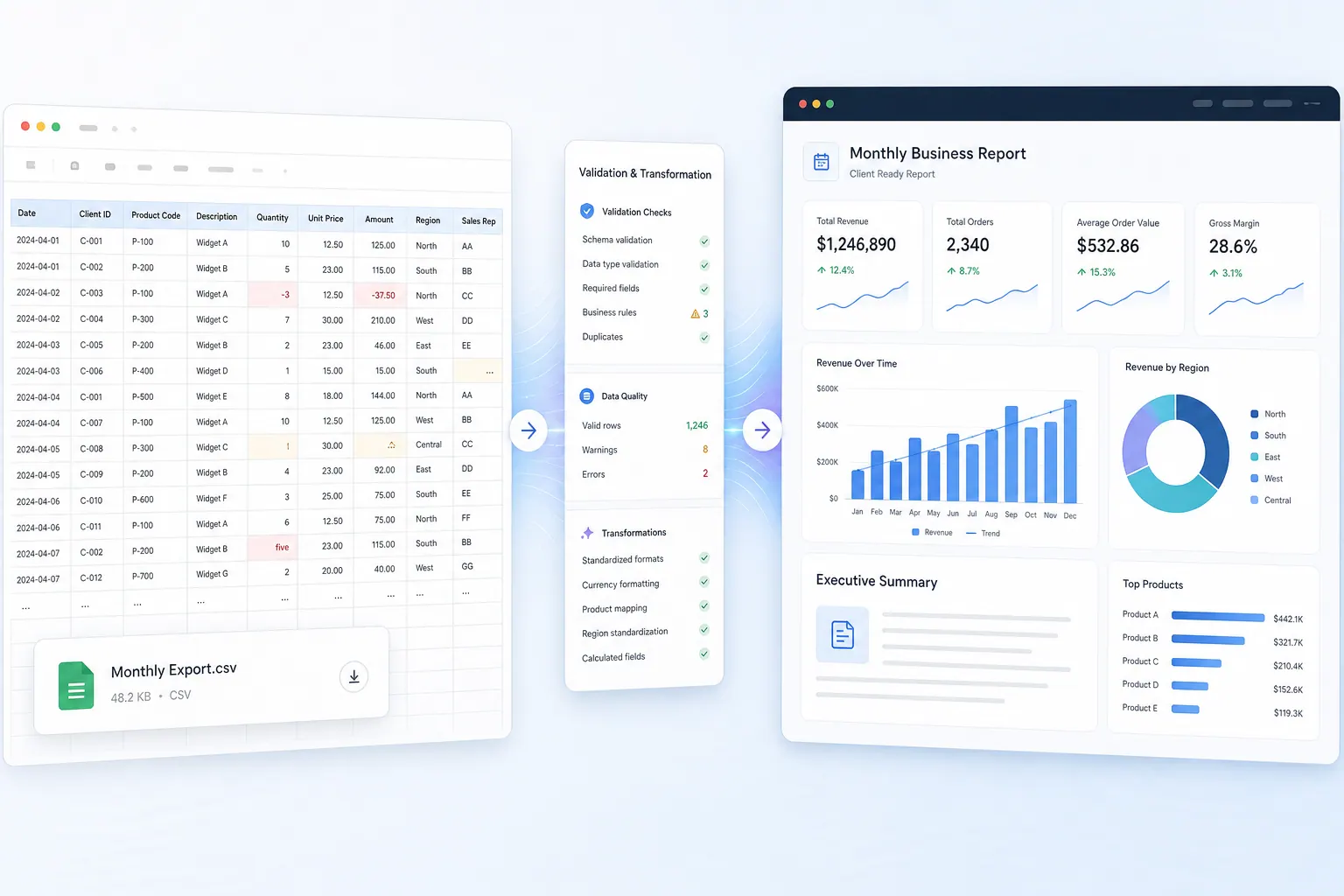
If copying exports into reports is the bottleneck, RowSpeak's AI reporting workflow is one route to evaluate. Use anonymized files, keep your current acceptance checks, and time the process from preparation through approval.
Upload your reporting file, explain the output you need, and review the result. Keep timing in your own log. The example here has not been run in RowSpeak; it does not assume automatic staff monitoring, integrations with other AI tools, or a built-in ROI verification service.
After copying the timing table into a CSV, you can request an analysis like this. Use the same request with your own approved log later:
Analyze this reporting work log. Each row is one route for one weekly
reporting cycle. Times are person-minutes, not elapsed waiting time.
Check for missing stages, duplicate cycle/route pairs, and unmatched
comparisons before calculating. Do not treat missing values as zero.

Sum prepare, build, review, rework, and handoff for every row. Compare
manual and AI-assisted totals by cycle and across the four cycles.
Keep setup separate. Use USD40/hour, USD120 monthly allocated tool cost,
and four setup hours. These are assumptions, not vendor prices.

Show recurring hours freed, first-month and later-month capacity-based
ROI, and a scenario where only 40% of capacity is usable. Preserve full
precision until display. Salaries and contractor spending do not fall:
report zero documented cash savings and the additional tool payment
separately. Do not infer revenue growth or improved decision quality.
Show your calculations, exclusions, and checks needing approval.
Check the output against the arithmetic above. If a stage is blank, the right response is to request the missing time, not announce a larger saving. The recurring CSV reporting guide explains how to preserve rules across later cycles.
For confidential cost, employee, or financial records, anonymize inputs or discuss private deployment before uploading.
Turn the result into a renewal decision
A useful recommendation for this synthetic example is:
Across four practice reports, recurring work fell from 800 to 460 person-minutes after review and corrections. At our illustrative $40/hour rate, capacity value is $226.67. First-month value is negative after setup and the $120 tool cost. Later-month value is positive only if the saving repeats and enough capacity is used. No cash spending was avoided. Run a measured pilot before expanding.
Start your real log before the next reporting cycle. Once the work has happened, reconstructing preparation and correction time from memory makes the comparison less trustworthy.
Make the next renewal easier to justify
Measure one complete report before you scale.
Evaluate RowSpeak on an anonymized reporting export. Start your timer before preparation, keep the review checks, and decide from the approved result. Set up the log before your next weekly report so the baseline is captured while you work.
Explore the AI reporting workflow
Keep sensitive records within approved boundaries. For confidential team data, discuss private deployment