Key takeaways:
- ISBN lookup tools and Google Books API automation are only useful after the library inventory workflow is clear: item IDs, copies, status, shelf location, checkouts, and review rules.
- The best small-library spreadsheet separates imported book metadata from volunteer-maintained fields so the system stays usable for people who do not write code.
- RowSpeak can review an exported Google Sheets or Excel inventory file, find missing metadata or duplicate records, summarize collection status, and create an inventory report without turning the project into a software build.
Using Google Books data for a library inventory sounds like the clever part.
Scan or type an ISBN, pull the title, author, publisher, category, and cover data, then store everything in Google Sheets. For a small church library, classroom library, nonprofit collection, or office resource shelf, that can feel like the perfect lightweight system.
But for a non-technical team, the API is not the first problem to solve.
The first problem is designing an inventory spreadsheet that people can maintain. If the sheet is confusing, too fragile, or dependent on one technical volunteer, the automation will not last.
Start with the inventory workflow
Before connecting to Google Books, define how the library will actually use the sheet.
Ask:
- Who adds new books?
- How will books be checked in or out?
- Will volunteers scan ISBNs or type them?
- What happens when a book has no ISBN?
- Do you track multiple copies?
- Do you track location, shelf, condition, or donor?
- Do you need borrower history?
- Who can edit the inventory?
Those questions determine the table structure.
A small library does not need a complicated database on day one. It does need a clear system that volunteers can understand without reading code.
Design the core table first
Start with a simple inventory table.
Useful columns often include:
- item ID
- ISBN
- title
- author
- publisher
- publication year
- category
- shelf or location
- copy number
- condition
- status: available, checked out, missing, retired
- borrower name or ID if needed
- checkout date
- due date
- notes
The item ID matters even if you have ISBNs. Two copies of the same book can share an ISBN, but they are still separate inventory items.
Keep API-populated fields separate from human-maintained fields. For example, title and author may come from Google Books, while shelf, status, condition, and notes should be maintained by the library.
For a small library, the first working table can stay practical:
| item ID | ISBN | title | author | shelf | copy | status | due date | review note |
|---|---|---|---|---|---|---|---|---|
| LIB-0001 | 9780143127741 | The Wright Brothers | David McCullough | History-A2 | 1 | available | blank | API match reviewed |
| LIB-0002 | 9780061120084 | To Kill a Mockingbird | Harper Lee | Fiction-B1 | 1 | checked out | 2026-05-22 | borrower recorded |
| LIB-0003 | blank | Local History Binder | Unknown | Archive-C3 | 1 | reference only | blank | no ISBN |
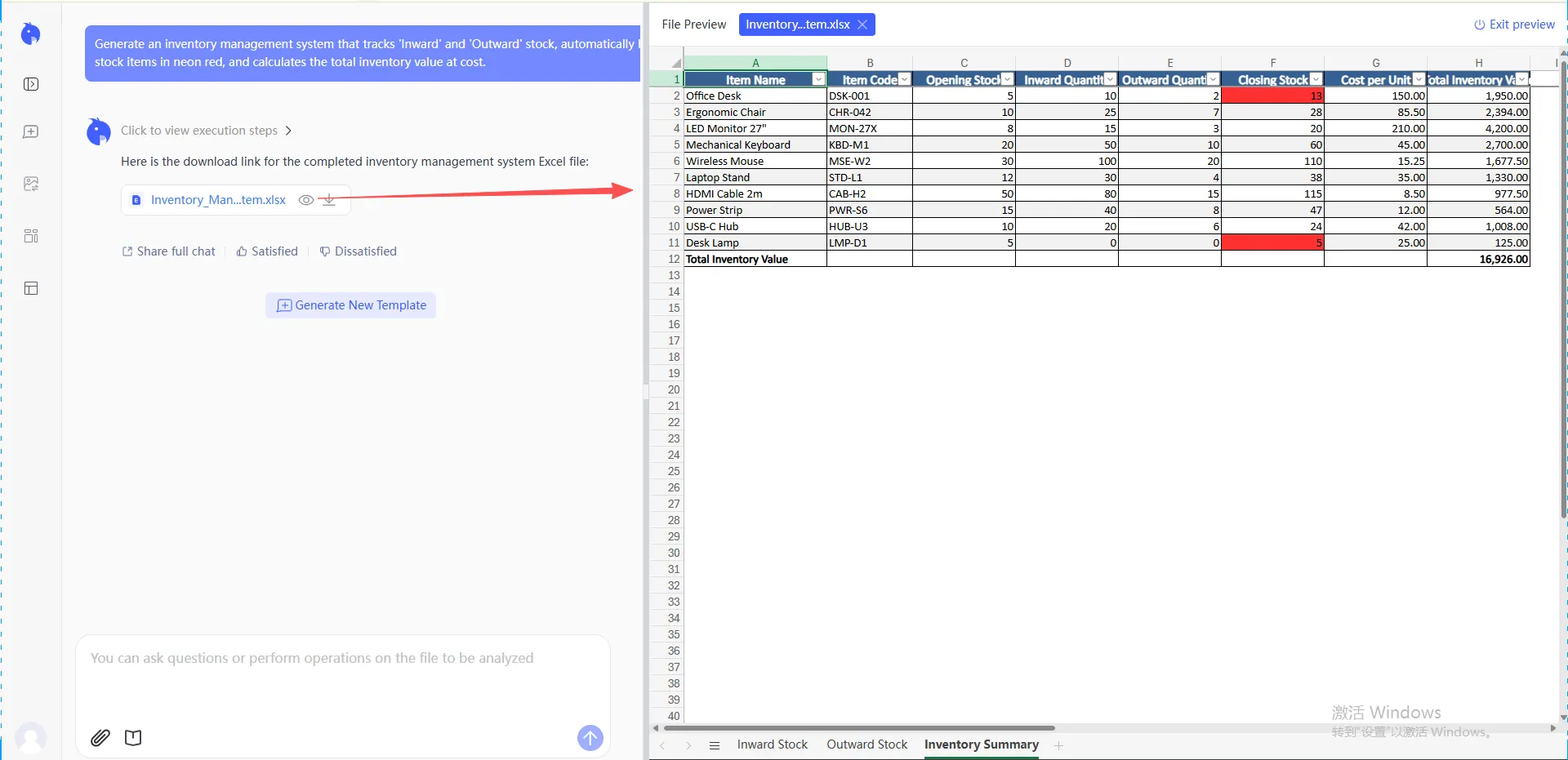
Existing inventory templates show the same principle: keep operational fields visible, then layer reporting on top instead of hiding logic in scripts.
Use metadata automation to assist, not control everything
Google Books data can reduce typing, but it should not be treated as perfect inventory data.
Imported metadata can be incomplete, inconsistent, or different from the physical copy in hand. Some books have multiple editions. Older books may not have ISBNs. Imported records may use categories that do not match the library’s shelf labels.
A safe workflow is:
- enter or scan ISBN
- pull candidate metadata from an ISBN lookup tool or Google Books-based automation
- review title and author
- fill human-maintained fields
- flag records that need manual correction
That review step is important. Without it, the sheet may fill quickly but become harder to trust.
If the goal is to turn the inventory into usable summaries, connect the spreadsheet to a broader Excel AI workflow or spreadsheet analysis process rather than focusing only on metadata import.
Plan for volunteers, not developers
A volunteer-maintained sheet needs guardrails.
Use:
- clear column names
- dropdowns for status and condition
- protected formula/API columns
- a separate “Needs review” view
- simple instructions at the top of the sheet
- color coding only when it helps
- one place for new entries
Avoid:
- hidden logic nobody understands
- too many tabs
- scripts only one person can fix
- formulas that break when rows are inserted
- manual sorting that changes formulas
The best small-library system is not the most automated one. It is the one people keep using.
For a no-code team, this means the first version can be very simple:
- volunteers add or scan ISBNs into Google Sheets
- metadata is filled manually or with a lightweight lookup process
- volunteers maintain only status, shelf, condition, borrower, and notes
- a coordinator exports the sheet as
.xlsxor.csvwhen it needs cleanup or reporting - RowSpeak reviews the exported file and creates the inventory report
Build useful inventory reports
Once the table is clean, the inventory can support practical reports:
- books by category
- checked-out items
- overdue items
- missing books
- duplicate copies
- books without ISBNs
- items needing metadata review
- collection growth by month
- shelf or location summaries
These reports are often more valuable than the API import itself. They help the library decide what to buy, retire, reorganize, or follow up on.
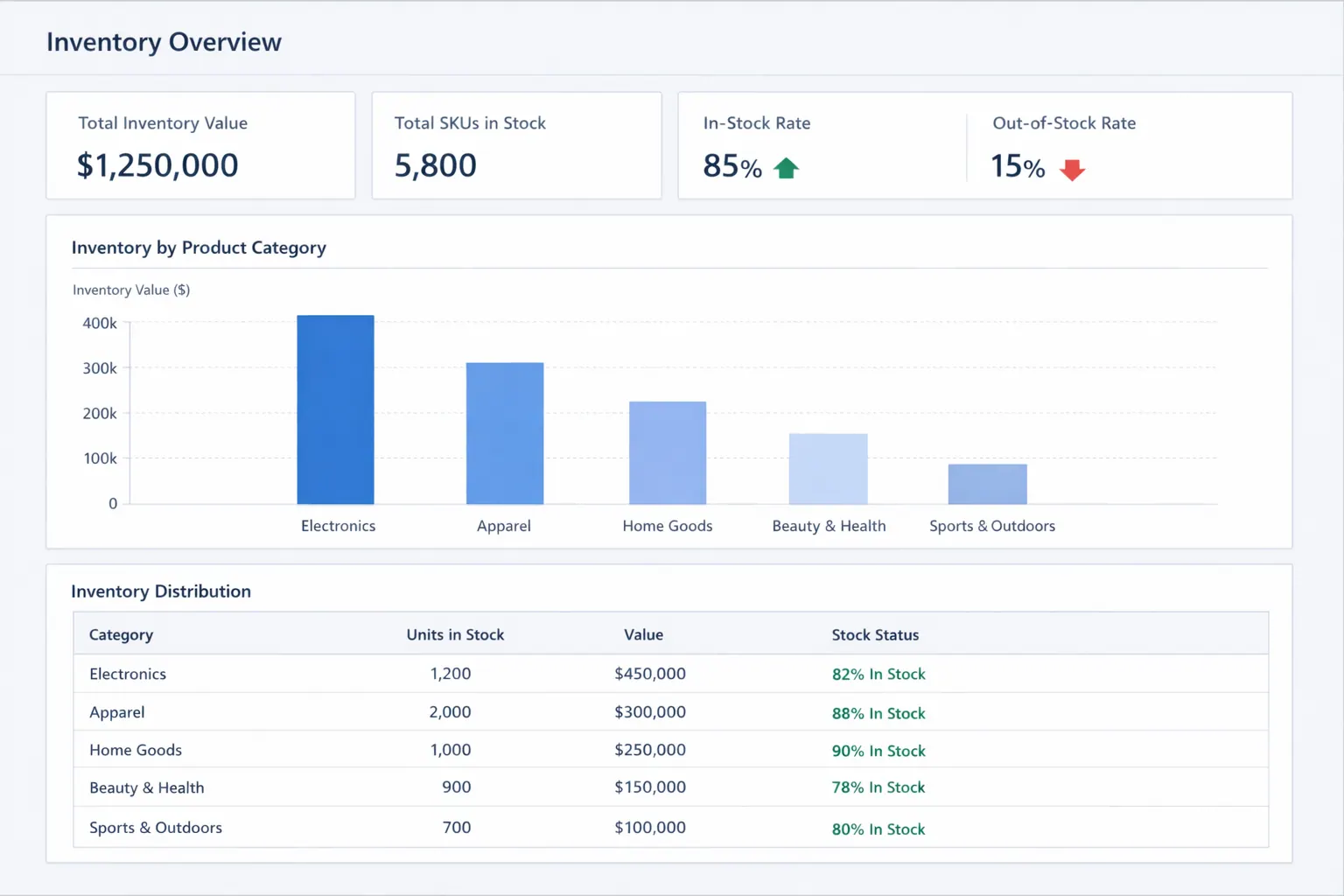
If the library wants a visual summary, an Excel-to-dashboard workflow can turn the inventory table into charts and views. For broader inventory reporting patterns, see this guide to inventory dashboard design.
For example, an availability dashboard can answer the volunteer's daily question: what is on hand, what is checked out, and where should we look first?
Where RowSpeak fits
RowSpeak is useful when the inventory sheet exists but nobody is sure how clean or useful it is.
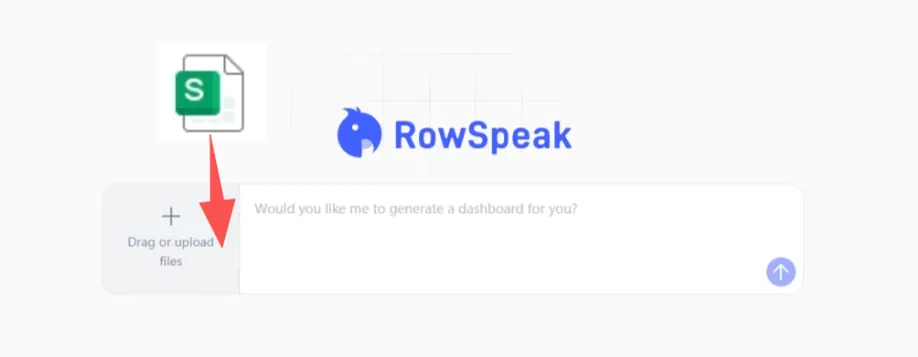
RowSpeak does not currently connect directly to a live Google Sheet in this workflow. Export the sheet as Excel or CSV first, then upload that file to RowSpeak.
You can upload the Google Sheets export or Excel copy and ask RowSpeak to:
- identify missing ISBNs, titles, authors, or statuses
- find duplicate inventory records
- summarize books by category or location
- flag records that need review
- suggest a clearer table structure
- create a shareable inventory report
RowSpeak does not replace ISBN lookup or Google Books automation. It helps with the analysis and reporting layer around the spreadsheet.
That is useful because many small inventory systems begin as data-entry projects and only later become reporting problems. Once the collection grows, people need answers: what do we have, what is missing, what is checked out, and what needs attention?
A practical build sequence
Use this order:
Define the real library workflow
Intake, checkout, return, review, and reporting.Create the core inventory table
Keep item ID, ISBN, metadata, status, location, and notes clear.Add dropdowns and protections
Make the sheet safe for volunteers.Connect Google Books carefully
Use imported metadata as a starting point, not final truth.Add a review status
Flag incomplete or uncertain records.Build practical reports
Checked out, overdue, missing, duplicates, categories, and needs review.Revisit the structure after real use
The first version should be simple enough to improve.
Common mistakes to avoid
Do not design around the API before designing the inventory table.
Do not use ISBN as the only identifier when you have multiple copies.
Do not let volunteers edit formula or API output columns accidentally.
Do not assume imported metadata is always correct.
Do not build more tabs than the team can maintain.
The takeaway
A Google Sheets library inventory becomes useful when it stays simple.
Metadata automation can reduce typing. The spreadsheet structure keeps the system usable. The reporting layer helps people understand the collection.
For a small library, the goal is not a technically impressive sheet. It is a maintainable workflow that volunteers can trust. RowSpeak fits when that sheet needs cleanup, analysis, summaries, or a shareable inventory report without turning the project into a full software build.
Let Rows Speak.
Get Started: Review Your Library Inventory with RowSpeak
If you already have a Google Sheets inventory, export it and upload the file to RowSpeak. Ask it to find missing ISBNs, duplicate copies, checked-out items, overdue records, and books that need metadata review.
Try RowSpeak today and turn a volunteer-maintained sheet into a clearer library inventory report.