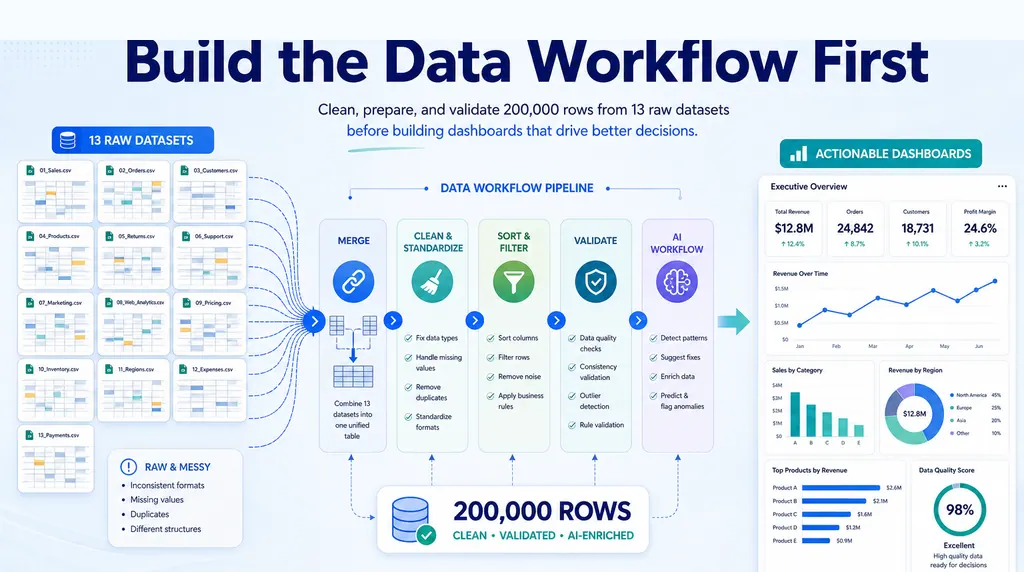
Key takeaways:
- A large PBIX before development is often a scope problem as much as a technical model-size problem.
- Before optimizing the file, validate the dashboard question, required KPIs, data grain, date range, and stakeholder story with a smaller prototype.
- RowSpeak can help create a lightweight report from an export so the team can confirm what belongs in Power BI before loading every table just in case.
A Power BI PBIX file that is already huge before dashboard development is a warning sign.
It may be a technical problem: too many columns, poor model design, imported data that should be filtered, high-cardinality fields, or unnecessary calculated tables.
But it may also be a product problem. The report may not have a clear audience yet. The metrics may not be defined. The business question may still be too broad. The team may be loading everything because nobody has decided what the dashboard actually needs to answer.
If the PBIX is already 1GB or more before the real dashboard work begins, do not only ask how to compress it. Ask why the report became that large in the first place.
First separate model size from report scope
A large PBIX can come from two different causes.
The first is technical model bloat. Examples include:
- importing full transaction history when only recent periods are needed
- keeping unused columns
- storing text fields with high cardinality
- duplicating tables
- creating calculated columns when measures would be better
- importing detail rows that should stay in the source system
- loading multiple grain levels without a clear model design
The second is unclear report scope. Examples include:
- every stakeholder asked for a different view
- the report tries to replace several existing reports at once
- no one has agreed on the core KPIs
- the team is unsure which filters matter
- raw data is loaded “just in case”
Both issues matter. But they require different fixes.
If the model is technically bloated, Power BI optimization is the answer. If the scope is unclear, optimization alone will not save the project. You need to narrow the reporting problem first.
Validate the dashboard question outside Power BI
Before rebuilding the model, write down the dashboard’s main job.
For example:
- Monitor monthly revenue by region and product line
- Explain margin changes by customer segment
- Track open support issues by severity and owner
- Compare forecast, actuals, and variance by department
- Show ecommerce performance by channel and campaign
If the team cannot state the job in one sentence, the PBIX is probably carrying too many possible reports.
A useful exercise is to prototype the output from a smaller export or spreadsheet before committing to a full BI model. Create a lightweight report with the key metrics, filters, and comparison views. Ask stakeholders what decisions they can make from it.
This is the same decision rule behind when Power BI is overkill for Excel reports. BI is powerful, but it should not be the first place where the business question gets discovered.
For example, instead of importing every transaction field into the PBIX immediately, export a smaller sample and ask for the first report version:
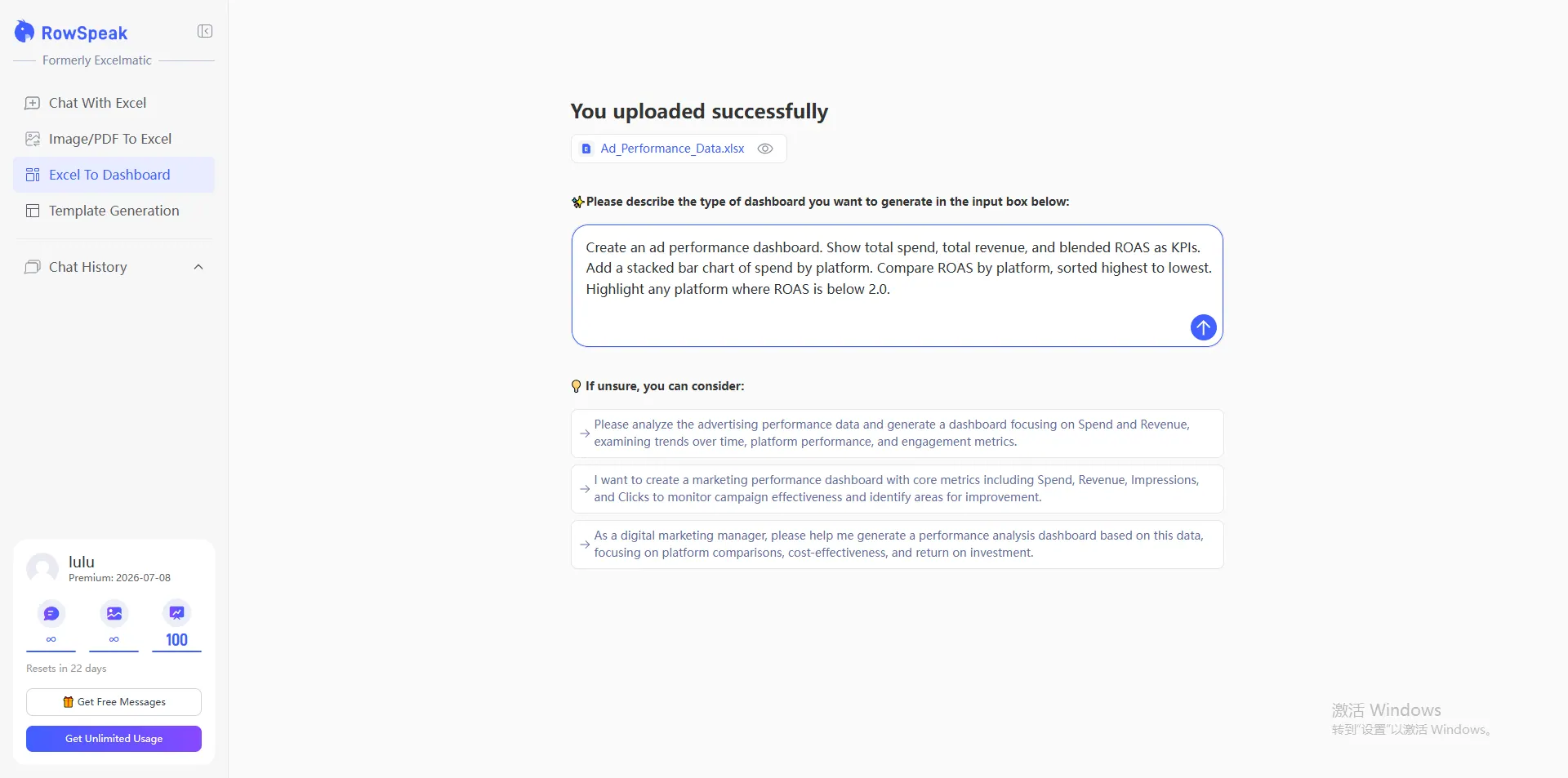
The point is not to finalize the BI design in a lightweight tool. The point is to learn which KPIs, filters, and exceptions stakeholders actually use before the Power BI model carries every field.
Audit what is actually being used
Once the report scope is clearer, audit the data.
Ask:
- Which tables support the required metrics?
- Which columns are used in visuals, filters, joins, or measures?
- Which columns are never used?
- What is the required date range?
- What level of detail does the report need?
- Which fields create very high cardinality?
- Which calculations should happen upstream?
A simple inventory can reduce the model before deeper optimization begins.
For example, a transaction table may contain notes, addresses, raw IDs, timestamps, and text descriptions that are not needed in the dashboard. Keeping them can increase file size without improving the report.
A Power BI developer can handle model design. But the business owner still needs to decide what the dashboard must explain.
Use a lightweight report to test the story
A large PBIX often hides an untested story.
Before spending more time on data modeling, build a small version of the report from exported data. This can be done in Excel, a spreadsheet-to-dashboard workflow, or a tool like RowSpeak.
The prototype should answer:
- Which KPIs belong on the first page?
- Which dimensions explain movement?
- Which filters are actually used?
- Which exceptions need a detail table?
- Which definitions are unclear?
- Which stakeholders need separate views?
This is not a replacement for Power BI when the final system needs governed refresh, row-level security, enterprise semantic models, or broad distribution. It is a faster way to validate what the report should become.
If the goal is to turn an export into a first dashboard/report view, an Excel-to-dashboard workflow can help the team test the logic before building the full BI model.
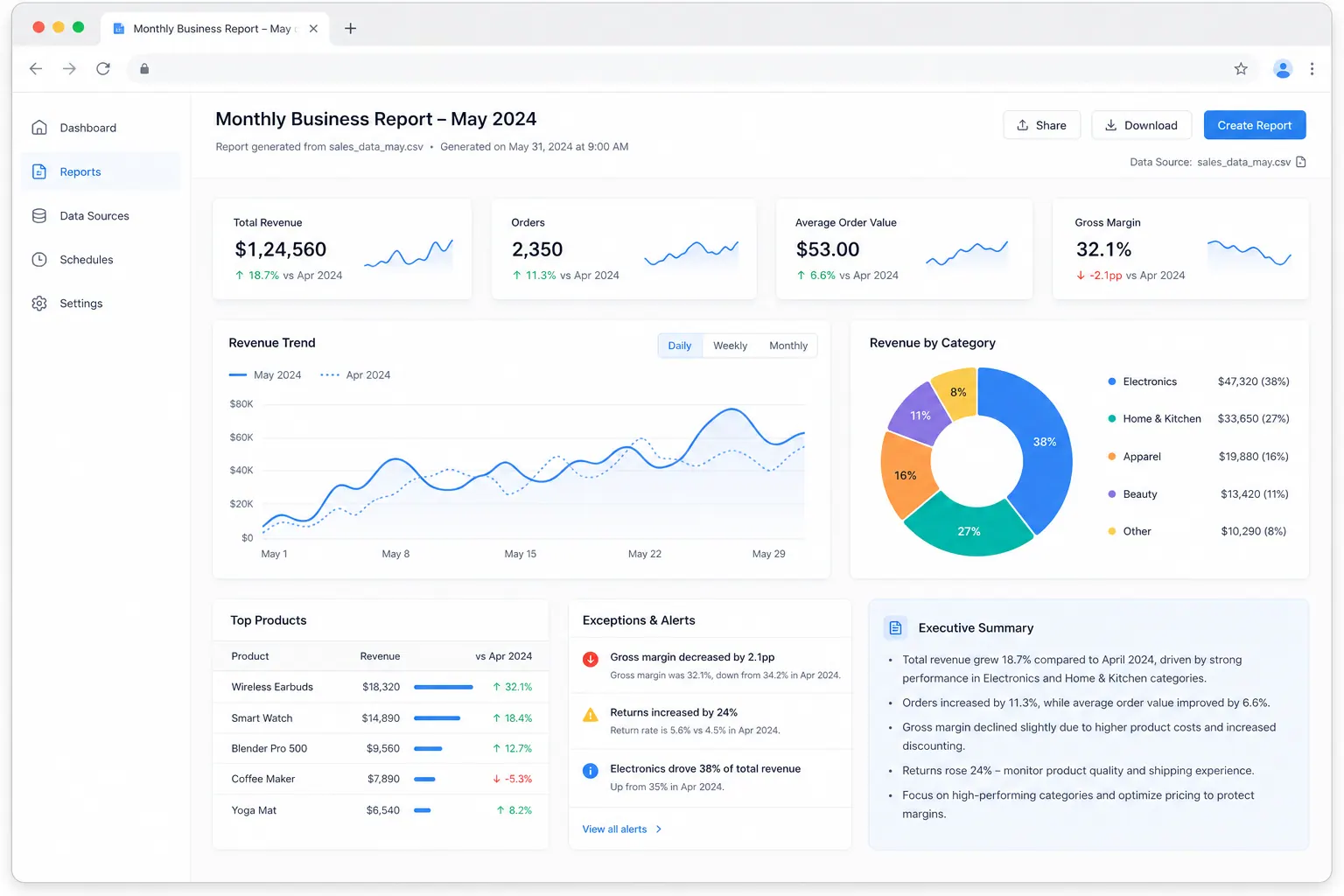
The prototype can be simple: KPI cards, a trend chart, one ranked table, one exception table, and a written summary of what the data can and cannot prove.

Where RowSpeak fits
RowSpeak fits before the Power BI build when the team still needs to understand the reporting logic.
You can upload an export or sample dataset and ask RowSpeak to:
- identify likely KPIs
- summarize what the data can and cannot answer
- flag missing or messy fields
- suggest a dashboard structure
- generate a first report view
- explain which assumptions need confirmation
That gives the team a reviewable artifact before investing more time in the PBIX.
RowSpeak is not a replacement for a well-modeled Power BI environment. If you need governed enterprise dashboards, scheduled refresh, semantic modeling, and complex access control, Power BI may be the right destination.
But if the PBIX is already huge because the team is still figuring out the report, RowSpeak can act as a lighter layer between raw exports and BI development.
Practical steps before development continues
Use this sequence before adding more pages to the PBIX.
Define the dashboard’s one-sentence job
If there are five jobs, there may be five reports.List required KPIs and dimensions
Separate must-have fields from “maybe useful” fields.Remove unused columns from the prototype model
Especially long text, raw notes, IDs, and high-cardinality fields.Confirm the required grain
Decide whether the report needs transaction-level detail or aggregated tables.Validate date range requirements
Do not import years of history if the business only compares the last 13 periods.Prototype the report story
Use a smaller export to confirm pages, filters, and summaries.Rebuild or optimize the Power BI model intentionally
Once the scope is clear, technical optimization becomes much easier.
When the answer is still Power BI
Use Power BI when the report needs:
- governed data models
- scheduled refresh
- enterprise distribution
- row-level security
- complex relationships
- shared semantic layers
- many users across departments
Use a lighter workflow first when the report needs:
- fast validation
- stakeholder alignment
- one-off or monthly analysis
- a reviewable summary from an export
- dashboard logic before BI development
This is why many teams compare BI with AI-powered dashboard reporting tools before committing to a full build.
Common mistakes to avoid
Do not treat compression as the only goal. A smaller bad model is still a bad report.
Do not load every source column because someone might ask for it later. That is how prototypes become bloated production files.
Do not build visuals before agreeing on the KPIs. A dashboard page can hide unclear definitions behind polished charts.
Do not use RowSpeak or Excel as a replacement for enterprise BI when governance is the real requirement. Use them to clarify the report before the BI build.
The takeaway
A large PBIX before development is not just a Power BI performance issue. It is often a sign that the reporting question has not been narrowed.
Before optimizing the file, validate the business question, the required metrics, the data grain, and the dashboard story. Then decide whether the final output belongs in Power BI or whether a lighter spreadsheet-to-report workflow is enough.
The best Power BI projects start with a clear report. Not with every table loaded just in case.
Get Started: Prototype the Report Before Expanding the PBIX
If your PBIX is already too large, export a smaller sample of the data and upload it to RowSpeak. Ask it to identify likely KPIs, missing fields, unnecessary columns, and a first dashboard/report structure before the Power BI build continues.
Try RowSpeak today and clarify the report story before your BI model gets heavier.