In today's fast-paced world, data analysis and automation are crucial for enhancing productivity and making informed decisions. Excel, a cornerstone of data management, has been revolutionized by the integration of AI tools. These tools offer everything from formula generation to advanced predictive analytics, making Excel more powerful than ever. Whether you are a student, a professional, or a business owner, there is an Excel AI tool that can enhance your workflow. Here, we will explore the top 10 Excel AI tools available in 2025, focusing on their features, ideal user base, pros and cons, and pricing.
If you are comparing free tools, templates, or team limits, you can choose the right RowSpeak plan before deciding how far to take the workflow.
1. RowSpeak
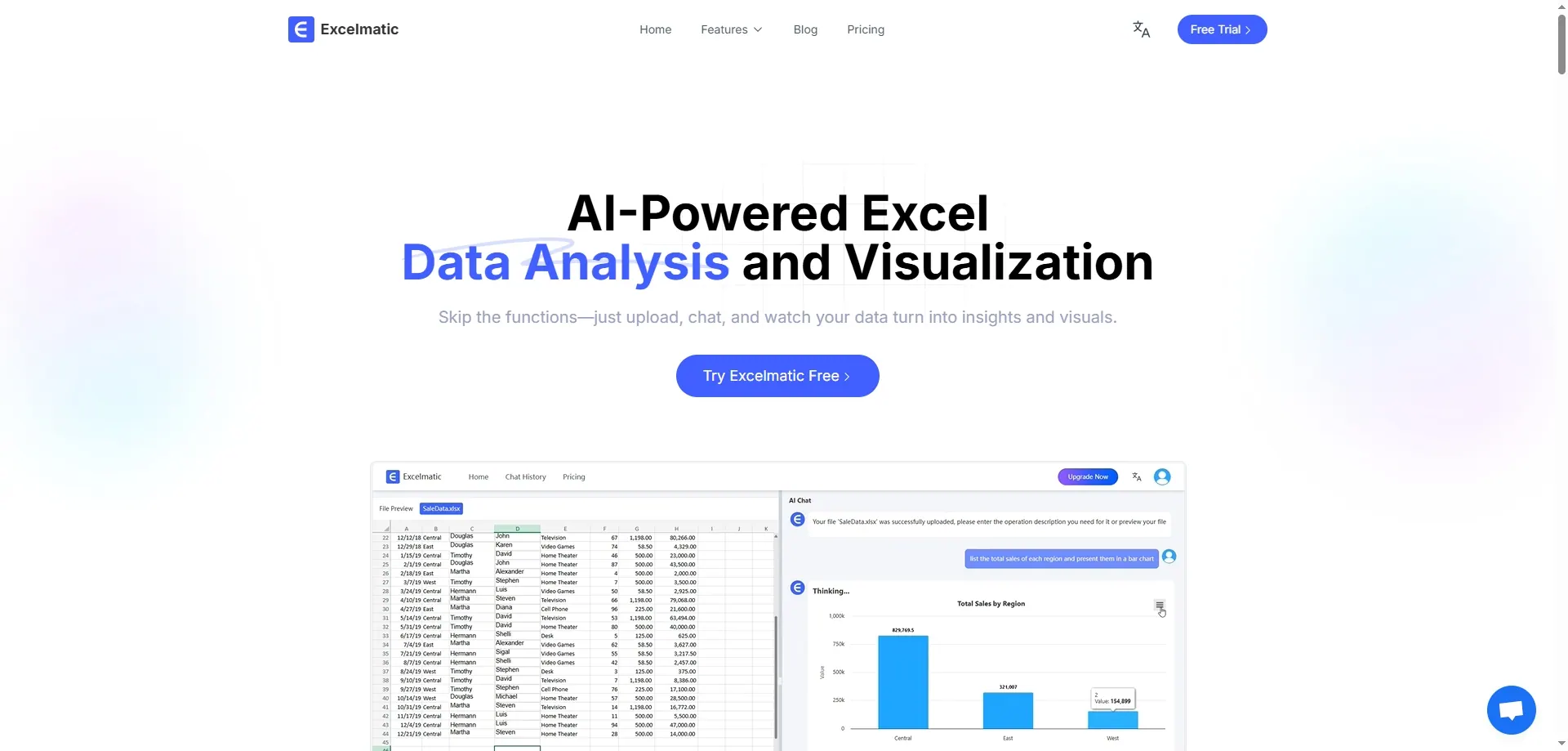
Features:
Data Processing and Analysis: Offers a variety of data processing functions, including sorting, filtering, find and replace, and more, for quick analysis.
Formulas and Functions: Supports the use of various mathematical, statistical, and logical formulas and functions for complex calculations and data analysis.
Chart Creation: Users can generate various types of charts, such as Bar Charts, pie charts, and line charts, for visual data analysis.
Best For: Beginners and professionals who want to streamline their Excel workflows without deep technical knowledge.
Pros and Cons Comparison:
| Pros | Cons |
|---|---|
| User-friendly interface | Limited advanced features compared to more specialized tools |
| Quick setup | |
| Effective automation of repetitive tasks |
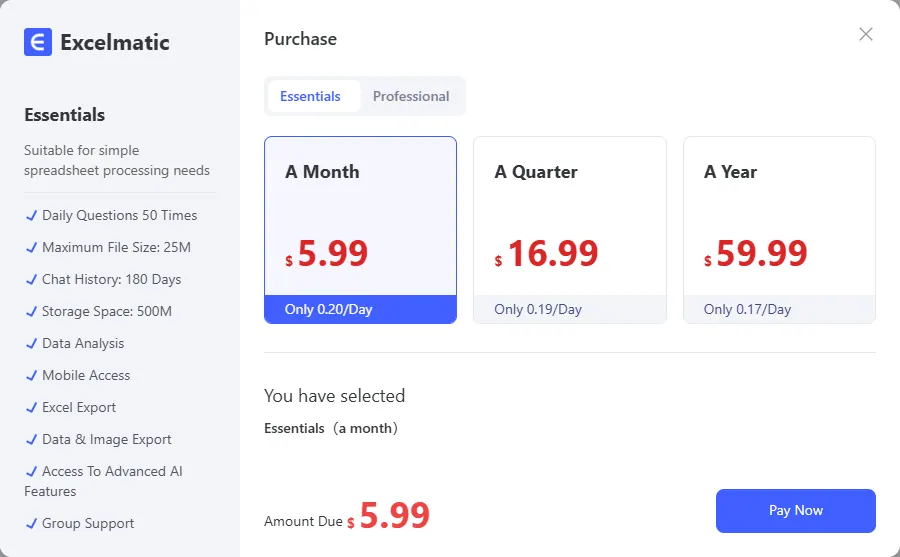
Pricing:
2. DataRobot
Features: DataRobot is an advanced machine learning platform that integrates seamlessly with Excel. It allows users to build and deploy predictive models without needing extensive data science knowledge.
Best For: Analysts and businesses looking to forecast trends and behavior patterns based on historical data.
Pros and Cons Comparison:
| Pros | Cons |
|---|---|
| Advanced predictive models | Can be expensive for individuals or small teams |
| User-friendly interface | Requires data cleaning before use |
| Robust data analysis capabilities |
Pricing: Contact DataRobot for pricing (starting around $5,000/year for enterprise solutions)
3. Power Query
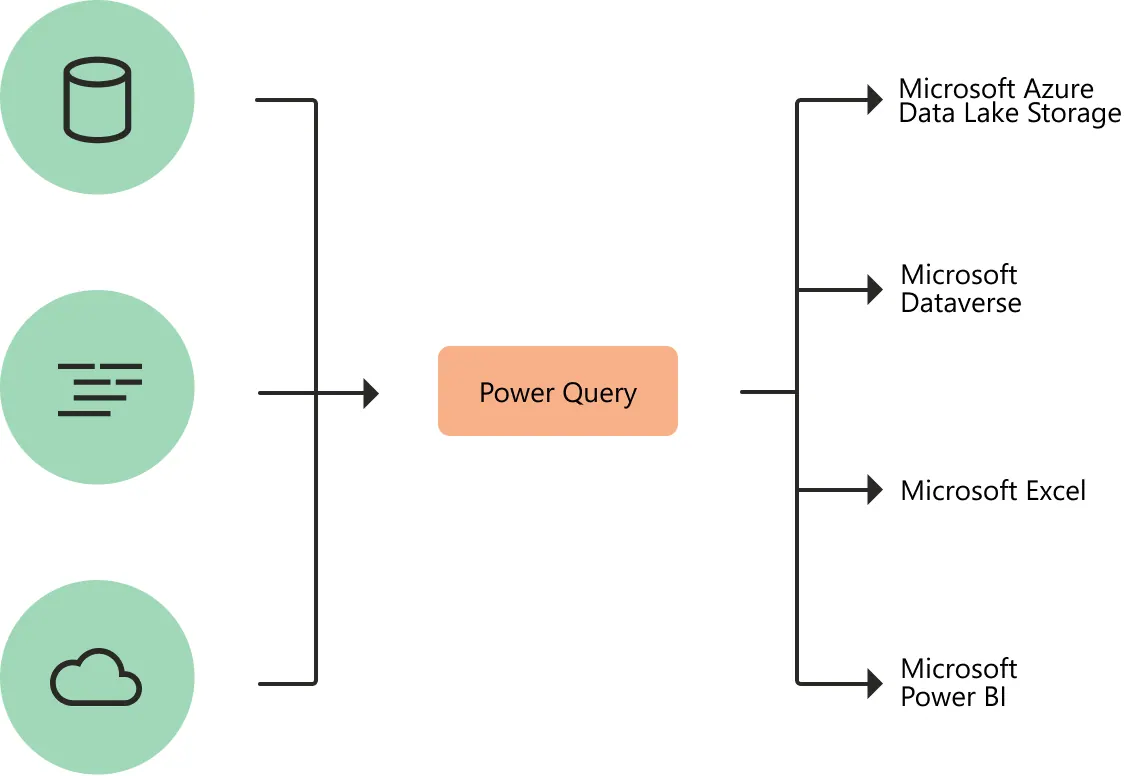
Features: Power Query is an Excel add-in that simplifies data transformation and preparation. It uses AI to suggest transformations and clean data automatically.
Best For: Users who need to clean and transform large datasets quickly and efficiently.
Pros and Cons Comparison:
| Pros | Cons |
|---|---|
| Seamless integration with Excel | May have a learning curve for beginners |
| Powerful data transformation capabilities | |
| AI-driven suggestions |
Pricing: Included with Microsoft Excel, no additional cost.
4. Tableau

Features: Tableau offers a user-friendly drag-and-drop interface for visual data analysis. It integrates with Excel to provide interactive dashboards and real-time reporting.
Best For: Analysts and data enthusiasts who need to create clear, easy-to-understand visualizations.
Pros and Cons Comparison:
| Pros | Cons |
|---|---|
| Interactive visualizations | Can be expensive for small businesses |
| Real-time reporting | Requires a learning curve |
| Extensive resources for users |
Pricing:
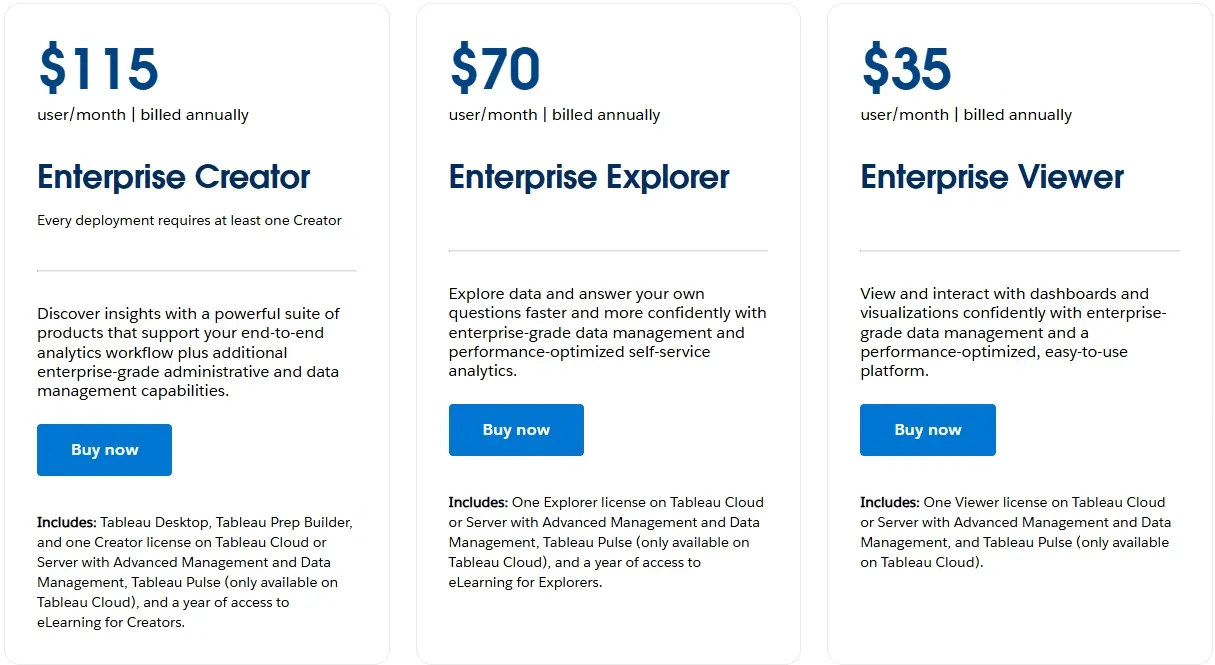
5. SheetAI
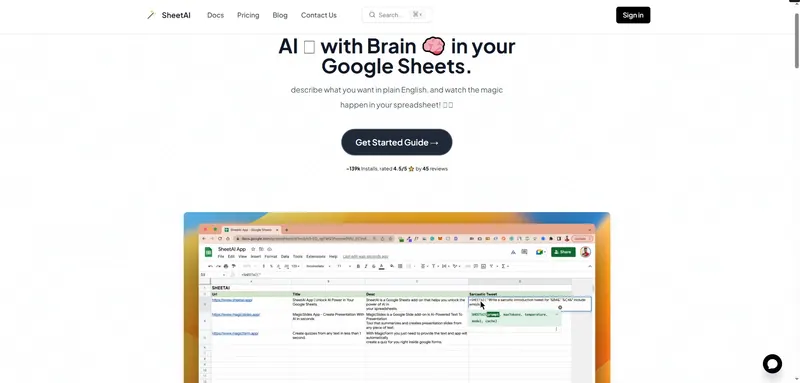
Features: SheetAI is an AI-powered tool that enhances Excel with features like formula generation, data cleaning, and advanced analytics.
Best For: Users who want to enhance their Excel experience with AI-driven features.
Pros and Cons Comparison:
| Pros | Cons |
|---|---|
| Easy to use | Limited advanced analytics compared to specialized tools |
| Integrates seamlessly with Excel | |
| Offers a wide range of AI features |
Pricing:
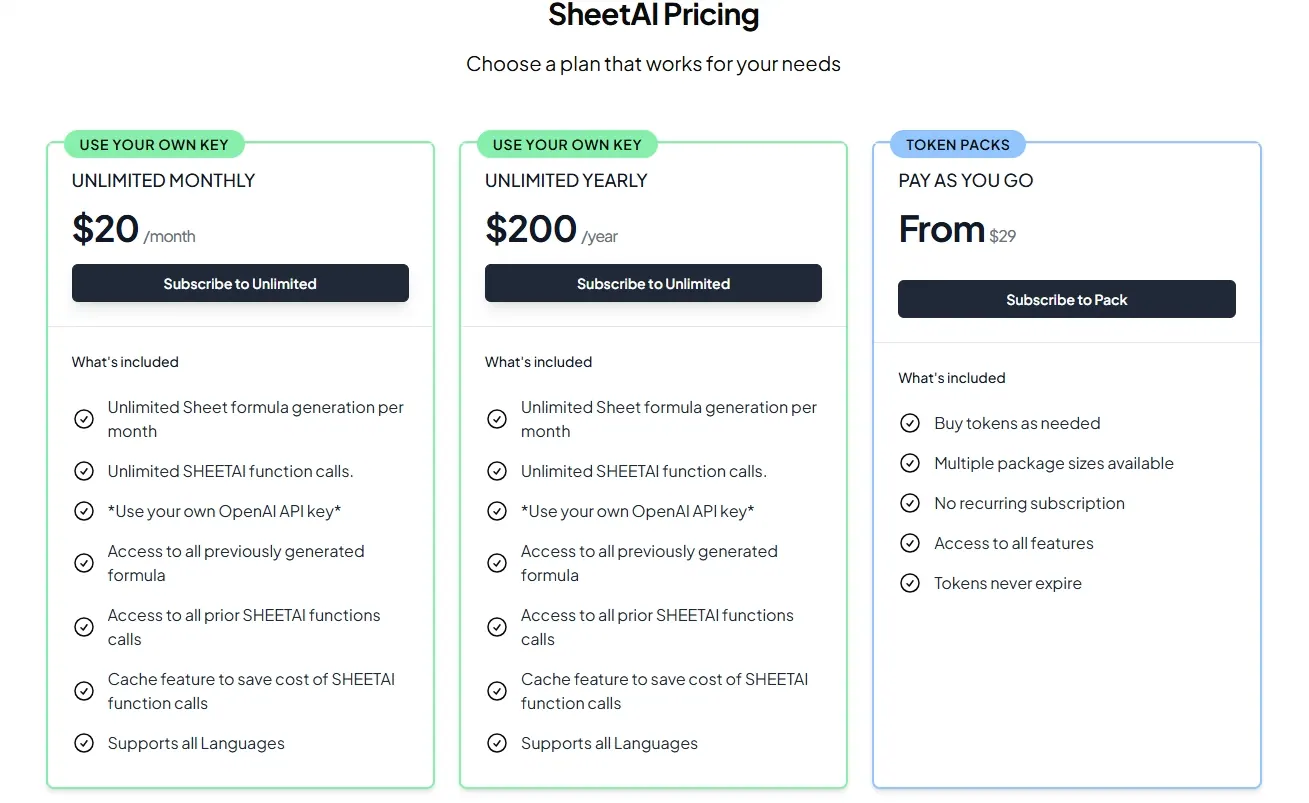
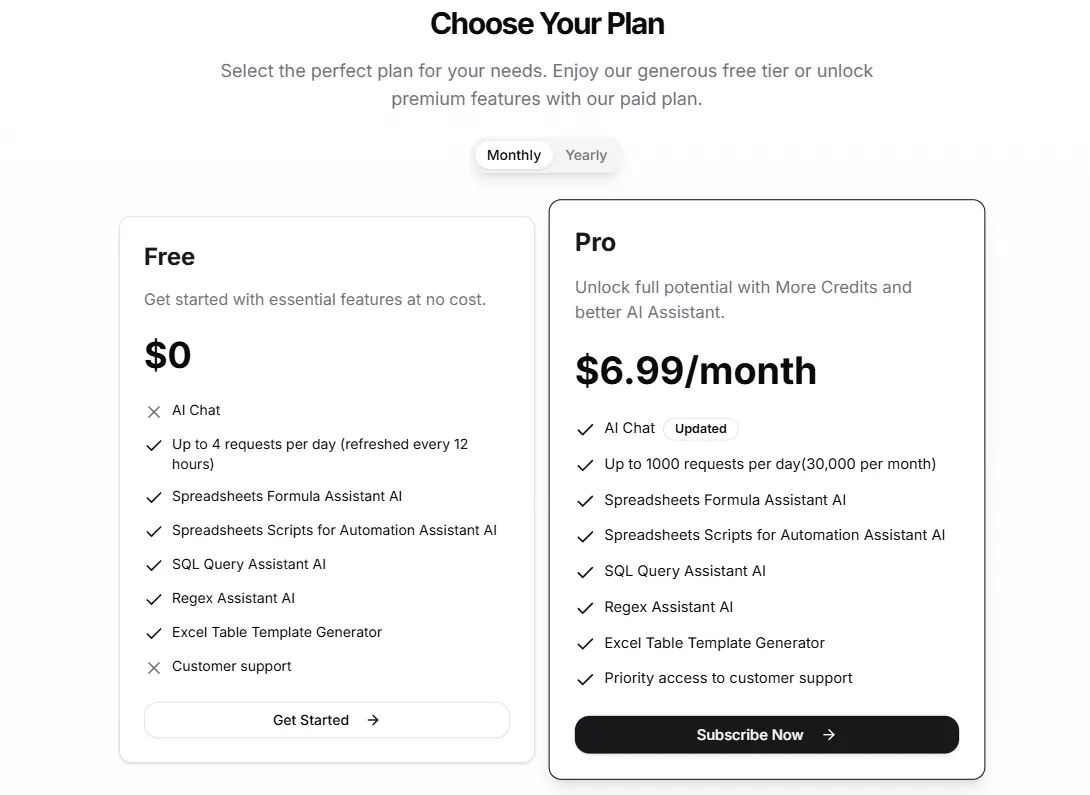
6. GPTExcel
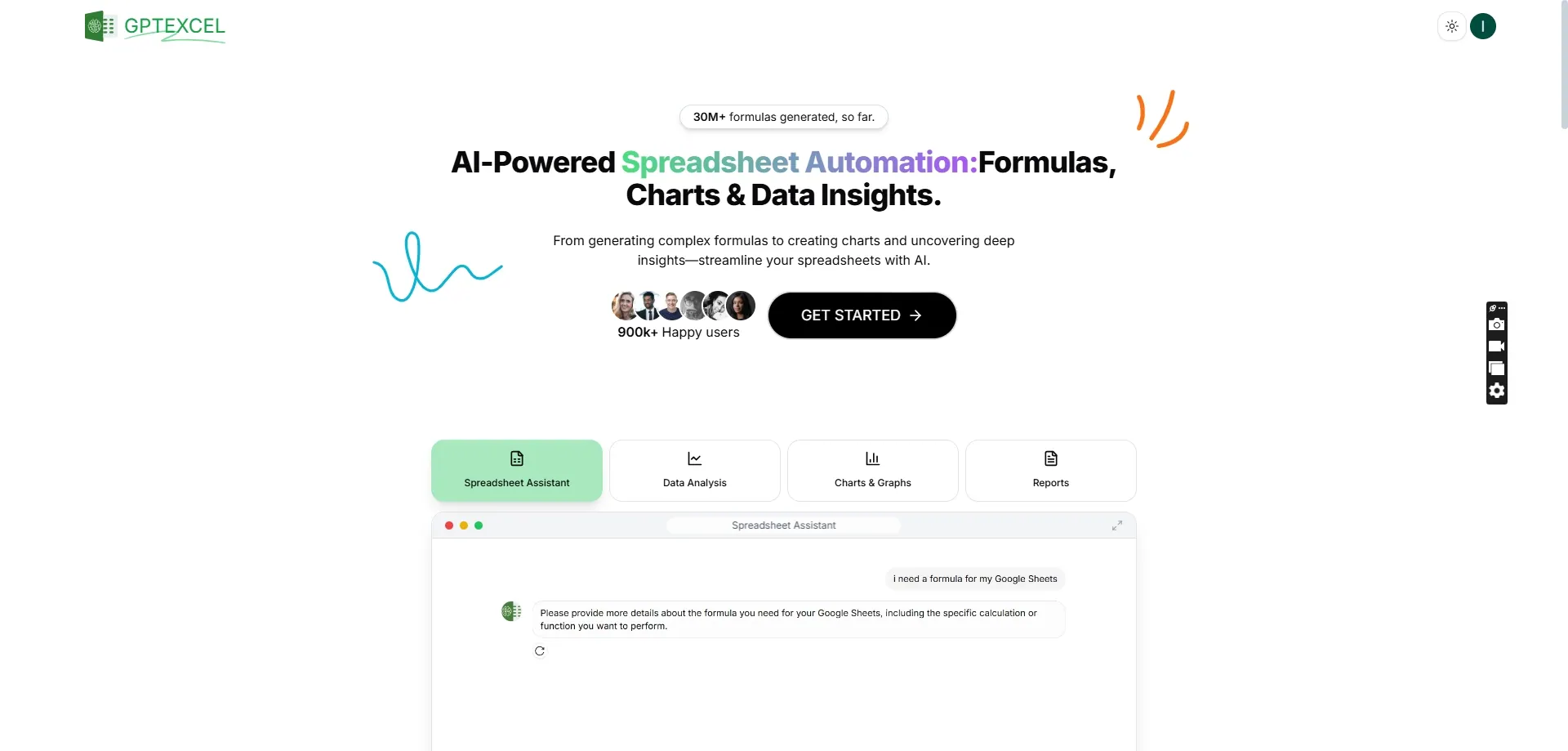
Features: GPTExcel is a cost-effective AI tool that generates spreadsheet formulas and offers additional features like script and SQL query generation.
Best For: Beginners or those who need quick access to spreadsheet formulas.
Pros and Cons Comparison:
| Pros | Cons |
|---|---|
| User-friendly | Free version limited to four requests per day |
| Quick formula generation | |
| Affordable pricing |
Pricing:
7. Numerous.ai
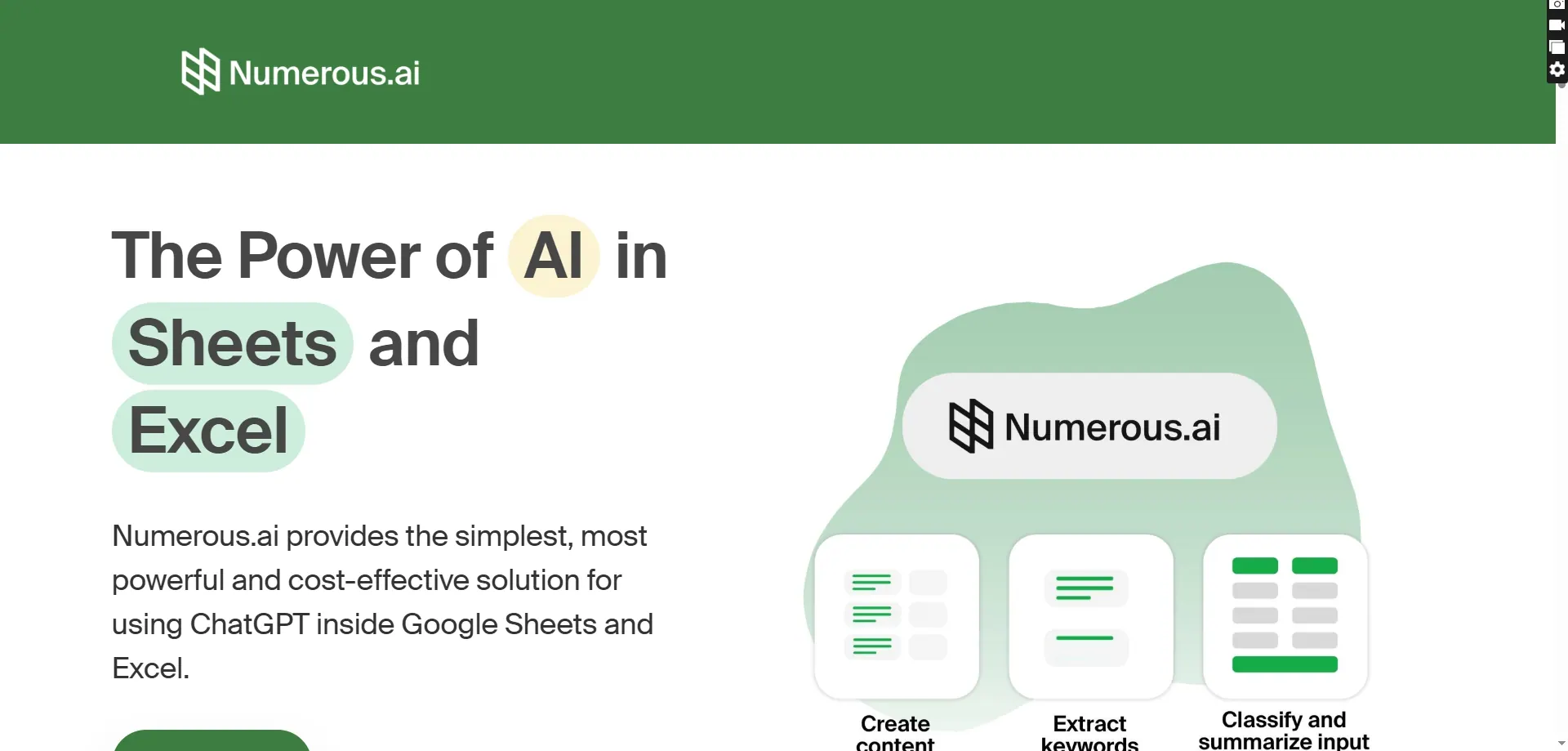
Features: Numerous.ai is an AI-powered tool that allows users to perform tasks like sentiment analysis, SEO content creation, and data classification within Excel.
Best For: Content marketers, e-commerce businesses, and users who need to perform complex tasks at scale.
Pros and Cons Comparison:
| Pros | Cons |
|---|---|
| Versatile | May require some technical knowledge to fully utilize advanced features |
| Supports both Excel and Google Sheets | |
| Offers unlimited use without sign-up |
Pricing: Free version with unlimited use; premium features available through subscription.
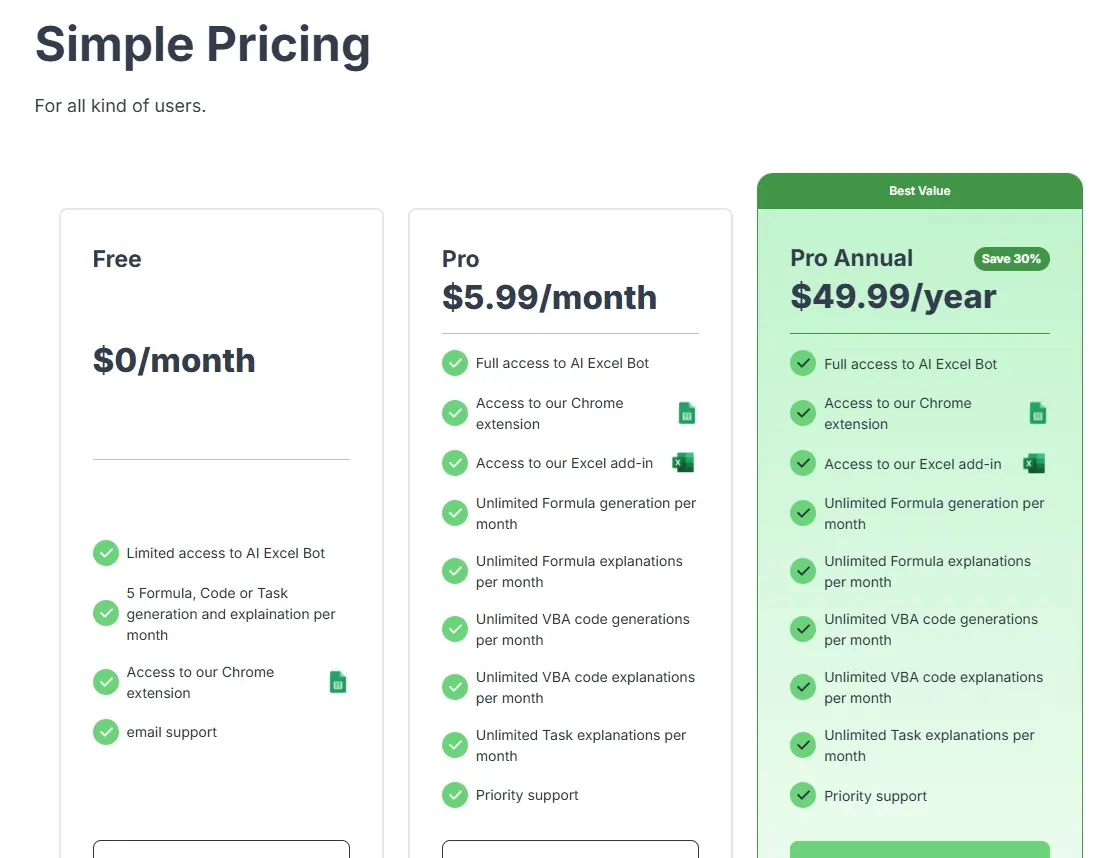
8. AI Excel Bot
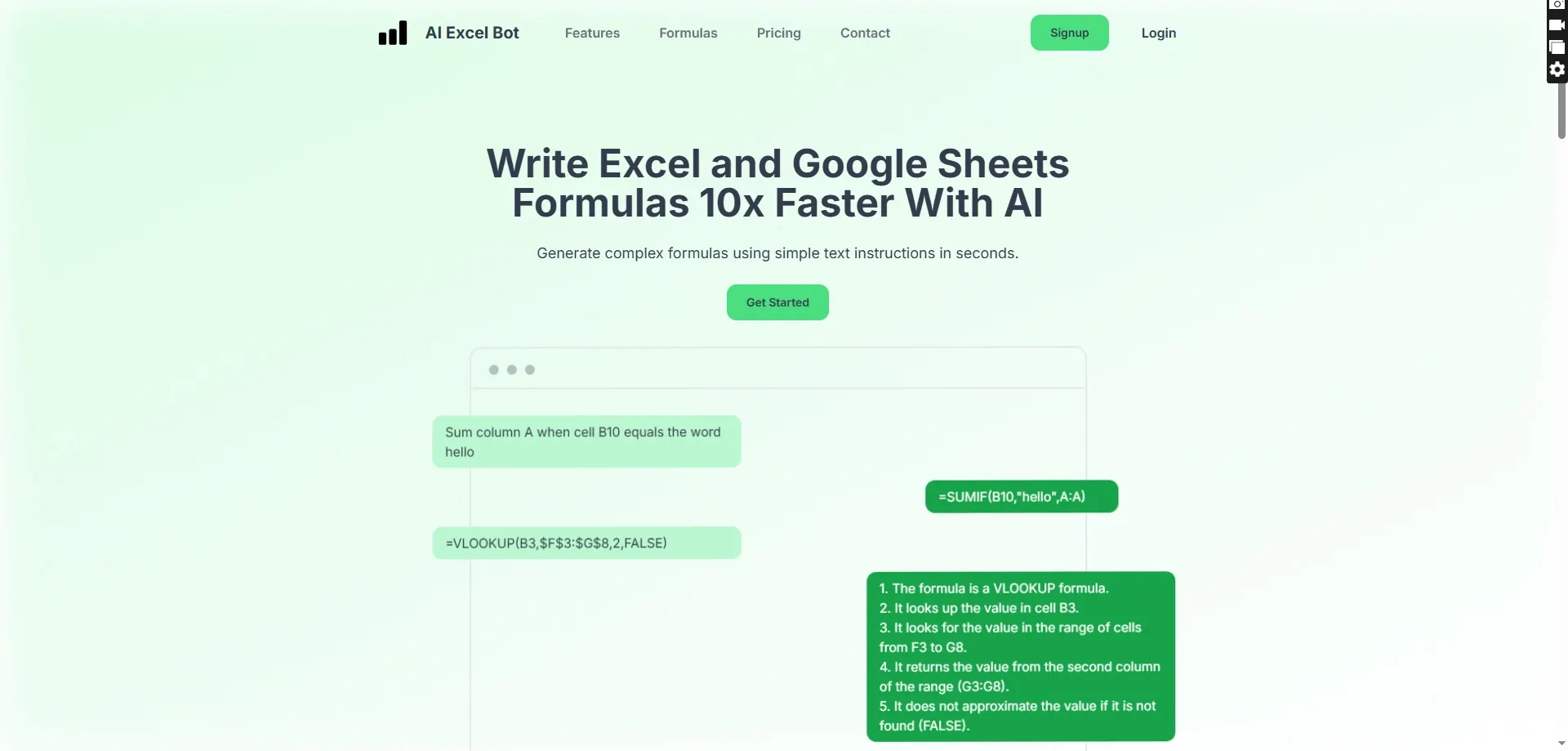
Features: AI Excel Bot is designed to automate repetitive tasks in Excel using AI. It can generate formulas, clean data, and automate workflows.
Best For: Users looking to automate repetitive tasks and improve productivity.
Pros and Cons Comparison:
| Pros | Cons |
|---|---|
| Easy to use | Limited advanced features compared to more specialized tools |
| Effective automation | |
| Integrates seamlessly with Excel |
Pricing:
9. Ajelix
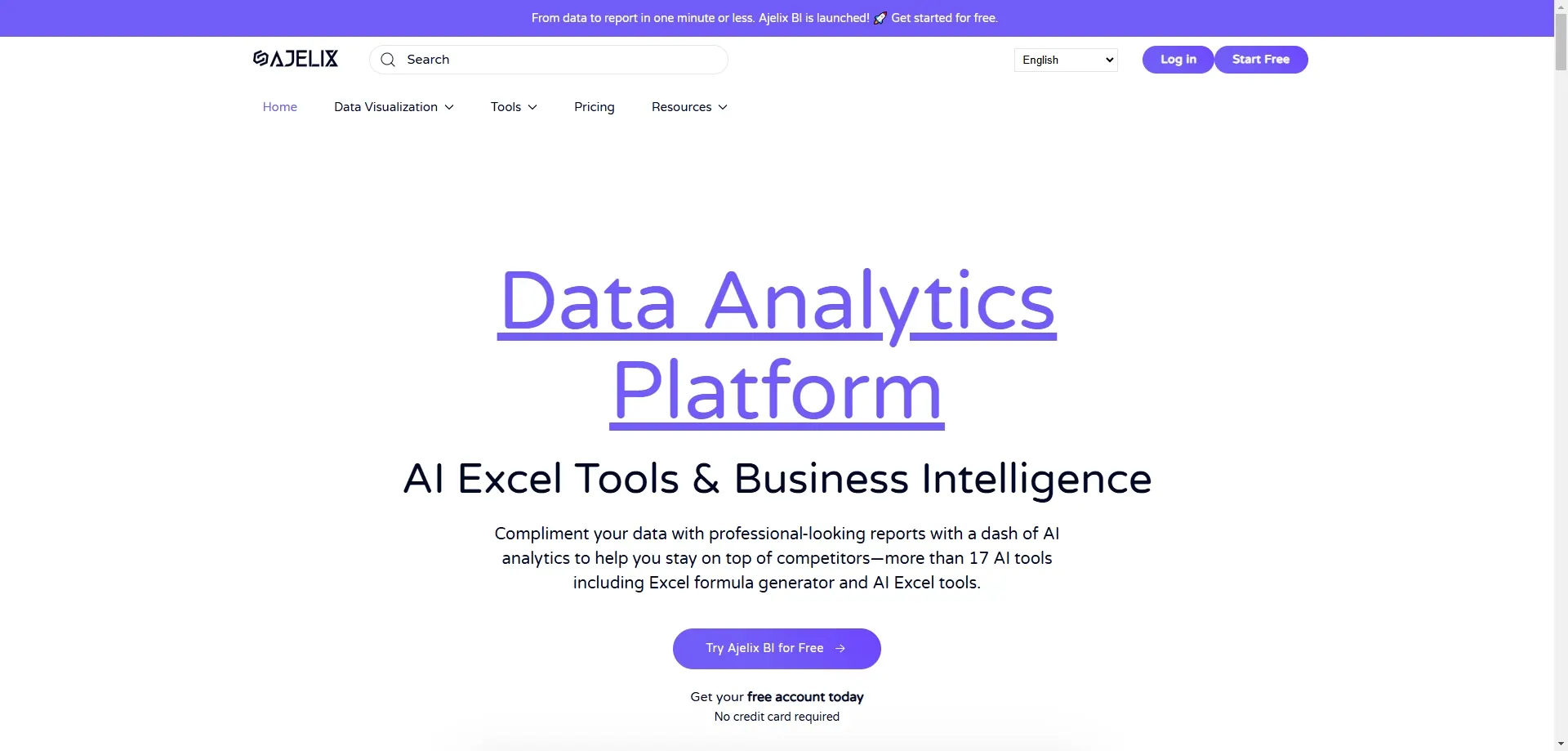
Features: Ajelix is a comprehensive data analytics platform that includes an Excel formula generator, AI dashboard generator, and conversational analytics.
Best For: Small business owners, teams without extensive technical knowledge, and users looking for a versatile AI tool.
Pros and Cons Comparison:
| Pros | Cons |
|---|---|
| User-friendly | Paid plans can be expensive for small teams |
| Offers a wide range of AI features | |
| Integrates with both Excel and Google Sheets |
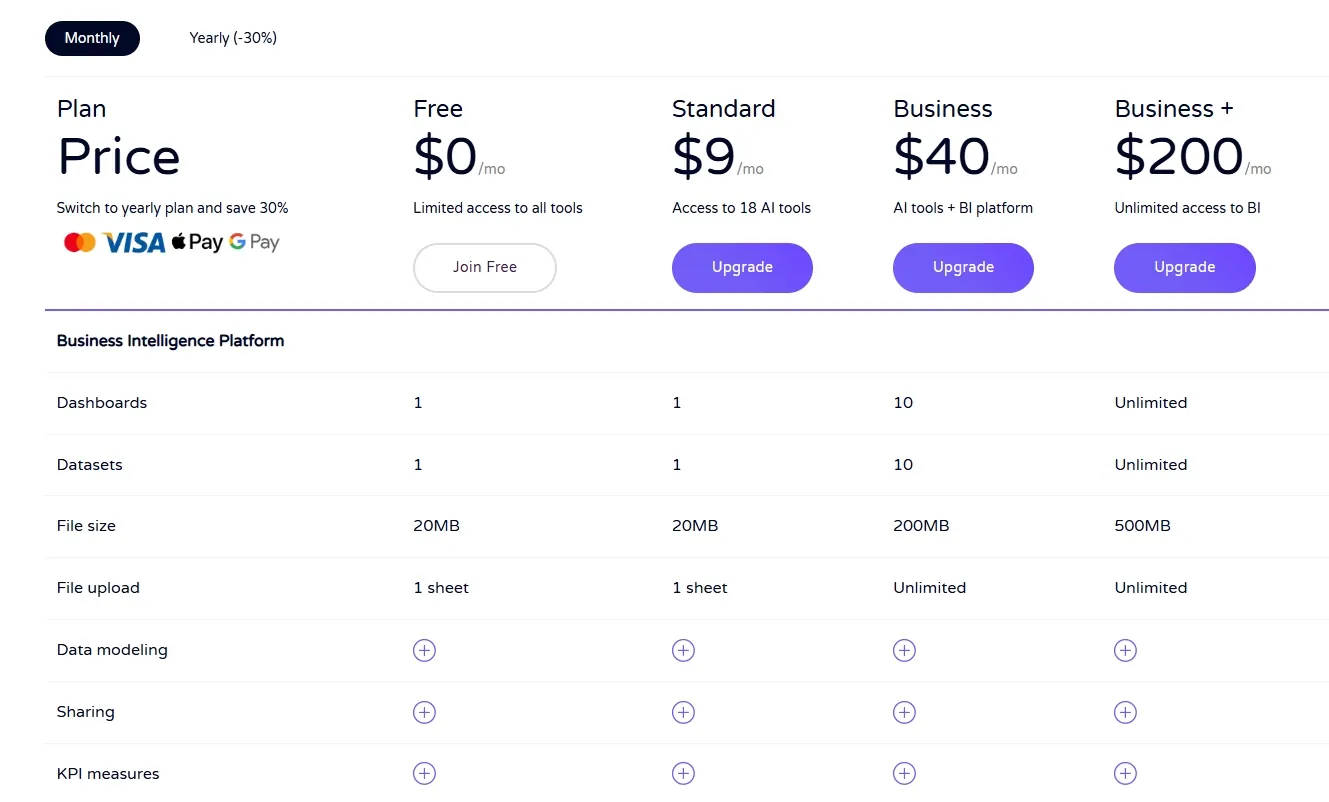
Pricing:
10. Akkio

Features: Akkio is an AI data platform designed for advertising and marketing agencies. It offers automated data analysis and optimization with a user-friendly interface.
Best For: Marketing professionals who need quick data insights and simplified data handling processes.
Pros and Cons Comparison:
| Pros | Cons |
|---|---|
| No login required | Free version limited to basic features |
| Fast formula generation | |
| User-friendly interface |
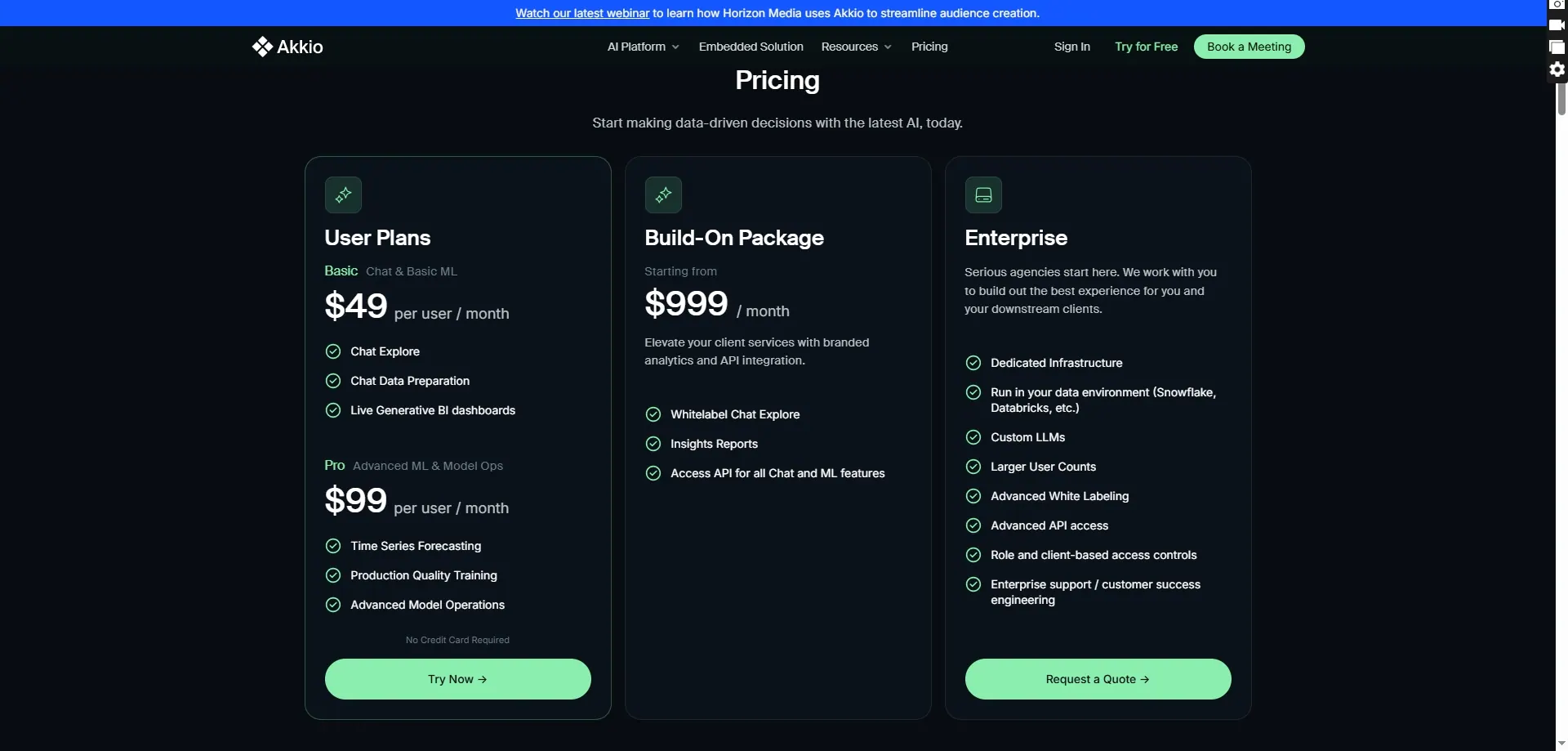
Pricing:
Conclusion
The integration of AI tools into Excel has transformed the way we handle data, making it easier to automate tasks, analyze large datasets, and generate predictive insights. Whether you are a beginner looking to simplify your workflow or a professional needing advanced analytics, there is an Excel AI tool that can meet your needs. By evaluating your requirements and selecting the right tool, you can significantly enhance your productivity and make more informed decisions. Embrace the power of AI in Excel and unlock new possibilities in your data management and analysis processes.