
Excel Essentials
Formulas, tables, charts, and file basics for everyday spreadsheet work
 Excel Essentials
How to Find the Right Input for Your Target: A Guide to Goal Seek in Excel
Struggling to find the right input value to hit a specific target in your Excel model? This guide walks you through Excel's powerful Goal Seek tool with real-world examples and introduces a faster, AI-powered alternative for instant, accurate answers.
 Excel Essentials
How to Create a Frequency Distribution in Excel: 5 Simple Methods
Master the art of calculating frequency distributions in Excel. We'll guide you through five methods, including formulas, Pivot Tables, the Analysis ToolPak, and a revolutionary AI approach that simplifies the entire process.
 Excel Essentials
A Smarter Way to Fill Data in Excel: The Fill Handle vs. AI
Master data entry in Excel. Learn the ins and outs of the traditional Fill Handle for filling numbers, dates, and formulas, and discover how a new AI-powered approach can automate these tasks with simple language commands, saving you time and preventing common errors.
 Excel Essentials
Extract Numbers from a String in Excel: Formulas vs. AI
Struggling with complex formulas like TEXTJOIN, MID, and RIGHT just to pull numbers from text in Excel? This guide walks you through the traditional methods for every scenario and introduces a revolutionary AI-powered approach that gets it done in seconds with a simple sentence.
 Excel Essentials
A Practical Guide to Partial Match Lookups in Excel
Stop wrestling with complex formulas for partial matches. This guide covers Excel's powerful wildcard characters (*, ?, ~) for functions like VLOOKUP and COUNTIF, and introduces a smarter, AI-powered way to get the same results with plain English.
 Excel Essentials
How to Master Time Calculation in Excel - Formulas vs. AI
Mastering time calculations in Excel can be a game-changer for project planning and payroll. This guide covers everything from basic formulas like TIME() and TEXT() to handling tricky scenarios like negative durations. We also introduce a modern, AI-powered approach to get instant, accurate results.
 Excel Essentials
The Ultimate Guide to Combining Text in Excel (Formulas vs. AI)
Tired of messy text concatenation in Excel? This guide breaks down the modern TEXTJOIN function and introduces a powerful AI alternative. Learn how to effortlessly combine data, handle delimiters, and skip blanks, whether you love formulas or prefer plain English commands.
 Excel Essentials
Two Smart Ways to Format Numbers as Text in Excel
Stop wrestling with complex format codes. This guide shows you how to convert numbers to perfectly formatted text using both the classic TEXT() function and a new, intuitive AI tool. Get readable reports and labels in seconds.
 Excel Essentials
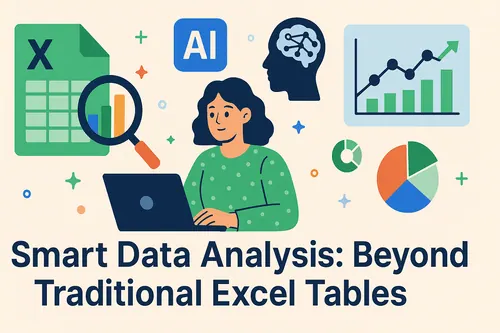
Smart Data Analysis: Beyond Traditional Excel Tables
Tired of manually creating tables, writing formulas, and filtering data in Excel? This guide explores the power of traditional Excel Tables and introduces a revolutionary AI-powered approach to get instant answers, charts, and insights from your spreadsheets. Learn the pros and cons of each method.
 Excel Essentials
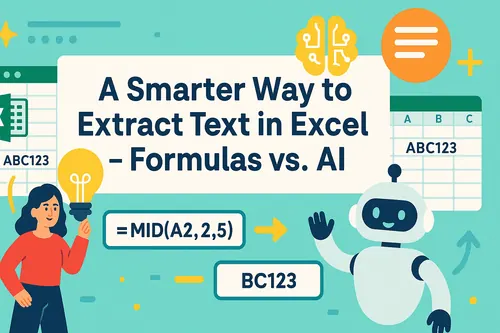
A Smarter Way to Extract Text in Excel - Formulas vs. AI
Tired of wrestling with complex nested formulas like LEFT, MID, and FIND? This guide compares traditional Excel text extraction techniques with a powerful AI alternative. Learn how to clean data, format text, and pull specific information in a fraction of the time.
 Excel Essentials
How to Master Advanced Filtering with Excel Slicers (and a Faster AI Method)
Tired of clunky dropdown menus? Excel Slicers offer a visual way to filter data. But what if you could skip the setup entirely? This guide shows you how to use Slicers and compares them to a new AI-powered method that lets you get answers from your data just by asking.
 Excel Essentials
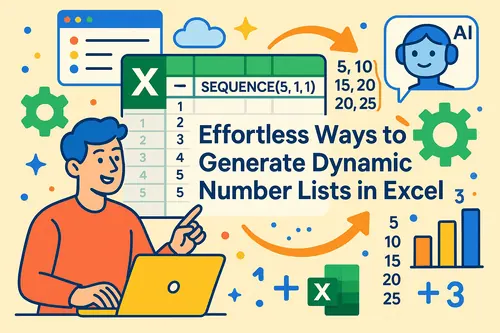
Effortless Ways to Generate Dynamic Number Lists in Excel
Tired of dragging formulas? This guide dives into Excel's powerful SEQUENCE function for creating dynamic lists, calendars, and more. We'll also compare this traditional method with a new AI approach that lets you accomplish the same tasks just by asking.
 Excel Essentials
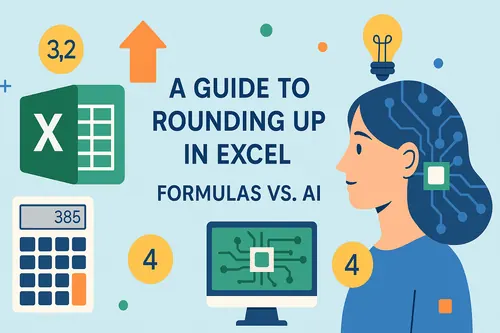
A Guide to Rounding Up in Excel: Formulas vs. AI
Master the art of rounding up in Excel. This guide covers the ROUNDUP function for precise calculations and introduces an AI-driven approach to automate the process. Stop memorizing formulas and start getting answers in seconds.
 Excel Essentials
The Ultimate Guide to Rounding Numbers in Excel: Formulas vs. AI
Tired of memorizing complex rounding formulas in Excel? This guide breaks down everything from ROUND() to MROUND() and introduces a revolutionary AI-powered method to handle all your rounding needs with simple English commands. Boost your efficiency and accuracy today.
 Excel Essentials
How to Generate Random Numbers in Excel: 4 Methods from Basic to AI
Learn how to generate random numbers in Excel for simulations, data anonymization, and more. This guide covers RAND(), RANDBETWEEN(), and RANDARRAY(), and introduces a revolutionary AI method that requires no formulas.
 Excel Essentials
Two Fast Ways to Get the Current Date and Time in Excel
Learn two powerful methods to manage timestamps in Excel. We'll cover the classic NOW() function for dynamic dates and times, and introduce a faster, AI-driven way to handle time-based calculations without memorizing complex formulas.
 Excel Essentials
Excel New Line in Cell: A Practical Guide to Line Breaks
Tired of Excel moving to the next cell when you just want a line break? This guide covers all the methods, from simple keyboard shortcuts (Alt+Enter) to powerful formulas. We'll also compare these traditional techniques to a modern AI solution that does the work for you.
 Excel Essentials
Beyond MATCH - Simpler Ways to Find Data Positions in Excel
Learn the powerful Excel MATCH function for precise data lookups, from basic positioning to advanced fuzzy and wildcard searches. We'll also compare this traditional method with a new AI-powered approach that gets you answers in plain language, no formulas required.
 Excel Essentials
A Practical Guide to Creating Custom Excel Functions
Tired of repeating complex formulas? This guide explores Excel's LAMBDA function for creating custom, reusable calculations. We'll also compare it to a modern AI approach that lets you get the same results just by asking in plain English, simplifying your workflow.
 Excel Essentials
Smarter Excel Error Handling: Beyond the ISERROR Function
Learn how to go beyond basic ISERROR functions and effectively handle formula errors in Excel. This article compares traditional manual formula methods with using an AI Excel assistant, helping you clean data faster and more accurately to boost productivity.
 Excel Essentials
A Smarter Way to Handle Formula Errors in Excel
Don't let ugly error messages like #DIV/0! or #N/A ruin your spreadsheets. This guide walks you through the traditional IFERROR function for handling formula errors and introduces a revolutionary AI approach that accomplishes the same task with simple English commands, saving you time and effort.
 Excel Essentials
A Practical Guide to Rounding Down Numbers in Excel
Master the Excel FLOOR function to round down numbers for pricing, time management, and financial modeling. This guide covers syntax, practical examples, and common pitfalls. Plus, see how AI tools can automate this task for you, saving time and effort.
 Excel Essentials
A Complete Guide to Creating Drop Down Lists in Excel
Master Excel drop-down lists to ensure data consistency. This guide covers everything from basic setup and dynamic lists to troubleshooting common errors. We'll compare the traditional methods with the speed and simplicity of using an AI agent to automate the entire process.
 Excel Essentials
Excel Convert Text to Number :Easy Methods That Work (Plus an AI Fix)
Don't let text-formatted numbers break your Excel reports. Learn to identify and fix this common issue using traditional methods like Paste Special and the VALUE function, and discover how a modern AI-powered approach can automate the entire process for you.
 Excel Essentials
3 Simple Ways to Combine Text in Excel (Including an AI Trick)
Tired of manually combining first and last names or address parts in Excel? Discover the fastest ways to merge text. We'll compare the modern AI approach against classic formulas like CONCAT() and TEXTJOIN(), showing you how to save time and avoid common formula errors for good.
 Excel Essentials
Two Smart Ways to Calculate End-of-Month Dates in Excel
Struggling to calculate due dates or reporting periods in Excel? This guide breaks down the EOMONTH function step-by-step. We also introduce a powerful AI alternative that lets you find month-end dates using plain English, no complex formulas needed. Discover which method is right for you.
 Excel Essentials
5 Smart Ways to Calculate Days Between Dates in Excel
Tired of wrestling with Excel date formulas? This guide breaks down the 5 best traditional methods for calculating days between dates and introduces a revolutionary AI approach. Stop memorizing syntax and start getting answers in plain English.
 Excel Essentials
Two Powerful Ways to Ensure Data Accuracy in Excel
Tired of data entry errors ruining your analysis? This guide explores both traditional Excel Data Validation rules and a revolutionary AI-powered method to clean and validate your data. Discover how to prevent bad data and instantly find inconsistencies, saving you hours of manual work.
 Excel Essentials
A Complete Guide to Excel Data Types for Flawless Analysis
Learn to correctly identify, format, and convert essential Excel data types like Number, Text, and Date. We'll walk through traditional methods and reveal how AI tools can automate these tasks, saving you time and ensuring data accuracy for flawless reporting.
 Excel Essentials
Tired of Staring at Excel? A Smarter Way to Work, Beyond Just Dark Mode
While Excel's dark mode can ease eye strain, the real work pressure comes from complex data tasks. This article shows you how to manually set up dark mode and introduces a smarter AI solution that automatically handles data analysis, charts, and reports, fundamentally changing how you work.
 Excel Essentials
How to Calculate Cube Roots in Excel :4 Methods for Every User
Struggling with cube roots in Excel? This guide breaks down everything you need to know. We cover the POWER function, the caret operator, custom VBA scripts, and introduce a game-changing AI approach for getting answers in plain language.
 Excel Essentials
A Practical Guide to Counting Cells with Conditions in Excel
Master conditional counting in Excel. This guide covers everything from basic COUNTIF usage to advanced techniques with text, numbers, and dates, and introduces a revolutionary AI tool to get the same answers by just asking a question.
 Excel Essentials
Two Smart Ways to Count Blank Cells and Find Data Gaps in Excel
Blank cells can disrupt your data analysis. Discover how to quickly identify these gaps using Excel's COUNTBLANK function. We'll also introduce a revolutionary AI-powered method that lets you find missing data just by asking a simple question, no formulas needed.
 Excel Essentials
The Ultimate Guide to Counting Unique Values in Excel
Tired of complex formulas for counting unique values? This guide covers everything from basic UNIQUE and COUNTIF functions to advanced conditional counts. We also compare these traditional methods with an AI-powered solution that lets you get answers in plain English, simplifying your data analysis.
 Excel Essentials
How to Count in Excel :The Ultimate Guide to Formulas and AI
Tired of manual counting and formula errors in Excel? This guide breaks down essential functions like COUNT, COUNTA, and COUNTIF with easy examples. Plus, we compare these traditional methods to a powerful AI alternative that lets you get answers just by asking.
 Excel Essentials
A Smarter Way to Clean and Transform Excel Data :5 Proven Methods
Struggling with messy Excel data? This guide covers everything from manual cleaning and Python scripts to RowSpeak's revolutionary AI method. Handle data formatting, calculations, and analysis with ease. Find the fastest, most reliable way for your needs.